
GoCut - Effect Video Editor
com.videoedit.gocut
by Like GoCut
Screenshots



Ad slot: Top Leaderboard
About this app
GoCut is the best Velocity Edit Maker and Effect Video Editor you'll find! It's also a great Glowing Effect Video Maker, just like CapCut. With GoCut, you can create amazing videos using various velocity templates or aesthetic effects.
Now it's your turn to create awesome effects videos with GoCut and impress the world with your masterpiece. Making effect videos or velocity videos just got easier with GoCut.
Velocity Edit Maker
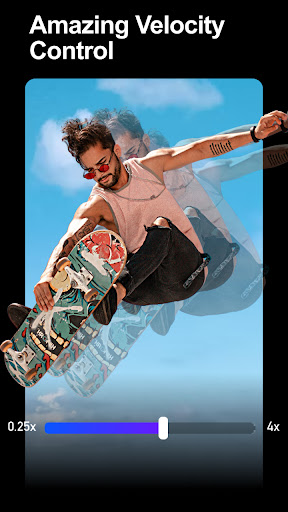
• Create videos with smooth velocity effects.
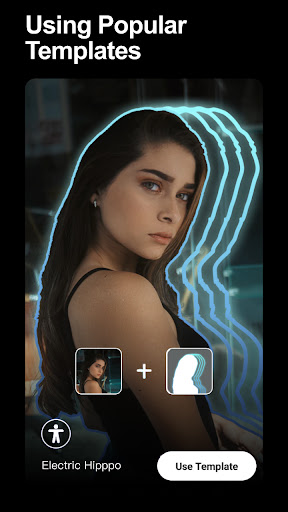
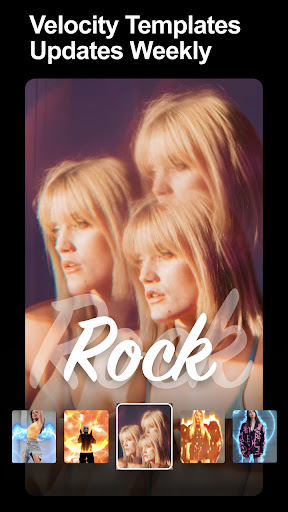
• 1000+ velocity Templates - Choose from the coolest velocity templates to make your videos unique.
• Choose your favorite template for advanced velocity editing.
Stylish Visuals
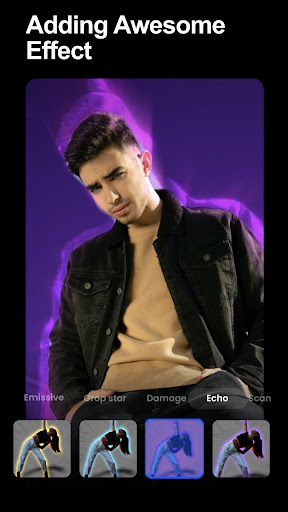
• Most Popular Effects - Glowing Line, velocity, Helix, VHS, Echo, Kira, Wave, Glitch, Rainbow, Dynamic...
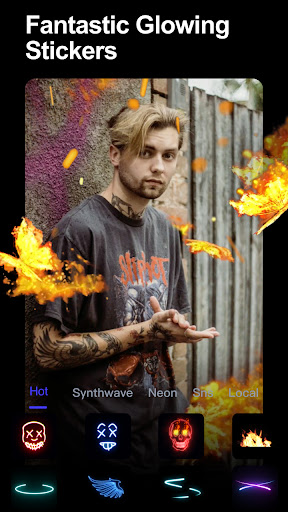
• Powerful toolset - Neon Brushes, Neon Stickers, Glowing Signs, Retro Filters, Transitions and more.
• Offers different graffiti effects: neon hearts, corner wings, spirals, guitars, stars, music styles, pizza, rockets, beats, etc...
Neon Brush: Frame by Frame Animation
Play with GoCut's Neon Brush! You can paint with neon brushes, add glow animations for awesome neon effects and bring your photos/animations to life! Create animated videos like a pro with this free neon brush photo editor. Customize your animations with magic neon glow brushes!
Neon Video Editor
GoCut Editor provides various video editing functions, such as cut, merge, reverse, copy, paste, etc. GoCut Editor has more powerful features than any other effect video editor and makes velocity video editing very easy. You can add glow effects and neon stickers to your videos. CapCut Editor - Neon Sketch Video Editor app that helps you easily make effect videos or create glowing videos.
Video editor app
Cut the video to the length you need. You can also easily refine the video to the second, split the video in the timeline, or split the video into multiple clips. Easily overlay pictures to clips, adjust speed, add music/stickers/text to your awesome creations. CapCut - Free Graffiti Effect Video Editor APP. Crop videos without losing quality.
Multi-layer editing
GoCut makes it incredibly easy for users to perform multi-layer edits. You can overlay pictures or memorable clips into your video to make it stand out even more! This multi-layer editing feature helps anyone make great looking videos! GoCut Editor - The best free Velocity Edit Maker.
Music Video Maker
GoCut Editor is also a music video maker that can meet your needs in every way. With the GoCut Editor, you can add free curated music or sound effects to your clips to make your videos more entertaining. Adjust the music volume to perfectly fit the video. Free video cutter and editor with curated songs and lyrics. Use the GoCut velocity Templates to create stylish short music videos, merge audio and video.
Save video and share
Customize video export resolution and export your velocity videos in 720p, Full HD 1080p and 4K. You can save the video to your phone anytime. GoCut Velocity Edit Maker also supports sharing videos directly to social media. All in all, GoCut Editor is the best video editor with effects: neon drawing, velocity editing.
About Subscriptions
- Subscriptions are billed monthly or annually at the rate selected by the subscription plan.
- Your subscription automatically renews unless auto-renew is turned off at least 24-hours before the end of the current subscription period.
- Your account will be charged for renewal within 24 hours before the end of the current period.
Now it's your turn to create awesome effects videos with GoCut and impress the world with your masterpiece. Making effect videos or velocity videos just got easier with GoCut.
Velocity Edit Maker
• Create videos with smooth velocity effects.
• 1000+ velocity Templates - Choose from the coolest velocity templates to make your videos unique.
• Choose your favorite template for advanced velocity editing.
Stylish Visuals
• Most Popular Effects - Glowing Line, velocity, Helix, VHS, Echo, Kira, Wave, Glitch, Rainbow, Dynamic...
• Powerful toolset - Neon Brushes, Neon Stickers, Glowing Signs, Retro Filters, Transitions and more.
• Offers different graffiti effects: neon hearts, corner wings, spirals, guitars, stars, music styles, pizza, rockets, beats, etc...
Neon Brush: Frame by Frame Animation
Play with GoCut's Neon Brush! You can paint with neon brushes, add glow animations for awesome neon effects and bring your photos/animations to life! Create animated videos like a pro with this free neon brush photo editor. Customize your animations with magic neon glow brushes!
Neon Video Editor
GoCut Editor provides various video editing functions, such as cut, merge, reverse, copy, paste, etc. GoCut Editor has more powerful features than any other effect video editor and makes velocity video editing very easy. You can add glow effects and neon stickers to your videos. CapCut Editor - Neon Sketch Video Editor app that helps you easily make effect videos or create glowing videos.
Video editor app
Cut the video to the length you need. You can also easily refine the video to the second, split the video in the timeline, or split the video into multiple clips. Easily overlay pictures to clips, adjust speed, add music/stickers/text to your awesome creations. CapCut - Free Graffiti Effect Video Editor APP. Crop videos without losing quality.
Multi-layer editing
GoCut makes it incredibly easy for users to perform multi-layer edits. You can overlay pictures or memorable clips into your video to make it stand out even more! This multi-layer editing feature helps anyone make great looking videos! GoCut Editor - The best free Velocity Edit Maker.
Music Video Maker
GoCut Editor is also a music video maker that can meet your needs in every way. With the GoCut Editor, you can add free curated music or sound effects to your clips to make your videos more entertaining. Adjust the music volume to perfectly fit the video. Free video cutter and editor with curated songs and lyrics. Use the GoCut velocity Templates to create stylish short music videos, merge audio and video.
Save video and share
Customize video export resolution and export your velocity videos in 720p, Full HD 1080p and 4K. You can save the video to your phone anytime. GoCut Velocity Edit Maker also supports sharing videos directly to social media. All in all, GoCut Editor is the best video editor with effects: neon drawing, velocity editing.
About Subscriptions
- Subscriptions are billed monthly or annually at the rate selected by the subscription plan.
- Your subscription automatically renews unless auto-renew is turned off at least 24-hours before the end of the current subscription period.
- Your account will be charged for renewal within 24 hours before the end of the current period.
What's New
- Happy 2024 new year!,More interesting features!
App Information
Version Name
3.0.4
Version Code
311
File Size
84.6 MB
Minimum OS
Android 5.0+
Target SDK
Android 33
Developer
Like GoCut
Contact
Content Rating
Everyone
Package Name
com.videoedit.gocutPermissions Required
This app may request the following permissions:
Recent Reviews

Kediil
4.0★
Needed it for a single item. Wasn't as straight forward as I required (no large/resizeable shapes, needed to block personal info), but I was able to do what I needed. As a techy I figured it out quickly, but did note the lack of tutorial. Features I saw looked nice, made for someone who posts TikTok etc and prefers to work from their phone. Price annually isn't bad if used regularly. Just not something I need. Silly not to have simple/resize shapes.

Patti t.8
3.0★
I was really enjoying this app until it got stuck in zoom mode, no matter what clips I use or how I add them (I'm not using any templates) with no way to turn it off, even after a reinstall, and so far I haven't gotten any response for help so I'm just going to cancel my subscription. Too bad, it was a fun editor. Based on reviews, this looks like a common complaint.

Stacey Johansen (Stacey Johansen)
1.0★
I pay for the full version and idk what happened but the last several weeks it's been crashing, freezing, and not able to access drafts to continue working on them. Then I opened the app today to start a new project and there's nothing in the app. A couple of transitions, won't apply any changes, its like the app regressed back to it's very first edition or something. I don't understand if it's just a problem with my account or what but it doesn't make any sense why this is happening. Fix ASAP!
BANGTAN CHANNEL
3.0★
This is the best app for transitions✌️. There are so many wonderful transitions and effects but I'm so sad about the watermark. It appears on the video after we export the edit. It's a huge " nope 😶". And also there are some little things with splitting the video after using transitions. We should split before using transitions. I'm new to the app so I can't say much. But plz... Do something about the watermark. I was going to share this app for my friends but because of the watermark 😶 .Tysm

Samantha Batista
5.0★
I absolutely adore this app! I like to make edits in my free time, but so many apps have a paywall. Yes, this has a Pro option, but there's enough free options that I actually want to pay for more and I know the quality will be great! It's very easy to use, beautiful, and really helps me to express what I'm feeling. Whoever made this, thank you SO much!

Zaim Long
1.0★
Itd be great if i could add an effect without the video freezing after...i also pay for the pro version so it kinda sucks to have to deal with that. (Update): my phone itself has over 100GB available so that should be more than enough space to run smoothly. I cleared cache and all background apps as i always do. Still having the same issues. Kinda sucks to have to deal with when im paying for the app
Ad slot: In-Content