

Lockscreen English Word Alarm
com.wafour.wapiceng
by Wafour Edu
Screenshots
Ad slot: Top Leaderboard
About this app
✔ Problems of traditional learning methods
Many proficient English speakers have often learned the language in a country where it is spoken. Our left brain is responsible for language processing, while our right brain processes images. Typically, when we see an image, our right brain reacts first. Traditional learning methods can create faulty language structures because they rely solely on the left brain for memorization through language alone
✔ Key features of Lockscreen English Dictionary
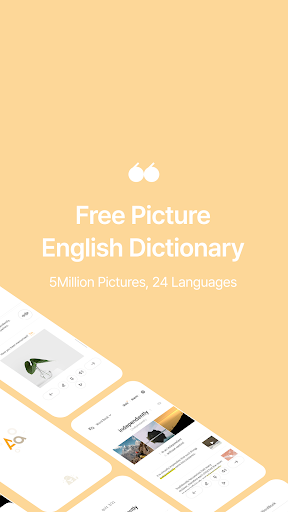
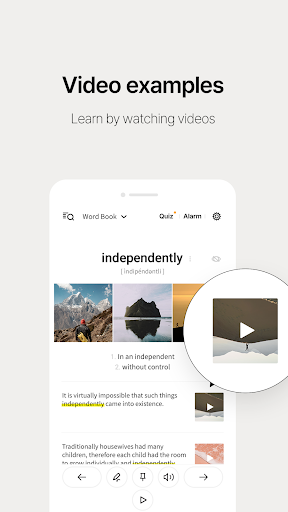
The Lockscreen English Dictionary engages both the left and right brain to learn English vocabulary. This allows you to recall both 'car' and 'automobile' simultaneously when you see a picture of a car. This learning method provides a similar effect to learning the language in a country where it is spoken
✔ Lockscreen memorization
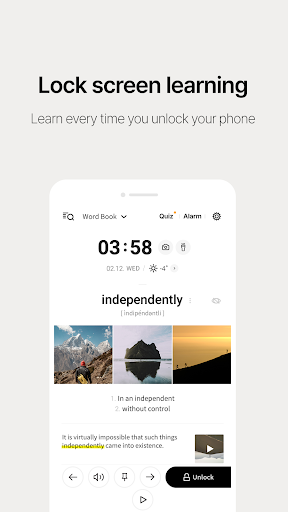
Words are displayed on the lockscreen so that you can learn English every time you turn on your phone.
✔ Quiz alarm
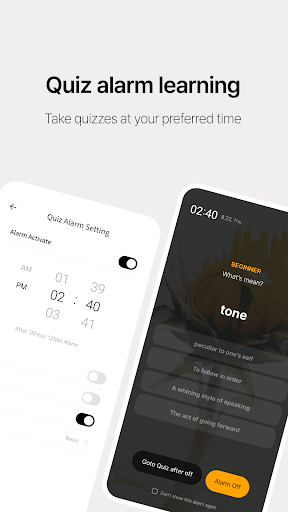
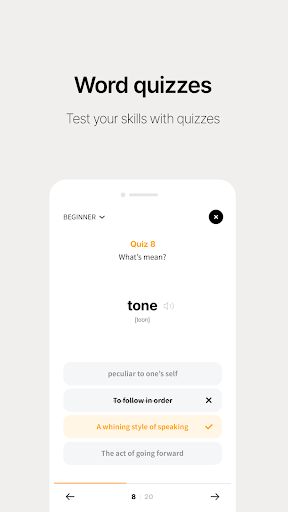
Receive quiz alarms at your desired times to take quizzes. You can choose the word lists at your preferred level and also review your learning statistics.
✔ Choose the level of vocabulary
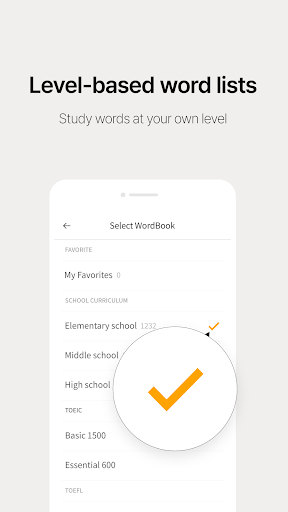
English vocabulary is sorted into different levels, from beginner to advanced, to match your proficiency.
✔ Example sentences
The example sentences provided are written by native English speakers and are useful for real-life situations.
✔ Personalized Vocabulary List
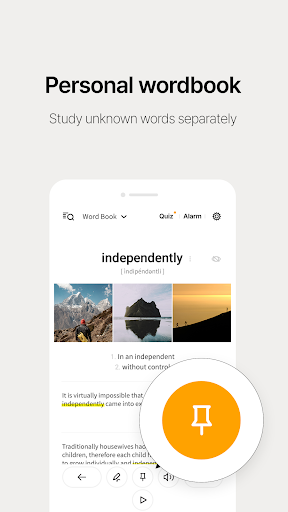
Create a personalized vocabulary list to focus on words that are hard to remember or commonly mistaken.
✔ Hide Memorized Words
Utilize the word hiding feature to strike out words that have been memorized, preventing them from appearing again.
✔ Automatic Learning
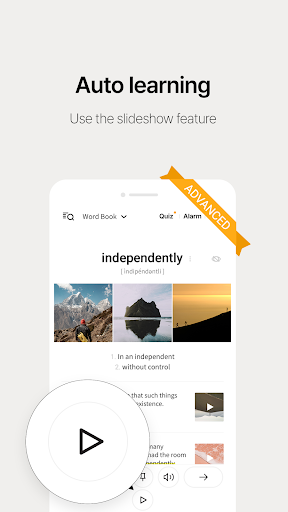
The slide show feature is an advanced feature that can be used to automatically memorize words.
✔ Tips for users experiencing sound issues
1. Install "Google TTS" from the Play Store.
2. Go to Settings > Languages & Input > Text-to-speech output
3. Change the default engine to Google TTS.
4. Go to Google TTS settings.
5. Click Install Voice Data and choose English voice.
6. Finally, check the media volume on your phone.
If it still does not work, try deleting and reinstalling the voice data.
✔ Purpose of app permissions requested before installation
- READ_PHONE_STATE: Permission to stop the app from running to avoid interrupting phone calls.(optional)
- ACCESS_FINE_LOCATION: Permission to request your current location to use the weather service.(optional)
- SYSTEM_ALERT_WINDOW: Permission to display English on the lock screen.(required)
- POST_NOTIFICATION: Permission to receive alarms related to app services.(optional)
✔ Notice: The sole purpose of this app is to help users memorize English on the lock screen.
✔ Lockscreen English Dictionary provides weather based on the user's location for convenience.
✔Customer Support
E-Mail: [email protected]
Many proficient English speakers have often learned the language in a country where it is spoken. Our left brain is responsible for language processing, while our right brain processes images. Typically, when we see an image, our right brain reacts first. Traditional learning methods can create faulty language structures because they rely solely on the left brain for memorization through language alone
✔ Key features of Lockscreen English Dictionary
The Lockscreen English Dictionary engages both the left and right brain to learn English vocabulary. This allows you to recall both 'car' and 'automobile' simultaneously when you see a picture of a car. This learning method provides a similar effect to learning the language in a country where it is spoken
✔ Lockscreen memorization
Words are displayed on the lockscreen so that you can learn English every time you turn on your phone.
✔ Quiz alarm
Receive quiz alarms at your desired times to take quizzes. You can choose the word lists at your preferred level and also review your learning statistics.
✔ Choose the level of vocabulary
English vocabulary is sorted into different levels, from beginner to advanced, to match your proficiency.
✔ Example sentences
The example sentences provided are written by native English speakers and are useful for real-life situations.
✔ Personalized Vocabulary List
Create a personalized vocabulary list to focus on words that are hard to remember or commonly mistaken.
✔ Hide Memorized Words
Utilize the word hiding feature to strike out words that have been memorized, preventing them from appearing again.
✔ Automatic Learning
The slide show feature is an advanced feature that can be used to automatically memorize words.
✔ Tips for users experiencing sound issues
1. Install "Google TTS" from the Play Store.
2. Go to Settings > Languages & Input > Text-to-speech output
3. Change the default engine to Google TTS.
4. Go to Google TTS settings.
5. Click Install Voice Data and choose English voice.
6. Finally, check the media volume on your phone.
If it still does not work, try deleting and reinstalling the voice data.
✔ Purpose of app permissions requested before installation
- READ_PHONE_STATE: Permission to stop the app from running to avoid interrupting phone calls.(optional)
- ACCESS_FINE_LOCATION: Permission to request your current location to use the weather service.(optional)
- SYSTEM_ALERT_WINDOW: Permission to display English on the lock screen.(required)
- POST_NOTIFICATION: Permission to receive alarms related to app services.(optional)
✔ Notice: The sole purpose of this app is to help users memorize English on the lock screen.
✔ Lockscreen English Dictionary provides weather based on the user's location for convenience.
✔Customer Support
E-Mail: [email protected]
What's New
- Improved stability
App Information
Version Name
1.8.174.2
Version Code
447
File Size
116.6 MB
Minimum OS
Android 6.0+
Target SDK
Android 33
Developer
Wafour Edu
Contact
Website
Content Rating
Everyone
Package Name
com.wafour.wapicengPermissions Required
This app may request the following permissions:
Recent Reviews

A Google user
4.0★
A very good idea app for self teaching English. Viewing pictures, reading examples that make us feel better memory the word. It has some good features like sound, graphics, examples, videos, pin the word but missing one thing that I would like to see, the kind of that word, it's a noun or an adjective, verb, adverb... Hope it could be updated in the future version. I don't rate it five stars (it should be) because it costs much money to update to no add version. But I will recommend this app.

Hafeez Solangi
4.0★
The app resembles and pretends an other renowned app like Semper,,,,after the latter has been deactivated by the owner, I have no other choice but make the best of the former. This app is a better alternative for me now. However, I request the developers to include an exemplary sentence attached to each card to clear up the meaning and usage of the words at their right places.
A Google user
4.0★
Great App. But please allow selection of at least two languages in 'language for meaning' settings. I'm learning lots of new words in English but also want to know it's hindi word and using the extra language button everytime is very time consuming. It would be so awesome if you allow displaying of 2 languages on image card.
A Google user
3.0★
it is an okay app . problems with battery usage. needs to show definitions in more than one language at a time. as well as have writing practice for multiple languages haven't checked the voice part yet . some words are problematic with added dictionaries. due to haveing appended forigen text and extra symbols such as Korean and brackets and such.
A Google user
2.0★
when you try to read the long definitions of the words, many of them are cutted in half or in some point of the text, so you can't read the full explanation and have to go and search the word manually. I give 2 stars due the competency in google play offering very sophisticated apps, in case this app wasn't free probably I will give it 1 stars until the error is fixed.

Shinobi Genesis (Juvee)
4.0★
I gave it a 4, it's a gd app but there needs to be more control over the functions. Such as: 1. Being able to change the time & date format and 24hr/12hr display. 2. The screen shouldn't light up all the time, it's draining my battery, it literally stays lit up all the time. 3. More controls over the settings of what to display and how much content to display. I'll check back for this app again when we can have more control over the preferences. Nice app though. I like it.
Ad slot: In-Content