

Hammer Print
com.hammermill.premium
by Aftograf LLC
Screenshots

Ad slot: Top Leaderboard
About this app
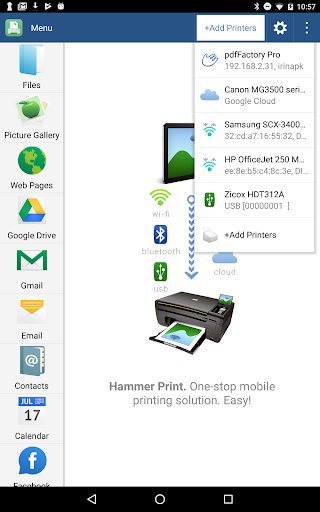
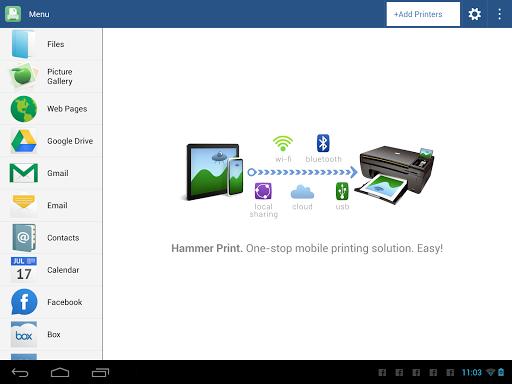
Print directly from your phone or tablet via WiFi, Bluetooth or USB cable without a computer to virtually any printer. Direct mobile scanning is available for selected multifunction printers.
IMPORTANT: Hammer Print app is NOT FREE. In order to print real pages, you’ll need to upgrade to Premium Mode by making in-app purchase.
We do recommend printing a free test page prior to upgrading.
NOTE: Unfortunately, we had to remove the SMS and Call log printing features from our app due to the update to the Permissions policy on Google Play. Dear customers, we are as much upset by this issue as you are. And we are doing our best to resolve the issue.
For this reason please stay tuned to the app updates. Once we obtain the necessary Messages and Call log permissions from Google, we are planning to bring the features back to the app.
If you've installed the sponsored version of the app before July 1, 2018, you will not be affected unless the app is uninstalled from your device. Thus please do not uninstall the app from your device if you got it while it was free. Updating the app should be fine though.
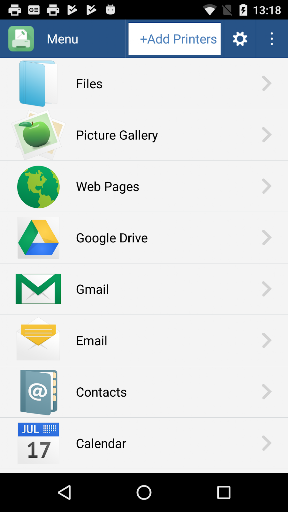
The premium version of the app lets one print:
- Office documents, including MS Word, Excel, PowerPoint, PDF;
- Text files and other popular file types;
- Photos and images;
- Web pages, emails and attachments;
- Google Drive content;
- Events from Calendar app;
- Contacts;
- Facebook albums;
- Files from Dropbox;
- Files from Box;
- Files from OneDrive;
- Files from Creative Cloud;
- Files from SugarSync;
- Notes from Evernote;
- Content shared from other apps.
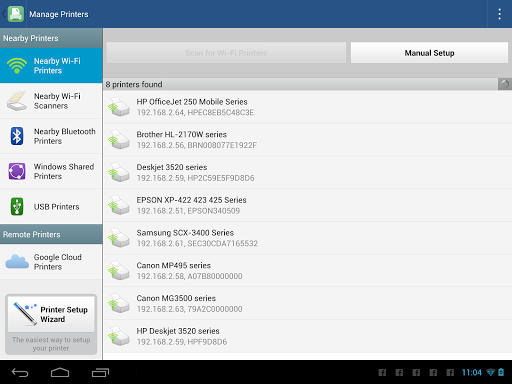
Print to Mac or Windows shared printers, Workgroup, Domain and Active Directory. Print directly via USB cable from Android 4.0 and above. Share the printer with our free software for Mac and PC from printhand.com, and print to any printer as long as you can print from the computer.
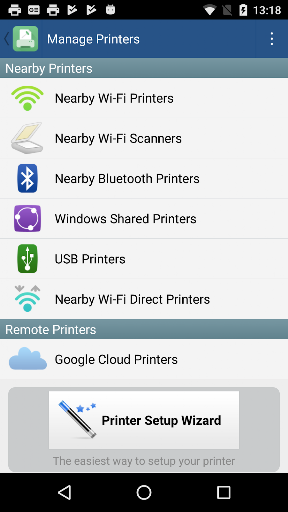
You can print via:
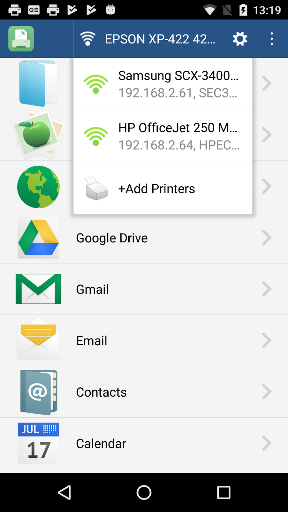
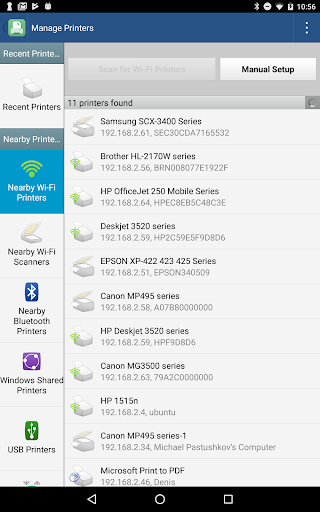
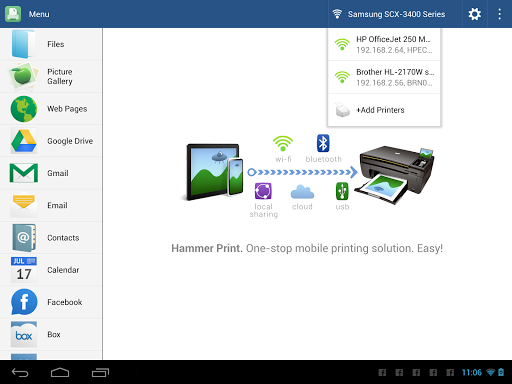
- Wi-Fi (using a Wi-Fi Direct printer or using a Wi-Fi router as a middle man);
- Bluetooth;
- USB if USB OTG is fully supported by your device and it has Android 4.0+ installed. Please note that some of the mobile devices are unable to communicate with a printer properly even if USB Host mode is supported. This happens due to specific electrical design of the USB port. Sadly in such case the app is not likely to work properly.
- PC or Mac (if your printer is shared using PrintHand desktop client or standard tools of your computer's OS);
Please make sure that your printer is supported. You can try to print test page in our free app, but for unlimited printing you have to make in-app purchase in free app.
IMPORTANT: Hammer Print app is NOT FREE. In order to print real pages, you’ll need to upgrade to Premium Mode by making in-app purchase.
We do recommend printing a free test page prior to upgrading.
NOTE: Unfortunately, we had to remove the SMS and Call log printing features from our app due to the update to the Permissions policy on Google Play. Dear customers, we are as much upset by this issue as you are. And we are doing our best to resolve the issue.
For this reason please stay tuned to the app updates. Once we obtain the necessary Messages and Call log permissions from Google, we are planning to bring the features back to the app.
If you've installed the sponsored version of the app before July 1, 2018, you will not be affected unless the app is uninstalled from your device. Thus please do not uninstall the app from your device if you got it while it was free. Updating the app should be fine though.
The premium version of the app lets one print:
- Office documents, including MS Word, Excel, PowerPoint, PDF;
- Text files and other popular file types;
- Photos and images;
- Web pages, emails and attachments;
- Google Drive content;
- Events from Calendar app;
- Contacts;
- Facebook albums;
- Files from Dropbox;
- Files from Box;
- Files from OneDrive;
- Files from Creative Cloud;
- Files from SugarSync;
- Notes from Evernote;
- Content shared from other apps.
Print to Mac or Windows shared printers, Workgroup, Domain and Active Directory. Print directly via USB cable from Android 4.0 and above. Share the printer with our free software for Mac and PC from printhand.com, and print to any printer as long as you can print from the computer.
You can print via:
- Wi-Fi (using a Wi-Fi Direct printer or using a Wi-Fi router as a middle man);
- Bluetooth;
- USB if USB OTG is fully supported by your device and it has Android 4.0+ installed. Please note that some of the mobile devices are unable to communicate with a printer properly even if USB Host mode is supported. This happens due to specific electrical design of the USB port. Sadly in such case the app is not likely to work properly.
- PC or Mac (if your printer is shared using PrintHand desktop client or standard tools of your computer's OS);
Please make sure that your printer is supported. You can try to print test page in our free app, but for unlimited printing you have to make in-app purchase in free app.
What's New
Bugs fixes
App Information
Version Name
3.6.1
Version Code
150
File Size
10.8 MB
Minimum OS
Android 5.0+
Target SDK
Android 22
Developer
Aftograf LLC
Contact
Website
Content Rating
Everyone
Package Name
com.hammermill.premiumPermissions Required
This app may request the following permissions:
Recent Reviews

RaLpH ReYNoLdS
1.0★
Have to update my review to ZERO... I've been using app for a long while and it has stopped working saying I have to pay for it again. I've contacted support, sent them screenshots and other info they requested and they keep getting "canned" response that they can't find my info... This is even after I've sent them screenshots, from my phone,with IDs, etc.. >>>Previous Review>>> Great Printing App... I highly recommend it. It has become one of my "Must Install" apps.

Hobby Farmer
5.0★
Some good starts, then mis-steps, then it's solid again. I really like it when it works. Makes life so much easier when printing from phone. Upgraded from an upset 1 star to a solid satisfied 5. Keep up the good work. Update: 23MAR21, need updates for newer printer model drivers. GENERIC DOES NOT WORK!! Wasted a stack of paper on one test page, printing gibberish, contrary to claim made on app.

A Google user
1.0★
Junk! I had this app and it work free for years. I had uninstalled it and reinstalled it and now it wants me to upgrade to premium paid version. I did a "test" page just messing around in my frustration and it printed a page in solid black ink. The entire page! Used a third of my black ink in one page! Do yourself a favor, stay clear of these guys.
A Google user
1.0★
Would rate this zero stars if possible. When I installed it, it was an amazing app for the occasional print that I needed to do from my phone (as most items I print through my computer). Switched phones recently and it autoupdated to a version where I have to pay to print anything? So rather than wasting my money, I installed the FREE HP app instead (which works great and has lots of neat features) and am deleting this one as quickly as I can.
A Google user
4.0★
Sometimes glitchy on my Android phone but otherwise fast and reliable. The app COMPLETELY bogged down and froze. Only AFTER I uninstalled it and attempted to reinstall it did I learn that the app no longer is free. So far, i have been unable to get the app to work since reinstalling. Nov 2019: After my phone updated to Android 10, there still were some glitches, but tech support actually has engaged with me in an effort to resolve them. I am amazed & impressed that they have been so attentive.

jerry farese
5.0★
I have been using Hammer Print for over 3 years now and it still works great! I have loaded it onto SEVERAL Android phones and tablets and it has worked almost flawlessly on all of them - any time things didn't print correctly, it was usually due to an incorrect setting in the print setup options menu. This is the only printing app I have had to use since I first tried it. All other apps I tried before H/P were extremely glitchy or didn't work at all. All apps should work this well!!!
Ad slot: In-Content