

JBL Portable
com.harman.ble.jbllink
by Harman Consumer, Inc.
Screenshots
Ad slot: Top Leaderboard
About this app
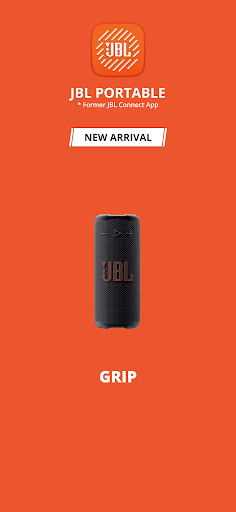
Download the JBL Portable app to get the most out of your JBL portable speakers and unlock more features.
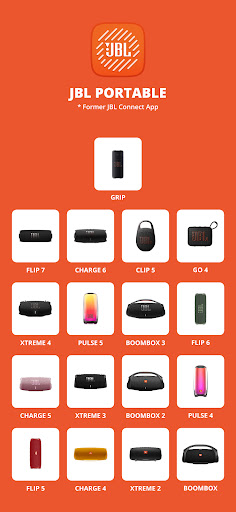
Compatible with the following speakers:
- Clip 5
- Go 4, Go 4 DUO
- Grip
- Flip 7, Flip 6, Flip 5, Flip 4, Flip 3
- Charge 6, Charge 5, Charge 4, Charge 3
- Pulse 5, Pulse 4, Pulse 3, Pulse 2
- Tuner 3
- Xtreme 4, Xtreme 3, Xtreme 2, Xtreme
- Boombox 4, Boombox 3, Boombox 2, Boombox
App features:
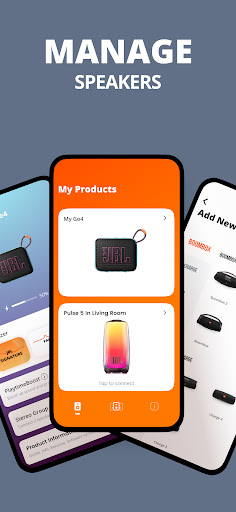
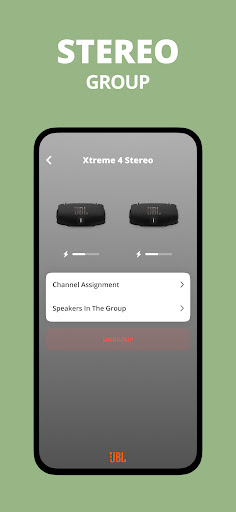
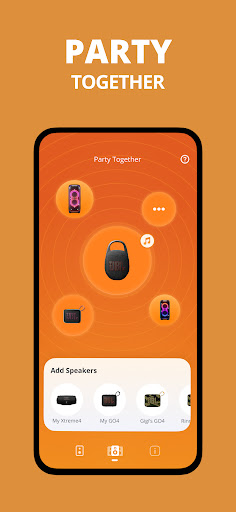
- Connect to compatible JBL portable speakers for Stereo to amplify sound or Party mode for a bigger party
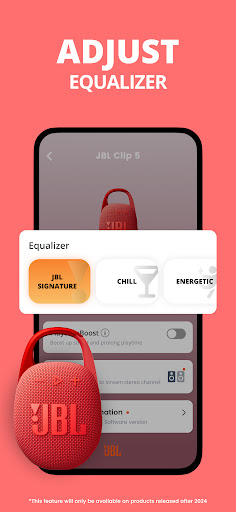
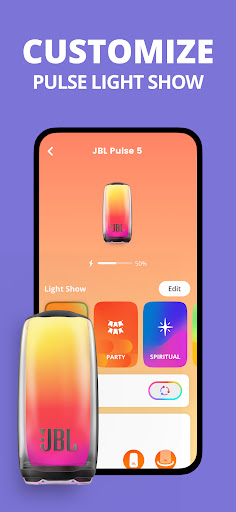
- Personalize and control your speaker straight from the app
- Get additional software updates and product support
Compatible with the following speakers:
- Clip 5
- Go 4, Go 4 DUO
- Grip
- Flip 7, Flip 6, Flip 5, Flip 4, Flip 3
- Charge 6, Charge 5, Charge 4, Charge 3
- Pulse 5, Pulse 4, Pulse 3, Pulse 2
- Tuner 3
- Xtreme 4, Xtreme 3, Xtreme 2, Xtreme
- Boombox 4, Boombox 3, Boombox 2, Boombox
App features:
- Connect to compatible JBL portable speakers for Stereo to amplify sound or Party mode for a bigger party
- Personalize and control your speaker straight from the app
- Get additional software updates and product support
What's New
- Performance improvement
App Information
Version Name
6.2.21
Version Code
240423108
File Size
103.9 MB
Minimum OS
Android 9+
Target SDK
Android 33
Developer
Harman Consumer, Inc.
Contact
Website
Content Rating
Everyone
Package Name
com.harman.ble.jbllinkPermissions Required
This app may request the following permissions:
Recent Reviews

Eli
1.0★
The app is useless. It couldn't find my JBL Go 4 even though it was connected to my Bluetooth with the music playing. I gave the app permission to discover nearby devices and everything that's needed. Went through the steps of disconnecting, unpairing, forgetting the device, and then reconnecting, but still nothing. I expected more from such a well-known brand to be able to connect with their own devices through a Samsung S23 phone. No reason at all not to work properly. I'm tech-savvy, too.

Dale Bridges
4.0★
I love the app ! Been using it for a couple years now and never had any problems with the app until recently I can't seem to get the EQ to work right. I've tried clearing the cache, restarting my phone and Bluetooth speaker and uninstalling and reinstalling it again and it still isn't working right. I really am upset about it too ! Maybe I can try getting ahold of the JBL administration and they can help because I give up !!!

Joseph Vigliotti
5.0★
Having been reluctantly forced to abandon my quarter+ century-old frankensteined portable discman with jury-rigged speakers arrangement after it gave up the ghost, and since nobody manufactures boom-boxes anymore, I instead decided upon a slightly smaller, wireless contraption and subsequently purchased a JBL Clip5. Nice sound, deep and rich. And, as long as I remember to charge it, usually lasts 6-8hrs at medium volume. Doesn't like to charge well on anything other than what came in the box.

Molly Gustafson
1.0★
Garbage. Won't connect to my Flip 6 even after doing ALL the suggested "fixes" like three different times, and with the speaker connected to my bluetooth. Beyond frustrating. I wasn't a fan of the speaker to begin with, but I read that the app would give me some control over the sound so I wanted to try it out before I make the decision to return it. Very disappointed.

Willi Perez
4.0★
It's useful only when using a speaker to listen to music. Otherwise, it's not very useful. Kinda obvious, I know, but the app uses quite a bit of storage for something I only use a couple of times a day at most. I haven't tried the group speaker stuff yet so I can comment on that. The EQ customization sounds good but I'm sadly not very good with it so I'm sure it sounds better when I don't meddle with it.

John Pringle
1.0★
App SUCKS!!!!!!!!!!!!!!! I had purchased a second Clip 5 and was looking forward to playing music in Stereo with both speakers. I got them to stereo connect, then did the update (because it stated that I could make a stereo connection permanent). After the update, it wouldn't pair up and said I needed to update the software. When I looked at the software, it said that it was up to date. Apparently the app and the devices don't work after updates. Hope I can get my money back.
Ad slot: In-Content