

Pixelart paint Pro
com.heatonhead.fingerart.pro
by HAYAS PLAY
Screenshots



Ad slot: Top Leaderboard
About this app
Try to become a Pixel Artist
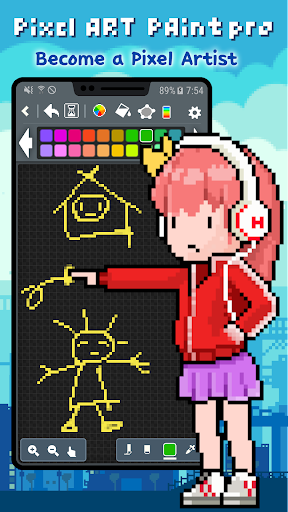
‘Pixel Art paint pro’ is a great and simple pixel editor.
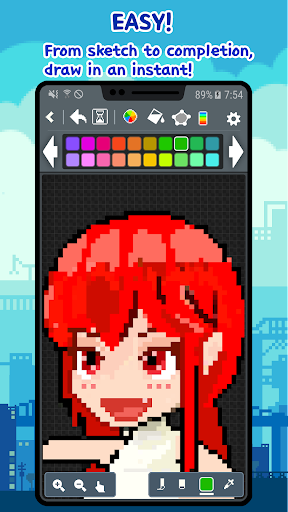
‘Pixel Art paint pro’ is intuitive, simple and easy to draw pixel, dot, 8bit pic sprite.
Let's drawing an pixel, dot, 8bit, retro pic sprite easily and quickly
Enjoy nice time in ‘Pixel Art paint pro’ in bus, at school, in the workplace anywhere, anytime.
You'll also become a pixel, dot, 8bit pic artist.
Download this app now and please try to use the cool features of ‘Pixel Art paint pro’
You can be easily shared with SNS services.
Let's share your Pixel Art to everyone via Twitter or Instagram!
You can share as possible in all apps (e-mail or other SNS).
[Features]
• Drawing shapes
→ line, rectangle, ellipse and etc.
• Undo / Redo
• Save to PNG format image (Sprite)
→ Storage path> PixelArtPaintPro / png
• Import image from Gallery
→ Bring up a photo and edit it in pixels. (pixel converter)
• Color wheel
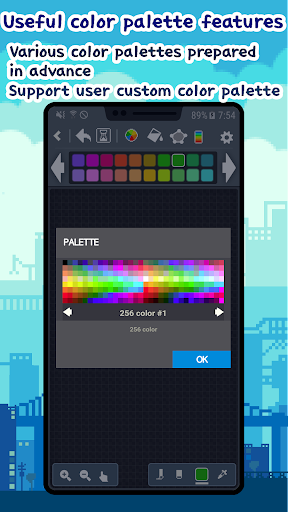
• Edit Palette
→ change a color from palette by using the eyedropper (spoide), HSV, RGB
(To edit the palette color, click long the corresponding color!)
• Load Palette
→ load a custom palette, not only at starting a new work
→ If you change the palette while drawing an 16, 256 color image, and the pixels that have already been drawn change accordingly.
• Eyedropper (Spoide)
• Color blending brush (Opacity)
• Zoom In/Out
• Preview (Mini view)
• 8 ~ 600 pixel image size
• Grid on/off (Grid drawing)
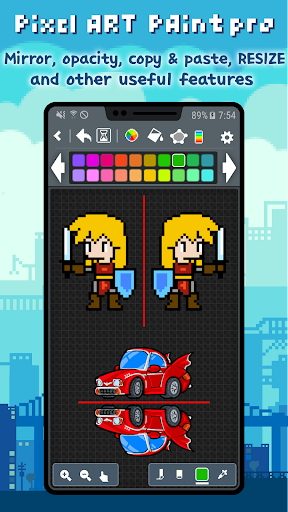
• Mirror
• Share via Twitter, Instagram, etc...
• Paint Bucket (fill color)
• Flip Horizontal and Vertical
• Brush size
• Crop
• Working image will be auto-saved when you go over the background
• Enable to change background color (from version 2.0.1)
• Samsung Galaxy Note S-Pen
[Pro-pack Features]
→ Animation & Export to GIF
→ Project Management
(Click 'Long' on a project folder to open the menu)
(On the top screen, click 'Long' on a image to open the menu)
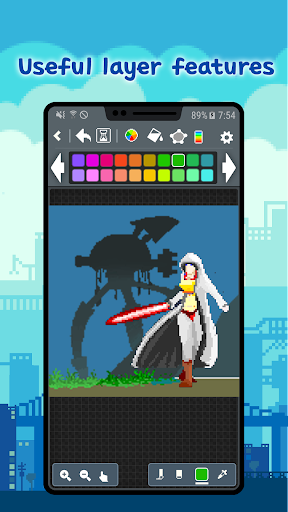
→ Layers : merge, move, erase
→ Save Palettes
→ Resize when you save PNG
(Unlimited size, but maximum size depends on device memory)
→ Resize image
→ Resize canvas
→ Copy and Paste
→ No AD
Remember~
Our pixel editor will be constantly updated.
We are currently working on adding ‘Layer’ functionality.
We are trying to make a perfect pixel editor.
Please let us know if there are additional functions or any problems.
‘Pixel Art paint pro’ is a great and simple pixel editor.
‘Pixel Art paint pro’ is intuitive, simple and easy to draw pixel, dot, 8bit pic sprite.
Let's drawing an pixel, dot, 8bit, retro pic sprite easily and quickly
Enjoy nice time in ‘Pixel Art paint pro’ in bus, at school, in the workplace anywhere, anytime.
You'll also become a pixel, dot, 8bit pic artist.
Download this app now and please try to use the cool features of ‘Pixel Art paint pro’
You can be easily shared with SNS services.
Let's share your Pixel Art to everyone via Twitter or Instagram!
You can share as possible in all apps (e-mail or other SNS).
[Features]
• Drawing shapes
→ line, rectangle, ellipse and etc.
• Undo / Redo
• Save to PNG format image (Sprite)
→ Storage path> PixelArtPaintPro / png
• Import image from Gallery
→ Bring up a photo and edit it in pixels. (pixel converter)
• Color wheel
• Edit Palette
→ change a color from palette by using the eyedropper (spoide), HSV, RGB
(To edit the palette color, click long the corresponding color!)
• Load Palette
→ load a custom palette, not only at starting a new work
→ If you change the palette while drawing an 16, 256 color image, and the pixels that have already been drawn change accordingly.
• Eyedropper (Spoide)
• Color blending brush (Opacity)
• Zoom In/Out
• Preview (Mini view)
• 8 ~ 600 pixel image size
• Grid on/off (Grid drawing)
• Mirror
• Share via Twitter, Instagram, etc...
• Paint Bucket (fill color)
• Flip Horizontal and Vertical
• Brush size
• Crop
• Working image will be auto-saved when you go over the background
• Enable to change background color (from version 2.0.1)
• Samsung Galaxy Note S-Pen
[Pro-pack Features]
→ Animation & Export to GIF
→ Project Management
(Click 'Long' on a project folder to open the menu)
(On the top screen, click 'Long' on a image to open the menu)
→ Layers : merge, move, erase
→ Save Palettes
→ Resize when you save PNG
(Unlimited size, but maximum size depends on device memory)
→ Resize image
→ Resize canvas
→ Copy and Paste
→ No AD
Remember~
Our pixel editor will be constantly updated.
We are currently working on adding ‘Layer’ functionality.
We are trying to make a perfect pixel editor.
Please let us know if there are additional functions or any problems.
What's New
Your experience just got better — check out the improved layout!
App Information
Version Name
1.0.6
Version Code
6
File Size
4.1 MB
Minimum OS
Android 6.0+
Target SDK
Android 23
Developer
HAYAS PLAY
Contact
Website
Content Rating
Everyone
Package Name
com.heatonhead.fingerart.proPermissions Required
This app may request the following permissions:
Recent Reviews

Luke Hogan
5.0★
This app has been good for ages, but the new update has a bug with importing reference photos. It tells me to allow it to access photos in my settings, but I'm not able to. I hope they can get this fixed soon ----- Edit: This has been completely fixed and only took a few days!! Amazing customer service and the app is back at full power!! 6/5 if I could rate that!!!

Shadowlugia18012
5.0★
Intuitive interface, though a tutorial would still be appreciated. I got an error when trying to crop an image, I wanted to select an area, cut it and move it by 1 pixel but the area I wanted to select was too small, when I tried to undo the area I wanted to cut I ran out of undos so more of those would be appreciated. Despite my complaints I saw that for years you have been actively reading/responding to reviews so I'm confident that the issues I've discussed will be taken care of. Thank you!

A Google user
3.0★
The tools are easy to use, though I would suggest to the developer just getting rid of the pinch zoom function, but keeping the buttons. Only other issue is that if I want to save it as a PNG, the image saves really blurry, so I actually have to save it via the Share button- which is a bit more work. Otherwise, it's a good app. Reminds me of the Microsoft Paint program for Win98.
A Google user
4.0★
I quite like the app; it's better than most of the pixel editors I have used on mobile, but there are a few things they could do to makeit shine: 1st: No option to select anything, and move it, or rotate/flip it. There is a mirror feature, but it's mostly useless, and flip does the whole image! Not really useful. 2nd: The grid outlines each pixel, and isn't customizable. I wish I could set a 16x or 32x, etc custom grid. Choosing where to save would be nice. Overall it's a good app, but flawed.

the man himself
2.0★
Almost really good ): The UI of this pixel art app is alright, i can probably get used to it just fine. the way it controls is good, just unfamiliar so far. HOWEVER. sadly, the layers make me want to delete it again. I know youre supposed to pay or watch ads, but i seriously cant remove a single misplaced pixel on another layer until i watch another ad? :/ and its not like unlocking layers keeps them unlocked, either. please rework this so that one ad = layer avaiable until i close the app? 🥲
A Google user
4.0★
I really like this app!!! It has all the tools I need to make a decent drawing (lacks the selection tool tho).I like a lot that you can watch adds and gain points so you can use some of the tools in the premium pack but I really wish I could create an animation projects and use layers without paying :'c... That's the only thing I really don't like. (Edit: I love how the developer responds like I normal person, not like the others just coping n' pasting their responses 😂💗)
Ad slot: In-Content