
App Hider: Hide Apps
com.hidespps.apphider
by 2Face Studio - App Cloner
Screenshots
Ad slot: Top Leaderboard
About this app
App Hider allow you to hide applications in hidden space wiht calculator password protection.
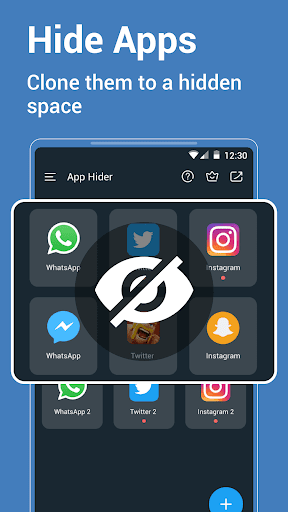
App Hider provides you with a privacy space for hiding private apps.
App Hider help you creat a copy of system apps, then you can hide the app copy, which is a better way to protect the hidden apps.
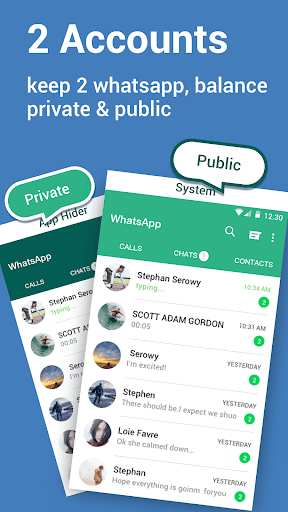
App Hider also allow you to keep the system app and the app copy, so you can log in to 2 accounts at the same time on your phone.
Hide Apps is a hide-apps application for hiding app icon from screen without root.
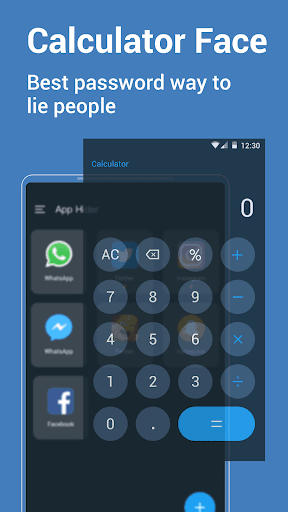
◆ This hidden program is based on a parallel space behind the fake calculator.
◆ Clone dual app messengers and hide the cloned one.
◆ Hidden space for second accounts
You can keep double apps on your phone, or uninstall the system app to hide completely.
Important tips:
◆ Hidden applications are hidden in the calculator, they are cloned applications. Because, since Android 6.0, no one can hide the icon, you can only hide the application by cloning.
◆ If you want to completely hide, please uninstall the system apps have been cloned and use the cloned apps only in Hide Apps.
A whole new way to hide icon from screen without root:
◆ Clone application from the phone to the hidden space;
◆ Run the hidden application and make sure they work.
◆ Method 1: After cloning, uninstall the system one to be completely hidden.
◆ Method 2: Keep 2 accounts coexisting. For example, keep 2 App at the same time, the hidden one is used to log in to the privacy account.
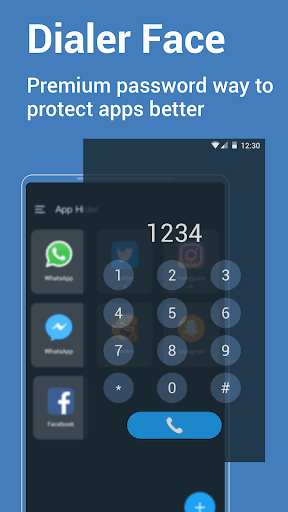
◆ Fake calculator for password lock.
Some features:
◆ Hidden space for hiding cloned apps;
◆ Clone apps from the phone;
◆ Hidden from the most recent task view;
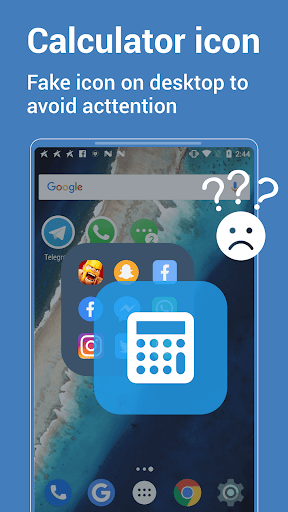
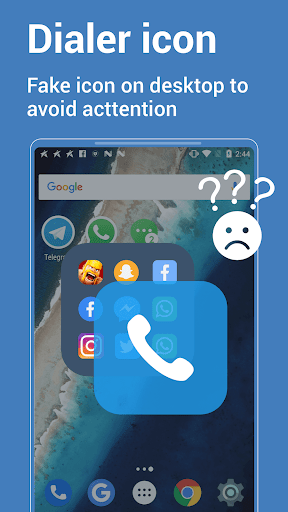
◆ Fake calculator interface and lock, fake calculator icon;
◆ Hidden apps list to help uninstall system apps;
◆ Multiple accounts for multiple channels;
Privacy Policy:
◆ Some applications need to apply for permission to keep the app running.
◆ Hidden App Space will never collect your personal information;
◆ Be sure to remember the password as it is not modifiable
Contact us:
·E-mail: [email protected]
App Hider provides you with a privacy space for hiding private apps.
App Hider help you creat a copy of system apps, then you can hide the app copy, which is a better way to protect the hidden apps.
App Hider also allow you to keep the system app and the app copy, so you can log in to 2 accounts at the same time on your phone.
Hide Apps is a hide-apps application for hiding app icon from screen without root.
◆ This hidden program is based on a parallel space behind the fake calculator.
◆ Clone dual app messengers and hide the cloned one.
◆ Hidden space for second accounts
You can keep double apps on your phone, or uninstall the system app to hide completely.
Important tips:
◆ Hidden applications are hidden in the calculator, they are cloned applications. Because, since Android 6.0, no one can hide the icon, you can only hide the application by cloning.
◆ If you want to completely hide, please uninstall the system apps have been cloned and use the cloned apps only in Hide Apps.
A whole new way to hide icon from screen without root:
◆ Clone application from the phone to the hidden space;
◆ Run the hidden application and make sure they work.
◆ Method 1: After cloning, uninstall the system one to be completely hidden.
◆ Method 2: Keep 2 accounts coexisting. For example, keep 2 App at the same time, the hidden one is used to log in to the privacy account.
◆ Fake calculator for password lock.
Some features:
◆ Hidden space for hiding cloned apps;
◆ Clone apps from the phone;
◆ Hidden from the most recent task view;
◆ Fake calculator interface and lock, fake calculator icon;
◆ Hidden apps list to help uninstall system apps;
◆ Multiple accounts for multiple channels;
Privacy Policy:
◆ Some applications need to apply for permission to keep the app running.
◆ Hidden App Space will never collect your personal information;
◆ Be sure to remember the password as it is not modifiable
Contact us:
·E-mail: [email protected]
What's New
· Hide apps by cloning;
· New App Hider.
· New App Hider.
App Information
Version Name
1.5.00
Version Code
372
File Size
14.6 MB
Minimum OS
Android 6.0+
Target SDK
Android 33
Developer
2Face Studio - App Cloner
Contact
Website
Content Rating
Everyone
Package Name
com.hidespps.apphiderPermissions Required
This app may request the following permissions:
Recent Reviews

Michael
2.0★
The amount of ads is unbelievable, there are so many ads that the app can't be tried out properly, even in the 3-day free trial. I successfully hid an app and it worked, but it's like 4 or 5 ads each time opening and closing the app. The price of the app is quite high. Maybe if one REALLY wants it the one-off lifetime license is OK, but monthly / yearly fees are absurd, and I'm certainly not committing to an app I can't even test properly due to so many ads.

A Google user
1.0★
Awful app. I tried to use this for the first time and it kicked me out immediately. I tried to log back in and when I pressed the "+" sign to add an app it took me to an ad... Then I closed out of the ad and went to click the "+" again and got a different ad. Don't waste your time, it doesn't work.
A Google user
5.0★
Dear Sir, I must congratulate you for making this wonderful app but contrary to it name and function "to hide apps", clone whats app is detected through ringtones of incoming calls as there is no option to mute the incoming calls for clone whats app , hence secrecy goes in the air when a sound of ringtones starts coming from a calculator. so please fix the problem as early as possible. rest it fully qualifies for 5 star. thanks and regards
A Google user
5.0★
I love this app you can secure it safely and no one will know that u have an app that u aren't supposed to have or if ur planning a surprise for something or someone, u can hide photos and things and I love it. My only annoyance is the fact that u need coins to use it but overall amazing and FLAWLESS

Ronny Jangi
1.0★
To bad . It's not working at all. Have purchased lifetime. And added an app to hide but it can not open. Also you cannot contact the devolper. I do not know how google can add this type of devolper on google playstore. I'll.try to get an refund. Hope i'll get. Otherwise $20 is gone.
A Google user
1.0★
This app is great except, whenever I try to use the hidden apps, it takes way too long to load just to get into it and there are way too many ads. If you can please change this , then I might reconsider the rating. Otherwise, it deserves a one-star.
Ad slot: In-Content