

Calculator - photo vault
com.hld.anzenbokusucal
by FishingNet
Screenshots



Ad slot: Top Leaderboard
About this app
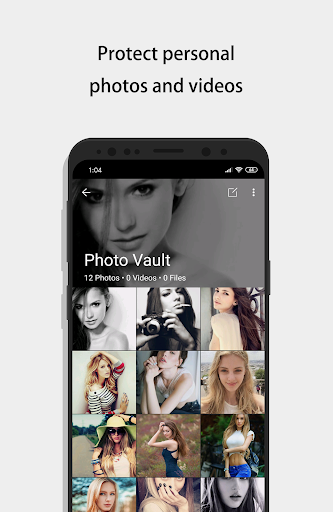
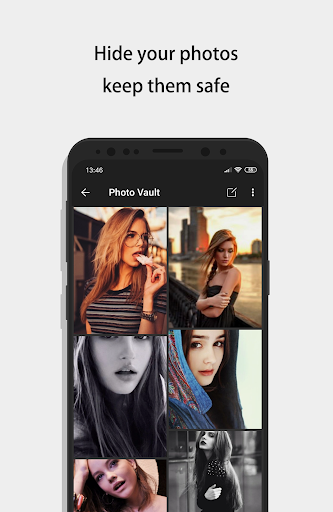
Use the best calculator photo vault to hide photos, hide pictures, hide videos.
Calculator Photo Vault is the Vault app can secretly Hide Photos, Hide Videos and other files without anyone knowing as gallery lock installed in your phone looks as just a beautiful calculator, and works very well. Your files will be secretly stored in vault and can only be viewed after a Numeric PIN is entered on calculator panel of this app.
Top Features:
☆Vault: Through the AES encryption algorithm, encrypt the content that you do not want to share with others, and the file format, size without any restrictions, but also support taking pictures and recording videos.
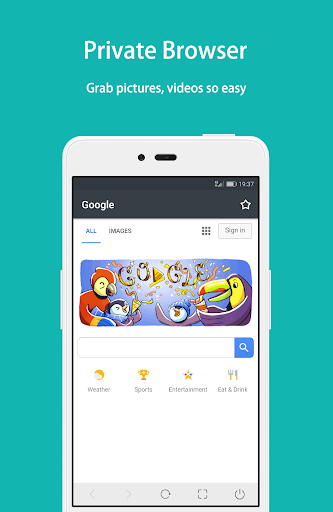
☆Browser: An inbuilt private browser for your safe browsing of private websites and downloading of photos from web and lock instantly inside photo vault and leaves no tracks in your system.
☆Shake Close: Shake the phone can quickly close the app, so that everything in your control.
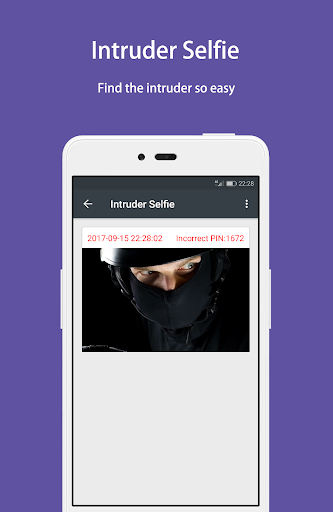
☆Intruder Selfie: Automatically takes Intruder selfie when someone tries to break in your privacy by entering wrong password.
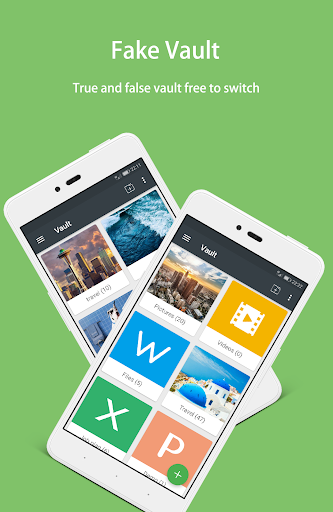
☆Fake Vault: Create Fake vault with different password for storing fake photos and videos.
☆Fingerprint Unlock: To provide you with a faster, more secure way to unlock.
☆Colorful Theme: A variety of fashionable colors, any match, to create your exclusive theme.
☆Calculator: Offers all the regular and scientific calculator functions in a simple, stylish and easy to use.
------------------------------ FAQ ------------------------------
How to open?
Enter your password and press '=' button to open.
What can I do if I forgot my password?
In case you forget your password, simply enter a number '11223344' into Calculator and press '=' button, then retrieve your password by entering answer of your security question.
How to restore encrypted file?
Long press on the encrypted file will enter the edit mode, you can restore it by using the restore button in the action bar.
Are my hidden files stored online?
Your files are stored only on your device, so please make sure to backup all your hidden files before transferring to new device or factory reset.
Change password?
You can go to the app's "Settings > Safe > Lock Type" to change the unlock password.
More FAQ: https://github.com/kaku2015/PhotoVaultDocs/blob/master/FAQ.md
Need Help?
Feel free to mail us at: [email protected]
Calculator Photo Vault is the Vault app can secretly Hide Photos, Hide Videos and other files without anyone knowing as gallery lock installed in your phone looks as just a beautiful calculator, and works very well. Your files will be secretly stored in vault and can only be viewed after a Numeric PIN is entered on calculator panel of this app.
Top Features:
☆Vault: Through the AES encryption algorithm, encrypt the content that you do not want to share with others, and the file format, size without any restrictions, but also support taking pictures and recording videos.
☆Browser: An inbuilt private browser for your safe browsing of private websites and downloading of photos from web and lock instantly inside photo vault and leaves no tracks in your system.
☆Shake Close: Shake the phone can quickly close the app, so that everything in your control.
☆Intruder Selfie: Automatically takes Intruder selfie when someone tries to break in your privacy by entering wrong password.
☆Fake Vault: Create Fake vault with different password for storing fake photos and videos.
☆Fingerprint Unlock: To provide you with a faster, more secure way to unlock.
☆Colorful Theme: A variety of fashionable colors, any match, to create your exclusive theme.
☆Calculator: Offers all the regular and scientific calculator functions in a simple, stylish and easy to use.
------------------------------ FAQ ------------------------------
How to open?
Enter your password and press '=' button to open.
What can I do if I forgot my password?
In case you forget your password, simply enter a number '11223344' into Calculator and press '=' button, then retrieve your password by entering answer of your security question.
How to restore encrypted file?
Long press on the encrypted file will enter the edit mode, you can restore it by using the restore button in the action bar.
Are my hidden files stored online?
Your files are stored only on your device, so please make sure to backup all your hidden files before transferring to new device or factory reset.
Change password?
You can go to the app's "Settings > Safe > Lock Type" to change the unlock password.
More FAQ: https://github.com/kaku2015/PhotoVaultDocs/blob/master/FAQ.md
Need Help?
Feel free to mail us at: [email protected]
What's New
- Fix some bugs, improve stability
App Information
Version Name
10.8.1
Version Code
722
File Size
15.1 MB
Minimum OS
Android 6.0+
Target SDK
Android 33
Developer
FishingNet
Contact
Website
Content Rating
Everyone
Package Name
com.hld.anzenbokusucalPermissions Required
This app may request the following permissions:
Recent Reviews

Tanner Sterling
5.0★
Great app for sensitive files that you want hidden from any curious eyes going through your files. Once "uploaded", the original file is gone from public view on your device, and you must use your pin to find them. The process can be easily undone too using the pin, where the file gets unencrypted and put back to its original location. The ads are annoying and can cause freezing, but buy the pro version and they're gone. I also don't buy many apps. This one is worth it.

Axel Durell
1.0★
Was a great app until recently, the ads are incredibly invasive. Before I was able to instantly close an ad as soon as it popped up, now I have to sit through a 5 second ad, click the skip button and then wait another 3 seconds to be able to completely close it. Also when browsing images every 2 to 3 an ad pops up. This is BS, before it was perfectly fine because I know you have to make money somehow, now they are just too invasive. I'm uninstalling this app and moving to a different one.

A Google user
3.0★
"Unable to get file path." when I try to share photos from Google Photos to this app. I also cannot seem to find the same photos through the "add button" file browser within the app. At a loss here... It works if those photos were shot on my device, but if I download them from a shared album, it doesn't work. Please help. I am a lifetime subscriber. 🙏 The response below did not resolve my problem...

HoCheesey McFinklestein IX
5.0★
I've been using this for a while now and I've had no issues. I haven't found what the limit is but if you're trying to transfer over 75 videos at once, (thats the highest number I've tried) it's going to give you an error code and say there's not enough space so just try a lower number of videos and it'll work. There are some ad pop-ups but it's not anywhere near as bad as most other apps. The only negative I have is only when playing a video or looking at a pic. will it go into landscape mode.

Samuel Bosch
4.0★
So far, the app has been working perfectly, and just recently I decided to buy the full version. The added features and no ads are nice, but the free version is more than good enough. The only thing that keeps me from giving 5 stars is the fact that videos in the default video player (when set to repeat) have a ~0.5 second buffer time as the video is replayed. If there was an option to enable a "smooth" transition when replaying, I would bump this up to 5 stars. Despite that, it's really good.

Eric
2.0★
I transferred about 75 videos and a couple days later, more than half of them were unavailable. There was a thumbnail of the encrypted video but clicking on it would bring up a notification saying the file couldn't be found. I've researched every way to retrieve the lost files and nothing has worked. Not worth the risk of losing sensitive data so make sure to backup the files somewhere else and not using this app as the only source for the file
Ad slot: In-Content