

Smoke & Glass Icon Pack
com.hooolm.smokeandglass
by DrumDestroyer Themes
Screenshots






Ad slot: Top Leaderboard
About this app
I had an idea about doing an icon set with smoke and glass. It's been a while underway, because (much like my Freehand efforts), these icons take absolutely forever to make, but I personally think it's been worth the effort!
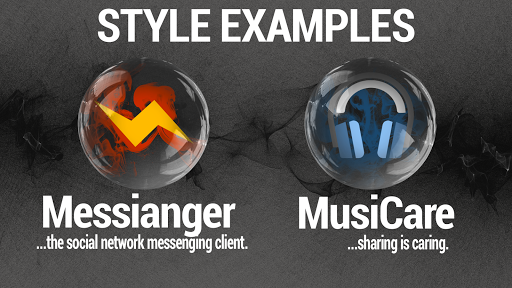
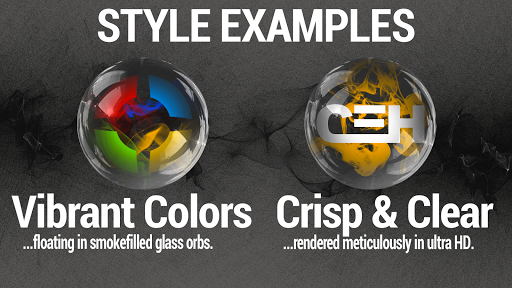
The icons are individually crafted to look like the essence of each app floating in smoke-filled glass orbs, complete with photorealistics reflections. My wife thinks they look like those old school glassy marbles with threads of paint in them. I see her point. Whatever they look like, the do look great, and I'm happy to share the result with you all :-)
I'm also using masking and shaders to make sure that *all* the icons have a consistent appearance.
As is customary, there's a pretty dashboard (Candybar), a couple of wallpapers, links to my social media presences and various interesting online resources. There's also a fairly robust IconRequest feature and a bunch of cool wallpapers hosted on my server.
And, of course, apply-buttons for most of the major launchers. Supported launchers include most of the ones you would expect - these are supported to various degrees. The big ones work well, others may or may not work. Stock launchers typically don't support icon packs.
== INSTALL NOTES ==
- Install the app and open it.
- Select your launcher to apply the icon pack.
- Swipe left/right to navigate between tabs/pages.
- Select "Wallpapers" to check out and apply one of the cool wallpapers.
If your launcher is not supported in the dashboard apply fragment, try and see if you can apply the icons via the launcher's control panel.
If one of your apps doesn't theme, you can press-and-hold the icon, select "Edit" and select one of my icons manually.
== CONTACT / SUPPORT / ETC ==
If you have requests for apps for me to theme, please use the request feature within the app.
If you have problems or issues that require support, , please email me at [email protected]
If you have funny insights or anything else (constructive) you'd like to share with me, please email me at [email protected] or reach out via Twitter or Google+ (links are in the app)
I cannot support/communicate with you through the Play Store. I typically don't read reviews, and depending on your region or language, I might not even be able to see your comments.
The icons are individually crafted to look like the essence of each app floating in smoke-filled glass orbs, complete with photorealistics reflections. My wife thinks they look like those old school glassy marbles with threads of paint in them. I see her point. Whatever they look like, the do look great, and I'm happy to share the result with you all :-)
I'm also using masking and shaders to make sure that *all* the icons have a consistent appearance.
As is customary, there's a pretty dashboard (Candybar), a couple of wallpapers, links to my social media presences and various interesting online resources. There's also a fairly robust IconRequest feature and a bunch of cool wallpapers hosted on my server.
And, of course, apply-buttons for most of the major launchers. Supported launchers include most of the ones you would expect - these are supported to various degrees. The big ones work well, others may or may not work. Stock launchers typically don't support icon packs.
== INSTALL NOTES ==
- Install the app and open it.
- Select your launcher to apply the icon pack.
- Swipe left/right to navigate between tabs/pages.
- Select "Wallpapers" to check out and apply one of the cool wallpapers.
If your launcher is not supported in the dashboard apply fragment, try and see if you can apply the icons via the launcher's control panel.
If one of your apps doesn't theme, you can press-and-hold the icon, select "Edit" and select one of my icons manually.
== CONTACT / SUPPORT / ETC ==
If you have requests for apps for me to theme, please use the request feature within the app.
If you have problems or issues that require support, , please email me at [email protected]
If you have funny insights or anything else (constructive) you'd like to share with me, please email me at [email protected] or reach out via Twitter or Google+ (links are in the app)
I cannot support/communicate with you through the Play Store. I typically don't read reviews, and depending on your region or language, I might not even be able to see your comments.
What's New
All-new dashboard, activity fixes and icon updates, much more coming soon. Thank you for your support!
App Information
Version Name
29
Version Code
29
File Size
59.6 MB
Minimum OS
Android 5.0+
Target SDK
Android 22
Developer
DrumDestroyer Themes
Contact
Content Rating
Everyone
Package Name
com.hooolm.smokeandglassPermissions Required
This app may request the following permissions:
Recent Reviews

A Google user
5.0★
icon packs provide a certain set of icons, and some will "wrap" the other icons to try and make them fit in with the theme. Something unique about this pack is that the wrapping is so cleverly done, you can never be sure which are wrapped and which are custom, with the effect that every single icon feels themed. well done. only criticism is I'd like to see 1 -31 day calendar icons.
A Google user
5.0★
What a great icon pack, the best I've seen so far, and the one I want to use on all of my devices. This app allows you to leave any particular icon as is, or choose from over 1300 ready made smoke & glass icons within the pack, and what makes this icon pack extra special, is the ability to give any system or 3rd party app icons an instant smoke & glass makeover which makes pages full of icons look bang tidy. As for the look of these icons, they really do look like smokey glass spheres, a cool look as well as pleasing on the eye. I'm not keen on paying for icons as they're ten a penny (an old English saying for cheap), but this icon pack set me back a penny under 1 and a half quid, well and truly worth the money. Definitely a five star app, congrats and thanks to the developer.

Tony “Big-Tony” Wilford
5.0★
I LOVE icon packs that use a sort of "frame" around all apps, which lets it work for every single app. Instead of the developers that have to customize every single app icon. I have almost 400 apps so the chances of an icon pack having custom icons for all of them never happens. Using (your) method works for any and all apps. awesome!
A Google user
5.0★
It's hard to describe how good these look. I use a live wallpaper with mostly dark and some moving colored patterns and they show through just the right amount while not making the icons hard to see. I'll never be able to go back to flat simple looking icons again after using these. Well worth the cost.
A Google user
5.0★
Used since 2017. Still my " go to" icon pack. After trying other icon packs, I think the best feature is that, even if this pack doesn't have a specific app icon, this icon pack can convert any flat icon to fit right in with the theme. This allows you to get a consistent look and feel immediately. No need for you to wait for the dev to create an icon for your specific app. Maybe other icon packs have this feature, but I haven't found another. I use Nova Launcher. Works great.

Eli Weitz
5.0★
Update! After a short time this has turned into my 'go to icon-set' & I love it! Great job, great look! Other 'grounds-keeping': Please bring back capability to choose fm 'native' icons that can be used for 'group' containers & pretty please, on the Viral icon set, it is huge & needs a search-bar & a side drag bar to show how deep one is in any given screen! Also, please keep all icons in this set in alphabetical order! Keep up the great work!
Ad slot: In-Content