

Qibla Finder Compass 100%
com.hundred.qibla.finder
by CNT Interaktif Bilgi Tek. Yaz. San. ve Tic. A.S.
Screenshots

Ad slot: Top Leaderboard
About this app
Find Qibla direction القبلة with 100% accuracy for your prayers. To find Qibla direction, you don't need an internet connection!
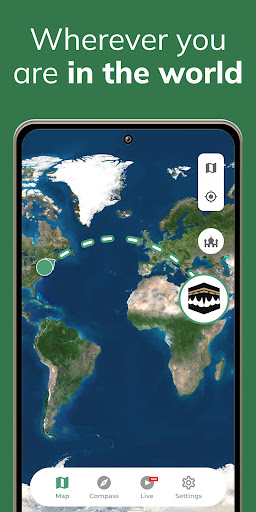
Low-size app that shows 100% Qibla Direction worldwide. Simple & Smart Qibla compass.
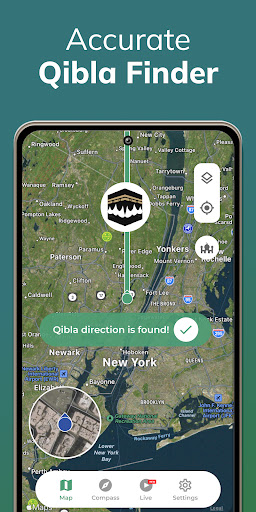
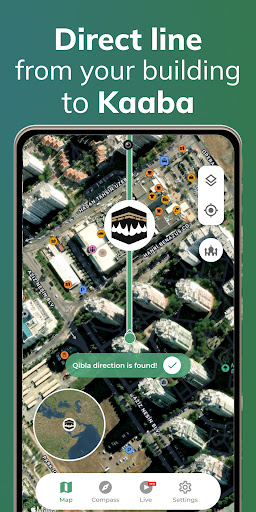
100% Qibla Finder helps Muslims find the Kibla all over the world. The Qibla direction القبلة -direction of the Kaaba in Mecca (Makkah)- is indicated by an arrow on the map, so you can adjust your direction before you start your prayer using the Qibla Compass.
Qibla Finder is one of the rules that every Muslim should pay attention to. With our app, you can find the prayer direction accurately wherever you are. So you can start the prayer without losing your location with the smart Qibla Compass.
100% Qibla Finder: Qibla Compass, Direction All Features
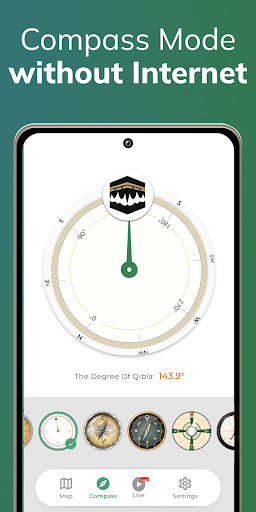
✓ You don't need the internet to see where Makkah is. Using its compass function, 100% Qibla Finder shows you where Mecca is located even offline.
✓ Your direction is located with precision thanks to the GPS function of the application. To find Qibla direction القبلة, your phone's GPS function must be working properly Qibla finder.
✓ You can re-detect your position with the "Find my position" function to be sure of the Kaaba.
✓ You can share 100% Qibla Compass on Facebook and other social networks with your friends.
Additional features include:
✓ Select from various map or Qibla Compass modes to match your preferences and improve usability, whether you prefer a traditional compass view or a more detailed map-based interface.
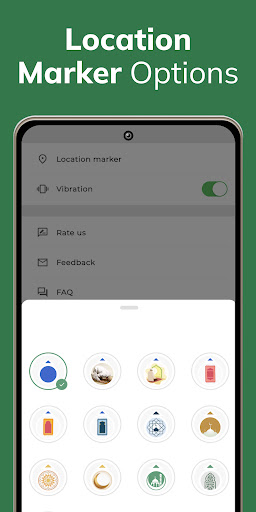
✓ Customize your location marker to ensure greater accuracy and personalization, allowing you to adjust the marker's appearance and positioning for a more tailored experience.
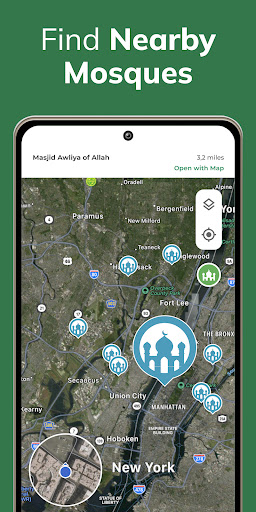
✓ Locate the nearest mosques to your current location
You should hold your phone on a flat surface and keep it away from electromagnetic fields and metallic objects. If necessary, you can manually rearrange your location by tapping the marker.
To use the product, your phone must be away from magnetic fields. If there is too much of a magnetic field around, you might have trouble finding your way. The presence of a GPS jamming device around you can also affect steering. If you think you are not getting the correct result, you can try again at a time when there is no electronic device. However, you need to make sure that your phone is working properly. A problem with your phone can cause problems. Don't forget to activate Google GPS features. If you do not allow the location of the app, you may experience issues. So make sure you allow everything.
You can also use our product as a compass. With the help of your phone's sensors, you will have used one of the most accurate compass apps. The compass features will work even if you are offline. We remind you that you must be sure that there is no electromagnetic field around you to avoid problems with the functions of the compass.
To get the best results for القبلة Qibla direction, never forget the condition that you get the right result once. On your next attempts, run the product when you get the correct result. So you will continue to use the product without any problem.
Don't forget to allow Google services to ensure the app works properly. Thus, you can access all the features without any problems. If you do not give permission, it is quite natural to experience disruptions and difficulties while working with your Qibla finder.
Granting the necessary permissions will help the app function smoothly and efficiently, ensuring that you can fully utilize all of its features without encountering any issues or disruptions during use.
Privacy & Terms : https://www.cntinteractive.com/privacy-terms/
Low-size app that shows 100% Qibla Direction worldwide. Simple & Smart Qibla compass.
100% Qibla Finder helps Muslims find the Kibla all over the world. The Qibla direction القبلة -direction of the Kaaba in Mecca (Makkah)- is indicated by an arrow on the map, so you can adjust your direction before you start your prayer using the Qibla Compass.
Qibla Finder is one of the rules that every Muslim should pay attention to. With our app, you can find the prayer direction accurately wherever you are. So you can start the prayer without losing your location with the smart Qibla Compass.
100% Qibla Finder: Qibla Compass, Direction All Features
✓ You don't need the internet to see where Makkah is. Using its compass function, 100% Qibla Finder shows you where Mecca is located even offline.
✓ Your direction is located with precision thanks to the GPS function of the application. To find Qibla direction القبلة, your phone's GPS function must be working properly Qibla finder.
✓ You can re-detect your position with the "Find my position" function to be sure of the Kaaba.
✓ You can share 100% Qibla Compass on Facebook and other social networks with your friends.
Additional features include:
✓ Select from various map or Qibla Compass modes to match your preferences and improve usability, whether you prefer a traditional compass view or a more detailed map-based interface.
✓ Customize your location marker to ensure greater accuracy and personalization, allowing you to adjust the marker's appearance and positioning for a more tailored experience.
✓ Locate the nearest mosques to your current location
You should hold your phone on a flat surface and keep it away from electromagnetic fields and metallic objects. If necessary, you can manually rearrange your location by tapping the marker.
To use the product, your phone must be away from magnetic fields. If there is too much of a magnetic field around, you might have trouble finding your way. The presence of a GPS jamming device around you can also affect steering. If you think you are not getting the correct result, you can try again at a time when there is no electronic device. However, you need to make sure that your phone is working properly. A problem with your phone can cause problems. Don't forget to activate Google GPS features. If you do not allow the location of the app, you may experience issues. So make sure you allow everything.
You can also use our product as a compass. With the help of your phone's sensors, you will have used one of the most accurate compass apps. The compass features will work even if you are offline. We remind you that you must be sure that there is no electromagnetic field around you to avoid problems with the functions of the compass.
To get the best results for القبلة Qibla direction, never forget the condition that you get the right result once. On your next attempts, run the product when you get the correct result. So you will continue to use the product without any problem.
Don't forget to allow Google services to ensure the app works properly. Thus, you can access all the features without any problems. If you do not give permission, it is quite natural to experience disruptions and difficulties while working with your Qibla finder.
Granting the necessary permissions will help the app function smoothly and efficiently, ensuring that you can fully utilize all of its features without encountering any issues or disruptions during use.
Privacy & Terms : https://www.cntinteractive.com/privacy-terms/
What's New
The user experience of the new languages was measured, and translation and cultural adaptation adjustments were made. Bugs were fixed.
App Information
Version Name
3.0.3
Version Code
158
File Size
33.7 MB
Minimum OS
Android 5.0+
Target SDK
Android 33
Developer
CNT Interaktif Bilgi Tek. Yaz. San. ve Tic. A.S.
Contact
Website
Content Rating
Everyone
Package Name
com.hundred.qibla.finderPermissions Required
This app may request the following permissions:
Recent Reviews

Abdullah Zamel
1.0★
23.99 subscription for what, that's the first screen you get, and then ads. just for trying to find the qibla.

Firas Hilmi
2.0★
I'm not entirely sure if the app indicating the Qibla right but I can tell by the price, it wasn't developed to gain Hasanat. I can understand having ads to generate income but not monthly fee. shame on you! .. I gave you the two stars because it gave me the Qibla as part of the 3 trial days, and I will uninstall it and find myself a free app with reasonable number of ads.

Sulaiman Thowfeek
1.0★
i sit infront of Kaaba and checked if this app works accurately. it completely shows a different direction as qibla. this app must have been developed by kuffars.

MD
1.0★
Required too much tracking and snooping and requires a premium trial sign up or cannot use it. You need to agree to many cookies/tracking and then once past that you have to sign up for a trial that will cost money afterwards if you do not cancel. Well you you are going to use tracking then you shouldn't also charge a premium for subscription. If I pay i don't want to be tracked too and this should be made more clear.

Khan Valiullah
1.0★
Subscription ! like seriously? for to find qibla'Should have post image in description that subscription required . If any person download this app incase in case of urgent need he will see the subscription page first'

Mazhar Ahmad
1.0★
terrible app, long ads and gives you a different direction everytime you use it.
Ad slot: In-Content