

Linux Command Library
com.inspiredandroid.linuxcommandbibliotheca
by Simon Schubert
Screenshots

Ad slot: Top Leaderboard
About this app
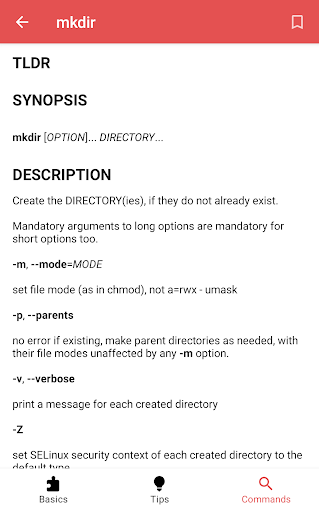
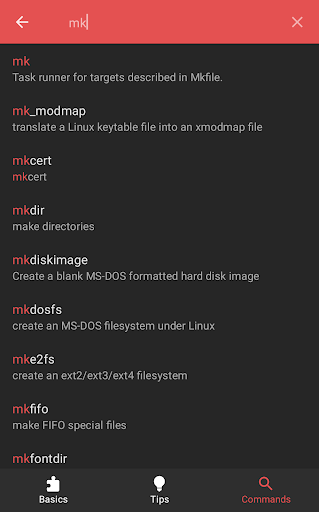
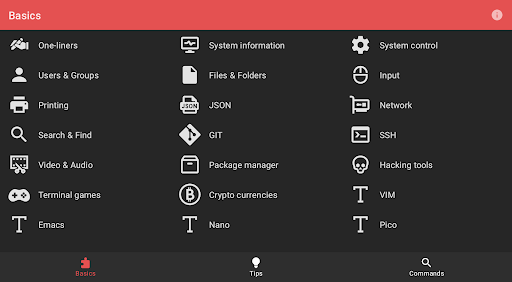
The app currently has 4608 manual pages, 21 basic categories and a bunch of general terminal tips. It works 100% offline, doesn't need an internet connection and has no tracking software.
Categories
* One-liners
* System information
* System control
* Users & Groups
* Files & Folders
* Input
* Printing
* JSON
* Network
* Search & Find
* GIT
* SSH
* Video & Audio
* Package manager
* Hacking tools
* Terminal games
* Crypto currencies
* VIM
* Emacs
* Nano
* Pico
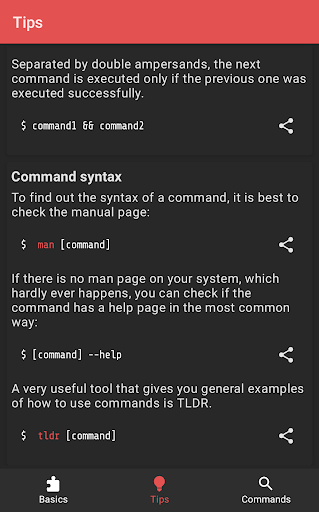
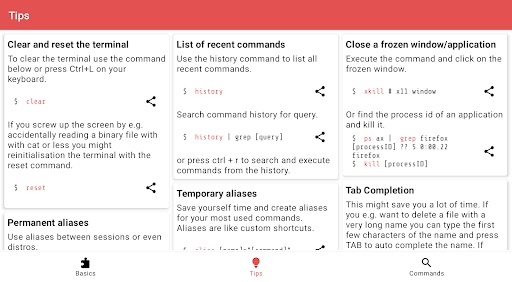
Tips
* Clear and reset the terminal
* List of recent commands
* Close a frozen window/application
* Tab Completion
* Temporary aliases
* Permanent aliases
* Chain commands
* Command syntax
* Cursor navigation
* Redirection
* Special characters in commands
* View file permissions
* Modify file permissions
* Set file permissions via binary references
Categories
* One-liners
* System information
* System control
* Users & Groups
* Files & Folders
* Input
* Printing
* JSON
* Network
* Search & Find
* GIT
* SSH
* Video & Audio
* Package manager
* Hacking tools
* Terminal games
* Crypto currencies
* VIM
* Emacs
* Nano
* Pico
Tips
* Clear and reset the terminal
* List of recent commands
* Close a frozen window/application
* Tab Completion
* Temporary aliases
* Permanent aliases
* Chain commands
* Command syntax
* Cursor navigation
* Redirection
* Special characters in commands
* View file permissions
* Modify file permissions
* Set file permissions via binary references
What's New
Fix search bar accessibility issues
Add commands
Upgrade sdks
Add commands
Upgrade sdks
App Information
Version Name
1.5.1
Version Code
20
File Size
11.9 MB
Min SDK
Android 9+
Target SDK
Android 23
Developer
Simon Schubert
Contact
Website
Content Rating
Everyone
Package Name
com.inspiredandroid.linuxcommandbibliothecaPermissions Required
This app may request the following permissions:
Recent Reviews

-K-
3.0★
PRO: Out of three cheat sheet apps this is the only one that could tell me what this means, "apt." Go figure. Very simplistic, but loaded with information. CON: When I type in a search it cuts off the lower portion of my text. Also, the text is incredibly thin, small and hard to see. I would love to see a black & White theme option. Pix9/Adro16

A Google user
2.0★
This is a good attempt, and the author's heart is clearly in the right place, but this is one of those things that really does need collaboration. The tips section needs work, and the program references are inconsistent in whether or not they have any text formatting. Many references link to tl;dr rather than having any content, which defeats the purpose of an offline reference. All in all, it's a good example of too large of a scope too soon.

Andrey F
5.0★
It's s great reference book targeted at Linux command line users with a broader spectrum of skills. Carefully preserved classical man pages look even more practically oriented with a focus shifted to usage patterns plus common caveats and problems. I hope that a full text search will appear in the next version of the app.

Igor Markov
5.0★
Sometimes you manage to forget how THAT particular thing is named or used in context. Here we go! Nifty, brief, right to the point, great many topics covered... who among professional devs need any more? I just love this app.😋

Profitroll
4.0★
Great experience overall. Information is up to date, a great compilation of necessary tools and examples. The only thing I feel like is missing would be a good search. You can't easily search through one-liners and sometimes it's hard to find something you need. Some kind of "Favorites" feature would also be very helpful to find things you can frequently need, but forget all the time.

Anna Hamm
4.0★
Could be a bit more robust with the commands it lists, and a better search function, but this app is fast, and simple to use. The buttons work when you want to expand each section in a man page, and offers (sometimes) quick access to a Linux tool/command that I needed to learn about. Nice to have on a separate device while using up all my screen real estate with other tasks. Thanks for making this!
Ad slot: In-Content