

PasswdSafe - Password Safe
com.jefftharris.passwdsafe
by Jeff Harris
Screenshots





Ad slot: Top Leaderboard
About this app
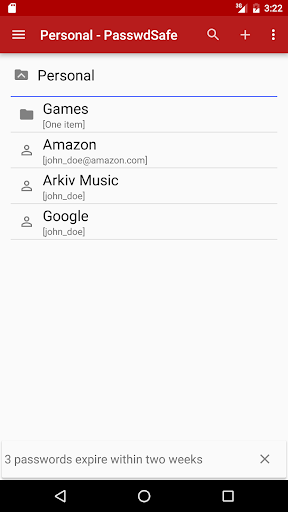
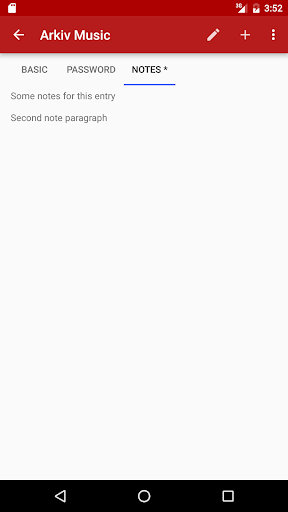
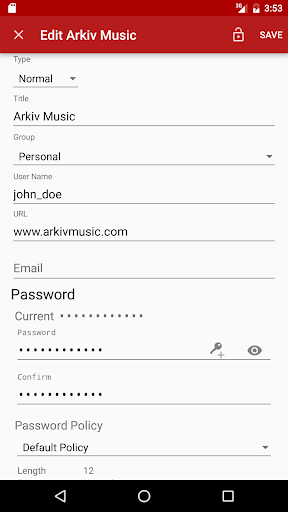
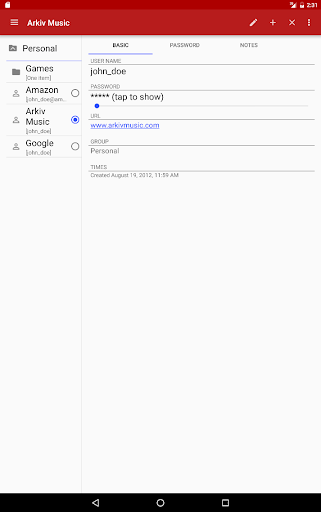
PasswdSafe is a port of the Password Safe (http://pwsafe.org) application to Android. Password files can be synced from cloud services using the companion PasswdSafe Sync app. YubiKey NEO tokens are supported for two-factor authentication. File passwords can be saved on devices with a fingerprint scanner and Android 6.0 or higher.
***Please maintain a known-good backup in case bugs exist***
***Please maintain a known-good backup in case bugs exist***
What's New
Support last password change timestamp. Add long-press menus to copy email and URL. Update for Android 16 compatibility. Bug fix loading unknown fields.
App Information
Version Name
6.3.0
Version Code
60300
File Size
2.3 MB
Minimum OS
Android 5.0+
Target SDK
Android 23
Developer
Jeff Harris
Contact
Website
Content Rating
Everyone
Package Name
com.jefftharris.passwdsafePermissions Required
This app may request the following permissions:
Recent Reviews

Reuben Snipper
5.0★
I've used this app for many years. Works well on my PC and Android phone. Since it is open source, you can be sure no "back doors" have been inserted to access your passwords. Proprietary software could have back doors inserted to allow access to your passwords. I use Password Safe Sync to keep the different versions in sync. It has all the options/features I need. Inserts passwords on my phone quite easily using the keyboard choice. I donate once/year to keep the updates coming.

DireLogic
5.0★
Big improvements in the past few years. Speed & reliability now make the app easy to rely on, with regular updates a sign of overall commitment by the programmer. Interface still looks dated, but that's hardly a reason to look elsewhere. Major virtue: You control your data 100%. No cloud involvement unless you want it. I have it installed on 3 phones. a tablet, a laptop, & a desktop system and synch the password file myself--when & how I want to.

A Google user
5.0★
Great Password Safe with many platform options! I have used the desktop version for many years, then added the IOS version and now using the Android version. All stay in sync via Dropbox for me (other options exist). It allows you to copy and paste usernames and passwords so it really does not matter how complex or long the password is as far as ease of use as you do not have to retype it. One HUGE point is support. The Android 10 update caused issues with the fingerprint login for a few apps. I reached out to Jeff Harris and he quickly got back to me with how to clear the old passwords which would fix my issue. That made my day as I could read the file but had to put the password in manually every time. Many other features, but it has been a long-term stable and good program which is the most important thing for passwords.

Tedow 123
5.0★
This is one of my favorite apps that I have. It has multiple features and customizations if you know how to use them, i's free, and it actually helps protect my privacy (by protecting my passwords) instead of requiring many permissions that take all of your personal information. I've used this app for over 5 years and have 0 complaints. Best password manager app that I'm aware of.

Timothy Suhr
5.0★
The one thing I miss in the Android version of password safe is the ability to see the URLs for any given entry. This would be a nice feature even if it was just accessible for viewing. More ideally a function that would permit loading of your default browser with the URL. But I believe this version of password safe is a faithful reproduction of the application. Job well done!

Josh Dunlavy
5.0★
Password Safe is a secure and portable way to handle your passwords. I say "portable" thanks to this Android app! There may be more convenient options which build into your web browser, but they carry risk. I use this handy app for retrieval of my passwords but I manage my passwords on Windows Password Safe. Between this and the desktop application, you have the best of both worlds to be honest. And it's all free, which is really mind boggling. Kudos on the fingerprint login! 👍🏼
Ad slot: In-Content