

JetSign: Fill & Sign PDF Forms
com.jetsign.app
by JetSign
Screenshots



Ad slot: Top Leaderboard
About this app
Say goodbye to printing, scanning, and complex e-signature tools! JetSign lets you sign any document in seconds including:
SUPER-SIMPLE SIGNING EXPERIENCE
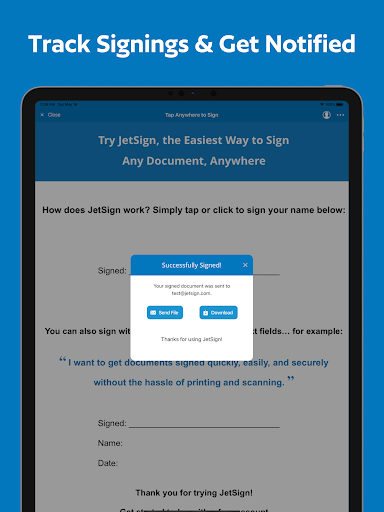
Tap or click anywhere to sign with your finger. Add your e-signature, dates, and text to your document and generate a signed PDF!
FILL & SIGN FORMS
Easily fill and sign forms by editing text directly on the document - no text entry pop-ups required! Resize text, add checkmarks and X's, and clone fields with our form filler features and save as a PDF.
INVITE OTHERS TO SIGN REMOTELY
Send out documents for e-signature by email or with a simple signing link that you can share in your own email or text message. You and your remote signer(s) can view and sign your document with a full audit trail. When the other signer adds their e-signature, you will get notified of the signed PDF by email.
CREATE TAMPER-PROOF AGREEMENTS WITH DIGITAL SIGNATURES
JetSign Premium uses digital signatures so you can verify the integrity of your signed document and detect any changes after signing with popular PDF viewers such as Adobe Acrobat Reader. To comply with Adobe standards, JetSign's digital signatures are powered by a Certificate Authority that is an approved member of the Adobe Approved Trust List (AATL) program.
ADD SIGNING FIELDS FOR REMOTE SIGNERS
Make signing easier by highlighting exactly where others should sign, initial, and fill out your document! You can also add text, name, date signed, and checkbox fields to your agreements and forms.
SAVE TIME WITH TEMPLATES
Add a document once and re-use it daily for new customers and signers, including signer roles and fields, and template fields to be prefilled before inviting customers to sign.
CONVERT ANY FILE INTO A SIGNED PDF
Add one or several documents at a time including Word (doc/docx), Pages, PDF, HTML, RTF, WordPerfect, images, and 15 other file formats.
EASY IMPORTING
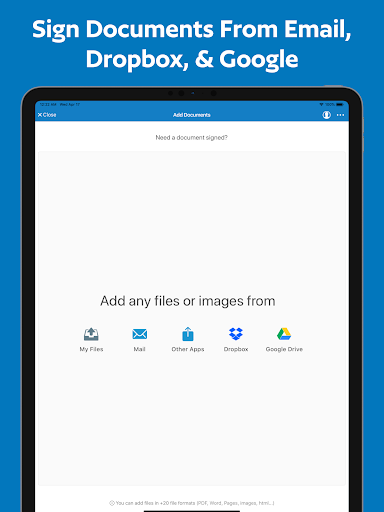
Add files from Dropbox, Google Docs & Drive, Microsoft OneDrive, Mail, and other apps to start signing.
STRONG SECURITY
We protect your documents in the cloud with leading encryption methods (AES-256), SSL hosting, and full audit trails for electronic signatures.
To share documents across devices and with other users, JetSign uses encrypted cloud storage in a secure US-based data center. View our Privacy Policy for full details at https://www.jetsign.com/privacy.
JetSign can be used for NDA's, sales proposals, contracts, job offers, lease agreements, and more. Discover how easy e-signatures can be - download JetSign and get started for free! (no account or registration required)
About Us
JetSign is made in Vancouver, Canada and is a secure e-signature service by GrowthClick Inc. We're focused on creating a super-simple signing experience that you'll love using from your smartphone, tablet, and web browser.
Get started for free (including up to 3 signed documents) or upgrade to unlock everything. Our plans start at $4.99 USD per month ($35.99/year) for additional signing and more features. (Note: Signing documents sent by other users is always free).
Payment will be charged to your Google Play Store account at the confirmation of purchase. Subscription automatically renews unless it is canceled at least 24 hours before the end of the current period. Your account will be charged for renewal within 24 hours prior to the end of the current period. You can manage and cancel your subscriptions by going to your account settings on the Play Store after purchase.
Privacy Policy: https://www.jetsign.com/privacy
Terms of Use: https://www.jetsign.com/terms
SUPER-SIMPLE SIGNING EXPERIENCE
Tap or click anywhere to sign with your finger. Add your e-signature, dates, and text to your document and generate a signed PDF!
FILL & SIGN FORMS
Easily fill and sign forms by editing text directly on the document - no text entry pop-ups required! Resize text, add checkmarks and X's, and clone fields with our form filler features and save as a PDF.
INVITE OTHERS TO SIGN REMOTELY
Send out documents for e-signature by email or with a simple signing link that you can share in your own email or text message. You and your remote signer(s) can view and sign your document with a full audit trail. When the other signer adds their e-signature, you will get notified of the signed PDF by email.
CREATE TAMPER-PROOF AGREEMENTS WITH DIGITAL SIGNATURES
JetSign Premium uses digital signatures so you can verify the integrity of your signed document and detect any changes after signing with popular PDF viewers such as Adobe Acrobat Reader. To comply with Adobe standards, JetSign's digital signatures are powered by a Certificate Authority that is an approved member of the Adobe Approved Trust List (AATL) program.
ADD SIGNING FIELDS FOR REMOTE SIGNERS
Make signing easier by highlighting exactly where others should sign, initial, and fill out your document! You can also add text, name, date signed, and checkbox fields to your agreements and forms.
SAVE TIME WITH TEMPLATES
Add a document once and re-use it daily for new customers and signers, including signer roles and fields, and template fields to be prefilled before inviting customers to sign.
CONVERT ANY FILE INTO A SIGNED PDF
Add one or several documents at a time including Word (doc/docx), Pages, PDF, HTML, RTF, WordPerfect, images, and 15 other file formats.
EASY IMPORTING
Add files from Dropbox, Google Docs & Drive, Microsoft OneDrive, Mail, and other apps to start signing.
STRONG SECURITY
We protect your documents in the cloud with leading encryption methods (AES-256), SSL hosting, and full audit trails for electronic signatures.
To share documents across devices and with other users, JetSign uses encrypted cloud storage in a secure US-based data center. View our Privacy Policy for full details at https://www.jetsign.com/privacy.
JetSign can be used for NDA's, sales proposals, contracts, job offers, lease agreements, and more. Discover how easy e-signatures can be - download JetSign and get started for free! (no account or registration required)
About Us
JetSign is made in Vancouver, Canada and is a secure e-signature service by GrowthClick Inc. We're focused on creating a super-simple signing experience that you'll love using from your smartphone, tablet, and web browser.
Get started for free (including up to 3 signed documents) or upgrade to unlock everything. Our plans start at $4.99 USD per month ($35.99/year) for additional signing and more features. (Note: Signing documents sent by other users is always free).
Payment will be charged to your Google Play Store account at the confirmation of purchase. Subscription automatically renews unless it is canceled at least 24 hours before the end of the current period. Your account will be charged for renewal within 24 hours prior to the end of the current period. You can manage and cancel your subscriptions by going to your account settings on the Play Store after purchase.
Privacy Policy: https://www.jetsign.com/privacy
Terms of Use: https://www.jetsign.com/terms
What's New
Sign any document in seconds and invite others to sign through email, signing links, and web forms. This update has some minor fixes plus support for time stamps when adding dates and "date signed" fields for remote signers. Thank you for your reviews and feedback!
App Information
Version Name
2.7.0
Version Code
565
File Size
27.6 MB
Minimum OS
Android 8.0+
Target SDK
Android 33
Developer
JetSign
Contact
Website
Content Rating
Everyone
Package Name
com.jetsign.appPermissions Required
This app may request the following permissions:
Recent Reviews

Cristian Cecil
1.0★
Would have been helpfull if it didn't force the user to pay $40-$160 for a year. Most individuals don't need these apps like that. If they did, they'd be working on a laptop I'd imagine. It's a broken business model. 4 bucks a month sounds fair. But forcing you to pay for a year is just a broken concept. I'd much rather pay outright for the app for permanent rights if I'm paying 40 bucks. I'll find another work around. 7 day trial was good though. Very helpful app if you can afford it.

Denis Pereyaslov
4.0★
Straightforward, easy and simple to use Document edited and signer. Helps me a lot since I need to fill out a weekly timesheet. Meaning that I am only going to use this four times a month. Which is really unfortunate that the free version only lets me do three. I'm not going to use this for anything else. I would rather watch an ad and fill these out than pay a subscription fee. So I'll be filling out a paper form like I have been. Maybe give people the option to watch an ad. Why I only 4 stars.

Shilo Lorenz
1.0★
I liked it when I thought it was free. Mediocre app but good for that price... Until I ran out of free signatures and found out it's $99/year. So not a free app after all. I would rather watch a thirty second ad before signing than pay a subscription fee. Response: the description says that it is $35 a year but that offer was not presented to me, only $99. If it's only three signatures, your program is bugged because I got six free signatures and no prior warning.

A Google user
3.0★
Very intuitive and easy to use. A convenient tool to have when you need. Wish the subscription fee wasn't quite so much or was graduated based on how many files you sign per month. E.g., three or less per month $1.99, five or less $3.99 etc. Because although it's nice to have when I need it, I don't use enough to justify $4.99 a month. That is why I gave 3 stars but the function and design of the app itself is 5 stars.

Jonathan Weiss
5.0★
An amazing app for signing, dating, and adding text to pdf docs. Use it all the time with no issues. Gives you the option of either downloading document when completed, or emailing it (user must have email client). It's for simple forms though, as user must tap where to add text, date, or signature on documents. Note: don't expect to have the fields on the document, which require input, to be automatically selected by this app, as it's basically up to you where you want to add something.

shiren abdul
5.0★
This app is great!! It makes life so much easier when you are on the go and have to sign documents that are time sensitive. This app has saved me on numerous occassions and I would reccommend it to anyone for personal or business use. Oh and it is SUPER EASY TO USE!!!!! I'm not the most computer savy individual and Its pretty straight forward and simplified for even someone who may not be like me. Its the best of the signing apps in my opinion. Thanks Jet sign!!!! 👍
Ad slot: In-Content