

AutoNotification
com.joaomgcd.autonotification
by joaomgcd
Screenshots


Ad slot: Top Leaderboard
About this app
Tutorials and demos here: https://joaoapps.com/autonotification/
Standalone features:
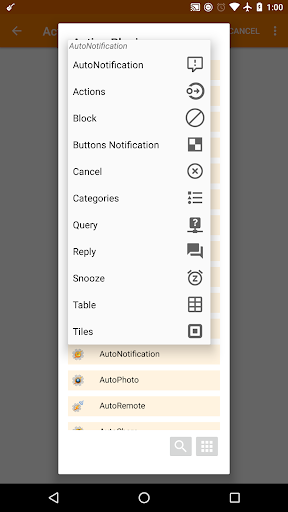
☑ Block any apps notifications from appearing
For persistent notifications Android 8+ is required. For normal notifications, Android 4.4+ is required. Video tutorial here.
☑ Manage Notification Categories
For apps that weren't built for Android Oreo or above, you can change many more settings than in the regular system options, like importance, sound, vibration, etc.
For apps that WERE built for Oreo or above you can set the vibration pattern, which you can't usually do! Video tutorial here: https://youtu.be/AcTVnop3M3s
☑ Customize Gmail Notification Buttons
Set any buttons you want on your Gmail notifications! Select from 14 different buttons (including Mark As Read, Delete and many more) and up to 5 at the same time! Video demo here: https://youtu.be/dovLa8mMvpI
Note: AutoNotification can't detect when you read your emails on a different device so it won't automatically remove its Gmail notifications like the native Gmail app does.
Tasker only features:
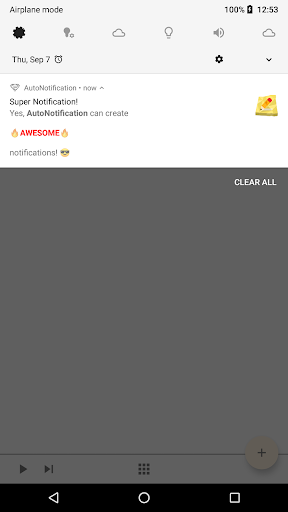
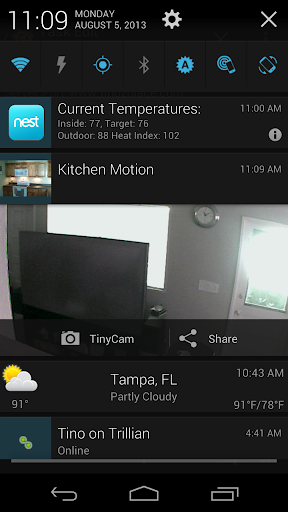
☑ Create awesome interactive notifications with advanced formatting:
Check out a tutorial here.
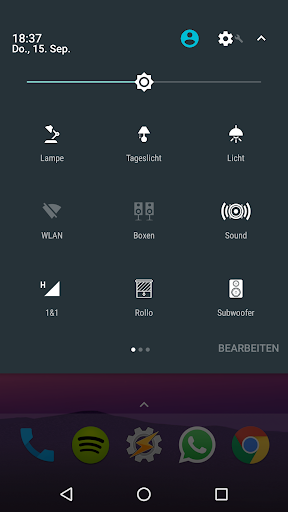
☑ Quick Settings Tiles
Add up to 40 Android 7+ quick setting tiles to customize to your heart's desire!
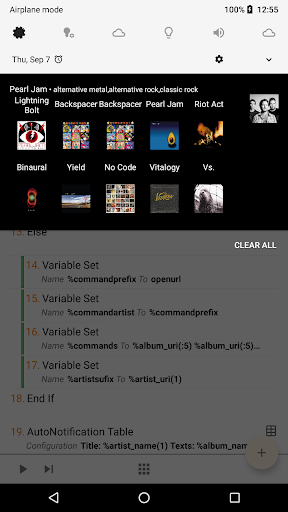
☑ Table Notifications
Create a table with images right in your notification shade. Tutorial here
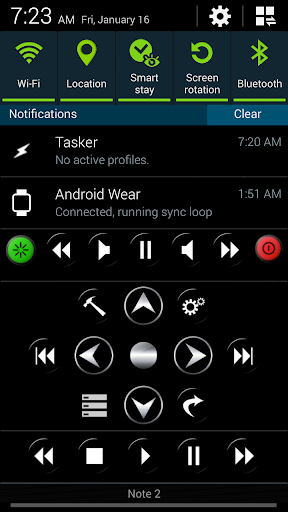
☑ Button Notifications
Have a notification with as many buttons as you want! Yes, you can have 50 buttons if you so desire! :)
☑ Intercept And Query Notifications
React to other app's notifications in Tasker and do whatever you want with them including replacing them with your own better versions :)
☑ Intercept Toasts
Use the AutoNotification Accessibility service to intercept other app's toasts so you can trigger Tasker profiles based on them. Important Note: AutoNotification's Accessibility service is used for this purpose ONLY and will not collect/share your data in any way.
☑ Automatic Replies
Create chat bots and reply automatically to chat apps notifications like Whatsapp, Hangouts, etc
☑ Android 8+ features!
Manage notification categories for third-party apps and snooze notifications
☑ Free 7-day trial!
Try out the full app for free and unlock the full version to get all the features after the 7 days are up. If you don't unlock the full version after 7 days you'll use the lite version.
Lite version restrictions:
- Title and Text are limited to 5 characters
- LED color will always be red with 100ms on and off time
- Vibration not supported
- Custom sounds not supported
- Messages you can react to in an AutoNotification profile are limited to 2 characters
- Cannot intercept notifications
- Cannot use category management and snoozing actions in Tasker
(WARNING: YOU MUST HAVE TASKER INSTALLED TO USE ALL FEATURES BESIDES THE ONES MENTIONED IN THE STANDALONE SECTION: Please don't rate it negatively because of this.)
Please don't leave negative feedback without contacting me first. I'll always do my best to help you, and I can't do that if I can't contact you.
This app uses Accessibility services.
Standalone features:
☑ Block any apps notifications from appearing
For persistent notifications Android 8+ is required. For normal notifications, Android 4.4+ is required. Video tutorial here.
☑ Manage Notification Categories
For apps that weren't built for Android Oreo or above, you can change many more settings than in the regular system options, like importance, sound, vibration, etc.
For apps that WERE built for Oreo or above you can set the vibration pattern, which you can't usually do! Video tutorial here: https://youtu.be/AcTVnop3M3s
☑ Customize Gmail Notification Buttons
Set any buttons you want on your Gmail notifications! Select from 14 different buttons (including Mark As Read, Delete and many more) and up to 5 at the same time! Video demo here: https://youtu.be/dovLa8mMvpI
Note: AutoNotification can't detect when you read your emails on a different device so it won't automatically remove its Gmail notifications like the native Gmail app does.
Tasker only features:
☑ Create awesome interactive notifications with advanced formatting:
Check out a tutorial here.
☑ Quick Settings Tiles
Add up to 40 Android 7+ quick setting tiles to customize to your heart's desire!
☑ Table Notifications
Create a table with images right in your notification shade. Tutorial here
☑ Button Notifications
Have a notification with as many buttons as you want! Yes, you can have 50 buttons if you so desire! :)
☑ Intercept And Query Notifications
React to other app's notifications in Tasker and do whatever you want with them including replacing them with your own better versions :)
☑ Intercept Toasts
Use the AutoNotification Accessibility service to intercept other app's toasts so you can trigger Tasker profiles based on them. Important Note: AutoNotification's Accessibility service is used for this purpose ONLY and will not collect/share your data in any way.
☑ Automatic Replies
Create chat bots and reply automatically to chat apps notifications like Whatsapp, Hangouts, etc
☑ Android 8+ features!
Manage notification categories for third-party apps and snooze notifications
☑ Free 7-day trial!
Try out the full app for free and unlock the full version to get all the features after the 7 days are up. If you don't unlock the full version after 7 days you'll use the lite version.
Lite version restrictions:
- Title and Text are limited to 5 characters
- LED color will always be red with 100ms on and off time
- Vibration not supported
- Custom sounds not supported
- Messages you can react to in an AutoNotification profile are limited to 2 characters
- Cannot intercept notifications
- Cannot use category management and snoozing actions in Tasker
(WARNING: YOU MUST HAVE TASKER INSTALLED TO USE ALL FEATURES BESIDES THE ONES MENTIONED IN THE STANDALONE SECTION: Please don't rate it negatively because of this.)
Please don't leave negative feedback without contacting me first. I'll always do my best to help you, and I can't do that if I can't contact you.
This app uses Accessibility services.
What's New
- Fixed AutoNotification Reply in certain situations
- Restricted Gmail Buttons feature because of Google Restrictions
- Restricted Gmail Buttons feature because of Google Restrictions
App Information
Version Name
2.5.6
Version Code
66
File Size
4.9 MB
Minimum OS
Android 4.4+
Target SDK
Android 21
Developer
joaomgcd
Contact
Website
Content Rating
Everyone
Package Name
com.joaomgcd.autonotificationPermissions Required
This app may request the following permissions:
Recent Reviews

A Google user
5.0★
This Tasker Plugin is many things to different people. For me, it's a way to create new Android notifications for certain events from within Tasker. Unlike Tasker's built in notifications, AutoNotification allows for creating really fancy notifications with fonts, colors, backgrounds, images, buttons, etc. For this purpose, it's an excellent tool - though it can be hard to find some documentation for some of the more recently added features. (Hint: search reddit.) For other people, it's a plugin that allows intercepting other app notifications and acting on them in different ways. I haven't used that aspect of the plugin, so really can't offer a review of them.
A Google user
5.0★
This app can do a LOT of things, so can Tasker. However, I use it Stand-Alone to block notifications I do not like (e.g. "This application is running in the background/using battery.") That functionality is FREE - No Ads! I used to use something else but it was draining the battery. AutoNotification does not take-up any CPU and yet it intercepts all notifications and hides those you want - you can even use RegExp's to match those notifications, but you don't need to, it comes with everything you need without requiring complicated expressions. Dev provides excellent support as well. If you want to buy it, you can instead opt to see Ads, thereby getting it for free. 5/5.

Bf7041
2.0★
As others have stated, if you are purchasing this to add functionality to your Gmail notifications please note it is very intermittent. Sometimes it works. Sometimes it does not. It will always give the illusion that it is performing the task, for example marking your email as read from the notification screen. However when you actually go into your Gmail, many times you will see the action has not been performed. Disappointing.

Elijah Carnley
5.0★
I just download this to stop the stupid reoccurring "Enable Wifi Calling" notification. It worked and that's all that matters. It is sad though that I have to install an app for something that I should be allowed to disable in settings. I'm literally only using this app to block 1 notification. Ridiculous. I'm going to give this app 5 stars because it solved my problem but I'm uninterested and won't be looking into any other features of the app.

Genevra Rose
5.0★
Literally exactly what I wanted. Thank you! Thank you! With the continuation of enshittification and the removal of notification categories on new Android versions, this app stands as a lone bastion of sanity admist the dumbing down of the entire operating system. You should definitely advertise the notification blocking feature more visibly! The app also weirdly keeps telling me the intercept service is not running when it's turned on, but everything still works.

Nicholas Farrar
4.0★
I'm not making this five stars because downloading two separate apps to get the full version is silly and unnecessary. However, for what I use this app for, it works well. To the reviewers who say the custom email buttons don't work: give it a couple minutes. I had initially thought the app was not working either, but I found it takes longer for this app's email buttons to process than, say, Gmail's.
Ad slot: In-Content