

BusyBox for Android
com.jrummy.busybox.installer
by Maple Media
Screenshots
Ad slot: Top Leaderboard
About this app
The most advanced BusyBox installer on Google Play from a trusted developer with over 40 million downloads.
Features:
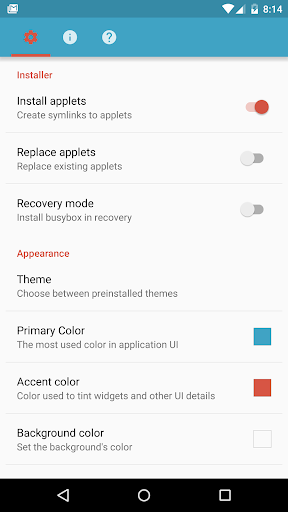
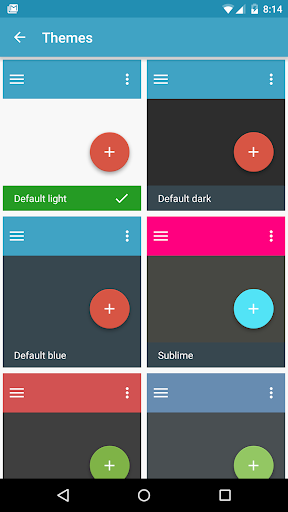
◻︎Material design
◻︎ Latest BusyBox
◻︎ Create flashable ZIPs
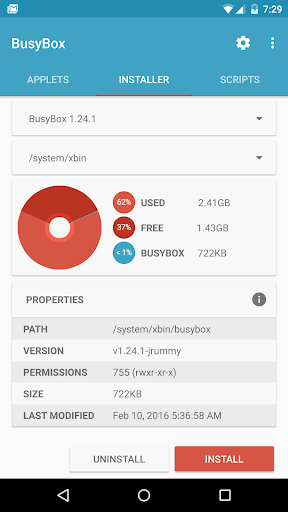
◻︎One click install or install in recovery
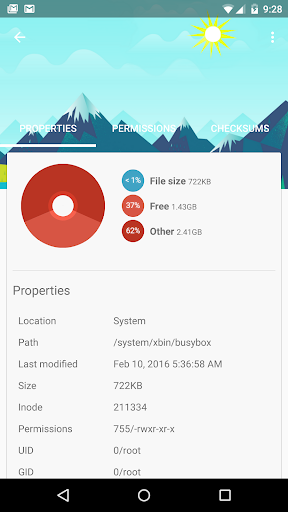
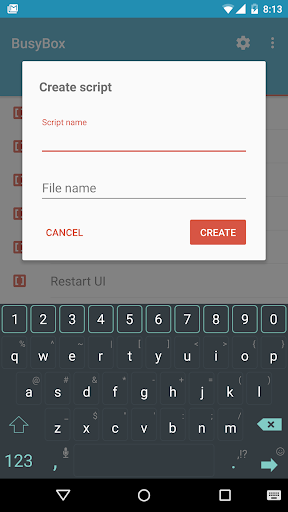
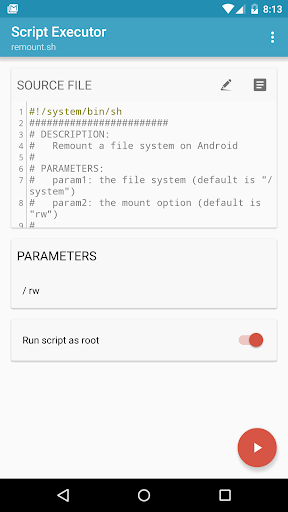
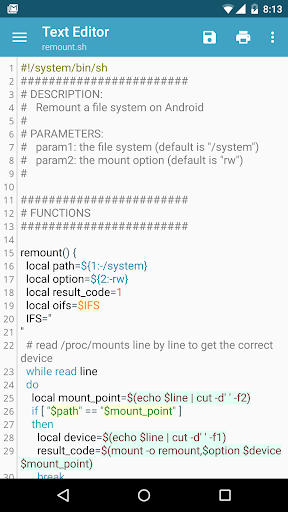
◻︎ Run, create, and edit shell scripts
◻︎ Get the latest BusyBox version
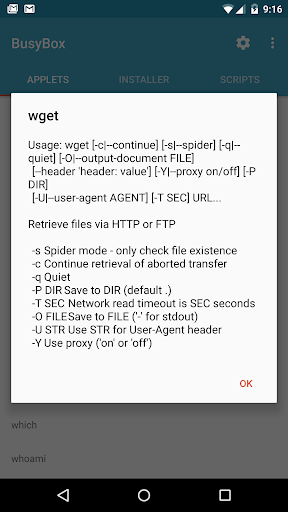
BusyBox combines tiny versions of many common UNIX utilities into a single small executable. It provides replacements for most of the utilities you usually find in GNU fileutils, shellutils, etc. The utilities in BusyBox generally have fewer options than their full-featured GNU cousins; however, the options that are included provide the expected functionality and behave very much like their GNU counterparts. BusyBox provides a fairly complete environment for any small or embedded system.
BusyBox has been written with size-optimization and limited resources in mind. It is also extremely modular so you can easily include or exclude commands (or features) at compile time. This makes it easy to customize your embedded systems. To create a working system, just add some device nodes in /dev, a few configuration files in /etc, and a Linux kernel.
BusyBox is maintained by Denys Vlasenko, and licensed under the GNU GENERAL PUBLIC LICENSE version 2.
Applets:
[, [[, acpid, adjtimex, ar, arp, arping, ash, awk, base64, basename,
bbconfig, beep, blkid, blockdev, bootchartd, brctl, bunzip2, bzcat,
bzip2, cal, cat, catv, chat, chattr, chgrp, chmod, chown, chpst,
chroot, chrt, chvt, cksum, clear, cmp, comm, cp, cpio, crond, crontab,
cryptpw, cttyhack, cut, date, dc, dd, deallocvt, depmod, devfsd,
devmem, df, diff, dirname, dmesg, dnsd, dnsdomainname, dos2unix, dpkg,
dpkg-deb, du, dumpkmap, echo, ed, egrep, env, envdir, envuidgid,
ether-wake, expand, expr, fakeidentd, false, fatattr, fbset, fbsplash,
fdflush, fdformat, fdisk, fgconsole, fgrep, find, findfs, flash_lock,
flash_unlock, flashcp, flock, fold, free, freeramdisk, fsck,
fsck.minix, fstrim, fsync, ftpd, ftpget, ftpput, fuser, getopt, grep,
groups, gunzip, gzip, halt, hd, hdparm, head, hexdump, hostname, httpd,
hush, hwclock, id, ifconfig, ifdown, ifenslave, ifplugd, ifup, inetd,
init, inotifyd, insmod, install, ionice, iostat, ip, ipaddr, ipcalc,
iplink, iproute, iprule, iptunnel, kbd_mode, kill, killall, killall5,
klogd, less, linux32, linux64, linuxrc, ln, loadkmap, logger, logname,
losetup, lpd, lpq, lpr, ls, lsattr, lsmod, lsof, lspci, lsusb, lzcat,
lzma, lzop, lzopcat, makedevs, makemime, man, md5sum, mdev, mesg,
microcom, mkdir, mkdosfs, mke2fs, mkfifo, mkfs.ext2, mkfs.minix,
mkfs.reiser, mkfs.vfat, mknod, mkpasswd, mkswap, mktemp, modinfo,
modprobe, more, mount, mountpoint, mpstat, mt, mv, nameif, nanddump,
nandwrite, nbd-client, nc, netstat, nice, nmeter, nohup, nslookup,
ntpd, od, openvt, patch, pgrep, pidof, ping, ping6, pipe_progress,
pivot_root, pkill, pmap, popmaildir, poweroff, powertop, printenv,
printf, ps, pscan, pstree, pwd, pwdx, raidautorun, rdate, rdev,
readlink, readprofile, realpath, reboot, reformime, renice, reset,
resize, rev, rm, rmdir, rmmod, route, rpm, rpm2cpio, rtcwake,
run-parts, runsv, runsvdir, rx, script, scriptreplay, sed, sendmail,
seq, setarch, setconsole, setkeycodes, setlogcons, setserial, setsid,
setuidgid, sh, sha1sum, sha256sum, sha3sum, sha512sum, showkey, shuf,
slattach, sleep, smemcap, softlimit, sort, split, start-stop-daemon,
stat, strings, stty, sum, sv, svlogd, swapoff, swapon, switch_root,
sync, sysctl, tac, tail, tar, tcpsvd, tee, telnet, telnetd, test, tftp,
tftpd, time, timeout, top, touch, tr, traceroute, traceroute6, true,
truncate, tty, ttysize, tunctl, tune2fs, ubiattach, ubidetach,
ubimkvol, ubirmvol, ubirsvol, ubiupdatevol, udpsvd, uevent, umount,
uname, uncompress, unexpand, uniq, unix2dos, unlink, unlzma, unlzop,
unxz, unzip, uptime, usleep, uudecode, uuencode, vconfig, vi, volname,
watch, watchdog, wc, wget, which, whoami, whois, xargs, xz, xzcat, yes,
zcat, zcip
Support email: [email protected]
Features:
◻︎Material design
◻︎ Latest BusyBox
◻︎ Create flashable ZIPs
◻︎One click install or install in recovery
◻︎ Run, create, and edit shell scripts
◻︎ Get the latest BusyBox version
BusyBox combines tiny versions of many common UNIX utilities into a single small executable. It provides replacements for most of the utilities you usually find in GNU fileutils, shellutils, etc. The utilities in BusyBox generally have fewer options than their full-featured GNU cousins; however, the options that are included provide the expected functionality and behave very much like their GNU counterparts. BusyBox provides a fairly complete environment for any small or embedded system.
BusyBox has been written with size-optimization and limited resources in mind. It is also extremely modular so you can easily include or exclude commands (or features) at compile time. This makes it easy to customize your embedded systems. To create a working system, just add some device nodes in /dev, a few configuration files in /etc, and a Linux kernel.
BusyBox is maintained by Denys Vlasenko, and licensed under the GNU GENERAL PUBLIC LICENSE version 2.
Applets:
[, [[, acpid, adjtimex, ar, arp, arping, ash, awk, base64, basename,
bbconfig, beep, blkid, blockdev, bootchartd, brctl, bunzip2, bzcat,
bzip2, cal, cat, catv, chat, chattr, chgrp, chmod, chown, chpst,
chroot, chrt, chvt, cksum, clear, cmp, comm, cp, cpio, crond, crontab,
cryptpw, cttyhack, cut, date, dc, dd, deallocvt, depmod, devfsd,
devmem, df, diff, dirname, dmesg, dnsd, dnsdomainname, dos2unix, dpkg,
dpkg-deb, du, dumpkmap, echo, ed, egrep, env, envdir, envuidgid,
ether-wake, expand, expr, fakeidentd, false, fatattr, fbset, fbsplash,
fdflush, fdformat, fdisk, fgconsole, fgrep, find, findfs, flash_lock,
flash_unlock, flashcp, flock, fold, free, freeramdisk, fsck,
fsck.minix, fstrim, fsync, ftpd, ftpget, ftpput, fuser, getopt, grep,
groups, gunzip, gzip, halt, hd, hdparm, head, hexdump, hostname, httpd,
hush, hwclock, id, ifconfig, ifdown, ifenslave, ifplugd, ifup, inetd,
init, inotifyd, insmod, install, ionice, iostat, ip, ipaddr, ipcalc,
iplink, iproute, iprule, iptunnel, kbd_mode, kill, killall, killall5,
klogd, less, linux32, linux64, linuxrc, ln, loadkmap, logger, logname,
losetup, lpd, lpq, lpr, ls, lsattr, lsmod, lsof, lspci, lsusb, lzcat,
lzma, lzop, lzopcat, makedevs, makemime, man, md5sum, mdev, mesg,
microcom, mkdir, mkdosfs, mke2fs, mkfifo, mkfs.ext2, mkfs.minix,
mkfs.reiser, mkfs.vfat, mknod, mkpasswd, mkswap, mktemp, modinfo,
modprobe, more, mount, mountpoint, mpstat, mt, mv, nameif, nanddump,
nandwrite, nbd-client, nc, netstat, nice, nmeter, nohup, nslookup,
ntpd, od, openvt, patch, pgrep, pidof, ping, ping6, pipe_progress,
pivot_root, pkill, pmap, popmaildir, poweroff, powertop, printenv,
printf, ps, pscan, pstree, pwd, pwdx, raidautorun, rdate, rdev,
readlink, readprofile, realpath, reboot, reformime, renice, reset,
resize, rev, rm, rmdir, rmmod, route, rpm, rpm2cpio, rtcwake,
run-parts, runsv, runsvdir, rx, script, scriptreplay, sed, sendmail,
seq, setarch, setconsole, setkeycodes, setlogcons, setserial, setsid,
setuidgid, sh, sha1sum, sha256sum, sha3sum, sha512sum, showkey, shuf,
slattach, sleep, smemcap, softlimit, sort, split, start-stop-daemon,
stat, strings, stty, sum, sv, svlogd, swapoff, swapon, switch_root,
sync, sysctl, tac, tail, tar, tcpsvd, tee, telnet, telnetd, test, tftp,
tftpd, time, timeout, top, touch, tr, traceroute, traceroute6, true,
truncate, tty, ttysize, tunctl, tune2fs, ubiattach, ubidetach,
ubimkvol, ubirmvol, ubirsvol, ubiupdatevol, udpsvd, uevent, umount,
uname, uncompress, unexpand, uniq, unix2dos, unlink, unlzma, unlzop,
unxz, unzip, uptime, usleep, uudecode, uuencode, vconfig, vi, volname,
watch, watchdog, wc, wget, which, whoami, whois, xargs, xz, xzcat, yes,
zcat, zcip
Support email: [email protected]
What's New
Thanks for updating to the latest version of BusyBox. We appreciate your continued support!
Included in this release:
* Many bug fixes
Want to connect? Drop us a line at [email protected]
Included in this release:
* Many bug fixes
Want to connect? Drop us a line at [email protected]
App Information
Version Name
5.0.5.0
Version Code
50500
File Size
4.9 MB
Minimum OS
Android 5.0+
Target SDK
Android 23
Developer
Maple Media
Contact
Website
Content Rating
Teen
Package Name
com.jrummy.busybox.installerPermissions Required
This app may request the following permissions:
Recent Reviews

David Cloutman
1.0★
I guess I needed this to root my phone, but ads cripple the app, which does not seem to have the scripting capabilities shown in the screen shots. Not at all what I expected. Disappointing that they went this direction. I remember that at one time this was a useful tool for developers.

A Google user
5.0★
Very useful app a very good app for a aspiring developer like me. Keep it up, good job. None of the apps were working until I came across your app. Thanks again P.s to all those people who keep complaining about ads I found the ads to be non-profit intrusive and non-deceptive. If you want to get rid of them just buy the pro version. Successfully working on Android pie Redmi 4

Arun Nagasamy
3.0★
I am not able to open titan smart watch application in my motog50 pro phone . throwing harmful app . affected package - Jrummy.busybox.installer. can someone help? busybox is a default app in this phone.

Chris Williams
1.0★
I've used busybox before without any problem. this version does not allow me to install the commands to do that system/bin or system /xbin. and I also paid to remove the ads thinking that it would work and now I can't get a refund.

Joseph Johnson (Joe)
2.0★
One of the fastest uninstalls I've ever done. I just love getting a full screen ad the second I launch an app for the first time.

Stefan Blachmann
1.0★
Installs busybox on file system, but does not give user access to it. Instead of that it puts off user with extremely disruptive ads.
Ad slot: In-Content