

Root Browser
com.jrummy.root.browserfree
by Maple Media
Screenshots
Ad slot: Top Leaderboard
About this app
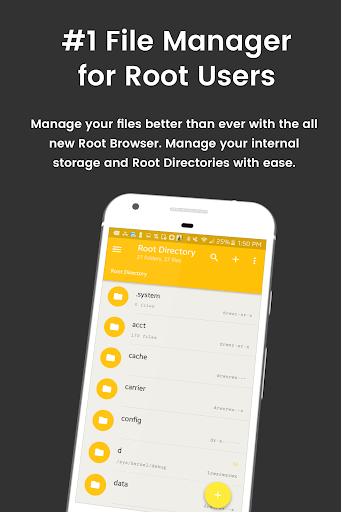
File Explorer Root Browser is a fully featured file manager & root browser for rooted superusers to take control of their Android device and root files & folders.
- Access all Root Directories: Explore & access all of your Android's root directories & subdirectories with this advanced root browser
- Advanced Root Browser Features: Advanced features include a SQLite Database Editor, APK Analyzer, multi-pane navigation, ability to execute script files, ability to install zip files using clockwork recovery, and change file permissions and ownerships
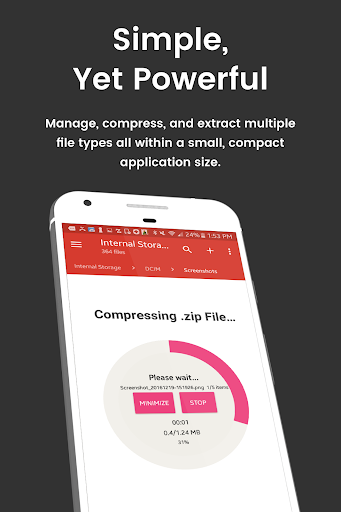
- Advanced File Manager & File Explorer Features: This fully featured file explorer will transfer content, copy and paste, compress, extract ZIP, RAR, BIN, TAR, JAR & APK files, unzip, delete, and move files between local drive, external storage and cloud storage
- Cloud Storage: Now access your stored files and transfer files on Box, Dropbox, Google Drive, One Drive
- External File Manager: Access and transfer files, storage backup, USB Flash Drive manager, on the go support
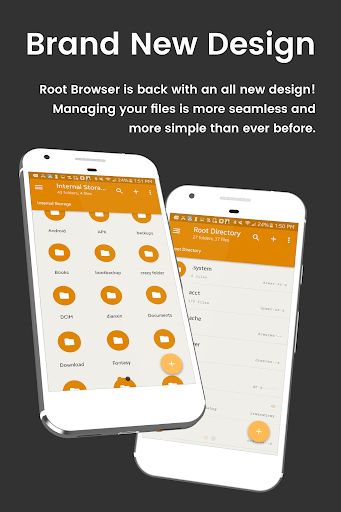
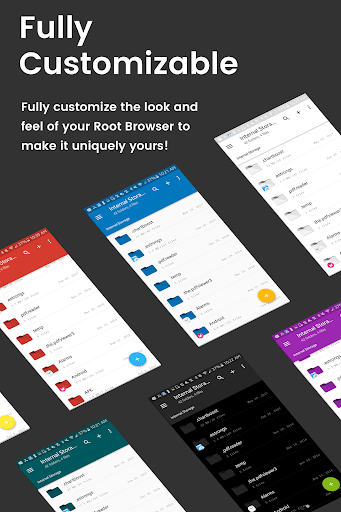
- Fully Customizable: Root Browser prides itself on offering users with a fully customizable experience including custom colors, themes, icons and file / view layout
- Audio Manager & Music Player: File manager for mp3 files, ringtone manager
- Video Player Manage and watch your favorite video files
- App Manager: Delete apps, manage app storage
- Organize your Android: File Explorer Root Browser allows users to have full control over all device files. Search and access any file in your system directory, sort by name size & date, create, move, copy/paste, transfer (external transfer) and delete any file
- Share your Files: Cloud storage integration to transfer files between external storage and on-the-go devices. Send files by email to easily share with your contacts.
File Explorer Root Explorer Features List:
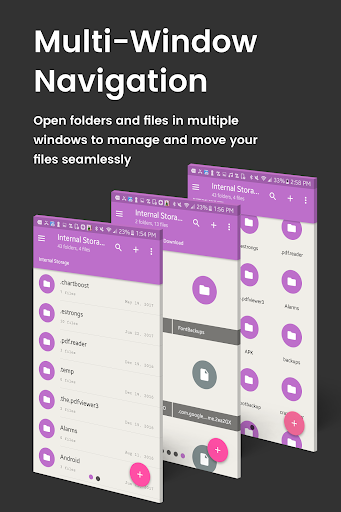
- Multi-Pane Navigation
- SQLite Database Editor
- Custom File Listing View
- APK Analyzer
- Batch copy/paste, zip, tar, delete, move any file or folder
- External file transfer
- Access APK, RAR, JAR, TAR & ZIP files apk, rar, jar, tar & zip files
- Audio Player
- Video Player
- Cloud Storage Integration
- Change file permissions and ownership
- View and edit any file
- sqlite explorer
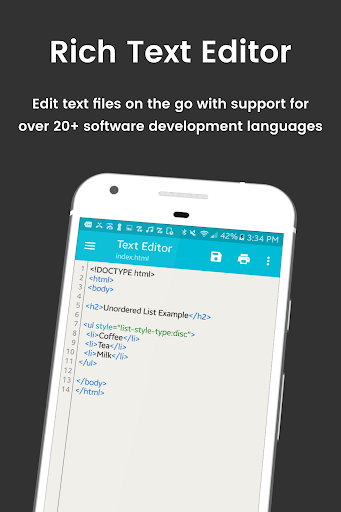
- Text editor
- Move, copy, rename, and delete files.
- Create and delete directories (folders).
- Send files by email.
- Add new files & folders in any directory
- Install zip files using clockwork recovery
- Execute script files
- Show list of files with thumbnails for images.
- Bookmark any folder
- Open files and folders with other apps
- Change the theme (double tap home button)
- Sort by name, size & date
- Extract single files from zip/apks/jars
- Search for files or folders
⚡️⚡️Looking for our classic Root Browser? ➡️ http://bit.ly/RootBrowserClassic
For fast and friendly support, please email us at [email protected]. We will be glad to help answer all of your questions and troubleshoot with you.
- Access all Root Directories: Explore & access all of your Android's root directories & subdirectories with this advanced root browser
- Advanced Root Browser Features: Advanced features include a SQLite Database Editor, APK Analyzer, multi-pane navigation, ability to execute script files, ability to install zip files using clockwork recovery, and change file permissions and ownerships
- Advanced File Manager & File Explorer Features: This fully featured file explorer will transfer content, copy and paste, compress, extract ZIP, RAR, BIN, TAR, JAR & APK files, unzip, delete, and move files between local drive, external storage and cloud storage
- Cloud Storage: Now access your stored files and transfer files on Box, Dropbox, Google Drive, One Drive
- External File Manager: Access and transfer files, storage backup, USB Flash Drive manager, on the go support
- Fully Customizable: Root Browser prides itself on offering users with a fully customizable experience including custom colors, themes, icons and file / view layout
- Audio Manager & Music Player: File manager for mp3 files, ringtone manager
- Video Player Manage and watch your favorite video files
- App Manager: Delete apps, manage app storage
- Organize your Android: File Explorer Root Browser allows users to have full control over all device files. Search and access any file in your system directory, sort by name size & date, create, move, copy/paste, transfer (external transfer) and delete any file
- Share your Files: Cloud storage integration to transfer files between external storage and on-the-go devices. Send files by email to easily share with your contacts.
File Explorer Root Explorer Features List:
- Multi-Pane Navigation
- SQLite Database Editor
- Custom File Listing View
- APK Analyzer
- Batch copy/paste, zip, tar, delete, move any file or folder
- External file transfer
- Access APK, RAR, JAR, TAR & ZIP files apk, rar, jar, tar & zip files
- Audio Player
- Video Player
- Cloud Storage Integration
- Change file permissions and ownership
- View and edit any file
- sqlite explorer
- Text editor
- Move, copy, rename, and delete files.
- Create and delete directories (folders).
- Send files by email.
- Add new files & folders in any directory
- Install zip files using clockwork recovery
- Execute script files
- Show list of files with thumbnails for images.
- Bookmark any folder
- Open files and folders with other apps
- Change the theme (double tap home button)
- Sort by name, size & date
- Extract single files from zip/apks/jars
- Search for files or folders
⚡️⚡️Looking for our classic Root Browser? ➡️ http://bit.ly/RootBrowserClassic
For fast and friendly support, please email us at [email protected]. We will be glad to help answer all of your questions and troubleshoot with you.
What's New
Quick new update! This release includes:
- Small but significant changes for app optimization and improved performance.
Thank you for using File Explorer Root Browser! Questions? Drop us a line at [email protected]
- Small but significant changes for app optimization and improved performance.
Thank you for using File Explorer Root Browser! Questions? Drop us a line at [email protected]
App Information
Version Name
4.0.0(44122)
Version Code
44122
File Size
39.7 MB
Minimum OS
Android 5.0+
Target SDK
Android 33
Developer
Maple Media
Contact
Website
Content Rating
Everyone
Package Name
com.jrummy.root.browserfreePermissions Required
This app may request the following permissions:
Recent Reviews

Matt Radigan
2.0★
Used to be good. But the ads have gotten so intrusive that it's impossible to use. These are FULL VIDEO ADS AFTER ALMOST EVERY ACTION. Cut? Ad. Switch folder? Ad. Paste? Oh yeah, that's a long ad. Seems that buying pro version doesn't fix that, if you want ads gone, it looks like you must PAY FOR A SUBSCRIPTION TO REMOVE ADS. Developers should be paid for their work. But this went too far and I don't trust paying will prevent worse in the future. Sad it must go, but I just don't trust it.

Matthew Obetz
1.0★
Previously this was by far my favorite file browser. However, when I tried using it today, I was getting a twenty second modal ad every other time I changed folder, which also interrupted my ability to do things like move files between folders. At this point, the "free" version of the app is really just a trial to see if you like the UI. Expect to pay if you want usable software.

Siddharth Sid
1.0★
The in-app purchases option to upgrade did not work on 2 occasions. On both the occasions , it failed but I got messages from my bank that Rs. 65 (that is Rs. 130 in total) has been deducted from my account for both attempts. The purchase succeeded on the 3rd attempt and I got another message from the bank. Please return the remainder to my bank account. I do NOT want a refund. I just want back the excess money that was sent to your account. Two-pane navigation is confusing with Android 10 UI.

A Google user
2.0★
Its actually a great app. Only one so far with per folder specific viewing options but too many annoyi g bugs. 1. selecting a file to open often goes directly to whatsap share unless using open with option. 2. most of the time, app opens showing no folders at all. So you have to force close and reopen app to see folders 3. Files often fail to open in external apps and You have to come back and select again for file to open in externals apps. 4. While copying files, progress bar is always inaccurate and usually shows no progress even when copying is going on.

Yang Yang Aditya
4.0★
I have pay subscription to remove ads. But the ads still comes out? Is this a scam? Rate 1 star for sure... :( UPDATE: After clear cache, uninstall and reinstall the apps. Now I can navigate the apps without seeing any ads. Thus, I will revise the rate from 1 to 4 stars. When reading the big folder, it will become hung for a moment. Need to wait. It will be better if you add some progress bar to indicates the process is still running. Not looks hung.
A Google user
1.0★
I upgraded to pro version, when I copy files and then paste them the app crashes, not once but every time, root permissions have been granted, so far this app has not done the job I got it for, hence a 1 star rating, and a failure to deliver. Happy for dev to contact me to resolve this problem.
Ad slot: In-Content