

Auto blur: blur background
com.judi.autoblur
by Judi Studio
Screenshots



Ad slot: Top Leaderboard
About this app
Auto blur background is fast and easy to use app to create amazing blur background effect pictures.
--Features---
- Smart focus area selection application automatically recognize the focus area.
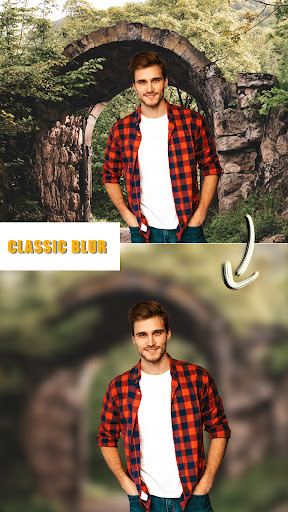
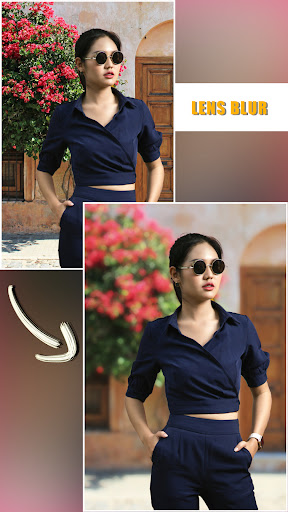
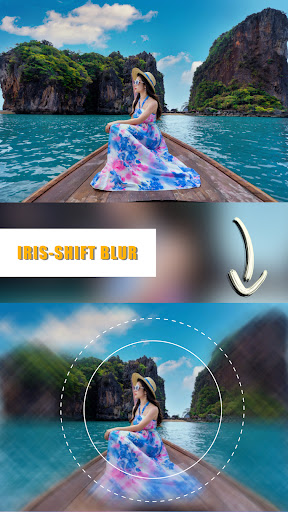
- Background Blur effect app offers dozens of blur effects
- Picture Blur intensity adjustment adjust the image blur intensity, in order, to give a bigger blur effect, to the picture to be blurred, using this blur pic editor or speed blur app.
- Create the most realistic blur effect with various aperture styles just like DSLR camera.
- You can emphasize the light spot on the background using Bokeh effect and overlay effect like snow, feathers,...
- Portrait photography app has lots of photo blurring, bokeh tools. Using them you can easily make your own DSLR Bokeh Effect.
- Blur image background is an effective blur photo editor, which can be used blur unwanted portions of a pic effectively. It will make your picture to look same as obscure dslr camera yield
- Bokeh Effects app is your ultimate blur effect app. Now, you don't need a DSLR camera or you don't need be a professional photographer to make a DSLR Style Blur Background effect on your photo.
- DSLR Camera Blur Effects is perfect combination of beauty and functionality. And it is Ideal for creating AfterFocus Photo or Blur Background Pictures. Try Now!!
--Features---
- Smart focus area selection application automatically recognize the focus area.
- Background Blur effect app offers dozens of blur effects
- Picture Blur intensity adjustment adjust the image blur intensity, in order, to give a bigger blur effect, to the picture to be blurred, using this blur pic editor or speed blur app.
- Create the most realistic blur effect with various aperture styles just like DSLR camera.
- You can emphasize the light spot on the background using Bokeh effect and overlay effect like snow, feathers,...
- Portrait photography app has lots of photo blurring, bokeh tools. Using them you can easily make your own DSLR Bokeh Effect.
- Blur image background is an effective blur photo editor, which can be used blur unwanted portions of a pic effectively. It will make your picture to look same as obscure dslr camera yield
- Bokeh Effects app is your ultimate blur effect app. Now, you don't need a DSLR camera or you don't need be a professional photographer to make a DSLR Style Blur Background effect on your photo.
- DSLR Camera Blur Effects is perfect combination of beauty and functionality. And it is Ideal for creating AfterFocus Photo or Blur Background Pictures. Try Now!!
What's New
Bug fix.
App Information
Version Name
2.6.11
Version Code
73
File Size
136.4 MB
Minimum OS
Android 7.0+
Target SDK
Android 34
Developer
Judi Studio
Contact
Website
Content Rating
Everyone
Package Name
com.judi.autoblurPermissions Required
This app may request the following permissions:
Recent Reviews

Jamie
5.0★
This is the best free blur app that I've found, and I've tried a lot. There's 1 thing missing from the options that would make it unbeatable...an erase option. Several of the photos that I blur has things like part of someone's head or ear blurred that shouldn't be. If there was an option to erase and correct then like I said, it'd be unbeatable.

Jeremy Dean
5.0★
Awesome app. I'm a professional photographer, but there are still times when I either accidentally shoot with the wrong aperture or other times I just need more bokeh than I'm able to reach with my lens. I only tried this app on a couple of different images, but I knew immediately it did what I needed it to do. All three of the other apps I downloaded, did absolutely nothing.

Dave
4.0★
Love the app, but results do not look super natural due to one big missing feature. Would easily become 5 stars if you had the ability to mask off parts of the image in landscape mode. While this can be done in portrait mode, you cannot apply a gradient blur which would make the results become much more natural. Alternatively, add gradient blur to portrait mode, and the app would be perfect!

Shari Root
5.0★
The ads aren't too long and the auto-blur works great! Edit: This app just totally changed. It no longer blurs the background automatically. If I choose linear, only part of the background is blurred, and if I choose circle part of the main image is blurred. It used to be simple. Now, it is complicated and does not recognize the main image on its own. In my opinion, this app is ruined. A separate app should have been developed instead of changing this one so dramatically.

Rae Miller Greene
4.0★
App is excellent! Docking one star for ads (I would definitely pay a one-time fee for an ad-free version) but otherwise it does the job and does it very well

symski
1.0★
Got about halfway through getting a good blur on one picture when I couldn't hit next or get out of my current tool without opening an ad. I even opened an ad just to try to get somewhere, didn't work, restarted the apps, got more ads. I wait and wait and don't get the option to exit. Oh well
Ad slot: In-Content