
SketchPad - Doodle On The Go
com.kanishka_developer.SketchPad
by Kaffeine Software
Screenshots
Ad slot: Top Leaderboard
About this app
Let your imagination run wild. Unleash your creativity with SketchPad. Draw, illustrate, sketch, doodle, or scribble - the choice is up to you.
The app is extremely lightweight, at a download size of just 5 MB.
SketchPad aims to provide a simple way to turn your screen into a canvas without any hassle. Unlike most other drawing apps, SketchPad keeps it clean. It's just a canvas and you.
You can get started on your Sketch pretty much straightaway after the app is installed. No setup required. It's really that simple.
Features:
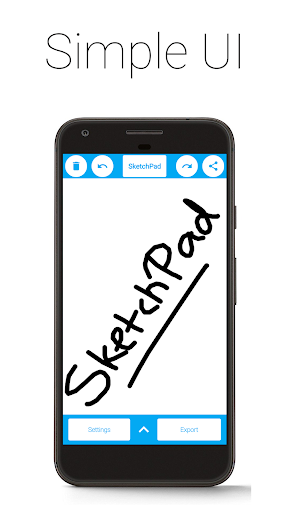
• Simple UI
• No ADs
• No In-App Purchases
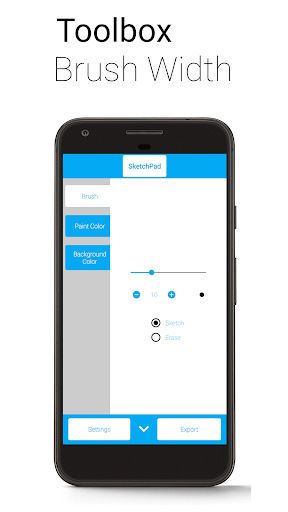
• Customizable Brush Width with Instant Preview, for those bold strokes and fine details
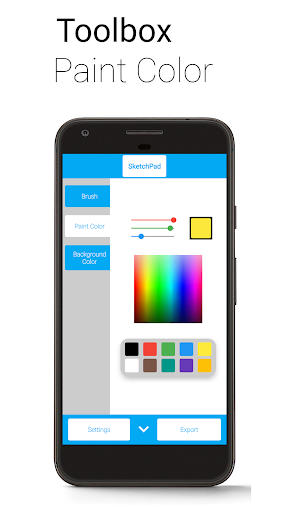
• Multiple ways to pick colors: Palette, Spectrum, and RGB Sliders
• Unlimited Undo/Redo, because it's okay to make mistakes (still limited by device capabilities)
• Optional Shake to Clear feature - just shake your device to clear the Canvas (requires accelerometer)
• Export as PNG or JPEG image
• Directly share image from SketchPad (automatically exports image to device)
"Shake to Clear" is good for when there are no sudden movements, so don't use it in the bus for serious Sketching. However, it is great when scribbling to pass the time.
SketchPad is capable of working offline. However, sharing your Sketches with others might not work without a network connection. The Storage permission is required only to save your Sketches to your device. I do not steal your precious files.
Exported images are saved to "/Pictures/SketchPad/" by default. The Storage path can be changed to a directory of your choice in Settings to suit your needs. Saving Sketches to "/DCIM/Camera/" should make the images show up in most Gallery apps. On Android 10 onwards, due to changes in how storage works, all pictures are saved to "/Android/data/com.kanishka_developer.SketchPad/files/Pictures", irrespective of the setting.
The focus of the SketchPad Project has always been on the User Experience. Do share your feedback, or just come say "hi" in the Kaffeine Community Discord server at https://discord.gg/dBDfUQk or email me at [email protected]. :)
The app is extremely lightweight, at a download size of just 5 MB.
SketchPad aims to provide a simple way to turn your screen into a canvas without any hassle. Unlike most other drawing apps, SketchPad keeps it clean. It's just a canvas and you.
You can get started on your Sketch pretty much straightaway after the app is installed. No setup required. It's really that simple.
Features:
• Simple UI
• No ADs
• No In-App Purchases
• Customizable Brush Width with Instant Preview, for those bold strokes and fine details
• Multiple ways to pick colors: Palette, Spectrum, and RGB Sliders
• Unlimited Undo/Redo, because it's okay to make mistakes (still limited by device capabilities)
• Optional Shake to Clear feature - just shake your device to clear the Canvas (requires accelerometer)
• Export as PNG or JPEG image
• Directly share image from SketchPad (automatically exports image to device)
"Shake to Clear" is good for when there are no sudden movements, so don't use it in the bus for serious Sketching. However, it is great when scribbling to pass the time.
SketchPad is capable of working offline. However, sharing your Sketches with others might not work without a network connection. The Storage permission is required only to save your Sketches to your device. I do not steal your precious files.
Exported images are saved to "/Pictures/SketchPad/" by default. The Storage path can be changed to a directory of your choice in Settings to suit your needs. Saving Sketches to "/DCIM/Camera/" should make the images show up in most Gallery apps. On Android 10 onwards, due to changes in how storage works, all pictures are saved to "/Android/data/com.kanishka_developer.SketchPad/files/Pictures", irrespective of the setting.
The focus of the SketchPad Project has always been on the User Experience. Do share your feedback, or just come say "hi" in the Kaffeine Community Discord server at https://discord.gg/dBDfUQk or email me at [email protected]. :)
What's New
Bug fixes and policy compliance
App Information
Version Name
2.2.2
Version Code
222
File Size
4.5 MB
Minimum OS
Android 5.0+
Target SDK
Android 33
Developer
Kaffeine Software
Contact
Website
Content Rating
Everyone
Package Name
com.kanishka_developer.SketchPadPermissions Required
This app may request the following permissions:
Recent Reviews

Benjamin
4.0★
The app works fine for me, I am able to doodle things that I've got stuck in my head with relative ease. The reason why I gave it a 4 instead of a 5 is it could use a couple of extra textures to draw with. Sure, we've got the paintbrush, but what about Pencil, Crayon, jagged brushes, or even just like a line drawing or zoom function. Not trying to nit pick, I know drawing applications are difficult, just a bit of room to grow.

Tryhard “Loozy” Plush
4.0★
Good app. If you're looking for an app for professional digital art, look somewhere else. However, this app serves its function of being a doodle app greatly! It can be a little wonky at times, but I've gotten used to it. 4/5 stars, I recommend if you just wanna have a space to doodle. (Also, if you want to export your doodles, you have to go into settings and allow it to access your data.)

Nicholas
5.0★
It's simple, useful, and havent run into any ads (yet). I use this as a scratch sheet like the old days w/o the need of using a calculator along with a math app I downloaded to keep my mind sharp. I have it set up the way I wanted to sketch by using finger and erase by shaking my phone. Hence, it is simple, useful, and no interrupting during tasks. I will also use the app to practice my signature since my leases and contract are done on the phone nowadays to electronic signature.

Wesley Jeffers
5.0★
Took me 3 or 4 apps before I found this one. I didn't have a basic notepad app on my phone with freeform drawing capabilities, so I just wanted a super simple sketch app...amazing how many of those want you to give them access to personal data. I'm just drawing something basic for descriptive purposes, why you or any 3rd party need any info from me? Luckily this app had no such agreement required.

Dagan Douglas
2.0★
For basic drawing this app would be fine. It does not come with many features, but you can sketch, undo, and edit, which may be all you need. One small issue is that undo-ing is laggy. The big issue is that, as another recent reviewer mentioned, it is now not exporting files at all, no matter which location is selected---I looked everywhere, even where the dev note said it should be. IDK when this happened, as it worked when I downloaded it at the start of last month. But it's totally broken.
PiroChu
5.0★
A simple/easy sketch app to doodle/scribe on the go - just what I was looking for (sometimes I want simple, not complicated bells/whistles). Shake-to-erase option is nice and works well. Having a save function is also nice, except that "Export" button displays "Saved!" but doesn't save anything (Android 13). I can still save by Share and Save As (or just take a screenshot), so there a workaround if I want to save anything.
Ad slot: In-Content