
Kids Mode - Kids Lock App
com.kidzoye.parentalcontrol
by INNOXAPPS LLP
Screenshots


Ad slot: Top Leaderboard
About this app
Kids Mode - Child lock lets you manage your kid's screen time, lock apps, set time limit on app usage, website control. Use the application to limit phone usage and screen time limit for kid’s phone.
Kids Mode - Child lock is a child control app for parents which helps them control and track the usage of Kid's phone.
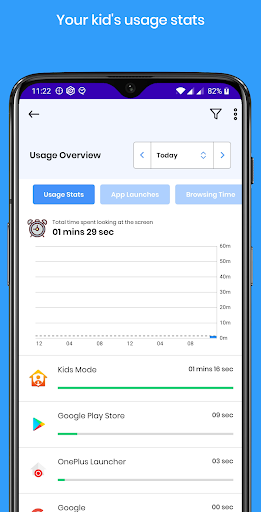
★ Apps statistics
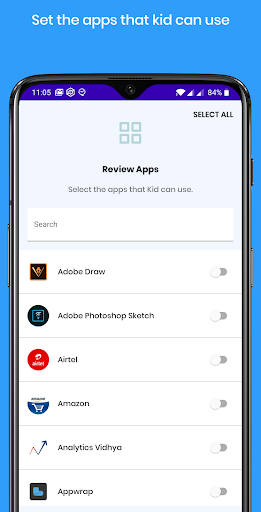
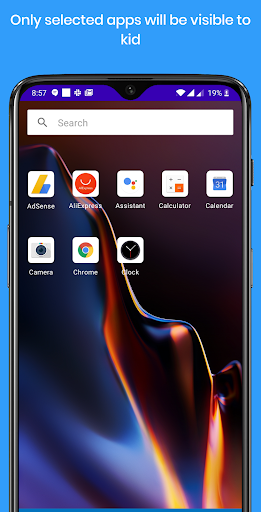
★ Select apps that your kids can use
★ Set time limits on apps or overall phone usage
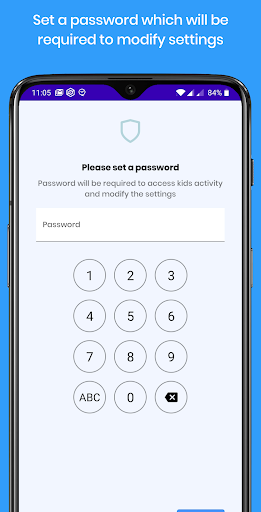
★ Set a Unlock Pin
★ Auto start after rebooting
Features
- Keep track of App usage history
- Set limits on apps and websites usage based on daily usage limit/ number of launches / specific time/block until a selected time
- Create profiles to group multiple apps under the same restriction
- Show only selected app on the home
- Custom launcher makes it difficult to bypass
- Child restriction
Child mode kids lock can act as toddler lock, parent lock and baby mode. You can set screen time for kids and control child screen time. Protect your kid from phone screen by setting children time limit. You can also track kids app usage and kids phone usage.
Note:
• Device Administrator permission - This app uses the Device Administrator permission. By enabling Device Administrator permission for Stay Focused, you can prevent yourself from uninstalling or force closing it.
• Accessibility API - This app uses Accessibility API optionally. API is used to view the websites you are browsing which is used to build statistics and remind you of usage.
Kids Mode - Child lock is a child control app for parents which helps them control and track the usage of Kid's phone.
★ Apps statistics
★ Select apps that your kids can use
★ Set time limits on apps or overall phone usage
★ Set a Unlock Pin
★ Auto start after rebooting
Features
- Keep track of App usage history
- Set limits on apps and websites usage based on daily usage limit/ number of launches / specific time/block until a selected time
- Create profiles to group multiple apps under the same restriction
- Show only selected app on the home
- Custom launcher makes it difficult to bypass
- Child restriction
Child mode kids lock can act as toddler lock, parent lock and baby mode. You can set screen time for kids and control child screen time. Protect your kid from phone screen by setting children time limit. You can also track kids app usage and kids phone usage.
Note:
• Device Administrator permission - This app uses the Device Administrator permission. By enabling Device Administrator permission for Stay Focused, you can prevent yourself from uninstalling or force closing it.
• Accessibility API - This app uses Accessibility API optionally. API is used to view the websites you are browsing which is used to build statistics and remind you of usage.
What's New
* Bug fixes
App Information
Version Name
4.0.3
Version Code
66
File Size
8.0 MB
Min SDK
Android 21+
Target SDK
Android 33
Developer
INNOXAPPS LLP
Contact
Website
Content Rating
Everyone
Package Name
com.kidzoye.parentalcontrolPermissions Required
This app may request the following permissions:
Recent Reviews

Geeky Goblin
1.0★
Can be escaped without password, you can leave by resetting the phone.

katie booth
1.0★
Useless. I purchased it to make my two young children's tablets child safe. The idea is good, and it worked as expected for a couple of weeks, only allowing access to approved apps.. until my kids (3 and 1) quickly figured out they could just drag down the quick settings panel, hit the active apps feature, and end the "Kids Mode" app- allowing them full access to the tablet. A complete waste of money. If my very young children can figure out how to exit the app, I wouldn't use it for any age.

Kaiju Karen
5.0★
This is perfect for what I needed. No extras, no sign ups, no adds. It let's my 4 year old play on my phone with only the apps I allow. It's great for when we're out at dinner or doing whatever and he starts getting bored. It's simple and quick to launch and requires a pass code to exit.

Jessica Roche
3.0★
Great concept that actually works TOO well. I had to hide the pause button because my kids just hit that to over ride the lock. The first day it worked great and I could get in the app to adjust the restrictions. Today the unlock screen won't come up. The tablets are locked until the timer comes up to unlock them. There is no editing anything right now. I'm waiting to hear back from the developer. If they can fix that for me, then I will say it's a 5 star app.

Kayla Veenstra
1.0★
This renders your device unusable! I added it to my chromebook so the kids can use it but now the apps I added are the only thing that can be used. The password doesn't work! There is no way to submit the password, type it in and nothing. I have tried everything my chromebook is now absolutely useless to me. DO NOT USE THIS APP!!!

Lorraine A
1.0★
I will update my review later as I use it for Grandchildren. I do wish you could use a free trail for a couple of days before needed to buy. It was very confusing to set up the kids mode app. Hopefully they can have better instructions on the set up. The app seem to be working well so far. Updated I was using 3 stars but as I use it this app...I would like a refund it doesn't work at all I wish Samsung kids that was the best and kids could make calls except for video which was fine.
Ad slot: In-Content