

BeatSync: Photo & Music Videos
com.kinemaster.app.beatsync
by KineMaster, Video Editor Experts Group
Screenshots
Ad slot: Top Leaderboard
About this app
Create amazing slideshows and showreels with your photos and videos!
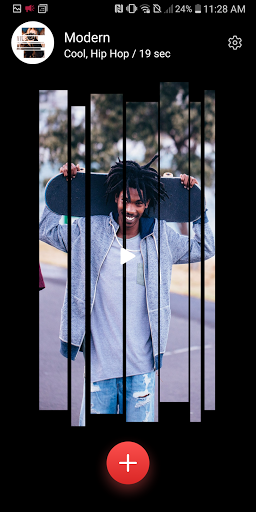
BeatSync is the easiest video editing app when you want to get your social media posts trending fast.
Pick a few photos or videos, choose a template, and… you’re done. It’s that quick and simple to make TikTok, Shorts, or Reels videos that are ready to post.
There is no reason to stop there! Your BeatSync video is ready to edit in KineMaster, an extremely powerful video editor you can use to transform your video into a masterpiece.
Automatic Video Edits
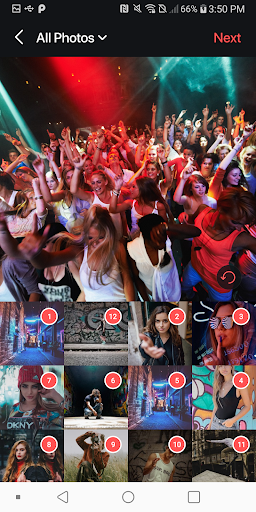
• Quickly make videos with photos or a video from your Gallery
• New templates are added often to keep your videos fresh
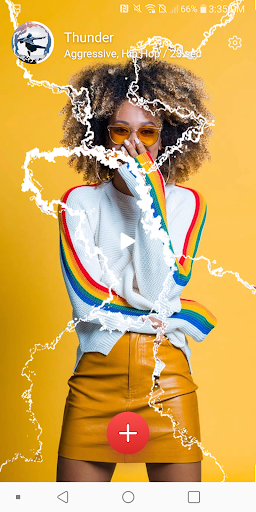
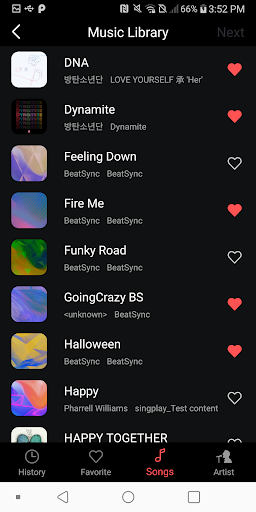
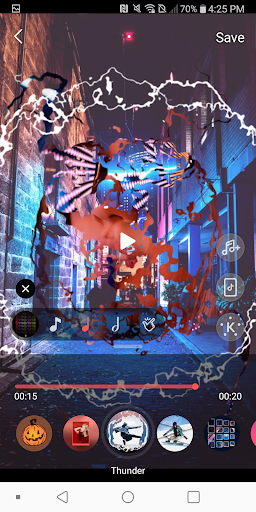
• Templates come loaded with transitions, effects, filters, and FREE music
The Power is Yours
• Use any music saved on your phone or tablet
• Set the timing to the beat automatically
• Everything looks great with preset transitions and effects
It’s a Template?
• Start with BeatSync and polish with KineMaster with a dedicated Editing button
• Use KineMaster to change everything to make your video as unique as you want: rearrange, add/delete photos, remove the background with chroma key, add multi-layer graphics and text, then polish it with captions and voiceovers
Quality Definitely Matters!
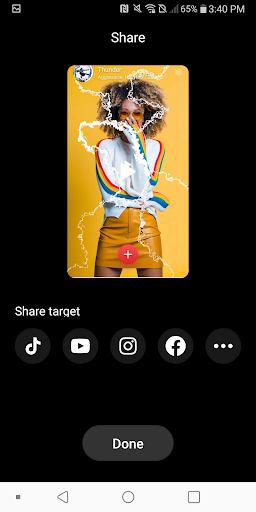
• Save your videos at resolutions optimized for TikTok, Instagram, Facebook, Snapchat, WhatsApp, YouTube, and more!
• Share your video anywhere right after you save it
• Save your videos in high resolution to your Gallery app
Make It Awesome
• Change the order of your photos any time
• One-tap selection to edit
• Scrub through your video with the seek bar
Keep in Mind:
• Each template supports one video or up to 30 photos
• Preview may be slow on older devices, but saved videos will play normally.
• BeatSync supports Chinese (Simplified & Traditional), English, French, German, Hindi, Indonesian, Italian, Japanese, Korean, Malay, Portuguese, Russian, Spanish, Thai, Turkish, and Vietnamese
Need a hand? We’re here to help! Contact us for help with BeatSync any time at:
[email protected]
BeatSync is the easiest video editing app when you want to get your social media posts trending fast.
Pick a few photos or videos, choose a template, and… you’re done. It’s that quick and simple to make TikTok, Shorts, or Reels videos that are ready to post.
There is no reason to stop there! Your BeatSync video is ready to edit in KineMaster, an extremely powerful video editor you can use to transform your video into a masterpiece.
Automatic Video Edits
• Quickly make videos with photos or a video from your Gallery
• New templates are added often to keep your videos fresh
• Templates come loaded with transitions, effects, filters, and FREE music
The Power is Yours
• Use any music saved on your phone or tablet
• Set the timing to the beat automatically
• Everything looks great with preset transitions and effects
It’s a Template?
• Start with BeatSync and polish with KineMaster with a dedicated Editing button
• Use KineMaster to change everything to make your video as unique as you want: rearrange, add/delete photos, remove the background with chroma key, add multi-layer graphics and text, then polish it with captions and voiceovers
Quality Definitely Matters!
• Save your videos at resolutions optimized for TikTok, Instagram, Facebook, Snapchat, WhatsApp, YouTube, and more!
• Share your video anywhere right after you save it
• Save your videos in high resolution to your Gallery app
Make It Awesome
• Change the order of your photos any time
• One-tap selection to edit
• Scrub through your video with the seek bar
Keep in Mind:
• Each template supports one video or up to 30 photos
• Preview may be slow on older devices, but saved videos will play normally.
• BeatSync supports Chinese (Simplified & Traditional), English, French, German, Hindi, Indonesian, Italian, Japanese, Korean, Malay, Portuguese, Russian, Spanish, Thai, Turkish, and Vietnamese
Need a hand? We’re here to help! Contact us for help with BeatSync any time at:
[email protected]
What's New
Major Bug Fix
App Information
Version Name
4.0.174
Version Code
174
File Size
139.9 MB
Minimum OS
Android 8.0+
Target SDK
Android 33
Developer
KineMaster, Video Editor Experts Group
Contact
Website
Content Rating
Everyone
Package Name
com.kinemaster.app.beatsyncPermissions Required
This app may request the following permissions:
Recent Reviews

Pooja Shah
1.0★
This app used to be amazing, but since the last 2 updates I can no longer click on next/change folders after selecting my pics. The position is too high, and on the bit where my battery percentage shows (ie in the status bar). Hope this can be fixed soon. Nb - I have uninstalled and reinstalled the app, but that didn't fix the issue

Samuel Adu (Mr. Exponent)
1.0★
This app doesn't work on my Redmo 14c. Like after selecting the images or video, the next option is completely hidden and unclickable. Can you guys just fix this?

Neil Sanderson
2.0★
I am unable to click the next button on the Pixel pro 9. The next button is covered by the top panel. impossible to press.

Gilbert Kabuka
1.0★
How can I use the app when I can't press on "next" because it's overlayed behind my phone battery icon. Too bad I can't give a half-star!

vaasu mantena
2.0★
hello Dev's we been using it is and as fine and UI friendly app but now it seems like dev's also not testing and useing properly... kindly look into it

Omprakash Najwani
1.0★
your update is failed, video not export and next option not clicked, please check
Ad slot: In-Content