

Vysor - Android control on PC
com.koushikdutta.vysor
by ClockworkMod
Screenshots
Ad slot: Top Leaderboard
About this app
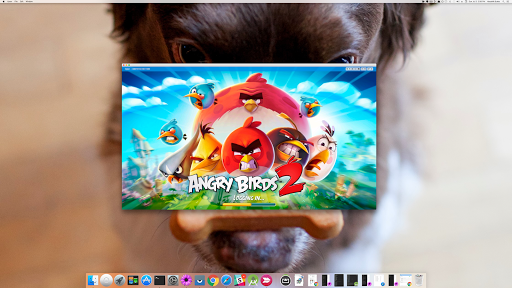
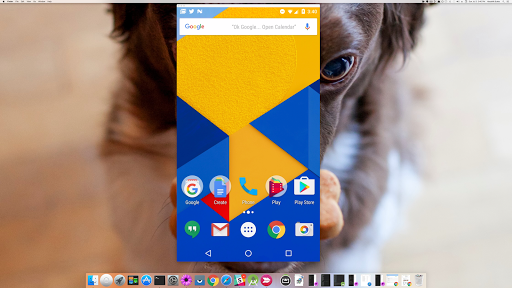
Vysor lets you view and control your Android on your computer. Use apps, play games, control your Android with your mouse and keyboard. Go wireless, and mirror your Android to your desktop; great for presentations.
Vysor Share also lets you share your screen to others for remote assistance.
Developers: Vysor lets you ditch the emulator and seamlessly work on a real Android device. No need to fiddle with it in your hands. Use Vysor Share to set up device farms and remotely debug and test your applications across a wide range of devices.
Setup:
1) Install Vysor for Android.
2) Follow the instructions for getting USB debugging enabled. Here's a Youtube video to help you out:
https://www.youtube.com/watch?v=Ucs34BkfPB0
3) Download the Vysor Chrome app. This will let you view your Android from your PC:
https://chrome.google.com/webstore/detail/vysor/gidgenkbbabolejbgbpnhbimgjbffefm
4) Windows users will need to install ADB Drivers:
http://download.clockworkmod.com/test/UniversalAdbDriverSetup.msi
5) You're good to go!
Having any issues? Head over to the support forum:
https://plus.google.com/110558071969009568835/posts/1uS4nfW7xhp
Vysor Share also lets you share your screen to others for remote assistance.
Developers: Vysor lets you ditch the emulator and seamlessly work on a real Android device. No need to fiddle with it in your hands. Use Vysor Share to set up device farms and remotely debug and test your applications across a wide range of devices.
Setup:
1) Install Vysor for Android.
2) Follow the instructions for getting USB debugging enabled. Here's a Youtube video to help you out:
https://www.youtube.com/watch?v=Ucs34BkfPB0
3) Download the Vysor Chrome app. This will let you view your Android from your PC:
https://chrome.google.com/webstore/detail/vysor/gidgenkbbabolejbgbpnhbimgjbffefm
4) Windows users will need to install ADB Drivers:
http://download.clockworkmod.com/test/UniversalAdbDriverSetup.msi
5) You're good to go!
Having any issues? Head over to the support forum:
https://plus.google.com/110558071969009568835/posts/1uS4nfW7xhp
App Information
Version Name
1.0.0.0
Version Code
1442264400
File Size
1.6 MB
Minimum OS
Android 4.4+
Target SDK
Android 23
Developer
ClockworkMod
Contact
Website
Content Rating
Everyone
Package Name
com.koushikdutta.vysorPermissions Required
This app may request the following permissions:
Recent Reviews

A Google user
1.0★
This application works to control your Android device through a Windows PC just fine in that it gives you control of one or more devices but prepared to be interrupted constantly if you're using the free version or dish out quite a bit of money to use it monthly (it costs more than a Netflix subscription). In the past, the software occasionally had an advertisement that was not very intrusive but with the latest version, it will completely interrupt what you're doing (and for me it does so more frequently than every 15 minutes, more like every 5-10 mins). This will completely stop youtube videos or interupt podcasts or other work I'm doing on the Android device. I hate the update and find it illogical since the previous way it presented ads was fine and I could live with that (wouldn't you want perpetual ad revenue vs asking people to pay a bunch of money to use the app uninterupted for a short term gain?) At this point I'm not sure I want to give them any money or continue use of the app, I may just go find a better app.
A Google user
3.0★
The app is great if you know what you're doing. You have to turn on developer mode to gain access to "usb debugging" (pretty simple. I'm more upset with the fact that it takes over keyboard control (of the phone) and won't allow any input until I go to playstore to uninstall app. Then my keybord works great, plus i get no more ads after that as well. 😋 Other then that it's good; gets the job done.
A Google user
5.0★
So far so good. I will say the only things I've found difficult so far is trying to do any sort of multitouch (zooming for me), and then to look up HOW to do that, I then couldn't get to the manual. The link directs you to a google+ page which is defunct. Not big deals right now, but that makes me thing my money would be wasted if I bought the pro version, if the manual isn't even kept at an up to date page. I will also note that the ads do NOT seem super invasive.
A Google user
4.0★
I like that I can view stuff on my computer screen, without getting tunnel vision after a while, but the FULL SCREEN ads really mess me up. A few minutes ago, I was racing online on an android game (btw in 1st place) and an ad came up. When the ad was done, I had lost the connection, I wouldn't have won.The 10 second warnings are nice, but I still coudn't pause because it was an online race. Please consider maybe displaying ads on the side of the screen (preferrably where the black borders are)
A Google user
4.0★
Very useful. I do not want to "be on my phone" at work so having this in a Window keeps my phone out of my hands. Setup was pretty easy. Hardest part (not actually hard) is to set up the phone with USB debugging in dev options. App crashes rarely but restarts on it's own. It does not seem to remember some of my settings but that could just me me not configuring properly. Paid for $40 lifetime license for good developer that has had other useful software I have needed in the past.

Tom Shank
5.0★
Update: It seems they have worked out the bugs, at least for my S21U. It works close to flawlessly now. My only small issue: I have to plug the phone into my PC after I reboot it in order to get wireless to work. Great product. Original review: Difficult to get the wireless working. When it does work, it will degrade the video from time to time. I paid the $40 lifetime updates price and I was pretty dissapointed until I messed with it enough to get it to work. I'd say it's 3 out of 5 stars.
Ad slot: In-Content