

Talk: Text to Voice
com.ktix007.talk
by Abast Multimèdia
Screenshots








Ad slot: Top Leaderboard
About this app
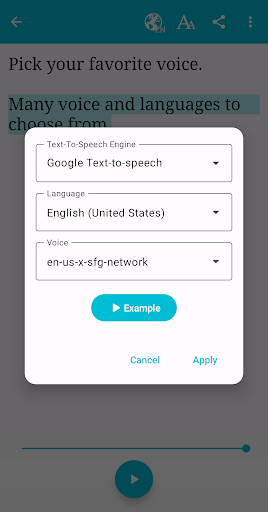
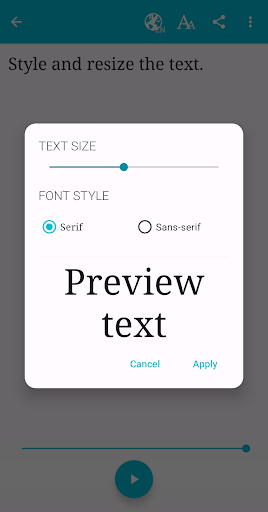
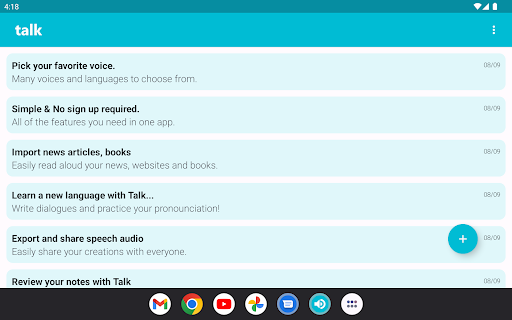
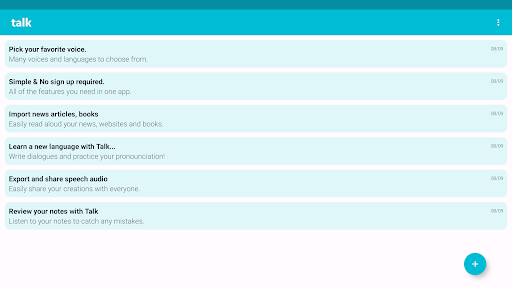
With Talk, your phone will speak what you type. Make your phone say anything you want in many languages! Let your phone read the news for you!
It supports importing web pages directly from the browser to listen to them. You can also import text from any other apps.
Features:
- Text to voice
- Read web pages
- Play / Pause / Stop
- Export audio as WAV file
- Lots of languages (internet connection required for some)
Uses:
- Reading news or books
- Helpful for visually impaired people
- Helpful for speech impaired people
- Helpful for people that had wisdom teeth removed
- Fun
There's a paid version available WITHOUT ADS here:
https://play.google.com/store/apps/details?id=com.abast.talkpro
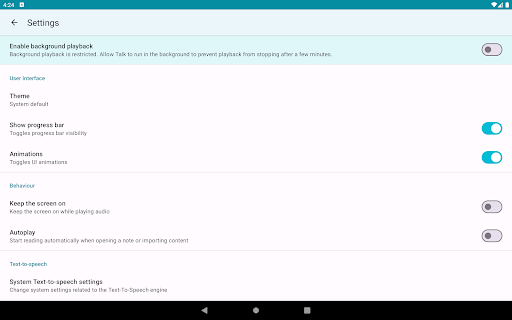
NOTE: Your phone must have a Text-to-Speech enginge for Talk to work. If it doesn't have it you can download it from Google Play. Depending on the TTS engine, some languages that appear in the app may not work.
G+ community: https://plus.google.com/communities/107986392540899459664
It supports importing web pages directly from the browser to listen to them. You can also import text from any other apps.
Features:
- Text to voice
- Read web pages
- Play / Pause / Stop
- Export audio as WAV file
- Lots of languages (internet connection required for some)
Uses:
- Reading news or books
- Helpful for visually impaired people
- Helpful for speech impaired people
- Helpful for people that had wisdom teeth removed
- Fun
There's a paid version available WITHOUT ADS here:
https://play.google.com/store/apps/details?id=com.abast.talkpro
NOTE: Your phone must have a Text-to-Speech enginge for Talk to work. If it doesn't have it you can download it from Google Play. Depending on the TTS engine, some languages that appear in the app may not work.
G+ community: https://plus.google.com/communities/107986392540899459664
What's New
- Added ability to backup and restore your notes in Settings screen
- Added settings for hiding 'Undo' and 'Clear text' buttons
- Speak with Talk text selection action should appear in more apps (including Chrome and other web browsers)
- Bug fixes
- Added settings for hiding 'Undo' and 'Clear text' buttons
- Speak with Talk text selection action should appear in more apps (including Chrome and other web browsers)
- Bug fixes
App Information
Version Name
2.9.13
Version Code
2985
File Size
5.0 MB
Min SDK
Android 21+
Target SDK
Android 33
Developer
Abast Multimèdia
Contact
Website
Content Rating
Everyone
Package Name
com.ktix007.talkPermissions Required
This app may request the following permissions:
Recent Reviews

John Evdemon
3.0★
Great app but it has serious issues with Bluetooth audio in Android Auto. The app appears to be reading aloud but no sound ever comes out of the speakers in the car. The only work around I've been able to find is to start another app's audio at the same time (such as Spotify). This seems to "wake up" this app so that its voice output can start using the Bluetooth audio connection. I would definitely give this app five stars if this bug could be fixed.

Brady Moyer
4.0★
It's a good app and does what's advertised. There are only banner advertisements and no popups which is a plus. I've only had one bug with this app that I havent seen any other users have: If you hit "Share Page" on a web browser app to send text to this app, it will save that initial link and then try to create a new note for it every time you go back to the notes list page. This can only be cleared by force quiting the app. Other than that the app works great!

A Google user
4.0★
Slight bug (or I can't figure out): When I get the "Read Webpage" dialog box the choices are "Always" "No" "OK" if I accidentally hit "Always" there is no way to reverse it in settings. I had to uninstall & reinstall to reset it. I press "No" 99.9% of the time, so "Always" is not a good option. If someone figures it out, I'd like to know. Otherwise app fills my need. BTW the website listed on Playstore is dead.

Joseph Doxey
4.0★
I've been looking for something like this, oddly enough, I wasn’t having much luck. All I found were apps that were too specific/couldn't read from 3rd party apps, or apps I had to pay for. Then, I came across this little beauty. It's simple & efficient. Good work. Thanks. I've ONE complaint. The read out of highlighted text will randomly stop when played from the context menu but, reads fine if typed (copy/paste, in this case) into the app itself. Aside from that, I've had no problems at all.

Jose Pineda
5.0★
It's great, I've looked for an app like this for months before running into this one. 10/10 would download again. The only improvement I would like to see added is being able to queue notes, ex. If I'm playing note #1 out of #10, once it's done reading I need to go back into the app to play note #2. However, I would love to be able to press play on note #1 and have note #2 and #3 queued up so they play automatically once nite #1 is done.
A Google user
5.0★
Awesome basic app that gets the job done! I used this in a pinch when I got sick and lost my voice during a fun night chatting with friends. You just type the text, and the app reads it out loud for you. Husband found it obnoxious, but that was more me still wanting to speak than the app, lol. Would install and use again next time I lose my voice.
Ad slot: In-Content