

Parallel Space - app cloning
com.lbe.parallel.intl
by LBE Tech
Screenshots
Ad slot: Top Leaderboard
About this app
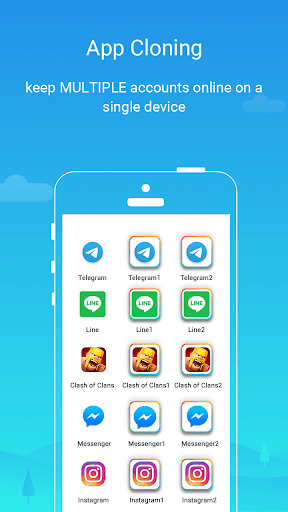
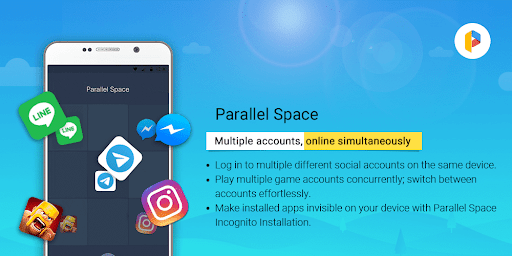
Clone and run multiple accounts of the same app simultaneously with ease using Parallel Space.
As a leading Android tool, it empowers over 200 million users to access multiple accounts on a single device. Enjoy enhanced privacy with the Incognito Installation feature, which makes apps invisible on your device to protect your privacy.
Parallel Space supports 24 languages and is compatible with most Android apps. Manage multiple accounts and safeguard your privacy with Parallel Space!
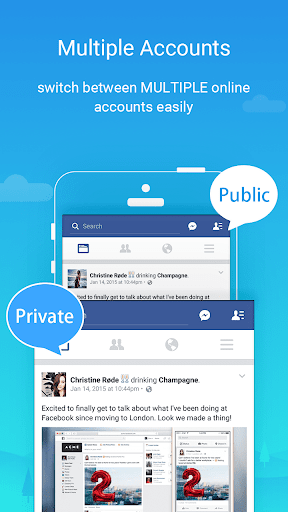
★ Log in to multiple accounts on one device
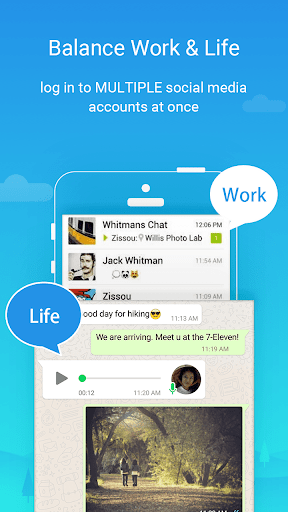
• Maintain separation between personal and work accounts
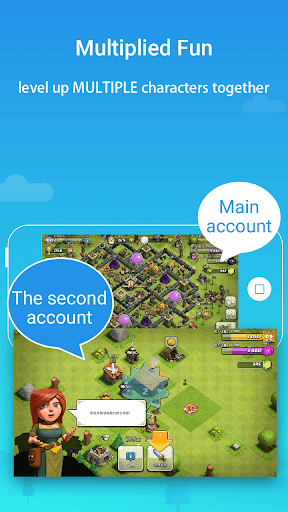
• Explore different game paths and level up multiple accounts simultaneously
• Keep each account's data separate and organized
★ Protect your privacy with hidden apps
• Safeguard sensitive apps in your private space, away from prying eyes
• Enhance privacy with a secure lock feature
★ Effortlessly switch between accounts
• Run multiple accounts at the same time and switch seamlessly with a single tap
Highlights:
• Powerful, stable, and user-friendly
• Unique: Built on multiDroid, the first application virtualization engine for Android
---
Notes:
• Limitation: Due to policy or technical limitations, some apps are not supported in Parallel Space, such as apps that declare the REQUIRE_SECURE_ENV flag.
• Permissions: Parallel Space requires necessary permissions to ensure the proper functioning of apps added within it. Rest assured that your privacy is our priority, and we do not collect personal information.
• Resource consumption: Most resource usage is attributed to the apps running inside Parallel Space. You can view specific resource usage in the 'Storage' and 'Task Manager' options within Parallel Space settings.
• Notifications: For optimal notification functionality of certain social networking apps within Parallel Space, consider adding Parallel Space to the whitelist or exceptional list of any booster or task management apps.
• Account conflict: For some social networking apps, each account must be associated with a unique mobile number. Ensure the provided number is active for the verification process during setup.
• Pro exclusive: With the free plan, you can run two accounts simultaneously. Unlock the ability to run multiple accounts by upgrading to the Pro plan.
Copyright Notice:
• This app includes software developed by the microG Project.
Copyright © 2017 microG Team
Licensed under the Apache License, Version 2.0.
• Link to the Apache License 2.0: http://www.apache.org/licenses/LICENSE-2.0
As a leading Android tool, it empowers over 200 million users to access multiple accounts on a single device. Enjoy enhanced privacy with the Incognito Installation feature, which makes apps invisible on your device to protect your privacy.
Parallel Space supports 24 languages and is compatible with most Android apps. Manage multiple accounts and safeguard your privacy with Parallel Space!
★ Log in to multiple accounts on one device
• Maintain separation between personal and work accounts
• Explore different game paths and level up multiple accounts simultaneously
• Keep each account's data separate and organized
★ Protect your privacy with hidden apps
• Safeguard sensitive apps in your private space, away from prying eyes
• Enhance privacy with a secure lock feature
★ Effortlessly switch between accounts
• Run multiple accounts at the same time and switch seamlessly with a single tap
Highlights:
• Powerful, stable, and user-friendly
• Unique: Built on multiDroid, the first application virtualization engine for Android
---
Notes:
• Limitation: Due to policy or technical limitations, some apps are not supported in Parallel Space, such as apps that declare the REQUIRE_SECURE_ENV flag.
• Permissions: Parallel Space requires necessary permissions to ensure the proper functioning of apps added within it. Rest assured that your privacy is our priority, and we do not collect personal information.
• Resource consumption: Most resource usage is attributed to the apps running inside Parallel Space. You can view specific resource usage in the 'Storage' and 'Task Manager' options within Parallel Space settings.
• Notifications: For optimal notification functionality of certain social networking apps within Parallel Space, consider adding Parallel Space to the whitelist or exceptional list of any booster or task management apps.
• Account conflict: For some social networking apps, each account must be associated with a unique mobile number. Ensure the provided number is active for the verification process during setup.
• Pro exclusive: With the free plan, you can run two accounts simultaneously. Unlock the ability to run multiple accounts by upgrading to the Pro plan.
Copyright Notice:
• This app includes software developed by the microG Project.
Copyright © 2017 microG Team
Licensed under the Apache License, Version 2.0.
• Link to the Apache License 2.0: http://www.apache.org/licenses/LICENSE-2.0
What's New
1. Fully compatible with Android 15.
2. Discontinued support for app cloning for apps that declare the REQUIRE_SECURE_ENV flag.
3. Optimized the overall performance of Parallel Space.
4. Fixed some known bugs.
5. Supported concurrent online of multiple accounts, not just two.
2. Discontinued support for app cloning for apps that declare the REQUIRE_SECURE_ENV flag.
3. Optimized the overall performance of Parallel Space.
4. Fixed some known bugs.
5. Supported concurrent online of multiple accounts, not just two.
App Information
Version Name
4.0.9463
Version Code
10901
File Size
34.4 MB
Minimum OS
Android 7.0+
Target SDK
Android 33
Developer
LBE Tech
Contact
Website
Content Rating
Everyone
Package Name
com.lbe.parallel.intlPermissions Required
This app may request the following permissions:
Recent Reviews

Christian R.
2.0★
Cannot for the life of me get duplicated Discord to work anymore. It used to occasionally work, sometimes bugging out and not letting you switch channels, and if you closed + re-opened the app it would be stuck on the loading screen. Only fix was restarting my phone. Was frustrating enough lately I reinstalled Discord, Parallel Space, and 64-bit support. Now I go on the Parallel Discord and the UI is broken when trying to send a message, and you can't change channels more than once at all.

Owehttamy
1.0★
BEWARE. Notifications don't work and INSANE (+ suspicious) battery drain! If you want to have an alt account on a messaging app, don't bother with this. Although they market themselves as a good way of messaging people on different accounts, you can't get notifs from messages. It ruins the entire purpose! You have to frequently reopen the app, wait thru 2 video ads, & THEN finally access my messages. Also, the battery drain is BAD. Like 38%-in-background-a-day bad. Something is deeply wrong.

Andrew Verdun (Srelio)
2.0★
Works about 50% of the time. When it works it's pretty great. I coach a high school esports team, so I wanted a good way to have two separate discord accounts, my personal and my work, and this seemed like the way to go. Notifications have never worked, and it fails to open the apps about half the time. So just take that into account. Especially since this app cost money. To respond to the response of the devs, I've never had more than two accounts signed in at the same time.

Nicole Harvey
1.0★
I loved it initially, even paid for the ad free version because it worked so much better than other app cloners. But now it literally will not open a single app. It blacks out my phone screen, freezes up everything for a few seconds before I can get the app to shut down and give me access back to my phone. regardless of what app I'm trying to open, it does nothing. waste of money.

Patrick Wells
1.0★
They didn't keep their end of the bargain when paying for a lifetime subscription. I paid $9.99 for a lifetime ad free subscription (I have a dns so I don't see ads anyways), but I really was wanting the shortcut function. Paid the 9.99, and nothing changed. Update: support was no help and stopped replying after I asked for a refund. This app is a scam.

A Google user
3.0★
I keep getting a popup saying "parallel space 64bit support keeps stopping" even if I'm not using the app. It pops up non-stop multiple times (8++) and eventually stops for a while. It gives me the option to "close app" or "send feedback" which I've done. It still pops up after "close app," and I'm not sure if feedback is actually being sent. Other than that, the app has been functioning properly.
Ad slot: In-Content