

Fake GPS Location Donate
com.lexa.fakegpsdonate
by Lexa
Screenshots
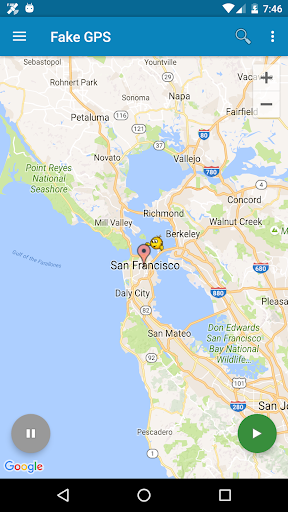
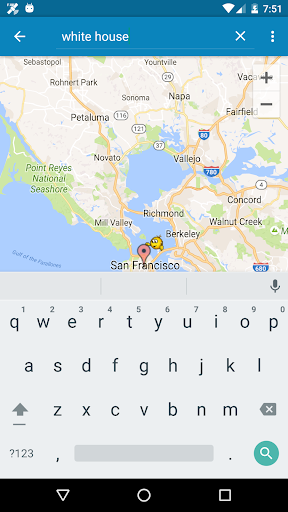
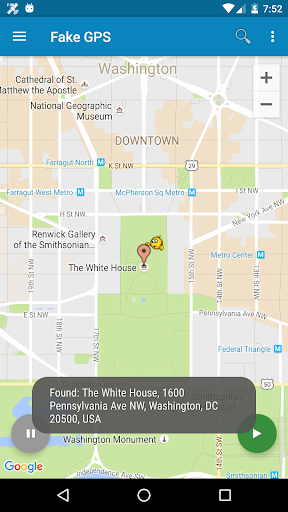

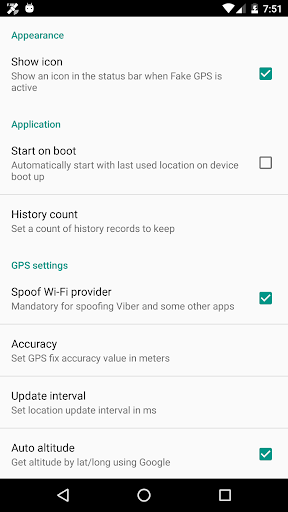
Ad slot: Top Leaderboard
About this app
This is the donate version. If you like this app and would like to see future improvement - please donate. You will also get a high priority support if you have any problems.
+++ Remove free app first +++
+++IMPORTANT+++
Be aware that after using FakeGPS you may find your location LOCKED TO THE LAST MOCKED LOCATION EVENT AFTER UNINSTALL FakeGPS! It's not a bug and your GPS sensor isn't broken. There are two ways to fix this issue:
1. Install "GPS Status" from the Play, launch and get a fresh GPS fix. You may need to repeat it several times with 30 min interval.
2. Start FakeGPS, set your real location and leave it so for several hours.
You may combine these steps. The issue will disappear in one or two days - be patient.
For ROOTED devices you can mock locations without enabling "Allow mock locations" option. To do so please use Root Explorer or other similar app and move /data/app/ru.lexa.fakegps~1.apk to /system/priv-app or to /system/app (for Android 4.3 and older). Then change apk permissions to rw-r-r and reboot your device. If you find apk in /syste/priv-app disappears after reboot it means that your devices has S-ON mode enabled and so restores /system folder aftear each reboot. Please google how to switch your device to S-OFF mode.
If you can't find ru.lexa.fakegps.apk in /data/app you may find it at /mnt/asec/ru.lexa.fakegps/1.apk. In this case you should copy and rename it to /system/priv-app/ru.lexa.fakegps.apk.
+++ Remove free app first +++
+++IMPORTANT+++
Be aware that after using FakeGPS you may find your location LOCKED TO THE LAST MOCKED LOCATION EVENT AFTER UNINSTALL FakeGPS! It's not a bug and your GPS sensor isn't broken. There are two ways to fix this issue:
1. Install "GPS Status" from the Play, launch and get a fresh GPS fix. You may need to repeat it several times with 30 min interval.
2. Start FakeGPS, set your real location and leave it so for several hours.
You may combine these steps. The issue will disappear in one or two days - be patient.
For ROOTED devices you can mock locations without enabling "Allow mock locations" option. To do so please use Root Explorer or other similar app and move /data/app/ru.lexa.fakegps~1.apk to /system/priv-app or to /system/app (for Android 4.3 and older). Then change apk permissions to rw-r-r and reboot your device. If you find apk in /syste/priv-app disappears after reboot it means that your devices has S-ON mode enabled and so restores /system folder aftear each reboot. Please google how to switch your device to S-OFF mode.
If you can't find ru.lexa.fakegps.apk in /data/app you may find it at /mnt/asec/ru.lexa.fakegps/1.apk. In this case you should copy and rename it to /system/priv-app/ru.lexa.fakegps.apk.
App Information
Version Name
1.8.1
Version Code
1810
File Size
1.6 MB
Min SDK
Android 15+
Target SDK
Android 21
Developer
Lexa
Contact
Website
Content Rating
Everyone
Package Name
com.lexa.fakegpsdonatePermissions Required
This app may request the following permissions:
Recent Reviews

A Google user
1.0★
**Buyer beware** I've used the app for years. Worked flawlessly. Decided to upgrade to paid version. I should have listened to the reviews. It doesn't work. Took my money. Can't get money back. They won't respond to emails. Do not donate or buy paid version. Using a new Note 9. Tried on S9 also. Paid version is an outdated version and they aren't updating it, that's why it doesn't work. Just collecting money.
A Google user
1.0★
Worked ok until a week ago. Every time I try to search a specific location, it tells me my search is over the query limit. Also, it doesn't spoof anymore. the app I use it for continuously tells me it can't get my location and I'm always booted for no location.
A Google user
2.0★
paid for app, but now selected locations are .9 miles off, so I have to manually look for my location a mile away. The free app works, but are limited on number of locations that can be stored.
A Google user
1.0★
App is broken. You can't search for a specific location. It just gives you the over query limit error message when you do a search.
A Google user
5.0★
Works flawless on my SM-A405FN (not rooted). No delay in desired GPS results when switching between location spoofing on/off (as observed in some phone models).
A Google user
1.0★
Location is working, search does not anymore. You have to manually set all destinations.
Ad slot: In-Content