
Autolink
com.link.autolink
by 凌阳成芯科技(成都)有限公司
Screenshots
Ad slot: Top Leaderboard
About this app
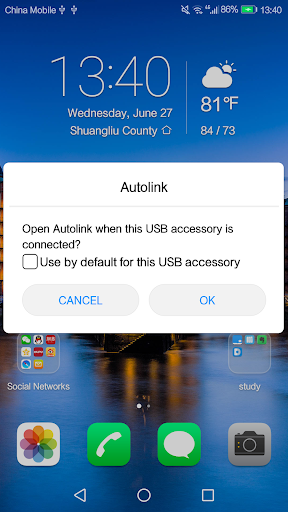
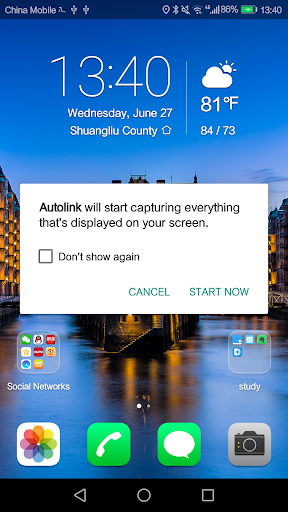
The mobile phone connects the vehicle through the USB line, using the mirror method,the mobile phone's screen will be show on the vehicle . Then mobile phone can be operated by touch vehice's screen. When driving on the road, autolink is both convenient and safe for operate your mobile phone. At the same time, the vehicle multimedia can also enjoy all the functions of the mobile phone.
What's New
fix some issues for higher android os version
App Information
Version Name
2.0.55
Version Code
55
File Size
1.4 MB
Minimum OS
Android 5.0+
Target SDK
Android 33
Developer
凌阳成芯科技(成都)有限公司
Contact
Content Rating
Everyone
Package Name
com.link.autolinkPermissions Required
This app may request the following permissions:
Recent Reviews

Drum Brakes
1.0★
Truly awful alternative to android auto when combined with the audio units that use it. I had frequent disconnections, which then reverted to FM radio. Could only be fixed by unplugging and replugging the phone. I'll be avoiding any audio unit that uses this app. The App may do its job fine, but the audio units that use it are sub standard.

Alex K
3.0★
Good, but room for improvement. I use this with a Samsung Note 20 Ultra. It mirrors the screen well with great definition, but the frame rate seemed to a max of 30fps. Netflix and Hulu don't work with it, Hulu going as far as to tell you the display isn't supported. YouTube works fine but again only at 30fps. This app isn't recognized by "SmartView" so you can't change the aspect ratio or resolution to fit your car display. Can't use with display off. There's a constant "connecting" notification

Rovin Mohabir
4.0★
Started working from front usb port. I will try to disconnect the rear wire harness and reconnect it to see if the rear usb will work. I tried connecting first from front usb, then wait for confirmation from phone to link. Then when it links, I turn on the Bluetooth. Seems to work fine this way. App works good when you can get it to work. Also allows you to turn phone to get a full screen of map or certain apps that allow like media apps.

Pappu Imran
1.0★
Need fix the app. Last night I tried so many times to connect it. But it happened only for one time. Then when I tried to open navigation feature, it's disconnected automatic. Then later I failed to connect it again. Even for normal use ... Very poor performance....not acceptable.

Nick Layton
3.0★
Works with my Xzent unit, turning the phone sideways fills the screen. Still best to use the phone screen to operate as the touch screen on the xzent doesn't seem the correspond with control other phone. Biggest problem is the slight delay when navigating, you can easily miss the turn while it catches up with your position.

Bebot Yu
3.0★
I purchased a NAKAMICHI nam1700N car stereo with Autolink capable and my Samsung A70 Android ver.10 was able to connect via this app. However, after 3mins. connected to play a YouTube, the unit disconnected my phone and I reconnect again then after few min. it disconnected again. I believed this is an 'autolink app' issue that needs to be upgraded by the Developer. So kindly fix this app and upgrade accordingly so that this issue will be mitigated. Thank you to the Developer who develop this app
Ad slot: In-Content