
Apk Share Bluetooth
com.luckydeveloper.apkshare
by Lucky Developer
Screenshots





Ad slot: Top Leaderboard
About this app
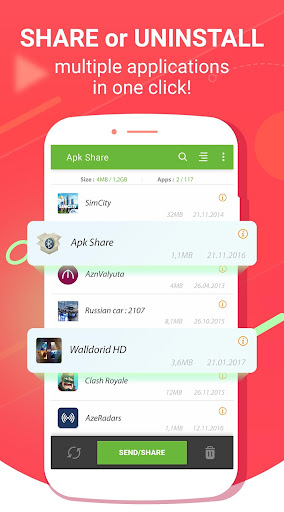
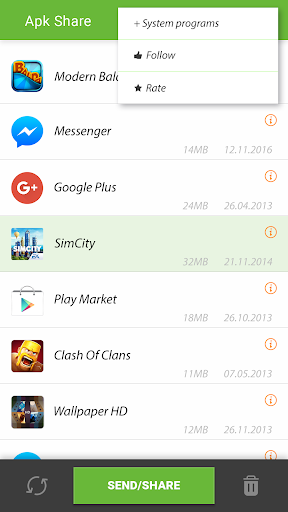
✰✰Apk Share Bluetooth✰✰ - is a app manager that helps Share , Uninstall , Backup and Manage.
Apk Sharer - Send Apk/Link
Using this app you can send apk or play store link easily by :
⚡ Bluetooth
⚡ Whatsapp
⚡ Email
⚡ NFC and etc.
It also gives you information about app sizes for transfer.
Easy Uninstaller - Multiple Quick Uninstaller
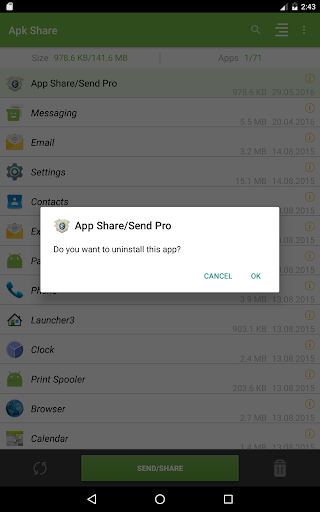
App will help you to find last installed, more size applications and Uninstall it easily in one click. You can also manage system apps, but without root permissions it's not possible uninstall it.
App Backup - Easiest backup tool
Bulk Apk Backup to SD card. FREE UP your device storage! Faster & Smaller.
Features
✓ Multiple Apk Share - Transfer apps over bluetooth, email ,Facebook, Whatsapp etc.
✓ Multiple App Uninstall - Easy Uninstall multiple app faster in one click. Fast apk uninstaller.
✓ Multiple App Backup - Save multiple apk to SD card in one click.
✓ Copy multiple app Link to Clipboard
✓ Auto Apk Refresher - Refreshes App list on new install or uninstall
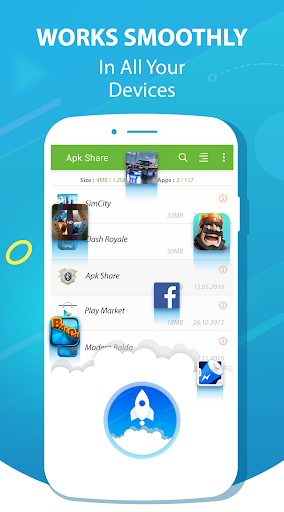
✓ Quick Sort - Sort by Name, Install Date, Size
✓ View App on Play Store
✓ Launch Selected Application
✓ Show System Applications
✓ Sweet & Usable interface
✓ Quick Search - Search your application easily by name
✓ Simple Animations
✓ App Informer - Shows selected and all application count and size based on your search filter
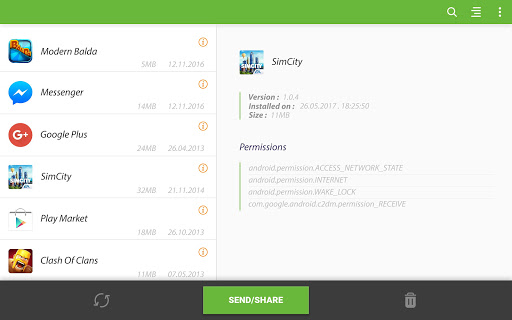
✓ Used Permissions - Shows used permissions by app
✓ FREE
Notice:
» You can not uninstall system application if root permissions does not exists.
» If you are not seeing app on list, try to use Show System Apps option.
► Required permissions
→ WRITE_EXTERNAL_STORAGE: For Backup Apk to SD card
► Facebook- follow us
→ https://www.facebook.com/apksender
We are trying do best for you!
FAQ
💬Why I not see some apk on list?
💡For system app you check the menu "Show System Apps"
💬Can I Share Apk to non Android devices?
💡Yes, if non android devices have bluetooth, email and etc. then you can send , but you can not run apk on non android device
💬Do both people need the app?
💡No , only sender need this app
💬How I can backup all app to SD card?
💡From menu choose "Select All" and then click "Backup"
💬How I can find more sized applications ?
💡Use Sort By Size. You can change sort direction in twice click.
💬How I can find recent installed applications?
💡Use Sort by Date.
💬How uninstall system app?
💡Using this apk uninstaller you can delete only downloaded applications. System app can not be uninstalled. But if you have root permission, then you can delete apk easily using uninstall button.
Apk Sharer - Send Apk/Link
Using this app you can send apk or play store link easily by :
⚡ Bluetooth
⚡ NFC and etc.
It also gives you information about app sizes for transfer.
Easy Uninstaller - Multiple Quick Uninstaller
App will help you to find last installed, more size applications and Uninstall it easily in one click. You can also manage system apps, but without root permissions it's not possible uninstall it.
App Backup - Easiest backup tool
Bulk Apk Backup to SD card. FREE UP your device storage! Faster & Smaller.
Features
✓ Multiple Apk Share - Transfer apps over bluetooth, email ,Facebook, Whatsapp etc.
✓ Multiple App Uninstall - Easy Uninstall multiple app faster in one click. Fast apk uninstaller.
✓ Multiple App Backup - Save multiple apk to SD card in one click.
✓ Copy multiple app Link to Clipboard
✓ Auto Apk Refresher - Refreshes App list on new install or uninstall
✓ Quick Sort - Sort by Name, Install Date, Size
✓ View App on Play Store
✓ Launch Selected Application
✓ Show System Applications
✓ Sweet & Usable interface
✓ Quick Search - Search your application easily by name
✓ Simple Animations
✓ App Informer - Shows selected and all application count and size based on your search filter
✓ Used Permissions - Shows used permissions by app
✓ FREE
Notice:
» You can not uninstall system application if root permissions does not exists.
» If you are not seeing app on list, try to use Show System Apps option.
► Required permissions
→ WRITE_EXTERNAL_STORAGE: For Backup Apk to SD card
► Facebook- follow us
→ https://www.facebook.com/apksender
We are trying do best for you!
FAQ
💬Why I not see some apk on list?
💡For system app you check the menu "Show System Apps"
💬Can I Share Apk to non Android devices?
💡Yes, if non android devices have bluetooth, email and etc. then you can send , but you can not run apk on non android device
💬Do both people need the app?
💡No , only sender need this app
💬How I can backup all app to SD card?
💡From menu choose "Select All" and then click "Backup"
💬How I can find more sized applications ?
💡Use Sort By Size. You can change sort direction in twice click.
💬How I can find recent installed applications?
💡Use Sort by Date.
💬How uninstall system app?
💡Using this apk uninstaller you can delete only downloaded applications. System app can not be uninstalled. But if you have root permission, then you can delete apk easily using uninstall button.
What's New
version 3.8.6
✓ Added open folder when SaveToScard
version 3.7.1
✓ Added Apps by Permissions menu
✓ Fixed bugs on Android 11 devices
✓ Fixed problem of displaying apps on Android 11 devices
✓ Fixed Save To SDCard problem on Android 11 devices
✓ Improved application filter
✓ Improved Security and Performance
version 3.4.5
✓ Fixed App Sharing On Android 11 devices
✓ Improved stability for older devices
✓ Improved performance on low memory devices
✓ Fixed Bugs for some devices
✓ Added open folder when SaveToScard
version 3.7.1
✓ Added Apps by Permissions menu
✓ Fixed bugs on Android 11 devices
✓ Fixed problem of displaying apps on Android 11 devices
✓ Fixed Save To SDCard problem on Android 11 devices
✓ Improved application filter
✓ Improved Security and Performance
version 3.4.5
✓ Fixed App Sharing On Android 11 devices
✓ Improved stability for older devices
✓ Improved performance on low memory devices
✓ Fixed Bugs for some devices
App Information
Version Name
3.8.2
Version Code
64
File Size
8.7 MB
Minimum OS
Android 4.4+
Target SDK
Android 34
Developer
Lucky Developer
Contact
Website
Content Rating
Everyone
Package Name
com.luckydeveloper.apksharePermissions Required
This app may request the following permissions:
Recent Reviews

A Google user
4.0★
This is a very good app. There is a SELECT ALL but it's not obvious, long press any single apk, then tap select all context menu. It's also a little odd that there is no save option only share but that's not too much of a problem since you can share to your a file explorer with the added advantage that you can save to any location that you choose at the time rather than a default folder. Overall a very good app.

Jovan Jovam
2.0★
this app is not working at all when I send 500 mb higher it will receive but automatically cancel after 11 percent or 9 but I will wait for your future update
A Google user
5.0★
This app deserves 6 STARS!!!! I love the fact that it gives you the option to list apps from most recent to oldest. I usually share apps using wifi direct between my samsung phones, and this app has never let me down. Does not affect battery life on none of my phone, which was my primary concern. An app that doesn't consume (much) battery isn't certainly doing any background activity. It's a free app, and a good one too; therefore the least I can do is to write this sort of lengthy review, lol.
A Google user
5.0★
I'm always skeptical about these kind of apps because they keep promising things and don't deliver. I tried other apps and no luck but this app worked instantly, I'm actually amazed. I transferred an app to my tablet from my phone via WiFi direct and it worked. Now I'm using the app on my tablet. Thank you app developers for making a genuinely easy app to use and that works what it was intended for. I had to write this to let others know. Thank you once again.
A Google user
1.0★
un usable for me, couldn't save the apk locally. it had not asked me for a location permission, It cites some error - "This item cannot be saved". I'll update my review if that is fixed. Of course I have access to the storage in general. I'm an android developer myself and I see that it has never asked me a runtime permission to fetch from local storage.

bahrta sai
1.0★
[EDIT: I know. It says APK share folder. Where is that folder? If I can't find it, it's no good to me.] Apparently it needs over 84MB just to share Google Play links which is useful, but it doesn't really seem to be able to do much else. When I try to save to SD card, it says it did, but I can't seem to find the folder it claims to have saved in so I can't see any proof.
Ad slot: In-Content