

Smart Screen On/Off Auto
com.luutinhit.sensorsforconver
by LuuTinh Developer
Screenshots
Ad slot: Top Leaderboard
About this app
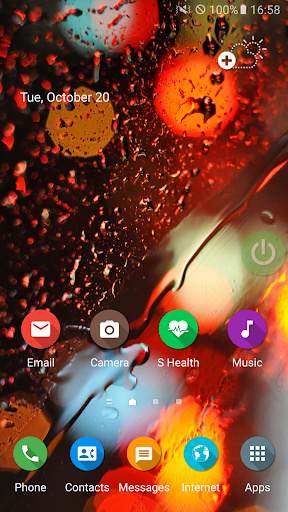
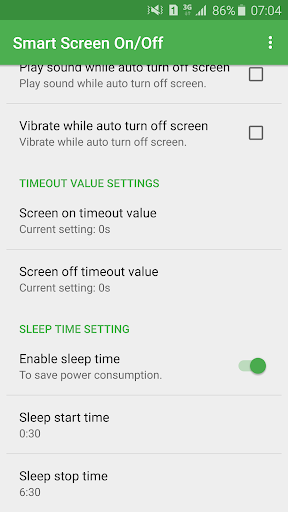
Smart Screen On Off application is simple utility to automatically On or Off screen using proximity sensor and double tap on Home Screen, instead of having to press the power button manually. Smart Screen On Off have a power head floating in a convenient location is also provided to quickly turn off the screen.
Sometimes difficult to press the power button, or you want to preserve the physical power button. Smart Screen On Off application and the power head floating can help you minimize the use of the power button anytime, anywhere.
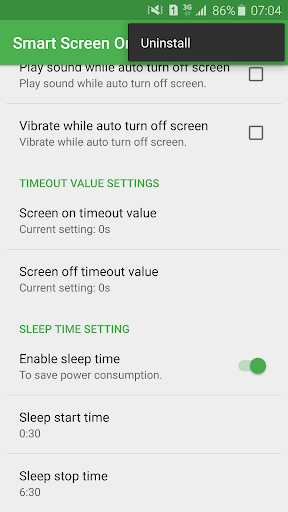
"This app uses the Device Administrator permission." It is necessary and used only for locking the device when you use feature turn off the screen. You need to enable Administration before it can be used that feature. To uninstall the app, please open my app and click the "Uninstall" button.
"This app uses Accessibility services." It is necessary and used to detect home screen.
Function have in Smart applications on/off screen auto:
- Double tap on Home Screen to turn off screen.
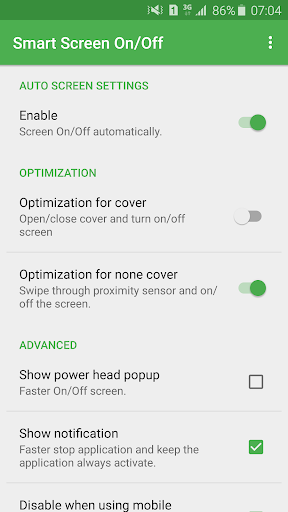
- The sensor will automatically detect, and auto power on / off screen to help you.
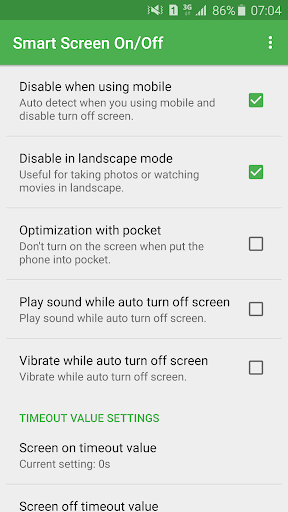
- You can disable the feature when the screen rotates horizontally.
- You can set separate delays when the screen on / off to avoid accidentally enabled.
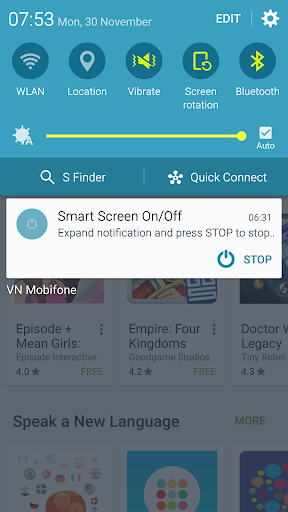
- Support power to quickly head off the screen.
- Support for using the same cover.
- Auto screen off when put your phone into pocket.
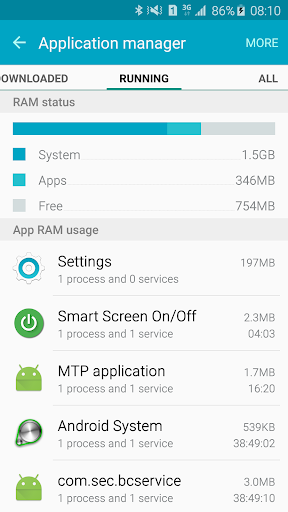
- Improve best performance. Only use a maximum of 5 MB RAM.
GUI TO UNINSTALL:
- Open my application.
- Click button uninstall.
SUPPORT:
- Website: www.luutinhit.blogspot.com
- Email: [email protected]
Sometimes difficult to press the power button, or you want to preserve the physical power button. Smart Screen On Off application and the power head floating can help you minimize the use of the power button anytime, anywhere.
"This app uses the Device Administrator permission." It is necessary and used only for locking the device when you use feature turn off the screen. You need to enable Administration before it can be used that feature. To uninstall the app, please open my app and click the "Uninstall" button.
"This app uses Accessibility services." It is necessary and used to detect home screen.
Function have in Smart applications on/off screen auto:
- Double tap on Home Screen to turn off screen.
- The sensor will automatically detect, and auto power on / off screen to help you.
- You can disable the feature when the screen rotates horizontally.
- You can set separate delays when the screen on / off to avoid accidentally enabled.
- Support power to quickly head off the screen.
- Support for using the same cover.
- Auto screen off when put your phone into pocket.
- Improve best performance. Only use a maximum of 5 MB RAM.
GUI TO UNINSTALL:
- Open my application.
- Click button uninstall.
SUPPORT:
- Website: www.luutinhit.blogspot.com
- Email: [email protected]
What's New
- Improve performance.
- Fix all issue report by user.
- Add feature to fix issue with smart lock and fingerprint.
- Add feature to create shortcut button turn off on home screen.
- If you have any problem, please contact to me. Thanks,
- Fix all issue report by user.
- Add feature to fix issue with smart lock and fingerprint.
- Add feature to create shortcut button turn off on home screen.
- If you have any problem, please contact to me. Thanks,
App Information
Version Name
3.5.9
Version Code
59
File Size
2.5 MB
Minimum OS
Android 4.1+
Target SDK
Android 22
Developer
LuuTinh Developer
Contact
Website
Content Rating
Everyone
Package Name
com.luutinhit.sensorsforconverPermissions Required
This app may request the following permissions:
Recent Reviews

A Google user
5.0★
Really easy to install, works exactly how I wanted. The other S covers, for some reason interfered with using my stylus. So I bought a non S cover, installed this program and it works great. While using the S Covers, the letters on the outside edges wouldn't respond to the stylus. This is perfect. I am going to upgrade to avoid the ads, but well worth it.

Chris J
1.0★
Used to work well but is now wall to wall adverts for other apps. Waited patiently through over 2 minutes of adverts to access the app, but the adverts just kept on coming one after the other!. No 'x' appears after a period of time nor any other means of closing the non stop ad fest. Now impossible to access the smart screen settings to use. Uninstalling.

Stephen Aregbesola
5.0★
Very, very simple. Iam very happy to have access to the application. To disable add, is it possible to transfer money directly as usual? Further to my remark or commendations, the application really worth be incorporated in any new model Android phone especially the "Smart Screen On/Off" in addition to the Power button. It will relieve the regular usage of the Power button thereby giving long duration to the Power button. It is really High Tech., reliable and very simple to use.

Ward Oldham
3.0★
Double tap off works great! When I pick my phone back up, my phone no longer will auto unlock when it sees my face nor does the fingerprint reader work - so it's a trade off. The convenience of double tap to turn display off without pressing the power button . . or . . the convenience of waking it back up without requiring me to input my security pattern. This seems like it would be a simple fix. I'll see if you provide any feedback before I delete the app. Sorry!

Moshiur Rahman (Adib)
3.0★
The app was good but I cannot use biometrics e.g. fingerprint to unlock the screen. ----EDIT: I tried to use the "Show clear view", it works for fingerprint but it creates another problem, it disables my lock screens pattern😑. Please add an option to lock the phone with accessibility permission like Nova Launcher. Sorry, I can't give it 5 stars.
A Google user
5.0★
This is really a wonderful app. In the beginning I could not choose options properly so had some difficulties. I made payment which is very small amount. It will save my xperia XZ Premium mobile's physical power button otherwise it will be a costly replacement by Sony service. Without even touching, mobile can be switched on/off by using proximity sensor. GREAT! Also display goes off automatically when you keep in pocket
Ad slot: In-Content