
Floating Apps (multitasking)
com.lwi.android.flapps
by LWi s.r.o.
Screenshots
Ad slot: Top Leaderboard
About this app
Experience real multitasking on your Android!
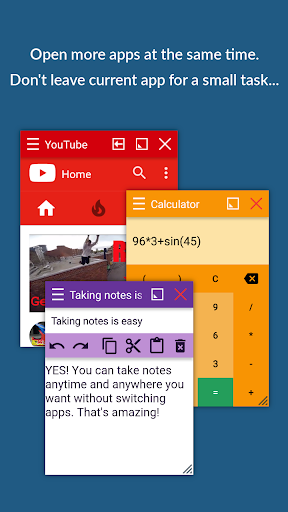
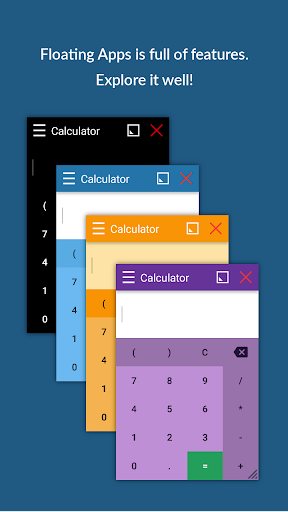
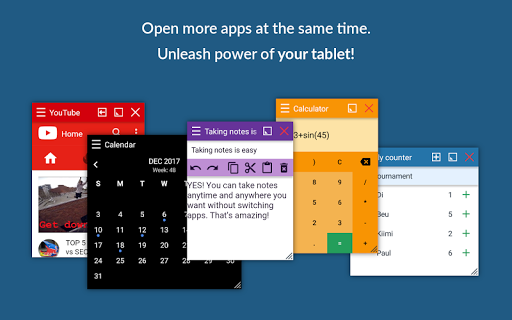
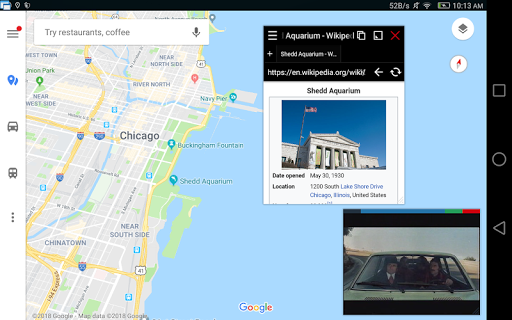
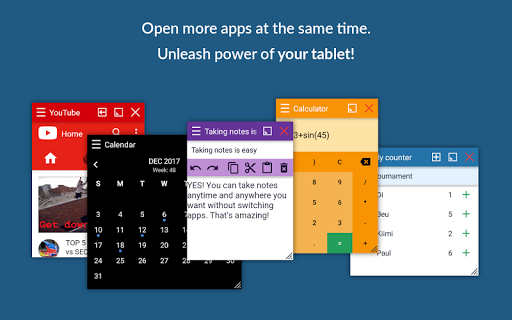
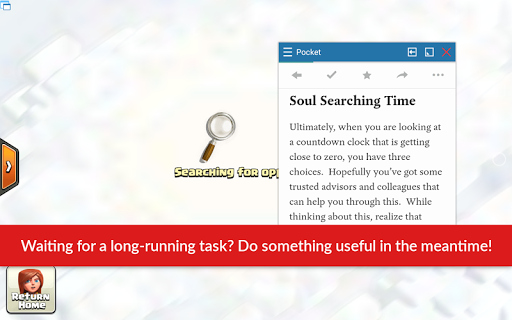
Open more apps at the same time in floating windows and enjoy real multitasking! Don't leave current app for a small task... Floating Apps is the largest and the most advanced collection of floating mini apps available on Google Play!
- take notes or use calculator anywhere & anytime
- view email attachments without leaving email app
- view multiple PDF files at the same time
- open links in floating browser and view them later
- translate vocabularies without leaving current app
- and do much much much more...
Supported languages: EN, IN, CS, DA, DE, ES, FR, IT, LT, PL, PT-BR, PT-PT, RO, SK, SV, VI, TR, RU, UK, KO, JA, HI, TH, ZH-TW, TH-CN, FA, AR, HU
If you have any problem with the app, contact us via [email protected] for help!
---
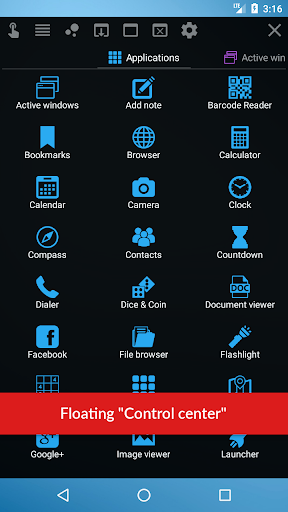
Floating Apps comes with more than 41 floating apps including:
- Browser
- Notes
- Document Viewer (PDF, DOC, DOCX, ODT and more)
- Calendar
- Facebook
- Twitter
- Calculator
- Contacts
- File Manager
- Music Player
- Video Player
- Image Viewer
- Audio Recorder
- Translator
- Paint
- Google Maps
- Wifi Manager
- Games
- and 21 more apps (see https://www.floatingapps.net for full list of 41 floating apps)...
- also, you can create your own floating apps from home screen widgets and URLs!
---
Our Commitment
Floating Apps is the best of its kind because of our commitment and never-ending work. We love to do it for you!
- We're always doing our best to help our users, so you're not left alone.
- We're developing Floating Apps for more than 5 years and it keeps getting better and better.
- We're listening to your requests and designing apps and features for you.
The Most Advanced Features
- Stop switching from one app to another and experience real multitasking with floating mini apps that make your life easier!
- Do not find the right floating app for you? Turn homescreen widgets and URLs into your very own floating apps.
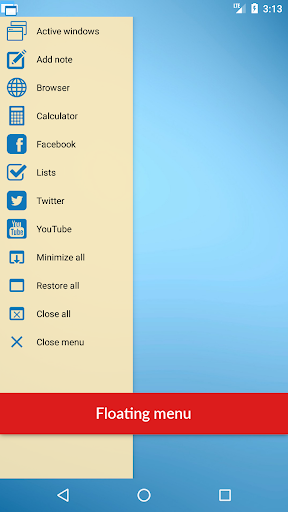
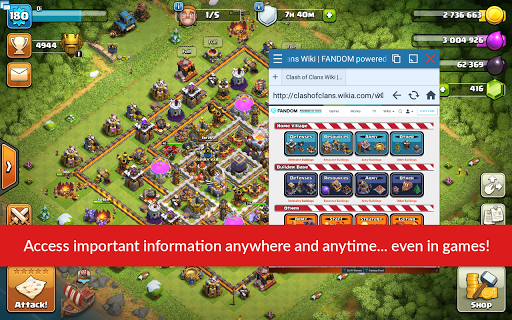
- Access floating apps anywhere and anytime without leaving what you are just doing with Floating Menu and Quick Launch.
- Extremely powerful floating menu allows you to access not only floating apps, but also normal and recent apps and shortcuts!
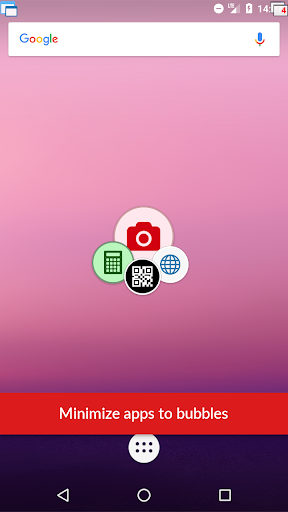
- Access floating apps with one tap via movable & resizable quick launch icon that stays always on top of other apps.
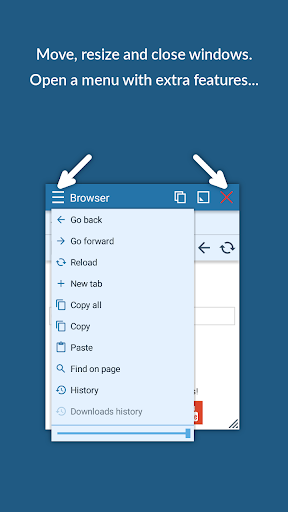
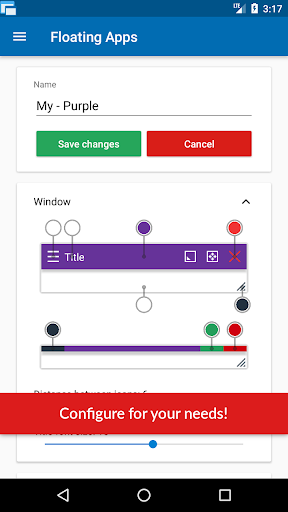
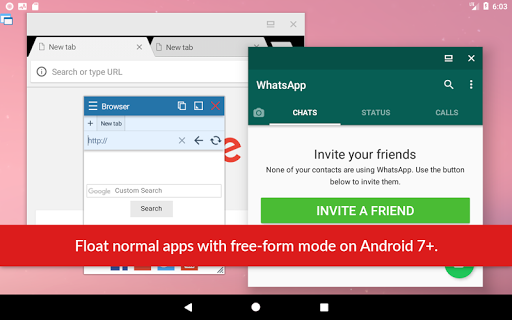
- Move windows by simply dragging their title, resize them by dragging their bottom bar. Arrange windows your way!
- Maximize the floating app to utilize the whole screen. Minimize it if you don't need it now and restore it later.
- Easily access advanced features & functions, control the window, its borders and transparency with context menu!
- Open links, videos or images using floating apps the same way as you do with normal apps. Use shortcuts, notifications and more.
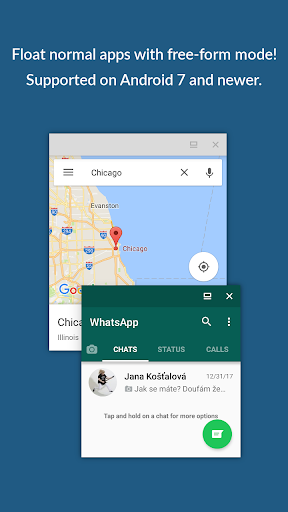
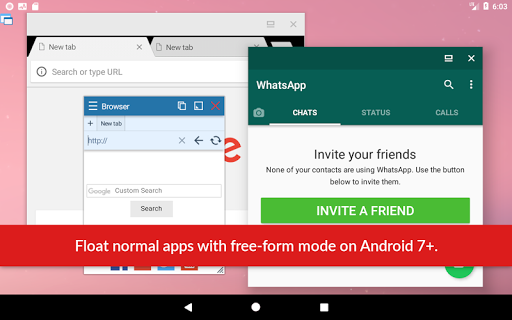
- It's just like multiviews / multi windows on Samsung or split screen mode but for all Androids!
Links
Web: https://www.floatingapps.net
Facebook: https://www.facebook.com/FloatingApps
Twitter: https://twitter.com/FloatingAppsNet
Google+: https://plus.google.com/+FloatingappsNet
Feedback: https://floatingapps.uservoice.com
Testers Community: https://plus.google.com/communities/111601071691478533219
Permissions
Please see complete list at http://www.floatingapps.net/permissions.
Open more apps at the same time in floating windows and enjoy real multitasking! Don't leave current app for a small task... Floating Apps is the largest and the most advanced collection of floating mini apps available on Google Play!
- take notes or use calculator anywhere & anytime
- view email attachments without leaving email app
- view multiple PDF files at the same time
- open links in floating browser and view them later
- translate vocabularies without leaving current app
- and do much much much more...
Supported languages: EN, IN, CS, DA, DE, ES, FR, IT, LT, PL, PT-BR, PT-PT, RO, SK, SV, VI, TR, RU, UK, KO, JA, HI, TH, ZH-TW, TH-CN, FA, AR, HU
If you have any problem with the app, contact us via [email protected] for help!
---
Floating Apps comes with more than 41 floating apps including:
- Browser
- Notes
- Document Viewer (PDF, DOC, DOCX, ODT and more)
- Calendar
- Calculator
- Contacts
- File Manager
- Music Player
- Video Player
- Image Viewer
- Audio Recorder
- Translator
- Paint
- Google Maps
- Wifi Manager
- Games
- and 21 more apps (see https://www.floatingapps.net for full list of 41 floating apps)...
- also, you can create your own floating apps from home screen widgets and URLs!
---
Our Commitment
Floating Apps is the best of its kind because of our commitment and never-ending work. We love to do it for you!
- We're always doing our best to help our users, so you're not left alone.
- We're developing Floating Apps for more than 5 years and it keeps getting better and better.
- We're listening to your requests and designing apps and features for you.
The Most Advanced Features
- Stop switching from one app to another and experience real multitasking with floating mini apps that make your life easier!
- Do not find the right floating app for you? Turn homescreen widgets and URLs into your very own floating apps.
- Access floating apps anywhere and anytime without leaving what you are just doing with Floating Menu and Quick Launch.
- Extremely powerful floating menu allows you to access not only floating apps, but also normal and recent apps and shortcuts!
- Access floating apps with one tap via movable & resizable quick launch icon that stays always on top of other apps.
- Move windows by simply dragging their title, resize them by dragging their bottom bar. Arrange windows your way!
- Maximize the floating app to utilize the whole screen. Minimize it if you don't need it now and restore it later.
- Easily access advanced features & functions, control the window, its borders and transparency with context menu!
- Open links, videos or images using floating apps the same way as you do with normal apps. Use shortcuts, notifications and more.
- It's just like multiviews / multi windows on Samsung or split screen mode but for all Androids!
Links
Web: https://www.floatingapps.net
Facebook: https://www.facebook.com/FloatingApps
Twitter: https://twitter.com/FloatingAppsNet
Google+: https://plus.google.com/+FloatingappsNet
Feedback: https://floatingapps.uservoice.com
Testers Community: https://plus.google.com/communities/111601071691478533219
Permissions
Please see complete list at http://www.floatingapps.net/permissions.
What's New
4.23.2
- Support for Android 16+
- Browser improvements
- Fixes UI glitches
- Minor fixes and improvements
- Support for Android 16+
- Browser improvements
- Fixes UI glitches
- Minor fixes and improvements
App Information
Version Name
4.22
Version Code
142201013
File Size
30.4 MB
Minimum OS
Android 5.0+
Target SDK
Android 33
Developer
LWi s.r.o.
Contact
Website
Content Rating
Everyone
Package Name
com.lwi.android.flappsPermissions Required
This app may request the following permissions:
Recent Reviews

Zachary ???
4.0★
Can handle a great amount of work at once, even manages to hold up when other apps have crashed! Very useful and has plenty of variety, even more utilital than a real computer's multi window! One problem is, the camera thing gives me a lot of trouble when I press the button on the lower left corner, and after one use, it stops working. Another problem is, it seems to like to stop working if kept on too long.

A Google user
5.0★
I used to have a newer Samsung, and being able to look at two apps at once was something I missed terribly. i tried a couple of other apps in the play store, but uninstalled them quickly. THIS is the one I had been looking for. Ads don't seem intrusive and very easy to use without feeling like it has taken over your device. Extremely happy and would recommend!
Shouin Nelson
3.0★
Very useful. I don't use most of the apps in the suite, just the browser, calculator, text editor, notes, and I create floating widgets of other apps. This all works well enough for me. I only wish the text editor supported markdown. It's the format that I use to save most of my personal notes, but the text editors in the suite only support .txt files. Sometimes there are graphical glitches when editing text. The text disappears. I've had to restart the app completely to resolve this.

Joe Keener
4.0★
It's a fine app, but I noticed 2 problems that started when I upgraded to Android 11. 1: I can no longer open apps in freeform mode. Whenever I try they just open normally. 2: the recording folder is bugged. Now it only shows one recording regardless of how many recordings I have or even if I have no recordings at all. I'm not rushing, but I was wondering if you could fix these issues.

D walks
4.0★
All i use this app for is the browser. I like it ,because i can put an audiobook or documentary on and blank the screen out to save battery life, and just listen to content. Also if I have content playing, i can still perform internet searches, within this app or on other apps (truly a multitasking machine) Works pretty good, bummer that the browser bookmarks doesn't work anymore.

Md. Mizanur Rahman
5.0★
this is the best app in the world to me after sendwhere app. but if possible add minimal python kivy or similar based custom app system because really hate the clock app. it could be actually better.
Ad slot: In-Content