
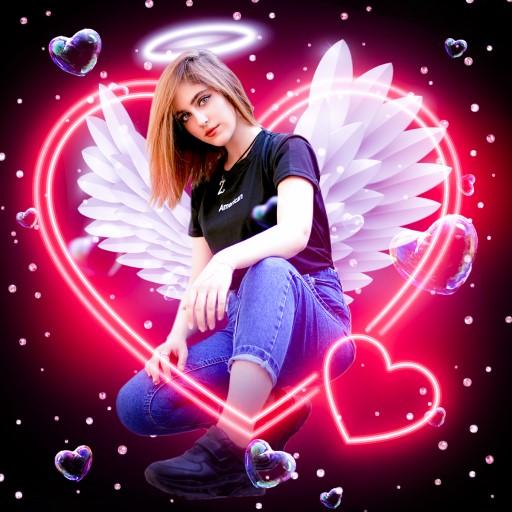
Instasquare Photo Editor: Neon
com.lyrebirdstudio.instasquare
by Photo & Video Editors - Instant Solution
Screenshots



Ad slot: Top Leaderboard
About this app
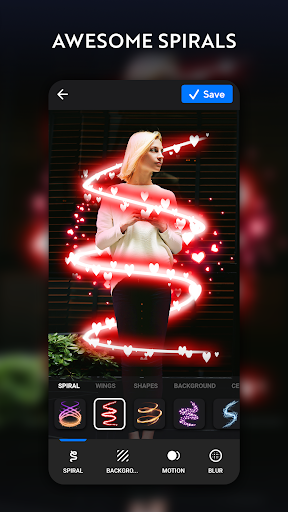
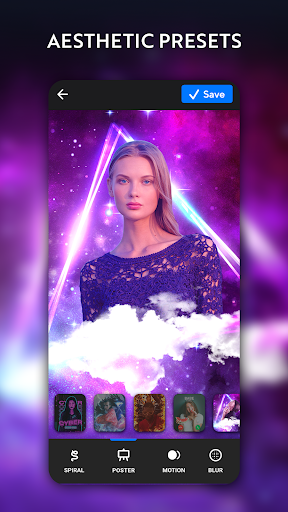
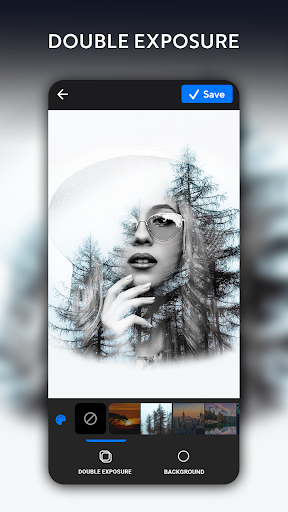
Instasquare Photo Editor: gradient outline Neon Filter, Sketch Line Artis an epic photo editing app for you to build a masterpiece with unique filters and effects. Try out new drip effect and marvelous dripping effects, grime art stickers. With Instasquare line art, you can easily edit, outline and retouch your photos, add any of various Spiral filters & effects, mirror image, blur background of your photos, implement double exposure, design a pic collage, scrapbook or exercise any of various effect to your photos with insta square :)
Lyrebird Studio presents this astonishing camera app and pic collage maker, Instasquare Neon Photo Editor: gradient Neon Filter Line Art, to you which is an epic editor to retouch your gallery :) You can easily make a fascinating collage, edit images and change photo grid with insta square size:) Have fun with sketch line art effect, adorn your photos and pictures with this %100 FREE gradient Instasquare!
Instasquare gradient Photo Tool is simply the most easy to use incredible app for fitting your image to 1:1 insta square size ratio:) You can resize your visuals for Instagram square diameters with no crop needed:) With this great outline instasquare photo editor, you can outline your pictures automatically to form a splendid neon sketch :)
Superb features of the 📷 Instasquare Photo Editor: gradient Neon, Filter Line Art
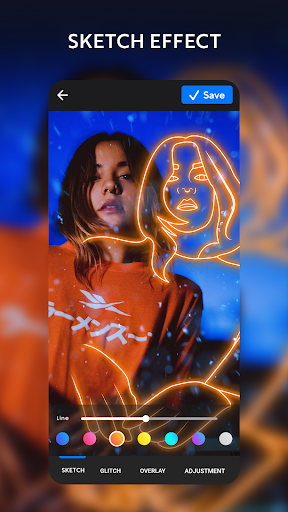
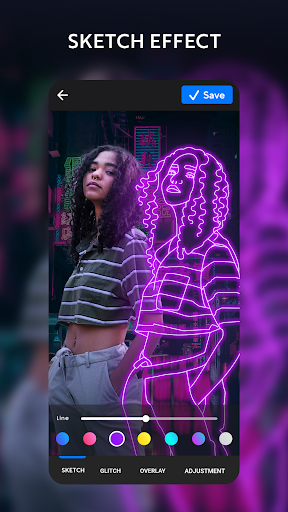
🖊️Neon Line Art & Outline Sketch Effect
◇ Advanced AI analyzes your photo and draws a white outline
◇ Adjust the outline vertically/horizontally, play with thickness and change the color of the sketch
◇ You can keep the original image behind or utilize a different background
◇ Employ an stunning outline neon filter:)
⛺Practice unique layouts and pic frames to generate aesthetic collages with this pic collage maker! Alarming pic collage maker offers you easy layouts to make photo collage and share with your friends instasize pictures on your Instagram, Snapchat, Tik Tok, Facebook, Whatsapp, etc. :) You can select from any of hundreds of awesome filter, pic grid, picture frame, background, fonts, scrapbook etc. with Instasquare Photo App!
🎨You can simply try any of legendary glitch, dslr, light leaks effects and choose from any of vintage, retro, sparkle filters with instasquare gradient :)
👯♂️ Create amazing mirror effects and reflect your pictures as insta square size :)
👑 1000+ Stickers
Instasquare awards you a variety of unbelievable stickers :) Adorn your photos with cartoons, doodles, and cute emojis :)
🐭 You can adjust your brightness, contrast, saturation with this stunning app and apply warmth, hue, blender with gradient instasquare :)
⏹You can tailor your wonderful portraits in Instagram gradient insta square fit proportions with no crop or just blur the background for the perfect fit :)
💎Stylize a scrapbook of your memories via insta square size pictures:)
🌐Share your fascinating insta square size artwork, gradient drawing, selfie instantly on social platforms such as Instagram, Facebook, Whatsapp, Snapchat, Tik Tok, VK, Tumblr, Flickr, Twitter and Pinterest :)
When it comes to photography, Lyrebird Studio’s overwhelming and fabulous Instasquare Neon Photo Editor and gradient instasquare measures and pic collage is all that you need :)
Instasquare Photo Editor: gradient instasquare volume, pic collage, filters and effects is a completely free pic editor to produce beautiful artworks :)
Lyrebird Studio presents this astonishing camera app and pic collage maker, Instasquare Neon Photo Editor: gradient Neon Filter Line Art, to you which is an epic editor to retouch your gallery :) You can easily make a fascinating collage, edit images and change photo grid with insta square size:) Have fun with sketch line art effect, adorn your photos and pictures with this %100 FREE gradient Instasquare!
Instasquare gradient Photo Tool is simply the most easy to use incredible app for fitting your image to 1:1 insta square size ratio:) You can resize your visuals for Instagram square diameters with no crop needed:) With this great outline instasquare photo editor, you can outline your pictures automatically to form a splendid neon sketch :)
Superb features of the 📷 Instasquare Photo Editor: gradient Neon, Filter Line Art
🖊️Neon Line Art & Outline Sketch Effect
◇ Advanced AI analyzes your photo and draws a white outline
◇ Adjust the outline vertically/horizontally, play with thickness and change the color of the sketch
◇ You can keep the original image behind or utilize a different background
◇ Employ an stunning outline neon filter:)
⛺Practice unique layouts and pic frames to generate aesthetic collages with this pic collage maker! Alarming pic collage maker offers you easy layouts to make photo collage and share with your friends instasize pictures on your Instagram, Snapchat, Tik Tok, Facebook, Whatsapp, etc. :) You can select from any of hundreds of awesome filter, pic grid, picture frame, background, fonts, scrapbook etc. with Instasquare Photo App!
🎨You can simply try any of legendary glitch, dslr, light leaks effects and choose from any of vintage, retro, sparkle filters with instasquare gradient :)
👯♂️ Create amazing mirror effects and reflect your pictures as insta square size :)
👑 1000+ Stickers
Instasquare awards you a variety of unbelievable stickers :) Adorn your photos with cartoons, doodles, and cute emojis :)
🐭 You can adjust your brightness, contrast, saturation with this stunning app and apply warmth, hue, blender with gradient instasquare :)
⏹You can tailor your wonderful portraits in Instagram gradient insta square fit proportions with no crop or just blur the background for the perfect fit :)
💎Stylize a scrapbook of your memories via insta square size pictures:)
🌐Share your fascinating insta square size artwork, gradient drawing, selfie instantly on social platforms such as Instagram, Facebook, Whatsapp, Snapchat, Tik Tok, VK, Tumblr, Flickr, Twitter and Pinterest :)
When it comes to photography, Lyrebird Studio’s overwhelming and fabulous Instasquare Neon Photo Editor and gradient instasquare measures and pic collage is all that you need :)
Instasquare Photo Editor: gradient instasquare volume, pic collage, filters and effects is a completely free pic editor to produce beautiful artworks :)
App Information
Version Name
2.5.8.6
Version Code
205806
File Size
71.1 MB
Minimum OS
Android 6.0+
Target SDK
Android 33
Developer
Photo & Video Editors - Instant Solution
Contact
Website
Content Rating
Everyone
Package Name
com.lyrebirdstudio.instasquarePermissions Required
This app may request the following permissions:
Recent Reviews

C Cav
1.0★
Used to be a fun little app, but ad-supported app no longer worth it. Don't bother installing. One minor edit results in several minutes of awful ads. What used to be annoying with a few ads is now untenable. Just install the paid app or find something else (I'll find something else, thanks.) There are better apps out there.

Reanna Mckenna
5.0★
this is probably my 3rd or 4th review. I've been using this app well over 6 years, both free & paid versions, and I STILL absolutely LOVE it! The design possibilities are endless.

Kagiso Mafatlha
5.0★
Been using this for a long time now and all through that time I never had any issues with it

R
4.0★
Great one-for-all app. I love the graphic filters, Sketch, and the background change, it's like Photoshop or digital art drawn by a real artist but free. I would like an option to adjust the details of the lines in the sketch function, so you can choose if you want a rough outline sketch or a finer sketch with facial features. An option to erase/add certain lines would be cool as well. And lastly the ads are really bothering me, I'd pay to remove them but there doesn't seem to be a paywall

Kimona Udeethpershad
5.0★
Much better to use now that ads have decreased.

Melissa Caldwell
5.0★
Very cool app!!! I recommend this app for photographers and artists! You can put as many lil filters and effects, on the photo that you're working on, as you want. That being said, not all the cool effects, filters, and other options, are free. Some you have to pay, a very small monthly fee, for certain options you can use to help spruce up older or brand new photos. But, all-in-all, very awesome app!
Ad slot: In-Content