

Adrenox Connect
com.mahindra.adrenox
by Mahindra & Mahindra Ltd
Screenshots





Ad slot: Top Leaderboard
About this app
Adrenox Connect is Mahindra's connected SUV solution that keeps you connected to your vehicle.
Adrenox Connect opens a whole new way of experience using your smartphone!
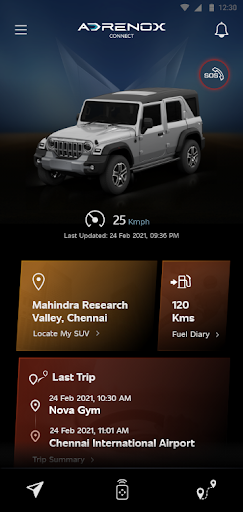
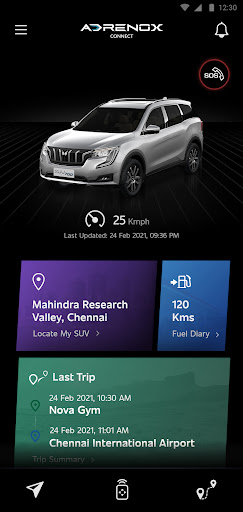
Get ready to dial up the adrenaline with Intelligent technology at your fingertips. Track your vehicle in real-time, lock & unlock it and also turn on the AC remotely and much more – All possible with just a few taps on your smartphone and smartwatch screen.
Alerts
Vehicle Information
Remote Functions
Safety Functions
Location Based Services
Partner Apps
Step to use Wear OS:
1. Download "Adrenox Connect" app in phone & login to app with given credentials
2. Connect Smart watch to phone via "Wear OS" app
3. Open Play Store in Smart Watch & Search for "Adrenox Connect" app
4. Download "Adrenox Connect" app and install in Smart Watch
5. Open "Adrenox Connect" app in smart watch after successful login from mobile app
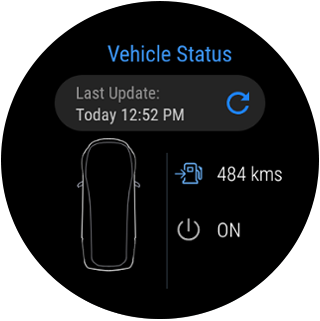
6. Splash, Home, Read Screen can be viewed on the Smart watch
Adrenox Connect opens a whole new way of experience using your smartphone!
Get ready to dial up the adrenaline with Intelligent technology at your fingertips. Track your vehicle in real-time, lock & unlock it and also turn on the AC remotely and much more – All possible with just a few taps on your smartphone and smartwatch screen.
Alerts
Vehicle Information
Remote Functions
Safety Functions
Location Based Services
Partner Apps
Step to use Wear OS:
1. Download "Adrenox Connect" app in phone & login to app with given credentials
2. Connect Smart watch to phone via "Wear OS" app
3. Open Play Store in Smart Watch & Search for "Adrenox Connect" app
4. Download "Adrenox Connect" app and install in Smart Watch
5. Open "Adrenox Connect" app in smart watch after successful login from mobile app
6. Splash, Home, Read Screen can be viewed on the Smart watch
What's New
Bug fix and improvements
App Information
Version Name
2.0.4
Version Code
41
File Size
165.0 MB
Minimum OS
Android 9+
Target SDK
Android 33
Developer
Mahindra & Mahindra Ltd
Contact
Content Rating
Everyone
Package Name
com.mahindra.adrenoxPermissions Required
This app may request the following permissions:
Recent Reviews

Manik Rzamchand
3.0★
This application worked fine initially, but it suddenly stops working and only starts again after a few days. I bought my car just six months ago, and in this short time, the app has stopped working more than 20 times. 😭 Every time I try to connect to my XUV through the app, it just keeps showing “connecting…” and then fails to connect.

Govardan Darsi
2.0★
All-over application is good. But i found a mistake. In saved routes and places. I have added places like my home, office. I selected my home in wrong loction. And there is no option to delete or edit the loction it become permanent. Even though there is a option edit it is just for rename purpose. If this is good then this app deserves 5 star

Ranjith B
1.0★
I'm very disappointed with the App experience. It connects rarely, most of the time it works near Mahindra showroom and service station.1.Connectivity issue,2.Delayed alert notifications,3.Pointing the wrong location when I check for a vehicle live location,4. Incorrect vehicle status,5. Barely connected twice for remote control, the rest of the time shows "connection" later shows alert messages "Command unsuccessful",6. Most of the controls are useless in ignition mode. Renewing is a waste.

BD
1.0★
non responsive most of the time even if signal strength is good. It is the worst product. The software will not connect to car even in good network connection. they have tied up with Vodafone which one of the worst service provider. The result is customer suffering. do not renew, if already paid for it. No improvement in app performance even after 5 months of giving the 1st feedback and lodging the issue with the dealer. Remote function does not work properly. Not worth it.

Hanuprasan G
1.0★
The app went from bad to worse. It gives wrong trip info. Most of the times it gives fuel filled alert without filling the fuel. Now the last trip detail is not getting updated for the last 2 months. I went to the service center and got the s/we reinstalled but it still doesn't work.

Samarth Hiremath
1.0★
The android auto keeps disconnecting. The fuel log is pathetic to use. It wrongly detectes fuel top ups and there is no way to delete them. The graphs are meaningless and misleading. This is even after 3-4 years of existence. And this happens to be a paid feature :O
Ad slot: In-Content