

Inventory & barcode scanner
com.maiko.scanpet
by Marcos Redondo
Screenshots
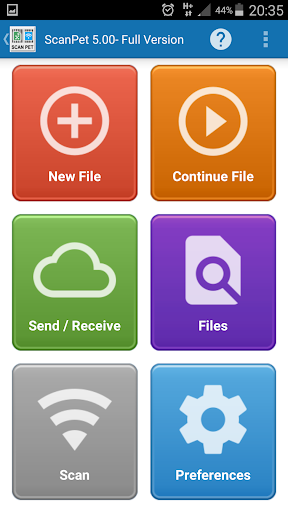
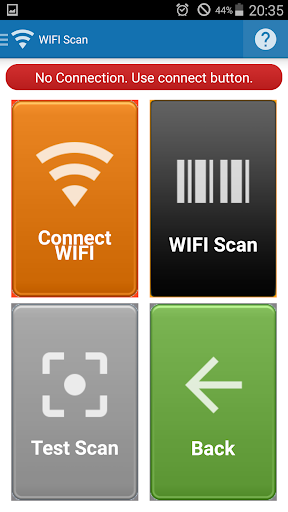


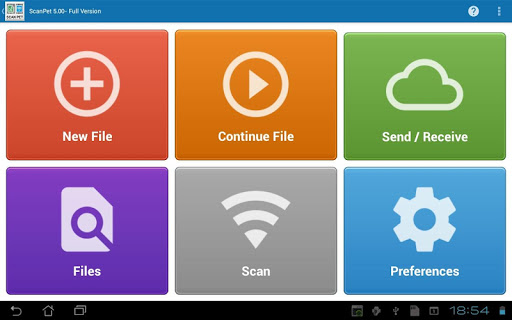


Ad slot: Top Leaderboard
About this app
Barcode scanner & Inventory app (SCANPET) is a barcode scanner, an inventory management system and a Wifi barcode scanner in one app. It will help you to manage your warehouse inventory, home inventory or business inventory. SCANPET will fast stock-taking and inventory management. It also helps in managing purchase orders and sales orders. . And it all using the integrated QR & barcode scanner or without barcodes.
So, it is a complete app to run your business inventory, your music or book collections or any kind of home inventory from mobile.
As said SCANPET includes 3 apps in one:
1) As a barcode scanner app, it uses the phone's camera and the barcode reader will quickly scan and recognize the information of barcode or QR code. It scans and read QR codes and one-dimensional and two-dimensional barcodes (QR & 1D & 2D barcodes) through the barcode scanner.
Activate the flashlight for reliable scans in dark environments and use pinch-to-zoom to read small barcodes.
Scans all QR codes & many barcodes formats.
You can use it even for your home inventory or to manage your book collection or your dvd collection, etc
On the other hand you can use it as an attendance tracker, to control employee Attendance, meetings, etc.
2) As an inventory app, it is flexible & customizable. It will help as an inventory management and inventory tracker. Also you can define your own fields for each record and your own workflows. The camera on your device is used to scan barcodes and look up item information in an Excel spreadsheet file that works as database. You can edit, delete, add items by using your own forms and record definitions. It also will let you to manage your inventory by batch scanning.
You can also keep detailed records of your inventory on your mobile device as well as update stock movements. Create, manage or control your item stock lists.
For example you can use the inventory features for:
* Inventory & Warehouse Management
* Attendance tracker & attendance roster: log attendees to a meeting, school, etc.
* Stock taking
* Inventory tracker
* Store inventory and stock managing, handle your warehouse
* Catalog your Collectibles. Build a movies collection, DVD collection, music, etc
* GPS Points of Interest (POIs): record GPS coordinates of the places you visit, like monuments, cities, beach, etc
* Also e-commerce: osCommerce, Prestashop, Magento, Ecommerce, etc
* Manage CD and DVD inventories (movies collection, music etc) using barcode scanner or typing
* Shipment Tracker: inputs and outputs from your store or warehouse.
* Sales manager: SCANPET is also a sales tracker.
* Customer manager: build a database with your customers, attendees, etc.
* Others possibilities: SCANPET features, don't finish here. Please take a time to explore, you can configure everything! like sales, payments, shipments, meetings attendance, attendance tracker, control meeting asistance, build accounting reports from the output Excel file on your PC, etc
3) WIFI terminal scanner feature: SCANPET is also a WIFI Scanner (WIFI terminal): Use this if you need to scan the bar code directly into a document on your PC. This means the phone will read the barcode and will send it through WIFI to your PC. It will be a WIFI terminal
4) You can also backup your inventory to Dropbox and Google Drive (also you can share the inventory with other users through Dropbox and Google Drive)
SCANPET uses Excel files as databases. So you won't need to import or export your data. You can even use any other Excel editor to make hot changes on the file. SCANPET will recognize these changes automatically. No need to reimport.
Barcode formats supported by barcode reader:
UPC-A,UPC-E
EAN-8,EAN-13
Code 39
Code 93
Code 128
QR
ITF
Codabar
RSS-14
SCANPET supports all Excel file formats from Excel 95 (xls and xlsx files)
Support service: [email protected]
So, it is a complete app to run your business inventory, your music or book collections or any kind of home inventory from mobile.
As said SCANPET includes 3 apps in one:
1) As a barcode scanner app, it uses the phone's camera and the barcode reader will quickly scan and recognize the information of barcode or QR code. It scans and read QR codes and one-dimensional and two-dimensional barcodes (QR & 1D & 2D barcodes) through the barcode scanner.
Activate the flashlight for reliable scans in dark environments and use pinch-to-zoom to read small barcodes.
Scans all QR codes & many barcodes formats.
You can use it even for your home inventory or to manage your book collection or your dvd collection, etc
On the other hand you can use it as an attendance tracker, to control employee Attendance, meetings, etc.
2) As an inventory app, it is flexible & customizable. It will help as an inventory management and inventory tracker. Also you can define your own fields for each record and your own workflows. The camera on your device is used to scan barcodes and look up item information in an Excel spreadsheet file that works as database. You can edit, delete, add items by using your own forms and record definitions. It also will let you to manage your inventory by batch scanning.
You can also keep detailed records of your inventory on your mobile device as well as update stock movements. Create, manage or control your item stock lists.
For example you can use the inventory features for:
* Inventory & Warehouse Management
* Attendance tracker & attendance roster: log attendees to a meeting, school, etc.
* Stock taking
* Inventory tracker
* Store inventory and stock managing, handle your warehouse
* Catalog your Collectibles. Build a movies collection, DVD collection, music, etc
* GPS Points of Interest (POIs): record GPS coordinates of the places you visit, like monuments, cities, beach, etc
* Also e-commerce: osCommerce, Prestashop, Magento, Ecommerce, etc
* Manage CD and DVD inventories (movies collection, music etc) using barcode scanner or typing
* Shipment Tracker: inputs and outputs from your store or warehouse.
* Sales manager: SCANPET is also a sales tracker.
* Customer manager: build a database with your customers, attendees, etc.
* Others possibilities: SCANPET features, don't finish here. Please take a time to explore, you can configure everything! like sales, payments, shipments, meetings attendance, attendance tracker, control meeting asistance, build accounting reports from the output Excel file on your PC, etc
3) WIFI terminal scanner feature: SCANPET is also a WIFI Scanner (WIFI terminal): Use this if you need to scan the bar code directly into a document on your PC. This means the phone will read the barcode and will send it through WIFI to your PC. It will be a WIFI terminal
4) You can also backup your inventory to Dropbox and Google Drive (also you can share the inventory with other users through Dropbox and Google Drive)
SCANPET uses Excel files as databases. So you won't need to import or export your data. You can even use any other Excel editor to make hot changes on the file. SCANPET will recognize these changes automatically. No need to reimport.
Barcode formats supported by barcode reader:
UPC-A,UPC-E
EAN-8,EAN-13
Code 39
Code 93
Code 128
QR
ITF
Codabar
RSS-14
SCANPET supports all Excel file formats from Excel 95 (xls and xlsx files)
Support service: [email protected]
What's New
SCANPET v7.70 uses column customization to define excel forms. So you edit the Excel file using a form. Available datatypes: string,number,lists of values,date,time,photo, latitude,longitude, etc.
And you can define powerfull filters and search for rows easyly.
Now the application has a usefull wizard to help you to configure the app.
With the customization of columns you can add or modify as many fields as you want on Excel file. So now you can work with Excel rows like if they were a form.
And you can define powerfull filters and search for rows easyly.
Now the application has a usefull wizard to help you to configure the app.
With the customization of columns you can add or modify as many fields as you want on Excel file. So now you can work with Excel rows like if they were a form.
App Information
Version Name
5.08
Version Code
158
File Size
6.6 MB
Minimum OS
Android 9+
Target SDK
Android 21
Developer
Marcos Redondo
Contact
Website
Content Rating
Everyone
Package Name
com.maiko.scanpetPermissions Required
This app may request the following permissions:
Recent Reviews

Mark Tarachand
5.0★
The app is working fine for me. Just be aware to keep the first column as your index (not editable and unique identifier) in order to avoid duplicate entries. If you have are going by serial numbers you might use those. App is working as it should and exports to my Google Drive as backup and for editing spreadsheet. I needed a small, easy app for a small inventory and that app does it for me.

FatalXE
5.0★
Best app for inventory scanning here. Only one that actually works and scans all types of barcodes. After you figure out how you can use the custom Excel columns and how the output and template files work is pretty straight forward and makes sense. The app shows you only one ad a day but I recommend buying it. There is one small ad that shows after scanning each item and moves the green confirm button which can be annoying

A Google user
5.0★
I use Scan Pet to manage an inventory of hundreds of similar items. I had tried and failed to do this using a spreadsheet, and also using a text file - with these it was easy to make mistakes, to leave gaps, and it was fiddly to enter each row of data. Scan Pet gives me the ability to decide what data I would like to capture, it helps me control what data should be reused for each item, and what should be set every time. When I've made those decisions, and I'm entering the items, Scan Pet provides an easy way to recognise each thing (by its bar code), and a tidy form based interface to capture just the data that I want; it will make sure that any necessary fields are filled in, and there is never any worry about entering data on the wrong line - leaving a gap or overwriting a previous value. Finally, I emailed the developer with a suggestion for improvement and received a friendly and helpful response the same day. If you're looking for an app to manage any kind of inventory or collection, I can't recommend this highly enough.

Kevin Philpott
3.0★
Can only give 3 stars as not been able to test it, quite simply it doesn't do what I need. I need to be able to scan 3 barcodes per item, this is limited to one. However it looks very good, but I did find the control a bit awkward, every time I tried to see if I could add an extra barcode and was presented with a list of criteria, when I pressed x to close the list it closes the sheet... that could be improved. So 3 stars not as a critique, just unable to test enough due to unsuitability.

Yongwen
1.0★
I purchased years ago. It worked great. I switched phones and twice have had to purchased the app again. The scanner is not recording properly and duplicating items that is causing huge issues with inventory and shipping!
A Google user
4.0★
Great inventory application! I was able to upload an Excel file of the items we inventory into this app and then proceeded to find out how much stock we really had on hand by scanning the items with my phone! I was even able to add items with ease, as we scanned! Nice job setting up this app! It's a must have for anyone who needs to coordinate inventory work.
Ad slot: In-Content