

Mary Kay® Skin Analyzer
com.marykay.skinsight.android.flavorProd
by Mary Kay, Inc
Screenshots




Ad slot: Top Leaderboard
About this app
NEW! Now available for customers to use in conjunction with their Mary Kay Independent Beauty Consultant. Thanks for supporting a small business!
Mary Kay® Skin Analyzer is a tool that brings skin care and technology together at your fingertips.
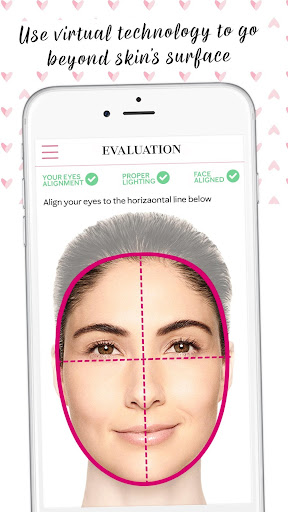
With one scan, Skin Analyzer will highlight subtle signs of aging that can be easy to miss.
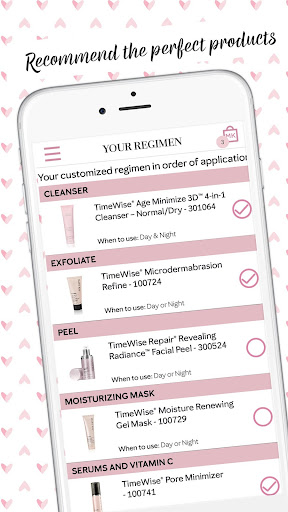
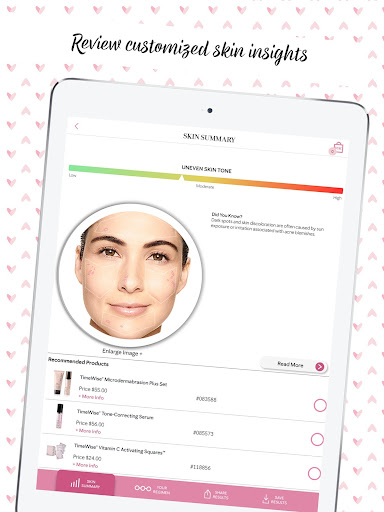
By detecting wrinkles, uneven skin tone and texture, Skin Analyzer will offer product recommendations for each customer.
Of course, nothing can replace the extensive product knowledge of a Mary Kay® Independent Beauty Consultant. You can connect with your Independent Beauty Consultant or if you don't have one, we'll help you find one nearby.
Key Features
• Skin Analyzer uses facial skin recommendation technology to evaluate your skin for personalized Mary Kay® product recommendations.
• Compares your skin against database of over 80,000 facial profiles to recommend the best Mary Kay® products.
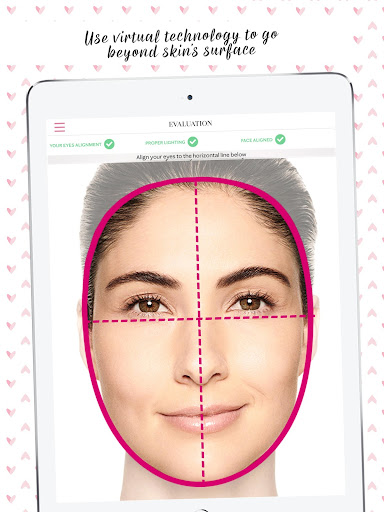
• Provides images that visually indicate what the app has detected for each aspect of your skin it is highlighting (skin texture, number and depth of wrinkles, skin tone and undereye appearance).
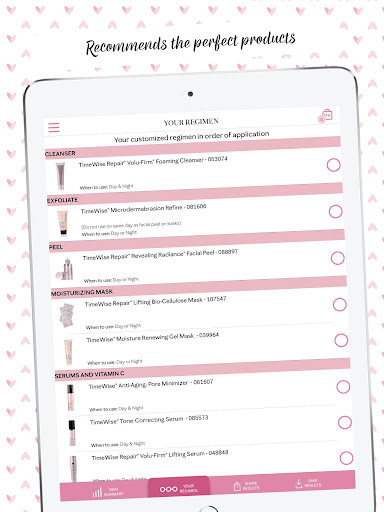
• Generates product recommendations in order of application which can be via text or email.
• Contains information and benefits for each Mary Kay® product.
Mary Kay® Skin Analyzer is a tool that brings skin care and technology together at your fingertips.
With one scan, Skin Analyzer will highlight subtle signs of aging that can be easy to miss.
By detecting wrinkles, uneven skin tone and texture, Skin Analyzer will offer product recommendations for each customer.
Of course, nothing can replace the extensive product knowledge of a Mary Kay® Independent Beauty Consultant. You can connect with your Independent Beauty Consultant or if you don't have one, we'll help you find one nearby.
Key Features
• Skin Analyzer uses facial skin recommendation technology to evaluate your skin for personalized Mary Kay® product recommendations.
• Compares your skin against database of over 80,000 facial profiles to recommend the best Mary Kay® products.
• Provides images that visually indicate what the app has detected for each aspect of your skin it is highlighting (skin texture, number and depth of wrinkles, skin tone and undereye appearance).
• Generates product recommendations in order of application which can be via text or email.
• Contains information and benefits for each Mary Kay® product.
App Information
Version Name
1.4.11
Version Code
540
File Size
33.4 MB
Minimum OS
Android 6.0+
Target SDK
Android 33
Developer
Mary Kay, Inc
Contact
Website
Content Rating
Everyone
Package Name
com.marykay.skinsight.android.flavorProdPermissions Required
This app may request the following permissions:
Recent Reviews

D Collins
5.0★
Love it. Mary Kay skin analyzer app. It's very useful for my clients, and they love it too. It shows that your skin is dry, oily, combination, etc, wrinkles, puffiness, etc. It can be a little frustrating to line up the cross hairs sometimes in the right spot. Could use a little more guidance with that. Love the usefulness though. Helps clients determine their skin type and which products may be best suited to them.

Wayne Macauley
1.0★
Nice idea by a reputable company, but in practice the app is a waste of time. The eye alignment is way off, it only comes on when it's on my eyebrows and only for a fraction of a second then. I could be out in the Florida Sun, in the shade, under a canopy, or inside and the lighting will be correct only momentarily. Perhaps if one owns a cell phone camera stand and professional photography lighting equipment they might have a chance at getting all three factors functioning simultaneously.

Evonne “Evie” Mulligan
5.0★
I need it to take my photo so I can use it. Otherwise I like it. It will help me with the lip sticks and glosses.

Rayna Thompson
1.0★
Couldn't get the "proper lighting" on scan to work. I think it might be because my naked 60 year old skin is medium light and not perfectly even like a 20 yearn old. Probably nice, if it worked. But it doesn't fo anything when it won't scan. I tried more than one lighting source and angles etc. Would be helpful if camera MP requirements were listed. Facial/Eye alignment is really odd, like across my cheeks l unless I tilt my face at an angle to the screen. Very weird.

Teresa Grimes
4.0★
You have to be in a well lit room to analyze your skin. I was amazed how accurate the analysis was. I like that I can order products through this app. It took a minute for me to figure out that I had to touch each section to see the actual analysis, but was easy to navigate. I just wish I could share my results to Facebook. Otherwise, this app is awesome!

Kathleen Langley
1.0★
It has to scan a picture of your face. It wouldn't work with my phone's front camera, so I tried holding it backwards and using a mirror to line up my face. I saw the green check marks, and waited a little, thinking it would analyze my face. When I turned my phone around, the green checkmarks disappeared and it didn't work. So you have to have a high resolution front-facing camera on your phone to use this.
Ad slot: In-Content