

AnySoftKeyboard
com.menny.android.anysoftkeyboard
by AnySoftKeyboard
Screenshots



Ad slot: Top Leaderboard
About this app
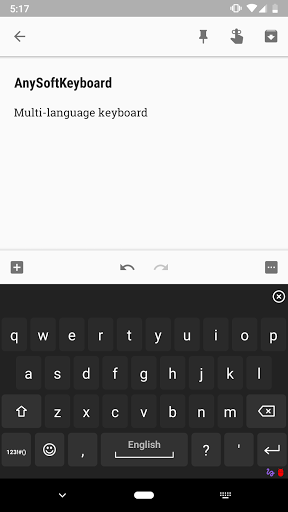
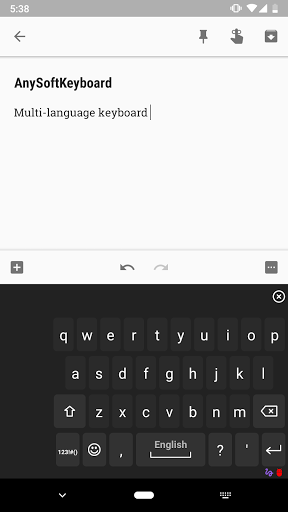
Any Soft Keyboard is an open-source, on-screen keyboard with multiple languages support with emphasis on privacy.
This is one of the most customizable keyboards available.
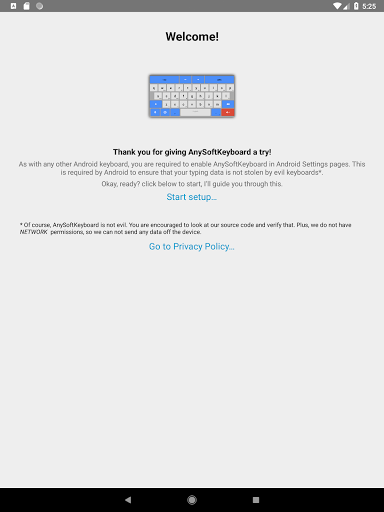
To activate: Launch 'AnySoftKeyboard Settings' App, and follow the instructions.
Main features:
* Multi languages keyboard support via external packages.
* Completion dictionaries for multiple languages.
* Also completes your typed words from you contacts names (Android 2.0+)!
* And, learns your typing behavior to provide next-word prediction.
* Multi-Touch support (as in, pressing SHIFT along with other characters).
* Extension keyboard (swipe your finger all the way up out of the keyboard).
* Voice Input support (Android 2.2+).
* Compact/Phablet Mode.
* Gesture support:
** Experimental Gesture-Typing (enable in the Settings app).
** Swipe left or right to switch layouts.
** Swipe up to shift.
** Swipe down to close the keyboard.
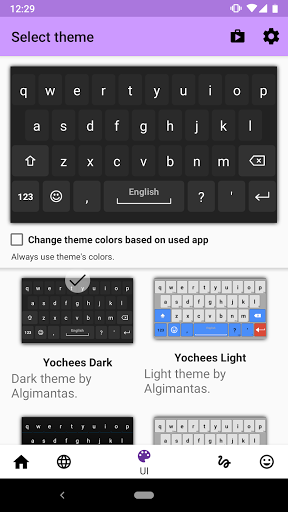
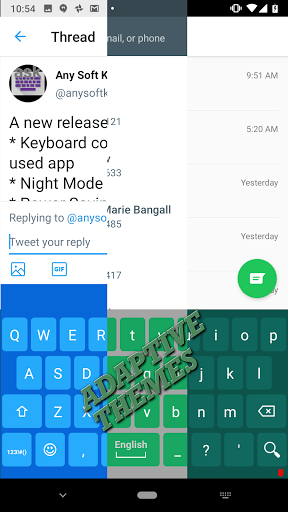
* Theme support (comes with a few built-in skins, and more available in Play Store).
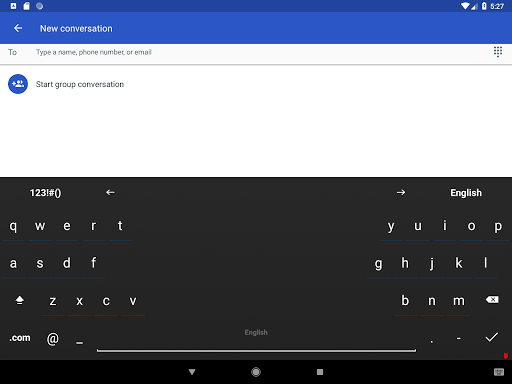
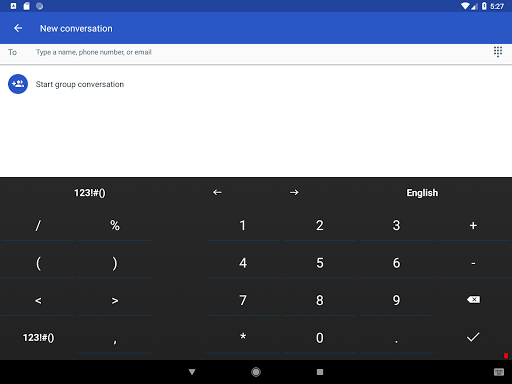
* Night Mode: Quiet, Dark keyboard at night time (enable in the Settings app).
* Power-Saving Mode: No vibrations, sound, suggestions and a dark theme (enable in the Settings app).
* Build-in user dictionary words editor.
* Build-in abbreviations dictionary: create shortcuts for words and sentences.
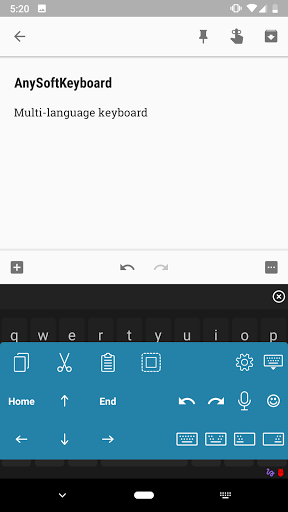
* Utility keyboard (swipe up from space-bar):
** Clipboard actions copy, paste, select-all, select selectively (long-press select and use arrow keys).
** Voice input
** Arrows
* And many more features!
Support at: https://github.com/AnySoftKeyboard
This is one of the most customizable keyboards available.
To activate: Launch 'AnySoftKeyboard Settings' App, and follow the instructions.
Main features:
* Multi languages keyboard support via external packages.
* Completion dictionaries for multiple languages.
* Also completes your typed words from you contacts names (Android 2.0+)!
* And, learns your typing behavior to provide next-word prediction.
* Multi-Touch support (as in, pressing SHIFT along with other characters).
* Extension keyboard (swipe your finger all the way up out of the keyboard).
* Voice Input support (Android 2.2+).
* Compact/Phablet Mode.
* Gesture support:
** Experimental Gesture-Typing (enable in the Settings app).
** Swipe left or right to switch layouts.
** Swipe up to shift.
** Swipe down to close the keyboard.
* Theme support (comes with a few built-in skins, and more available in Play Store).
* Night Mode: Quiet, Dark keyboard at night time (enable in the Settings app).
* Power-Saving Mode: No vibrations, sound, suggestions and a dark theme (enable in the Settings app).
* Build-in user dictionary words editor.
* Build-in abbreviations dictionary: create shortcuts for words and sentences.
* Utility keyboard (swipe up from space-bar):
** Clipboard actions copy, paste, select-all, select selectively (long-press select and use arrow keys).
** Voice input
** Arrows
* And many more features!
Support at: https://github.com/AnySoftKeyboard
What's New
* Support for Android 15.
* Clipboard support improvements.
* A few Settings app navigation fixes.
* Vibration fixes.
* Suggestions pick and order fixes.
* Improved pop-up keys order.
* Gesture-typing improvements.
* Support for Direct-Boot devices.
* Reduced installation size (for supporting devices).
* Updated translations from the community (at crowdin.net).
More here: https://github.com/AnySoftKeyboard/AnySoftKeyboard/milestone/94
* Clipboard support improvements.
* A few Settings app navigation fixes.
* Vibration fixes.
* Suggestions pick and order fixes.
* Improved pop-up keys order.
* Gesture-typing improvements.
* Support for Direct-Boot devices.
* Reduced installation size (for supporting devices).
* Updated translations from the community (at crowdin.net).
More here: https://github.com/AnySoftKeyboard/AnySoftKeyboard/milestone/94
App Information
Version Name
1.7.902
Version Code
1297
File Size
3.6 MB
Minimum OS
Android 5.0+
Target SDK
Android 23
Developer
AnySoftKeyboard
Contact
Website
Content Rating
Everyone
Package Name
com.menny.android.anysoftkeyboardPermissions Required
This app may request the following permissions:
Recent Reviews

K
4.0★
Needs spellcheck. There are 2 items that need to change. 1. Add spellcheck options. I don't want to use Google for spellcheck and this keyboard does not show a red line under misspelled words. Auto correct is pretty good with one notable exception. 2. There are too many symbols on the bottom row. You could condense the punctuation,which would make the space bar bigger. The small space bar makes it difficult to type words properly and when you miss a space, autocorrect is not built for this.

Kittyzz
4.0★
Honestly I love this keyboard, it's private, it has autocorrect, and its easy to navigate symbols/letters. A couple of quality of life things though: I'd love for the apostrophe/period and the question/comma buttons to be consolidated so there can be a bigger space bar, and also a theme to get rid of the arrow keys, I generally don't need those so it'd be nice to have it an optional toggle so I can have a shorter keyboard. Other than that the switch to this keyboard has been smooth!

Susan Schultz
3.0★
Negative 1 for COVID ad on top of keyboard. Really not needed and is destracting. Cant find a way to get rid of it. Ultimately uninstalling because of that. Otherwise OK keyboard as far as privacy keyboards go, but still like openboard better. This has more customization (and I really like the animation), but spell check doesn't seem to be as good. It also takes a little bit to get use to the layout (not too long though)

Gareth Gedamke
3.0★
It's OK. So far the best alternative I've found for privacy. Swype input still needs some tweaking, keyboard language randomly changes from what I had it set at. Autocorrect is somewhat limited and sometimes doesn't know what I mean when I'm only one letter away from a word and when you go back to correct a word, you have to watch because ot only looks at the part you just fixed instead of the whole word and tries to correct that.

A Google user
4.0★
I really like this keyboard a lot and I feel that this keyboard will quickly be my main keyboard to use. Its really customizable and simple to use. One thing I do wish was implemented better is the gestured option to delete.For example, I feel like whenever I swipe left to delete it is hit or miss. I usually end up selecting text instead of deleting a word. It needs to feel more sensitive. To be entirely honest I am not sure if there is an option for this since there are a lot of options available but not organized that well. Overall I would say it is still the best keyboard out there.

Mathew Senn
2.0★
I really have tried to like this. I installed it becuase I read they don't sell your data like the gboard. JFC this thing is slow, I have to back up and retype due to inaccuracies all the time (the period is too close to the spacebar, tell my muscle memory this). I want to like it, I really do but its awful. I type faster on a 15 year old Nokia with 12 buttons.
Ad slot: In-Content