

Microsoft Family Safety
com.microsoft.familysafety
by Microsoft Corporation
Screenshots
Ad slot: Top Leaderboard
About this app
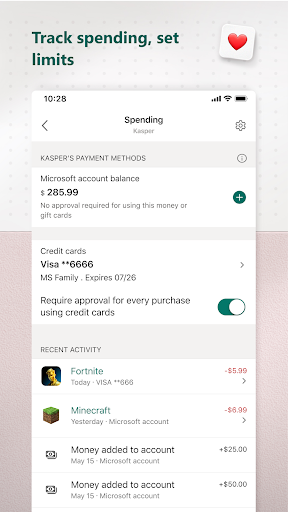
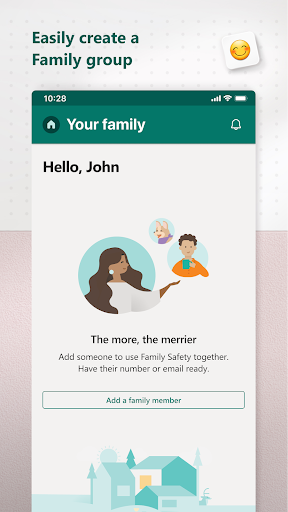
The Microsoft Family Safety app helps empower you and your family to create healthy habits and protect the ones you love. Get peace of mind that your family is staying safer while giving your kids independence to learn and grow.
This app is designed for both parents and kids.
For parents, it helps to create a safe space for their children to explore online. Set parental controls to filter inappropriate apps and games and set browsing to kid-friendly websites on Microsoft Edge.
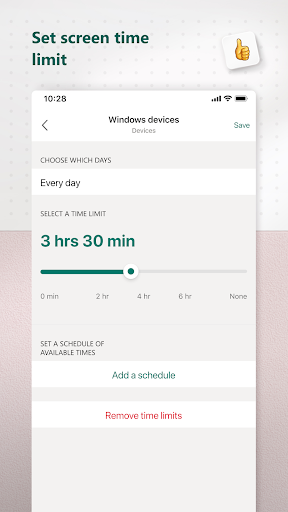
Help your kids balance their screen time activity. Set limits for specific apps and games on Android, Xbox, or Windows. Or use device management to set screen time limits across devices on Xbox and Windows.
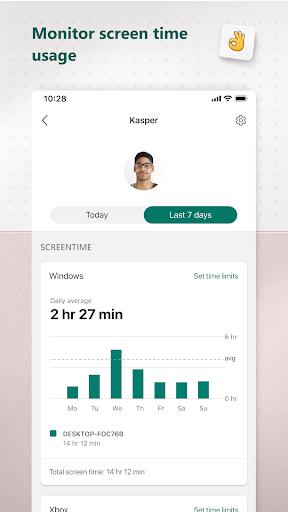
Use activity reporting to better understand your family's digital activity. View your kids’ activity in a weekly email to help start a conversation about online activity.
For kids, it ensures their safety in the digital world by adhering to parental controls and accessing age-appropriate content.
Microsoft Family Safety features:
Activity reports – Develop healthy digital habits
• Activity log of screen time and online usage
• Weekly email summary report of activity
Screen time – Find a balance
• Screen time app and game limits on Xbox, Windows, Android
• Screen time device limits on Xbox and Windows
• Get notified if your child requests more time
Content filters – Explore safely
• Web filters for kid-friendly browsing on Microsoft Edge
• Block inappropriate apps and games
Privacy & Permissions
Your privacy is important to us. We work around the clock to protect your data and information to help you keep your family safe. For example, we do not sell or share your location data with insurance companies or data brokers. We provide you with meaningful choices about how and why data is collected and used and give you the information you need to make the choices that are right for you and your family.
With your child’s consent, Microsoft Family Safety may collect interaction data using accessibility, app usage, and device admin service permissions. This allows us to: know when they are using an app, exit an app on their behalf, or block apps that are not allowed.
Disclaimers
This app is provided by either Microsoft or a third-party app publisher and is subject to a separate privacy statement and terms and conditions. Data provided through the use of this store and this app may be accessible to Microsoft or the third-party app publisher, as applicable, and transferred to, stored and processed in the United States or any other country where Microsoft or the app publisher and their affiliates or service providers maintain facilities.
This app is designed for both parents and kids.
For parents, it helps to create a safe space for their children to explore online. Set parental controls to filter inappropriate apps and games and set browsing to kid-friendly websites on Microsoft Edge.
Help your kids balance their screen time activity. Set limits for specific apps and games on Android, Xbox, or Windows. Or use device management to set screen time limits across devices on Xbox and Windows.
Use activity reporting to better understand your family's digital activity. View your kids’ activity in a weekly email to help start a conversation about online activity.
For kids, it ensures their safety in the digital world by adhering to parental controls and accessing age-appropriate content.
Microsoft Family Safety features:
Activity reports – Develop healthy digital habits
• Activity log of screen time and online usage
• Weekly email summary report of activity
Screen time – Find a balance
• Screen time app and game limits on Xbox, Windows, Android
• Screen time device limits on Xbox and Windows
• Get notified if your child requests more time
Content filters – Explore safely
• Web filters for kid-friendly browsing on Microsoft Edge
• Block inappropriate apps and games
Privacy & Permissions
Your privacy is important to us. We work around the clock to protect your data and information to help you keep your family safe. For example, we do not sell or share your location data with insurance companies or data brokers. We provide you with meaningful choices about how and why data is collected and used and give you the information you need to make the choices that are right for you and your family.
With your child’s consent, Microsoft Family Safety may collect interaction data using accessibility, app usage, and device admin service permissions. This allows us to: know when they are using an app, exit an app on their behalf, or block apps that are not allowed.
Disclaimers
This app is provided by either Microsoft or a third-party app publisher and is subject to a separate privacy statement and terms and conditions. Data provided through the use of this store and this app may be accessible to Microsoft or the third-party app publisher, as applicable, and transferred to, stored and processed in the United States or any other country where Microsoft or the app publisher and their affiliates or service providers maintain facilities.
What's New
- General bug fixes.
App Information
Version Name
1.26.2.1015
Version Code
201015
File Size
52.1 MB
Minimum OS
Android 9+
Target SDK
Android 33
Developer
Microsoft Corporation
Contact
Website
Content Rating
Everyone
Package Name
com.microsoft.familysafetyPermissions Required
This app may request the following permissions:
Recent Reviews

Damon Farrington
2.0★
Update. Just doubling down. Forgot I had left the review. The last few times I tried to add money (never the exact amount needed) the process stalled out in the app. Did the money transfer? Who knows! Should I hit the button again or will I be double charged? Had to use the web page. --- So frustrating to add money in large denominations, always leaving leftover funds. And when I bought more MS/xbox money than I needed to the balance still shows as zero until after I add more money. Frustrating!

Eric Shaffer
2.0★
This App is far inferior to Xbox family, which makes it that much more frustrating. The UI is counterintuitive, it pulls in XBox but not in a useful manner, and it's lacking control features. I cannot add bonus time without a request, and once my child is out of time the request won't process as the Internet connection is blocked. Just copy XBox Family for Windows devices and we'll all be better off.

Ray C
1.0★
App initially worked, now it doesn't even track screen time at all on some days even after hours, 0 minutes used. I see online this is a common complaint. Excited to see an update on September but it just says "General bug fixes". This isn't some startup without funding to fix, it's just not prioritized at all but Microsoft. I switched to Qustodio (free tier) and it's working much better so far.

Jan-Harm Nieland
2.0★
This app has a couple of issues Adding screen time takes too much time to take effect and sometimes it doesn't work at all. Sometimes trying again works, sometimes it doesn't. For the initial amount of screen time it can be used during the whole day, half an hour in the morning, some time in the afternoon and/or in the evening. When you add screen time it works completely different, if you add 1 hour it means that your kid can use that screen time only in the next 60 minutes.

Eugene Pivovarov
1.0★
I've been using MS Family for five years and, regrettably, it's getting worse and worse. There are numerous instructions on the internet about how to go around the restrictions. Website controls, app controls, time controls--all of these are now mere inconveniences and are not controls at all. At least in the past, when used without hacks, MS Family worked. Unfortunately, this is no longer the case. When I approve a request for additional time, it takes no effect and the system remains locked.

Philip O'Carroll
1.0★
Update, after 3 years, it is still just as annoying, awkward and buggy. E.g. "Give more time" regularly fails to work. I reproduced several errors and sent logs multiple times to MS, but it has never been fixed. By the way I tested the search term flagging and it simply does not work. You can log in as a child, search for all kinds of dodgy stuff and it just does not notice. I am not interested in helping you debug your own broken software.
Ad slot: In-Content