
Microsoft Excel: Spreadsheets
com.microsoft.office.excel
by Microsoft Corporation
Screenshots


Ad slot: Top Leaderboard
About this app
Budgeting, chart creation, data analytics and more – all at your fingertips. The Excel spreadsheet and budgeting app lets you create, view, edit and share files, charts and data. Excel’s built-in file editor lets you manage your finances with on-the-go budget and expense tracking integration. We make it easy to review and analyze data, edit templates, and more.
With Excel you can confidently edit documents, track expenses, and compile charts and data . Create charts directly from your phone for convenient data analysis, accounting, and financial management. Access to spreadsheets, pivot tables and chart makers make budgeting in Excel easy.
Make spreadsheets and data files with robust formatting tools and features that boost your productivity. Build charts and sheets that meet specific needs with Excel’s wide array of worksheet resources.
Spreadsheets, business collaboration, charts and data analysis tools all on your phone with Microsoft Excel.
Microsoft Excel Features:
Spreadsheets & Calculations
• Create charts, budgets, task lists, accounting & financial analysis with Excel's modern templates.
• Use an accounting calculator, data analysis tools & familiar formulas to run calculations on spreadsheets.
• Workbook sheets and charts are easier to read and use with rich features & formatting options.
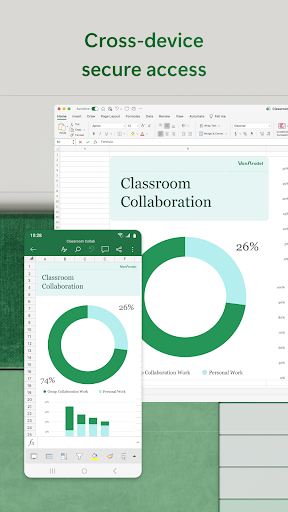
• Spreadsheet & chart features, formats & formulas operate the same way on any device.
Accounting, Budget & Expense Tracking
• Budget Template: Spreadsheets & charts help calculate budget needs.
• Budget Planner: Budget templates & tools to help you drill down to your finance needs.
• Budget Tracker: Track expenses & save money.
• Accounting app: Use as a tax calculator for estimates, personal finances & more.
Data Analysis
• Chart maker: Annotate, edit & insert charts that bring data to life.
• Data analysis: Add & edit chart labels to highlight key insights.
• Budget tracker: Track expenses with a personal budget template.
• Pivot Charts and spreadsheet visualization tools offer easily digestible formats.
Review and Edit
• File editor: Edit documents, charts and data from anywhere.
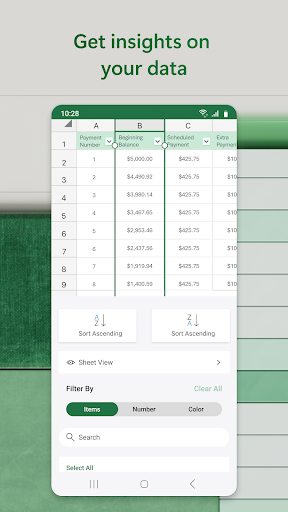
• Data analysis features like sort & filter columns.
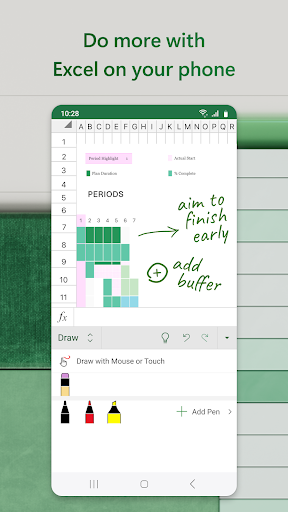
• Annotate charts, highlight parts of worksheets, create shapes & write equations with the draw tab on devices with touch capabilities.
Collaborate and Work Anywhere
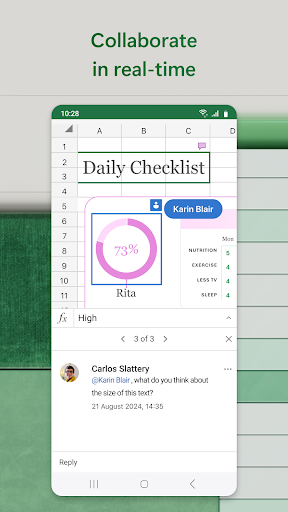
• Share files & Excel sheets in a few taps to invite others to edit, view or leave comments.
• Edit & copy your worksheet in the body of an email or attach a link to your workbook.
Microsoft Excel is your all-in-one expense manager, chart maker, budget planner, and more. Get more done today with extensive spreadsheet tools to enhance your productivity.
REQUIREMENTS:
1 GB RAM or above
To create or edit documents, sign in with a free Microsoft account on devices with a screen size smaller than 10.1 inches.
Unlock the full Microsoft 365 experience with a qualifying Microsoft 365 subscription for your phone, tablet, PC and Mac.
Microsoft 365 subscriptions purchased from the app will be charged to your Play Store account and will automatically renew within 24 hours prior to the end of the current subscription period, unless auto-renewal is disabled beforehand. You can manage your subscriptions in your Play Store account settings. A subscription cannot be cancelled during the active subscription period.
This app is provided by either Microsoft or a third-party app publisher and is subject to a separate privacy statement and terms and conditions. Data provided through the use of this store and this app may be accessible to Microsoft or the third-party app publisher, as applicable, and transferred to, stored, and processed in the United States or any other country where Microsoft or the app publisher and their affiliates or service providers maintain facilities.
Please refer to Microsoft's EULA for Terms of Service for Microsoft 365 on Android. By installing the app, you agree to these terms and conditions: http://aka.ms/eula
With Excel you can confidently edit documents, track expenses, and compile charts and data . Create charts directly from your phone for convenient data analysis, accounting, and financial management. Access to spreadsheets, pivot tables and chart makers make budgeting in Excel easy.
Make spreadsheets and data files with robust formatting tools and features that boost your productivity. Build charts and sheets that meet specific needs with Excel’s wide array of worksheet resources.
Spreadsheets, business collaboration, charts and data analysis tools all on your phone with Microsoft Excel.
Microsoft Excel Features:
Spreadsheets & Calculations
• Create charts, budgets, task lists, accounting & financial analysis with Excel's modern templates.
• Use an accounting calculator, data analysis tools & familiar formulas to run calculations on spreadsheets.
• Workbook sheets and charts are easier to read and use with rich features & formatting options.
• Spreadsheet & chart features, formats & formulas operate the same way on any device.
Accounting, Budget & Expense Tracking
• Budget Template: Spreadsheets & charts help calculate budget needs.
• Budget Planner: Budget templates & tools to help you drill down to your finance needs.
• Budget Tracker: Track expenses & save money.
• Accounting app: Use as a tax calculator for estimates, personal finances & more.
Data Analysis
• Chart maker: Annotate, edit & insert charts that bring data to life.
• Data analysis: Add & edit chart labels to highlight key insights.
• Budget tracker: Track expenses with a personal budget template.
• Pivot Charts and spreadsheet visualization tools offer easily digestible formats.
Review and Edit
• File editor: Edit documents, charts and data from anywhere.
• Data analysis features like sort & filter columns.
• Annotate charts, highlight parts of worksheets, create shapes & write equations with the draw tab on devices with touch capabilities.
Collaborate and Work Anywhere
• Share files & Excel sheets in a few taps to invite others to edit, view or leave comments.
• Edit & copy your worksheet in the body of an email or attach a link to your workbook.
Microsoft Excel is your all-in-one expense manager, chart maker, budget planner, and more. Get more done today with extensive spreadsheet tools to enhance your productivity.
REQUIREMENTS:
1 GB RAM or above
To create or edit documents, sign in with a free Microsoft account on devices with a screen size smaller than 10.1 inches.
Unlock the full Microsoft 365 experience with a qualifying Microsoft 365 subscription for your phone, tablet, PC and Mac.
Microsoft 365 subscriptions purchased from the app will be charged to your Play Store account and will automatically renew within 24 hours prior to the end of the current subscription period, unless auto-renewal is disabled beforehand. You can manage your subscriptions in your Play Store account settings. A subscription cannot be cancelled during the active subscription period.
This app is provided by either Microsoft or a third-party app publisher and is subject to a separate privacy statement and terms and conditions. Data provided through the use of this store and this app may be accessible to Microsoft or the third-party app publisher, as applicable, and transferred to, stored, and processed in the United States or any other country where Microsoft or the app publisher and their affiliates or service providers maintain facilities.
Please refer to Microsoft's EULA for Terms of Service for Microsoft 365 on Android. By installing the app, you agree to these terms and conditions: http://aka.ms/eula
What's New
Thank you for using Excel.
We regularly release updates to the app, which include great new features, as well as improvements for speed and reliability.
Did you know that with a Microsoft 365 subscription, you can unlock the full power of Office across all of your devices? Find special offers in the app.
We regularly release updates to the app, which include great new features, as well as improvements for speed and reliability.
Did you know that with a Microsoft 365 subscription, you can unlock the full power of Office across all of your devices? Find special offers in the app.
App Information
Version Name
16.0.17531.20088
Version Code
2004005619
File Size
230.4 MB
Min SDK
Android 29+
Target SDK
Android 34
Developer
Microsoft Corporation
Contact
Website
Content Rating
Everyone
Package Name
com.microsoft.office.excelPermissions Required
This app may request the following permissions:
Recent Reviews

Sherri J
1.0★
App has lots of bugs. Data randomly disappears, & I cant find a reason behind it. at least once a month, the app says I don't have permission to make edits. The only fix is to uninstall & reinstall the app, which is not efficient. Every few days, all of my spreadsheets are locked out on my phone, & I have to log in again, although it shows I am logged in. Everything else Office365 and One drive still work, but excel locks up. This happens also happens when its in use. File just vanishes.

B Rainforest
2.0★
Very hard to use because the search bar disappears while you're going through search and trees, the tab bar at the bottom disappears when it wants to. the positive is that the online sync seems to work really well so far. overall - Google Sheets is way better... but that has problems with the online sync for me sometimes.

Kez369
4.0★
I like the program and I'm learning how to use it on my Android phone. I'd like to be able to save a link to the Excel sheet I'm working on on. I'm given the option to do so and accept it. It will work for a day or so, but then I receive a message that "I can't access it from this location". Sometimes it's displayed only vertically and other times I can access my pages horizontally, as if a different Excel program takes over. I use the program mostly for data, not accounting.

Ginesha Robinson
2.0★
I switched from using Sheets to Excel because I like Excel's desktop functionality and I thought the app would be great for on the go use. However, I've had problem after problem. I get kicked out of my profile. I get told there's no account associated with my email. The desktop data doesn't always transfer to the app/web version. Whole spreadsheets will go missing from the app and are only available on desktop even though I used the app before. I may go back to using Sheets.

David Chien
1.0★
Has an Extremely serious bug that results in data loss! Excel fails to stage file saves, so when exiting and edited file, it tries to save .... but occasionally the app is prevented by the Android OS or other unknown reason. So BAMM!!! The entire file is corrupted and shows 0 bytes. All data lost. Full data loss occurred multiple times! HORRIBLE APP!!!

Kendra Sutton
4.0★
it's good but I am not able to do conditional formatting for my school work. I I have no laptop at the moment. I don't know any other way to do the last part. also, the inserting pics from clip art is not there. I found pics online but when I put it in, it just doesn't look how it's supposed to. it's either in front of the cells or in the cell but can't make it larger. everything else is really good though!
Ad slot: In-Content