

Microsoft Word: Edit Documents
com.microsoft.office.word
by Microsoft Corporation
Screenshots

Ad slot: Top Leaderboard
About this app
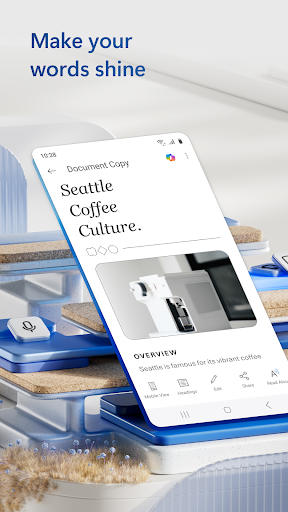
The document editor that you can take with you on the go – Microsoft Word.
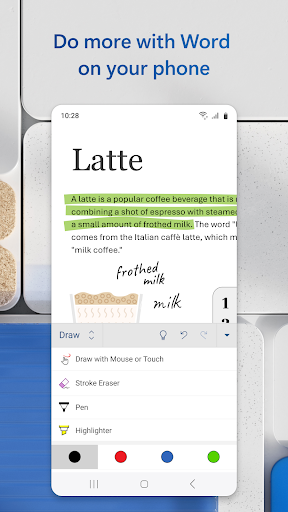
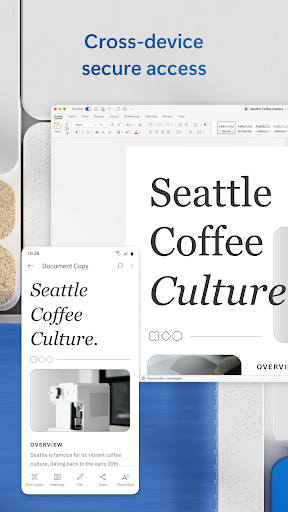
Write and create documents on your mobile device much like you do on your PC. Edit docs, share notes, convert to PDF documents, craft a powerful cover letter, and collaborate on projects using your mobile device.
Documents are easy to create, read, edit and share with Microsoft Word. Simplify on-the-go document collaboration and editing with our easy-to-use Word app features. Convert to PDF from Word and vice versa. From doc editing to collaboration and beyond, Microsoft Word is one of the best free writing apps for writing on the go.
Access files, documents and make edits with ease using the Word app. Read documents and open attachments with built-in docs viewer. Edit a PDF using Word’s PDF converter feature easily. Share files, documents and notes in the format you’d like. Create documents on the go with Word’s expert editing tools anytime, anywhere.
Read, edit docs and create a document for any need. Resume templates, newsletters, brochures and more are accessible in the template gallery. Select the documents you would like and get started.
Blogger, writer, journalist, columnist or project manager: the Microsoft Word writing app moves with you.
Easy document editing, at your fingertips. Write a letter, create templates, read Word documents, edit docs and collaborate with your team anywhere! Get the docs and PDF app that can do it all.
Create Documents
• Use Microsoft Word as a cover letter creator by leveraging our beautiful templates
• Document editor keeps formats & layouts looking great.
• Docs app with templates for resumes, cover letters, forms & more.
• Documents are easily created for any writing task.
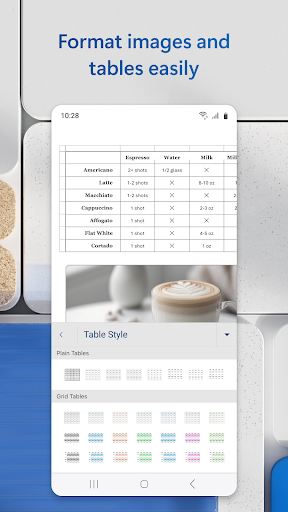
• Editing with rich formatting & layout.
Read, Write and Edit Documents
• Read docs, letters, PDFs & scripts on your device in Reading View.
• Document & PDF App: Edit documents from PDFs by converting to & from Word documents.
• PDF Converter: Save as PDF after editing & share the PDF easily.
Collaborate and Share With Anyone, Anywhere
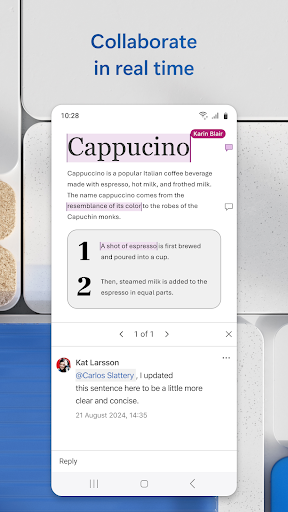
• Document comments can be left right next to the text using for seamless collaboration.
• View documents using the built-in docs viewer.
• Edit documents as a team and stay on top of changes to the text, layout & formatting.
• Edit docs and view editor history: easily revert to view earlier drafts when you need to.
Microsoft Word for Anything
• Documents for your needs: Letters, blogs, scripts, notes, resumes, & more can be created beautifully designed modern templates.
• Write a letter easily using Word’s templates.
• Share documents as a link, email or attachment.
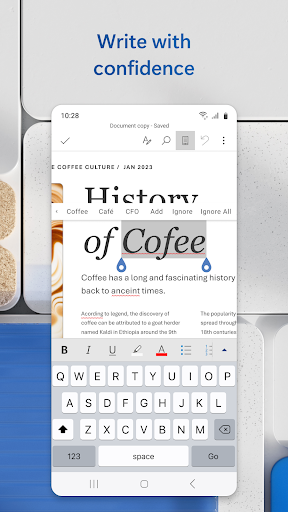
• Proofread, check spelling & review any document.
File Sharing Simplified
• Share files & collaborate with a few taps.
• File & document permission management: see who is working on what.
• Copy files into the body of an email message with its format intact or attach PDFs & docs to the email.
Document, PDf and writing app free of restrictions, hassle and workarounds. Download Microsoft Word to edit documents anywhere, seamlessly.
REQUIREMENTS
1 GB RAM or above
To create or edit documents, sign in with a free Microsoft account on devices with a screen size smaller than 10.1 inches.
Write and create documents on your mobile device much like you do on your PC. Edit docs, share notes, convert to PDF documents, craft a powerful cover letter, and collaborate on projects using your mobile device.
Documents are easy to create, read, edit and share with Microsoft Word. Simplify on-the-go document collaboration and editing with our easy-to-use Word app features. Convert to PDF from Word and vice versa. From doc editing to collaboration and beyond, Microsoft Word is one of the best free writing apps for writing on the go.
Access files, documents and make edits with ease using the Word app. Read documents and open attachments with built-in docs viewer. Edit a PDF using Word’s PDF converter feature easily. Share files, documents and notes in the format you’d like. Create documents on the go with Word’s expert editing tools anytime, anywhere.
Read, edit docs and create a document for any need. Resume templates, newsletters, brochures and more are accessible in the template gallery. Select the documents you would like and get started.
Blogger, writer, journalist, columnist or project manager: the Microsoft Word writing app moves with you.
Easy document editing, at your fingertips. Write a letter, create templates, read Word documents, edit docs and collaborate with your team anywhere! Get the docs and PDF app that can do it all.
Create Documents
• Use Microsoft Word as a cover letter creator by leveraging our beautiful templates
• Document editor keeps formats & layouts looking great.
• Docs app with templates for resumes, cover letters, forms & more.
• Documents are easily created for any writing task.
• Editing with rich formatting & layout.
Read, Write and Edit Documents
• Read docs, letters, PDFs & scripts on your device in Reading View.
• Document & PDF App: Edit documents from PDFs by converting to & from Word documents.
• PDF Converter: Save as PDF after editing & share the PDF easily.
Collaborate and Share With Anyone, Anywhere
• Document comments can be left right next to the text using for seamless collaboration.
• View documents using the built-in docs viewer.
• Edit documents as a team and stay on top of changes to the text, layout & formatting.
• Edit docs and view editor history: easily revert to view earlier drafts when you need to.
Microsoft Word for Anything
• Documents for your needs: Letters, blogs, scripts, notes, resumes, & more can be created beautifully designed modern templates.
• Write a letter easily using Word’s templates.
• Share documents as a link, email or attachment.
• Proofread, check spelling & review any document.
File Sharing Simplified
• Share files & collaborate with a few taps.
• File & document permission management: see who is working on what.
• Copy files into the body of an email message with its format intact or attach PDFs & docs to the email.
Document, PDf and writing app free of restrictions, hassle and workarounds. Download Microsoft Word to edit documents anywhere, seamlessly.
REQUIREMENTS
1 GB RAM or above
To create or edit documents, sign in with a free Microsoft account on devices with a screen size smaller than 10.1 inches.
What's New
Thank you for using Word.
We regularly release updates to the app, which include great new features, as well as improvements for speed and reliability.
Did you know that with a Microsoft 365 subscription, you can unlock the full power of Office across all of your devices? Find special offers in the app.
We regularly release updates to the app, which include great new features, as well as improvements for speed and reliability.
Did you know that with a Microsoft 365 subscription, you can unlock the full power of Office across all of your devices? Find special offers in the app.
App Information
Version Name
16.0.17531.20088
Version Code
2005005619
File Size
120.4 MB
Min SDK
Android 29+
Target SDK
Android 34
Developer
Microsoft Corporation
Contact
Website
Content Rating
Everyone
Package Name
com.microsoft.office.wordPermissions Required
This app may request the following permissions:
Recent Reviews

Peter Rivoli
1.0★
If you think I'm going to pay 40% more for the same thing then good luck! I'd like to show you where you can shove your subscription. Also, more generally, this app is absolutely horrendous! It's so full of bizarre quirks and inconsistent functionality between web and installed versions such as the cursor constantly jerking around with the absolute worst programmatic touch control I've ever seen. I want to pull my hair out every time I try to use this app.

Nicole Sweet
1.0★
I was in the middle of editing a document that was already saved. I have autosave on and I had been working on it for a couple of days. I opened the file and was editing, when I got a text from a friend. With the app and the document still open, I switched to my messenger app to text them back and then switched back to MS Word. It closed my file and brought me back to my list of files. My file was no longer there. In fact, any files from the whole week...gone. I can't trust this app now.

Bill Watkins
4.0★
Cursor control sucks - especially text selection- but that's Android's seemingly unsolveable problem on the order of generating practical wormholes. The editing / screen / keyboard / "context menu" pop-up, and spellcheck modes, states, and transitions between them are a delightful smorgasbord of "Zork" / Myst-level puzzles. As usual, OneDrive syncing can be problematic. Haven't tried any advanced features or printing so I'll leave it there for now. FWIW, I'm using it.

Thomas Castillo
1.0★
This app is brutal. I pay for it on my Google account. But I can't access any of the features on my computer.. How stupid is that? Even worse. I can't even upgrade to make it work on my computer. I'm trying to give you more money and it still won't work. The whole subscription model sucks in general but his one especially sucks. { use it Like two or three times a year and they expect me to pay $100+ for that along with some storage space.

Jania Choyce
4.0★
perfect on the go if you can't grab your computer tablets write a real quick paper essay if you're a college student I definitely recommend having word on your phone because just in case you need to get into an essay or don't want to have to carry too much this is so convenient and still allows you to type and edit just like you would on a computer just on your phone.

Sha W. (i_read)
3.0★
It used to be good, just meh, now. It doesn't do well on mobile if you cross platforms to another app. The worst thing that forces me to find workarounds for is that it doesn’t allow me to use my multiple-entry paste function. Instead, it has its own that - in 2025!- has one entry and it only allows one entry from your clipboard. ONE!! Cleary, they aren’t interested in mobile users at all. All good features require Windows. Other vendors do as well or better and don't abuse personal data.
Ad slot: In-Content