
Microsoft OneDrive
com.microsoft.skydrive
by Microsoft Corporation
Screenshots


Ad slot: Top Leaderboard
About this app
Microsoft OneDrive’s cloud storage secures photos, videos, and files to keep them protected, synced, and accessible on all your devices. The OneDrive app lets you view and securely share photos, videos, and files with friends and family. Plus, you can use the app to automatically back up your phone’s photos and videos. Start with 5 GB of free cloud storage space or upgrade to a Microsoft 365 subscription to get up to 1 TB of cloud storage.
Microsoft OneDrive offers the following features:
Back up photos & videos
• More storage for all of your important files. Upload photos, videos, documents & more
• Automatic photo backup & secure photo storage when you turn on Camera Upload
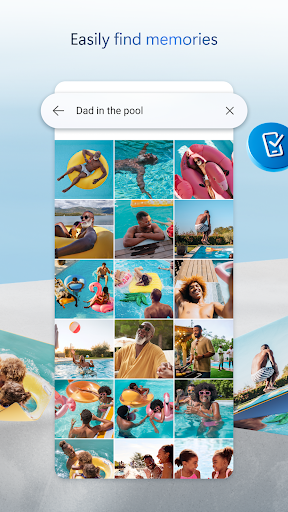
• Find photos in the photo locker easily with automatic tagging
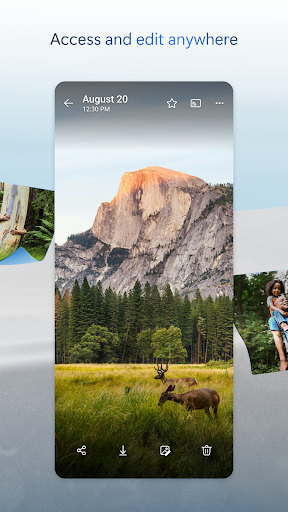
• View & share photos on your phone, computer & online
• Free storage & photo locker will secure photos & keep them safe
• Upload videos & keep them in secure photo storage
File sharing and access
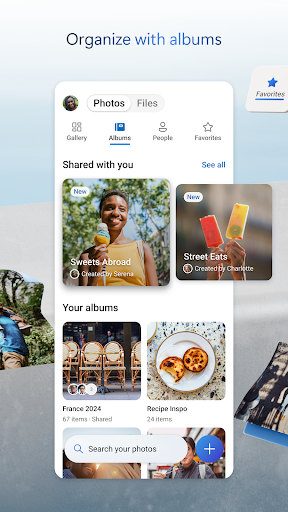
• Secure photo storage for all of your photos, videos & albums
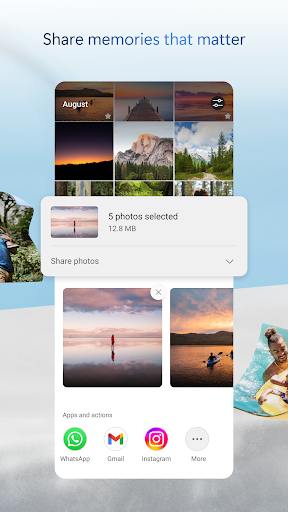
• Share files, photos, videos & albums with friends & family
• Share photos & upload videos easily
• Get notifications when a shared document is edited
• Secure folder settings offer password-protected or expiring sharing links*
• Access selected OneDrive files on the app without being online
Security
• All OneDrive files are encrypted at rest & in transit
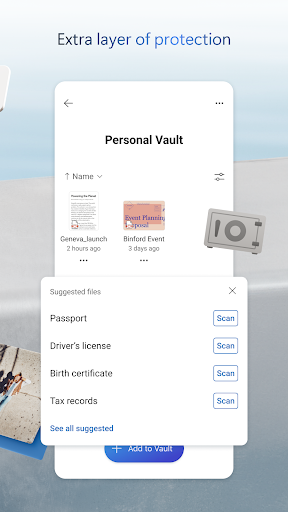
• Personal Vault: protect important files with identity verification in secure folder storage
• Secure photos, upload videos & keep them safe with secure photo storage
• Restore files with version history
• Stay protected with ransomware detection & recovery*
Collaboration with Microsoft
• Share files across platforms & share photos in the photo locker
• Use Microsoft Office apps to edit & collaborate in real time on Word, Excel, PowerPoint & OneNote files stored in OneDrive
• Back up, view & save Office documents
Document scanning
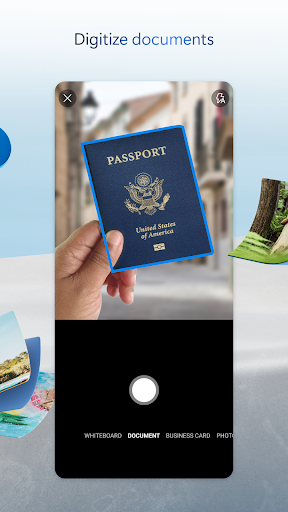
• Scan, sign, markup & send docs right from the OneDrive mobile app
• Keep documents safe in a secure folder
Search
• Search photos by what’s in them (i.e. beach, snow, etc.)
• Search docs by name or content
The OneDrive app for Android offers 5 GB of free cloud storage to sync photos and files across your devices, share photos and docs, and keep your digital life backed up in the cloud.
Microsoft 365 Personal & Family Subscription
• Subscriptions begin at $6.99 a month in the US, and can vary by region
• More storage with 1 TB per person for up 6 people with the Family subscription
• OneDrive premium features accessible for everyone in the plan
• Share files, folders and photos for specific time windows for added security
• Protect your passwords with password-protected sharing links
• Secure file sharing app with added ransomware detection and recovery security features
• File Restore: Recover files up to 30 days after malicious attacks, file corruption, or accidental edits or deletions
• Share up to 10x more content a day with friends and family
• Access premium versions of Word, Excel, PowerPoint, OneNote, Outlook and OneDrive
Microsoft 365 subscriptions and OneDrive standalone subscriptions purchased from the app will be charged to your Google Play store account and will automatically renew within 24 hours prior to the end of the current subscription period, unless auto-renewal is disabled beforehand.
To manage your subscriptions or to disable auto-renewal, after purchase, go to your Google Play store account settings. A subscription cannot be canceled or refunded during the active subscription period.
For you to sign into your work or school account on OneDrive, your organization needs to have a qualifying OneDrive, SharePoint Online or Microsoft 365 business subscription plan
Privacy policy: http://go.microsoft.com/fwlink/p/?LinkId=253457
Consumer health privacy policy: https://go.microsoft.com/fwlink/?linkid=2259814
Microsoft OneDrive offers the following features:
Back up photos & videos
• More storage for all of your important files. Upload photos, videos, documents & more
• Automatic photo backup & secure photo storage when you turn on Camera Upload
• Find photos in the photo locker easily with automatic tagging
• View & share photos on your phone, computer & online
• Free storage & photo locker will secure photos & keep them safe
• Upload videos & keep them in secure photo storage
File sharing and access
• Secure photo storage for all of your photos, videos & albums
• Share files, photos, videos & albums with friends & family
• Share photos & upload videos easily
• Get notifications when a shared document is edited
• Secure folder settings offer password-protected or expiring sharing links*
• Access selected OneDrive files on the app without being online
Security
• All OneDrive files are encrypted at rest & in transit
• Personal Vault: protect important files with identity verification in secure folder storage
• Secure photos, upload videos & keep them safe with secure photo storage
• Restore files with version history
• Stay protected with ransomware detection & recovery*
Collaboration with Microsoft
• Share files across platforms & share photos in the photo locker
• Use Microsoft Office apps to edit & collaborate in real time on Word, Excel, PowerPoint & OneNote files stored in OneDrive
• Back up, view & save Office documents
Document scanning
• Scan, sign, markup & send docs right from the OneDrive mobile app
• Keep documents safe in a secure folder
Search
• Search photos by what’s in them (i.e. beach, snow, etc.)
• Search docs by name or content
The OneDrive app for Android offers 5 GB of free cloud storage to sync photos and files across your devices, share photos and docs, and keep your digital life backed up in the cloud.
Microsoft 365 Personal & Family Subscription
• Subscriptions begin at $6.99 a month in the US, and can vary by region
• More storage with 1 TB per person for up 6 people with the Family subscription
• OneDrive premium features accessible for everyone in the plan
• Share files, folders and photos for specific time windows for added security
• Protect your passwords with password-protected sharing links
• Secure file sharing app with added ransomware detection and recovery security features
• File Restore: Recover files up to 30 days after malicious attacks, file corruption, or accidental edits or deletions
• Share up to 10x more content a day with friends and family
• Access premium versions of Word, Excel, PowerPoint, OneNote, Outlook and OneDrive
Microsoft 365 subscriptions and OneDrive standalone subscriptions purchased from the app will be charged to your Google Play store account and will automatically renew within 24 hours prior to the end of the current subscription period, unless auto-renewal is disabled beforehand.
To manage your subscriptions or to disable auto-renewal, after purchase, go to your Google Play store account settings. A subscription cannot be canceled or refunded during the active subscription period.
For you to sign into your work or school account on OneDrive, your organization needs to have a qualifying OneDrive, SharePoint Online or Microsoft 365 business subscription plan
Privacy policy: http://go.microsoft.com/fwlink/p/?LinkId=253457
Consumer health privacy policy: https://go.microsoft.com/fwlink/?linkid=2259814
What's New
You can now display your media files on a Chromecast receiver or TV from a compatible device. Look for a Cast icon showing in the top toolbar. We hope you enjoy this top-requested feature!
App Information
Version Name
7.5
Version Code
2027050102
File Size
89.8 MB
Min SDK
Android 23+
Target SDK
Android 34
Developer
Microsoft Corporation
Contact
Website
Content Rating
Everyone
Package Name
com.microsoft.skydrivePermissions Required
This app may request the following permissions:
Recent Reviews

Krystal Scott-Rhodes
2.0★
The app is great when it works. It consistently closes. There are no updates available so that's not the issue. The sync is also inconsistent. Some things are backed up and synced from my phone , but not everything, resulting loss of photos and files when I clear files from my phone. When the sync is working, it takes several hours and in most cases days for files to sync from my phone and appear on my computer. Overall, the app is fine if it works, but most often it doesn't.

Diana R
2.0★
I used to like this app. It's nice and all but whenever I log into it on the "computer" to make any changes or to just view my files, it ALWAYS, ALWAYS, gives me a hard time logging out. It will sit there and buffer for minutes on end. I literally have to close the tab multiple times and attempt to log out before it actually logs me out. If Microsoft is so great they should be able to correct that. None of my other cloud storage has this problem.

Lynn Colgrove
2.0★
Works okay, unless you need to access files offline. That functionality is very buggy and fragile, especially if you have subdirectories, large files, or many files - the app always chokes. Once a file gets the red X, there doesn't seem to be a way to get the app to re-evaluate the status. I've tried restarting the phone, the app, clearing the cache. and even updating the file online to force a re-sync. Surprising the file does sync and contains the updated content, but still shows the red X.

Whittaker Courtney
1.0★
Used to work great, now it forces you with no choice to automatically upload every file you have in your documents, photos and downloads (+many more directories) to the cloud. In addition to the privacy issues, when it first updated with the new "features" it uploaded over 400 gb of my files and locked up my internet service for several days while it took my data. Now it refuses to sync the data to my other apps.

Jamie Taylor
1.0★
I've been a 1tb subscriber for 10+ years, but lately the app, and thus service, is almost unusable. Navigating folders is painfully slow, sometimes loading and then reloading again, taking very long times to do both. Additionally, if you have any amount of files in a directory, good luck. Files load very slowly and sporadically, if at all. As you scroll, scrolling away will cause them to essentially unload while nothing in view has loaded. this makes it easy to not know where you've scrolled.

Sargis Lazari
1.0★
I’ve been using this app for a few years and have uploaded a lot of videos and photos. Over time, streaming my videos has become frustrating due to lag, pauses, and audio issues. On top of that, I’m close to hitting the 1TB storage limit, and there’s no option to upgrade for more space. Because of this, I’ll be moving to Google Cloud, and I won’t be renewing my Microsoft services—including OneDrive, Office 365, and Xbox Live.
Ad slot: In-Content