

Intune Company Portal
com.microsoft.windowsintune.companyportal
by Microsoft Corporation
Screenshots
Ad slot: Top Leaderboard
About this app
The Company Portal provides access to corporate apps and resources from almost any network. Your company must already subscribe to Microsoft Intune, and your IT admin must set up your account before you can use this app.
Features:
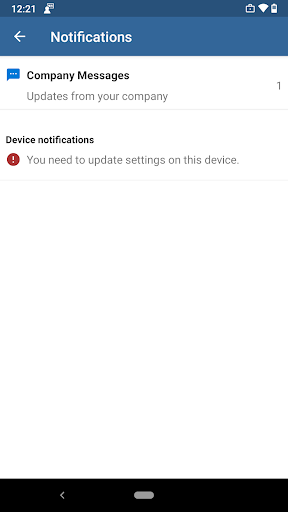
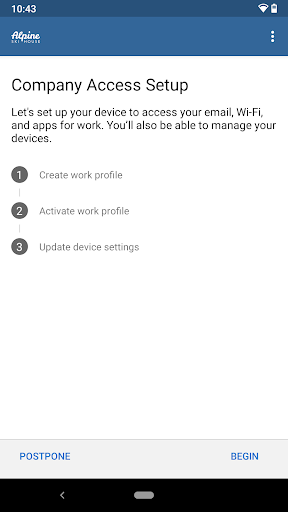
• Enroll to access corporate resources
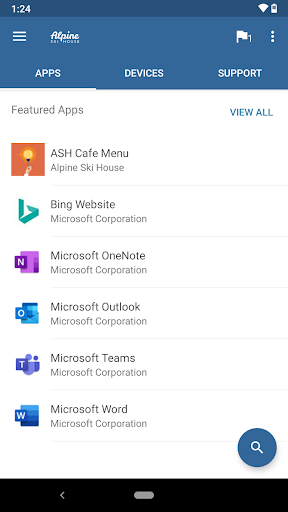
• Browse and install company apps
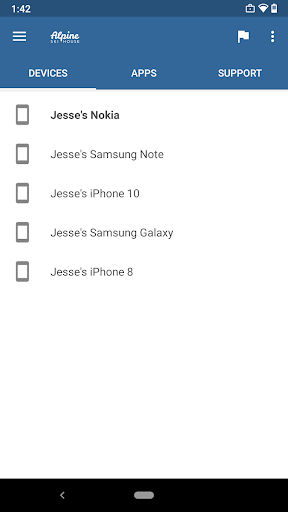
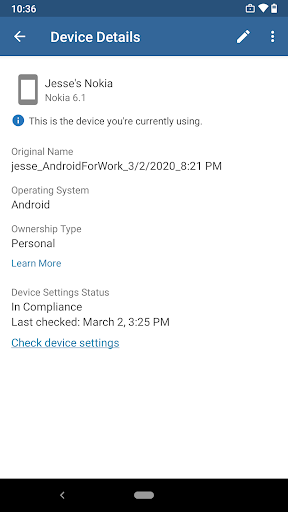
• View and manage all your enrolled devices
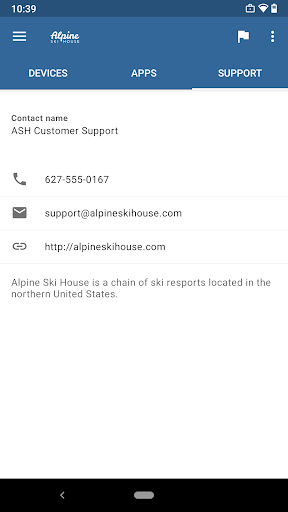
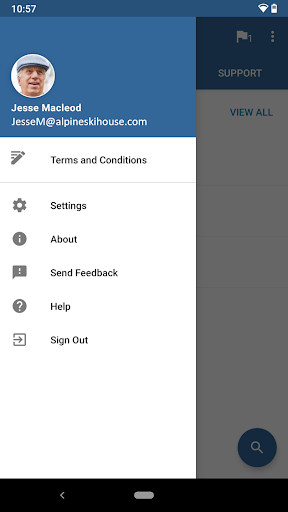
• View IT department contact information
• Change your work account password
• Unenroll or remotely wipe devices
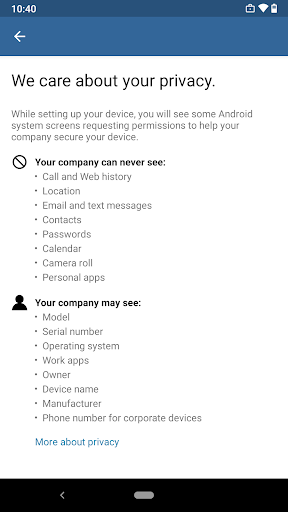
Important: This app requires you to use your work account to enroll in Intune. Some functionality is unavailable in certain countries. If you have issues with this app or questions about its use (including your company’s privacy policy) contact your IT administrator and not Microsoft, your network operator, or your device manufacturer.
https://docs.microsoft.com/Intune/EndUser/using-your-android-device-with-intune
How to uninstall Company Portal:
Before you can uninstall Company Portal, you need to unenroll your device from Intune first. Here are the steps:
1) Follow these directions to unenroll: https://docs.microsoft.com/intune/enduser/unenroll-your-device-from-intune-android
2) Now, you can uninstall Company Portal like you would any other app
Features:
• Enroll to access corporate resources
• Browse and install company apps
• View and manage all your enrolled devices
• View IT department contact information
• Change your work account password
• Unenroll or remotely wipe devices
Important: This app requires you to use your work account to enroll in Intune. Some functionality is unavailable in certain countries. If you have issues with this app or questions about its use (including your company’s privacy policy) contact your IT administrator and not Microsoft, your network operator, or your device manufacturer.
https://docs.microsoft.com/Intune/EndUser/using-your-android-device-with-intune
How to uninstall Company Portal:
Before you can uninstall Company Portal, you need to unenroll your device from Intune first. Here are the steps:
1) Follow these directions to unenroll: https://docs.microsoft.com/intune/enduser/unenroll-your-device-from-intune-android
2) Now, you can uninstall Company Portal like you would any other app
App Information
Version Name
5.0.6239.0
Version Code
6753898
File Size
73.0 MB
Minimum OS
Android 8.0+
Target SDK
Android 34
Developer
Microsoft Corporation
Contact
Website
Content Rating
Everyone
Package Name
com.microsoft.windowsintune.companyportalPermissions Required
This app may request the following permissions:
Recent Reviews

Tim Mason
1.0★
I can't speak to how much this assists with security, but from a user perspective this app is extremely disruptive. Recently I needed to get e-tickets from my email & couldn't because this app had placed a hold until I "rechecked". Without signal, this couldn't happen and so I couldn't access my tickets. I've had several experiences like the above. It seems to want to check indiscrimiately & prevents me using several MS apps when I need to. I'm probably going to have to delete the app.

Diallo Wilkerson
1.0★
This app, by installing it, will divide your device's operation system and apps into Personal and Business. You will need to select from Personal to use the apps that were normal native installations. There is no warning that it does this. It also is a huge consumer of battery power, processor, and memory. Would give it a zero rating if possible.

Vesko Tomov
1.0★
Like others have complained, there is a tremendous battery drain with this app. I used it without a problem for a year, then suddenly my phone started dying in the middle of the day. Company Portal accounts for 60-70% of battery usage. I opened a ticket with my IT department, and they were completely unhelpful, telling me that they don't care about issues with personal devices and that this was a Microsoft problem. Yes, without the app, I cannot access Outlook or Teams which I need at work.

A Google user
1.0★
Nope. Functionally, it works as Microsoft intended. HOWEVER this is the most intrusive, over permissioned apps I've installed. It's capable of turning on permissions, even if you've turned them off. It "peeks" at everything including network traffic not associated with you "work profile" apps. It seems to be sending the statistical and analytical data to Microsoft or either someone else.

M K
1.0★
Same as everyone else. Samsung phone. Sends me through an endless cycle. This is NOT the employer's issue, this is a Microsoft issue. My employer sets the parameters of the password, which I followed. The issue is that the software is not picking up the changes. My device is prompting me for the passwords now, but the software still says out of compliance. Phone and app are fully updated.

Maddie May
1.0★
I consistently have issues with my Microsoft applications verifying that my phone is registered. I'll go through the entire process of deleting my work profile and readding it, only to have the same error on my applications: to install this app. I already have! The error will even indicate my phone is successfully registered. It sends you in a loop saying it will open the work badge Company Portal, but never does. A huge waste of time and resources.
Ad slot: In-Content