

Q Avatar (Avatar Maker)
com.minikara.avatargradle.android
by Pocket-Studio
Screenshots


Ad slot: Top Leaderboard
About this app
Q Avatar(Avatar Icon Maker)
Here you are. You have found the most unique avatar icon maker(Q Avatar) so far in Android world.
Have you ever sought a unique icon to set as your Phone or SNS avatar?
You may ask your friend who happens to be an artist for help. But what he (or she) produces may not be what you want.
You may take a photo of yourself and crop it as your icon but it is boring. It is not cool.
But now you can take the direct way, your own way. With Avatar Icon Maker, you can paint the avatar icon easily.
It will be very fun to draw an avatar by oneself without any bit of pain.
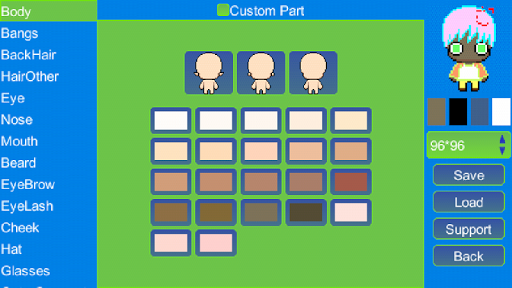
Q Avatar have more 3000 parts of an avatar grouped as avatar parts such as 'eye', 'nose', etc. You can choose and replace anyone very easily.
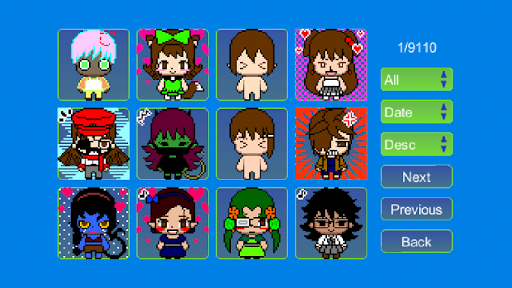
You can save the avatar to the SD Card and you can navigate through your work. In the navigate page, you can choose one and set as Contact avatar or share with friends with Email or SNS.
1 You can use the parts from the default gallery, which is very rich, to compose your avatar in a few seconds.
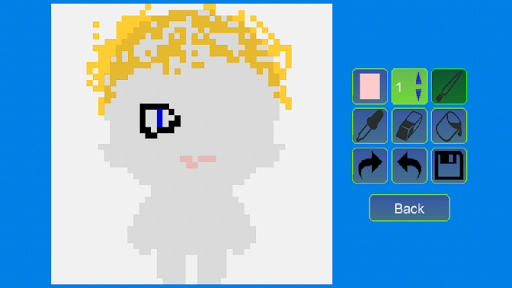
2 You make your own customized pixel parts and then use in your avatar composing process.
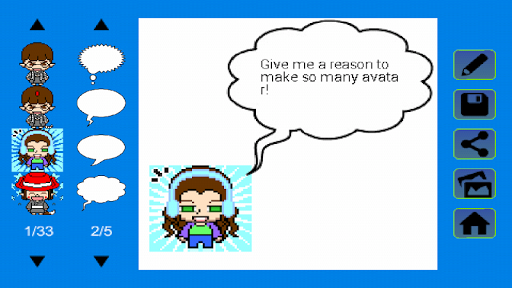
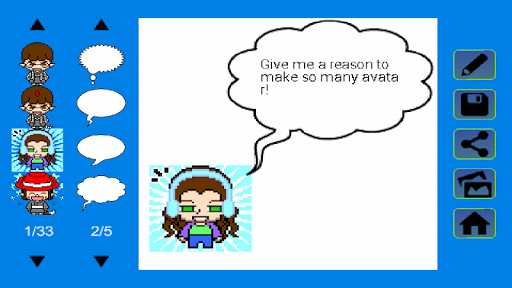
3 You can use the avatar you made to make personalized messages, just like a comic strip, but with just a little finger clicks.
4 You can make pixel GIF.
5 You can use your avatar to make customized message, much powerful than simple emoji.
6 You can easily share your avatar, personalized messages, GIFs very easily with your friends.
7 You can explore the works uploaded by other users. There are millions.
Enjoy!
Here you are. You have found the most unique avatar icon maker(Q Avatar) so far in Android world.
Have you ever sought a unique icon to set as your Phone or SNS avatar?
You may ask your friend who happens to be an artist for help. But what he (or she) produces may not be what you want.
You may take a photo of yourself and crop it as your icon but it is boring. It is not cool.
But now you can take the direct way, your own way. With Avatar Icon Maker, you can paint the avatar icon easily.
It will be very fun to draw an avatar by oneself without any bit of pain.
Q Avatar have more 3000 parts of an avatar grouped as avatar parts such as 'eye', 'nose', etc. You can choose and replace anyone very easily.
You can save the avatar to the SD Card and you can navigate through your work. In the navigate page, you can choose one and set as Contact avatar or share with friends with Email or SNS.
1 You can use the parts from the default gallery, which is very rich, to compose your avatar in a few seconds.
2 You make your own customized pixel parts and then use in your avatar composing process.
3 You can use the avatar you made to make personalized messages, just like a comic strip, but with just a little finger clicks.
4 You can make pixel GIF.
5 You can use your avatar to make customized message, much powerful than simple emoji.
6 You can easily share your avatar, personalized messages, GIFs very easily with your friends.
7 You can explore the works uploaded by other users. There are millions.
Enjoy!
What's New
Upgraded Android target API level.
App Information
Version Name
1.3.8
Version Code
39
File Size
4.4 MB
Minimum OS
Android 5.0+
Target SDK
Android 33
Developer
Pocket-Studio
Contact
Website
Content Rating
Everyone
Package Name
com.minikara.avatargradle.androidPermissions Required
This app may request the following permissions:
Recent Reviews

A Google user
4.0★
I like using the app for creating original characters. I would like if I could use preexisting accessories to make new accessories. I would also like if the color pallet let you customize colors. Otherwise great app.

bre is not here
4.0★
I remember when I installed this app on my amazon fire tablet in December 2018. It was awesome. The characters I made would probably make me cringe if I saw them today, but this app was and still is memories to me. 😊
A Google user
1.0★
Immediately opens an ad where the x is in such an awkward place that it cannot be pressed. If pressing cancel it still takes you to the ads website. Cannot use app because of this.
A Google user
4.0★
I really like this app but I was wondering if you could maybe add different shades of grey because the colour thing is actually kinda hard to use, maybe add a colour wheel instead of the current thing have going on. Anyway I hope you see this comment thx. :D
A Google user
3.0★
Before when I downloaded this app I was able to view other people's creations from around the world for inspiration, now I can't. Not sure if I can't find out how, or if it's removed. Please fix! It was an amazing feature!!
A Google user
1.0★
To be honest this is okay app it's really nice but it's too small for me and when I tried to create my own picture Avatar it's missed some spots and I really didn't like that this is really good at
Ad slot: In-Content