

Genio
com.mirabella.genio
by Mirabella Genio
Screenshots


Ad slot: Top Leaderboard
About this app
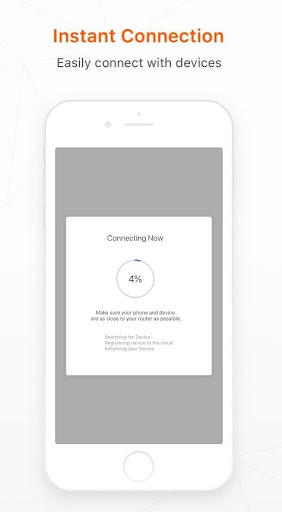
The Mirabella Genio Smart Home App connects easily to control all your smart lighting, electrical outlets, cameras, appliances and many more via your mobile device.
- remotely control smart home devices via WIFI connection anywhere anytime
- voice control via Amazon Echo and Google Home
- add and control multiple devices at once with one App
- remotely control smart home devices via WIFI connection anywhere anytime
- voice control via Amazon Echo and Google Home
- add and control multiple devices at once with one App
App Information
Version Name
1.2.7
Version Code
27
File Size
62.9 MB
Minimum OS
Android 6.0+
Target SDK
Android 34
Developer
Mirabella Genio
Contact
Website
Content Rating
Everyone
Package Name
com.mirabella.genioPermissions Required
This app may request the following permissions:
Recent Reviews
Demi Jane Porter
1.0★
Useless. I use a Wiz wifi lamp for my lounge room and it took me 3 minutes to set up. I've been at it with Genio for 35 minutes and getting nowhere setting up a simple wifi dimming light. In the manual, I can't try half the troubleshooting steps because the app literally does not have the function the manual says to try. At the end of the manual, it says to try use an iPhone/iPad to set up a new device....what a joke. Getting refund immediately.

AlmightySamwhich
1.0★
App keeps asking for my location. I do not want to give it. When I try to pair my device using my WIFI it keeps deleting the wifi name whilst im typing it. almost as if it is trying desperately to get me to give my location. its a buggy mess that does not work properly. and even after I cave and give it my location it doesn't want to pair anyways. im tech savvy enough and this is unnecessarily difficult. I can't imagine someone's grandma trying to wrap their head around this
Sharon Coulter
2.0★
Somewhat lacking in features but it did the job until the last fortnight or so. Now I can't connect to my genio globe after multiple attempts. The light still works when I switch it on at the wall but then I have to switch it off the same way. The app connection is gone and I can't get it back. Can never get it to blink slowly, just fast. If I have to replace this, I will not be choosing Mirabelle.

Mettlas J. Kaiap
1.0★
I nearly gave up connecting my Mirabella Genio Wi-Fi Dimmable 9W LED bulb because the setup always failed with “Failed to connect to router.” The app never explains that these bulbs can’t be set up with a single phone hotspot. The fix was using 2 devices: Pixel 7 Pro broadcasting a 2.4 GHz hotspot and iPhone 15 running the Tuya Smart app (same backend as Mirabella). After resetting the bulb into AP mode (slow blink) and joining its temporary hotspot when prompted, it finally paired instantly.

Ashley Cox
1.0★
Used to work great with minimal issues but has recently been extremely annoying. Constantly disconnects from the app and unable to control settings with the app, the light turns off and on by itself and when the light does finally stay on, it blinks intermittently. Guess ill have to replace the bulbs with normal ones.

Jessie
4.0★
When this works, it's great! frequently has issues detecting the devices with a high-speed, stable connection on the 2.4Hz frequency as recommended. The widget for Samsung Galaxy is rarely responsive if ever. Would be great to see these issues fixed as the features and setup are useful.
Ad slot: In-Content