

Mi Mover
com.miui.huanji
by Xiaomi Inc.
Screenshots

Ad slot: Top Leaderboard
About this app
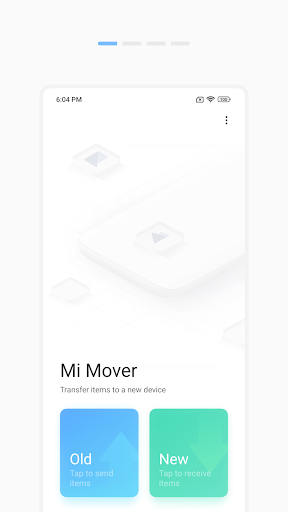
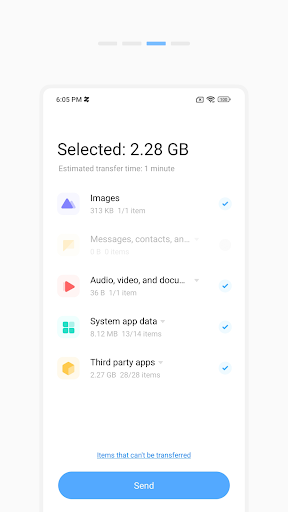
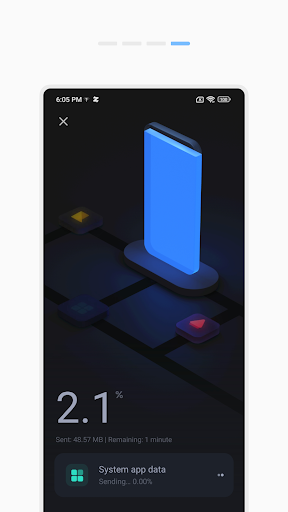
Mi Mover is a new data migration app that transfers items from old Android and iOS devices to new Mi phones. All transfers in Mi Mover are wireless, as the app allows two devices to connect to each other directly via portable hotspot. You can use Mi Mover to transfer files, videos, songs, documents, and other items. All Mi Mover transfers are fast, stable, and secure.
What's New
We fixed some bugs and increased overall stability.
App Information
Version Name
4.2.8
Version Code
42800
File Size
31.5 MB
Minimum OS
Android 5.0+
Target SDK
Android 33
Developer
Xiaomi Inc.
Contact
Content Rating
Everyone
Package Name
com.miui.huanjiPermissions Required
This app may request the following permissions:
Recent Reviews

J Wheeler
3.0★
No WiFi so no service while using App. Launched app, chose manual connection, cable ready. instead it sets up its own connection between the phones. Stops mobile data working also couldn't answer calls without it interrupting the transfer. Doesn't work as well as the old software on the M5s. Which was able to transfer settings from 3rd party apps, which are all now reset. Very annoying, I expected more.

Anfal
5.0★
Simply the best transfer app I've used. Everything was beautiful & seemless from start to finish, with the fastest speeds I've seen an transfer app have - similar to Xiaomi's "ShareMe". It even allows transfers between non-Xiaomi phones, so people with other phone brands can use this too. Couldn't get any better. Not sure why it's 3.5 stars here.

Stephen Bergh
1.0★
on my Samsung SM-G570F the app is useless, cannot get past the setting of permissions. When I did get ready for backup in my first attempt the app started that I did not have enough spare memory to complete transfer.

Mithun Bhat
1.0★
This is an useless app. Both the devices are showing the option of only Send data. NO option to receive data on either phone. Even settings option is not available.

Brian
4.0★
It moved a lot of important items over to my 14 Ultra which is God sent considering the size was over 150gb on my older phone. The one struggle I had was it required to keep the screen on which the firmware did the correct thing by overriding any settings set on my older device. There was also some files it couldn't take, obviously. Good enough and it helped a lot. One of the reasons I upgrade the same brand of phones for the 3rd time.

Karthik Kim Taehyung
4.0★
All the data transfer Apps that i used, have never came across this one. It copied my data well, except few connection issues that i managed to sort. But the nice thing is that, it also copied settings and gestures from my Redmi note 9 to Note 12, and had never have to do anything after that. Keep up the good work.
Ad slot: In-Content