

MMGuardian Parental Control
com.mmguardian.parentapp
by MMGuardian.com
Screenshots

Ad slot: Top Leaderboard
About this app
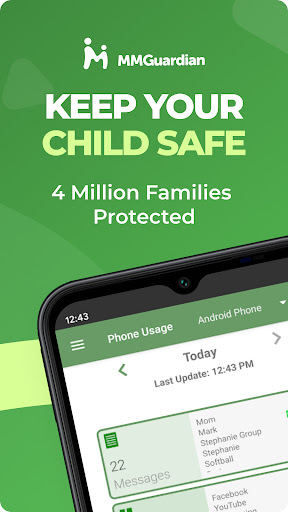
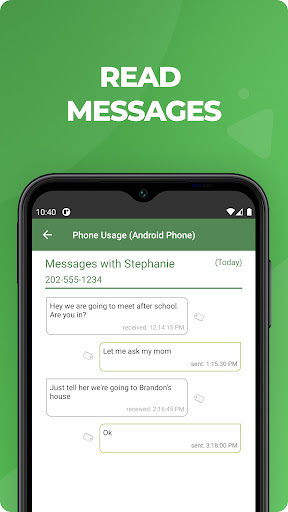
Use MMGuardian Parental Control on your child's phone to view messages, receive safety alerts and set limits for screen time and app usage.
This is the app is for the parent's phone - you must also install a different app on your child's phone. If you install this app first, you will be guided on how to download the child phone app from the relevant app store for your child's iPhone or Android phone.
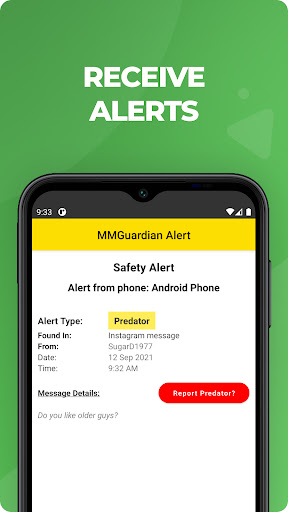
Receive alerts when your child's text messages, certain social media chat messages or web searches are indicative of drugs, sexting, cyberbullying, child grooming, violence, suicidal thoughts and more.
What does MMGuardian Do?
With the MMGuardian Parental Control Child app installed to your child's Android phone, you will also be able to monitor and block:
• SMS text messages
• Web browsing activity
• Application usage
• To whom phone calls are made
Social Media Chat Monitoring
In addition to normal SMS texts, chat messages from Facebook Messenger, WhatsApp, Snapchat, Instagram, Kik, TikTok and Discord are reported. Alerts will be sent to you if the content in a chat message appears to relate to one of nine special categories including sexting, cyberbullying and suicidal thoughts.
The benefits of using MMGuardian Parental Control when your child has an Android phone include:
• Alerting you when text messages or web searches are indicative of sexting, cyberbullying, suicidal thoughts and more.
• Alerting you when pictures on your child's phone, or sent in an MMS message, are of an adult nature or indicative of sexting.
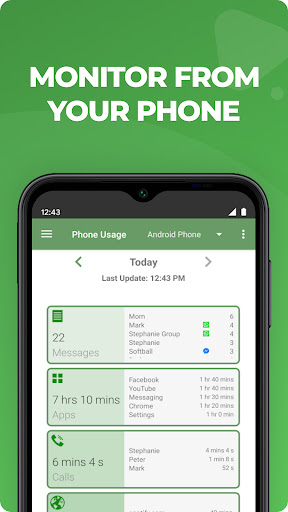
• Comprehensive reports for text messages, app usage, web browsing and voice calls.
Additional Functions
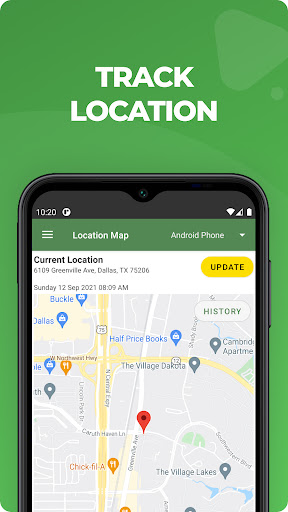
• Locate your child's phone
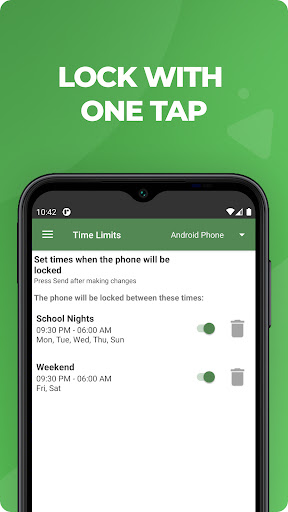
• Quickly lock or unlock your child's phone
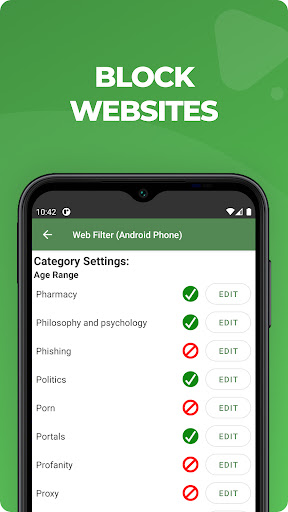
• Set limits for screen time, app usage, web filtering
This app on your phone and the one on your child's phone must be registered using the same (parent's) email address.
Both your phone and your child's phone should have network data capability, as the app uses data to send and receive configuration commands, reports and alerts.
Free 14 day trial
After the free 14 day trial period of the app on the child's phone has ended, unless the child phone app is licensed or has an ongoing subscription, the functions in this Parent App that relate to premium functions on the child's app will be disabled. However you can still use MMGuardian to locate your child's phone remotely.
Subscriptions
You may purchase a subscription to apply to the MMGuardian Parental Control app installed on your child's phone from within this parent phone app. Subscriptions are $4.99/mo or $49.99/year for one child phone. Family plans for up to 5 child devices are twice these amounts.
We encourage parents to discuss the reasons to use a parent control app with their children, which include to help protect them from potential risks of their own actions and the actions of others, such as excessive screen time, cyberbullying and sexting.
This is the app is for the parent's phone - you must also install a different app on your child's phone. If you install this app first, you will be guided on how to download the child phone app from the relevant app store for your child's iPhone or Android phone.
Receive alerts when your child's text messages, certain social media chat messages or web searches are indicative of drugs, sexting, cyberbullying, child grooming, violence, suicidal thoughts and more.
What does MMGuardian Do?
With the MMGuardian Parental Control Child app installed to your child's Android phone, you will also be able to monitor and block:
• SMS text messages
• Web browsing activity
• Application usage
• To whom phone calls are made
Social Media Chat Monitoring
In addition to normal SMS texts, chat messages from Facebook Messenger, WhatsApp, Snapchat, Instagram, Kik, TikTok and Discord are reported. Alerts will be sent to you if the content in a chat message appears to relate to one of nine special categories including sexting, cyberbullying and suicidal thoughts.
The benefits of using MMGuardian Parental Control when your child has an Android phone include:
• Alerting you when text messages or web searches are indicative of sexting, cyberbullying, suicidal thoughts and more.
• Alerting you when pictures on your child's phone, or sent in an MMS message, are of an adult nature or indicative of sexting.
• Comprehensive reports for text messages, app usage, web browsing and voice calls.
Additional Functions
• Locate your child's phone
• Quickly lock or unlock your child's phone
• Set limits for screen time, app usage, web filtering
This app on your phone and the one on your child's phone must be registered using the same (parent's) email address.
Both your phone and your child's phone should have network data capability, as the app uses data to send and receive configuration commands, reports and alerts.
Free 14 day trial
After the free 14 day trial period of the app on the child's phone has ended, unless the child phone app is licensed or has an ongoing subscription, the functions in this Parent App that relate to premium functions on the child's app will be disabled. However you can still use MMGuardian to locate your child's phone remotely.
Subscriptions
You may purchase a subscription to apply to the MMGuardian Parental Control app installed on your child's phone from within this parent phone app. Subscriptions are $4.99/mo or $49.99/year for one child phone. Family plans for up to 5 child devices are twice these amounts.
We encourage parents to discuss the reasons to use a parent control app with their children, which include to help protect them from potential risks of their own actions and the actions of others, such as excessive screen time, cyberbullying and sexting.
What's New
Please install this app to the parent's phone and install a separate child app to the child phone for parental control and child safety features.
v3.7.33
- Bug fixes
- Major update to support new iPhone features,including various app controls, web filter on all major browsers, and much more.
v3.7.33
- Bug fixes
- Major update to support new iPhone features,including various app controls, web filter on all major browsers, and much more.
App Information
Version Name
3.7.14
Version Code
254
File Size
15.9 MB
Minimum OS
Android 6.0+
Target SDK
Android 33
Developer
MMGuardian.com
Contact
Website
Content Rating
Everyone
Package Name
com.mmguardian.parentappPermissions Required
This app may request the following permissions:
Recent Reviews

Alex Hoenig
3.0★
It's... Ok. It does what I want it to do, most of the time... But it's flaky. Sometimes it won't unlock when it's supposed to. Other times I catch my child playing on their phone in the middle of the night when it's supposed to be locked! Requesting reports takes forever, there's always a communication error the first couple times.

A Google user
3.0★
For the most part, I think this is a great app. It has many good features like 'locate my child', inform me of texts that are being sent with key words of my choice, control and block apps that my children try to download, etc. My favorite part of the app was that you can set what time you want the kids phones blocked for the night but my children found a way around it! As long as their phone is off at the time the block starts, they can turn it back on after that time and there phone will not lock for the night. Could someone please take a look at this and try to fix it. The app doesn't do any good if the lock isn't working.
A Google user
4.0★
I am still learning this app, but so far I like the features, monitoring options (different levels available), and ease of use. I hate that I can't read a text of my child's or have alerts sent without their app alerting them of it. I also don't like that her phone generates nonsensical text messages as part of sending the report thus constantly reminding her that the report is being sent. I would much prefer for the app to run in the background without the constant intrusion.

C B
5.0★
4 kids, grade 7 and up. In my experience, parental control apps have generally been terrible. MMGuardian is the exception. It allows me to see how much time my child is spending on every app. It also allows parents to control how much time is allowed on each app. You can set internet viewing filters and bedtime, etc. They have a GPS location option as well. It's not perfect but it's far and away the best I've tried out of 3 or 4 others. They also have keyword and photo monitoring. Excellent
A Google user
5.0★
Love this app! I'm glad they gave a trial because my cheap self wouldn't have installed it. I'm now paying monthly for it. I don't think an 8 year old should have a phone but his dad is in prison and he needs to be able to call him when I'm at work. This has given me peace of mind. I can block apps without even getting on his phone. I can block numbers for texts and calls. He only communicates with people I approve. It's SO worth it! EDIT: Amber alerts pop up on his phone and the notification won't go away but there's no way to view them with the mmguardian messaging app. I can't allow the number either because there isn't one. How do I fix this?

Kimberly Rash
3.0★
It is nice to be able to put restrictions on some things and sometimes get alerted if inappropriate messages are received. However, it misses a lot, frequently doesn't lock YouTube or games after the daily time limit is reached, and the technology and layout of the app hasn't been updated or improved since we first used it over 6 years ago for our oldest. At this point, there's probably more efficient programs out there.
Ad slot: In-Content