

MobiOffice: Word, Sheets, PDF
com.mobisystems.office
by MobiSystems
Screenshots







Ad slot: Top Leaderboard
About this app
MobiOffice is the smart choice for office productivity.
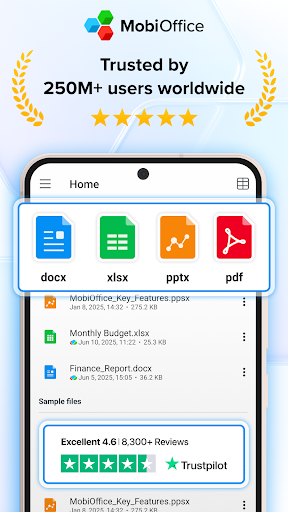
With this powerful office pack, you can create, edit, comment, format, convert, and protect documents, spreadsheets and presentations - as well as the ability to view and sign PDF files. Compatible with Microsoft Office (Word, Excel, PowerPoint), Google Docs, Google Sheets, Google Slides, OpenOffice, LibreOffice, WPS Office, Polaris Office, Adobe PDF, and more.
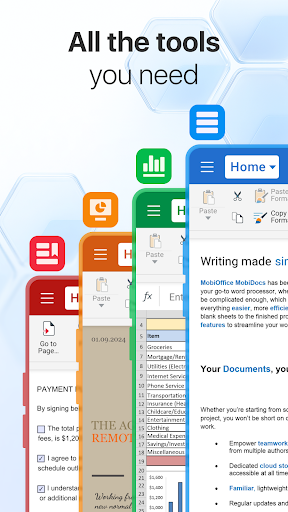
Everything you need to get your work done
Work on-the-go and take your productivity to the next level with our mobile office app. Easily link your Google Drive, OneDrive for Business, Box, or Dropbox accounts to access your projects from any device, anywhere, anytime. Collaborate seamlessly with your team and stay efficient, even when you're away from your desk.
Features include:
• Powerful applications packed with helpful tools to handle any task with any file format – Microsoft Office365 docs, Google docs, OpenOffice, and more.
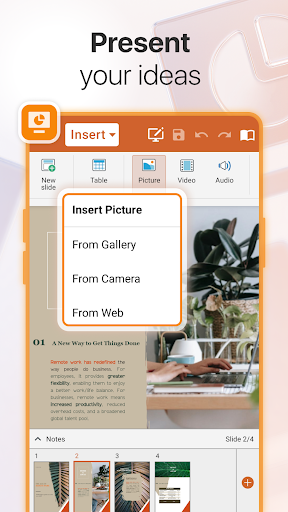
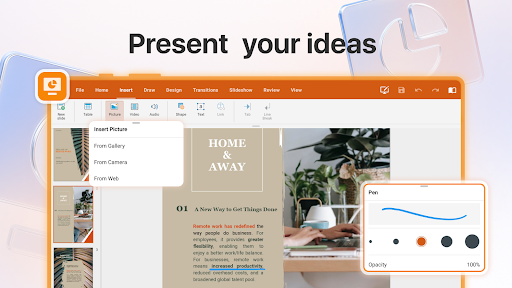
• All the advanced features you need – format painter, track changes, conditional formatting, formulas, presentation mode, and much more.
• Export Documents, Sheets, and presentations Slides to PDF with our PDF converter.
• Advanced security options.
• Save all your files on your Google Drive account, OneDrive for Business, Box, or Dropbox accounts.
Advanced PDF management
• PDF docs reader.
• PDF files editor.
• PDF documents filler.
• Work with fillable forms.
• Digitally sign PDF documents.
• Enhanced security and permissions management.
• PDF converter to Word, Excel or ePub.
Mobile office - Designed for work on the go
• Integrated cloud storage for easy access to files – get 5GB free on our MobiDrive cloud or link your existing Google Drive, OneDrive for Business, Box, or Dropbox accounts.
• Cross-platform capabilities linking your Windows PC with all your Android and iOS mobile devices with our office mobile pack.
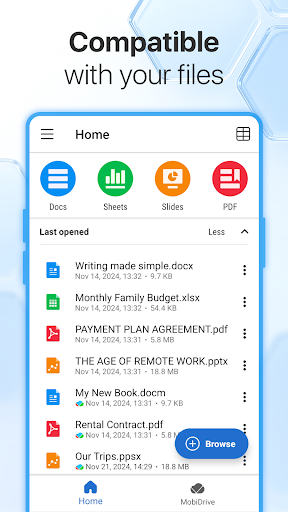
• Compatibility with popular file formats – Microsoft docs, Google docs, OpenOffice, Apple's iWork, and hundreds more.
• Practical and a user-friendly interface optimized for the latest Android version.
• PDF editor that you can use to create and fill PDF files, or as a PDF converter to office documents.
Create and edit files and documents with ease
Take your office with you wherever you go and stay productive on-the-go with our mobile document editor. Our app enables you to edit Word documents, Excel spreadsheets, and PowerPoint slides, and easily convert them to PDF files. No matter what type of document you need to work on, you can access it from anywhere and make changes whenever you need to.
Give it a go and see for yourself
Experience the complete set of features and tools available in MobiOffice with our free 7-day trial, giving you access to our advanced document editor, as well as all other premium features and tools. Our flexible pricing plans, which include monthly and annual options, allow you to choose the package that perfectly meets your needs. Whether you need a powerful documents editor, a spreadsheet app for budgeting, or a comprehensive suite of productivity tools, MobiOffice has got you covered.
Mobile documents editor for Word docs, Excel Sheets & PowerPoint slides and PDF files at your fingertips.
Link your mobile office to your Google Drive account or OneDrive for Business, Box, or Dropbox accounts to save all your files, compatible with many file formats including Google Docs, OpenOffice, Microsoft Office 365, and many more.
Premium benefits include:
• 5GB storage on MobiDrive
• Unlimited usage of the PDF converter
• Unlock 20+ advanced features
• Use Premium on 2 mobile devices & 1 Windows PC.
• No ads
• Priority support
With this powerful office pack, you can create, edit, comment, format, convert, and protect documents, spreadsheets and presentations - as well as the ability to view and sign PDF files. Compatible with Microsoft Office (Word, Excel, PowerPoint), Google Docs, Google Sheets, Google Slides, OpenOffice, LibreOffice, WPS Office, Polaris Office, Adobe PDF, and more.
Everything you need to get your work done
Work on-the-go and take your productivity to the next level with our mobile office app. Easily link your Google Drive, OneDrive for Business, Box, or Dropbox accounts to access your projects from any device, anywhere, anytime. Collaborate seamlessly with your team and stay efficient, even when you're away from your desk.
Features include:
• Powerful applications packed with helpful tools to handle any task with any file format – Microsoft Office365 docs, Google docs, OpenOffice, and more.
• All the advanced features you need – format painter, track changes, conditional formatting, formulas, presentation mode, and much more.
• Export Documents, Sheets, and presentations Slides to PDF with our PDF converter.
• Advanced security options.
• Save all your files on your Google Drive account, OneDrive for Business, Box, or Dropbox accounts.
Advanced PDF management
• PDF docs reader.
• PDF files editor.
• PDF documents filler.
• Work with fillable forms.
• Digitally sign PDF documents.
• Enhanced security and permissions management.
• PDF converter to Word, Excel or ePub.
Mobile office - Designed for work on the go
• Integrated cloud storage for easy access to files – get 5GB free on our MobiDrive cloud or link your existing Google Drive, OneDrive for Business, Box, or Dropbox accounts.
• Cross-platform capabilities linking your Windows PC with all your Android and iOS mobile devices with our office mobile pack.
• Compatibility with popular file formats – Microsoft docs, Google docs, OpenOffice, Apple's iWork, and hundreds more.
• Practical and a user-friendly interface optimized for the latest Android version.
• PDF editor that you can use to create and fill PDF files, or as a PDF converter to office documents.
Create and edit files and documents with ease
Take your office with you wherever you go and stay productive on-the-go with our mobile document editor. Our app enables you to edit Word documents, Excel spreadsheets, and PowerPoint slides, and easily convert them to PDF files. No matter what type of document you need to work on, you can access it from anywhere and make changes whenever you need to.
Give it a go and see for yourself
Experience the complete set of features and tools available in MobiOffice with our free 7-day trial, giving you access to our advanced document editor, as well as all other premium features and tools. Our flexible pricing plans, which include monthly and annual options, allow you to choose the package that perfectly meets your needs. Whether you need a powerful documents editor, a spreadsheet app for budgeting, or a comprehensive suite of productivity tools, MobiOffice has got you covered.
Mobile documents editor for Word docs, Excel Sheets & PowerPoint slides and PDF files at your fingertips.
Link your mobile office to your Google Drive account or OneDrive for Business, Box, or Dropbox accounts to save all your files, compatible with many file formats including Google Docs, OpenOffice, Microsoft Office 365, and many more.
Premium benefits include:
• 5GB storage on MobiDrive
• Unlimited usage of the PDF converter
• Unlock 20+ advanced features
• Use Premium on 2 mobile devices & 1 Windows PC.
• No ads
• Priority support
What's New
AI Document Summarization - Now with MobiOffice AI, you can instantly generate smart summaries of your entire PDFs and Word documents.
App Information
Version Name
14.4.51666
Version Code
51666
File Size
151.0 MB
Minimum OS
Android 7.0+
Target SDK
Android 34
Developer
MobiSystems
Contact
Website
Content Rating
Everyone
Package Name
com.mobisystems.officePermissions Required
This app may request the following permissions:
Recent Reviews

Veronica Crawford
1.0★
A waste of my time and data downloading. You can't even save what you are working on without upgrading to the paid version. **Response to reply: I understand that you have the right and even the need to charge for your work, but don't claim to have a free version with ads. You create an expectation that the features that you have open on the version with ads will be functional, paid for with ad revenue. To put in effort on a project only to find out that it was for nothing is frustrating.

Dan Terhune
1.0★
Terrible. I used to love this app. now I'm paying $10/year for an app with misleading ads that doesn't work and is always asking for more money. Example: tried to scan a document to PDF. First, I got misleading ad - INSIDE THE APP I PAY FOR - saying that I can't read PDFs unless I download a different app. Then, when I tried to save the scan 1) I couldn't edit the document to delete an unwanted page; and 2) it wanted MORE money not to apply a watermark. Canceled subscription.

A Google user
2.0★
The slideshow below the install button clearly states "View and edit elaborate text documents". I find it misleading to say that in the description for the "free" version, since editing is not available. At a minimum, you'd have to switch to the trial version to edit anything. Also, on my tablet, the app crashes within minutes of opening a document for editing. Not a good thing to experience if you are writing an essay on the go.

Freestone Prime
1.0★
I searched for "Free Microsoft Office replacement" and this app showed up. I know the store's search engine will sometimes miss words but "free" is one that apparently has multiple meanings. This has a "free" trial for 7 days. That's not freeware, that's shareware. Look it up if you have questions! During the trial period you can only view your documents, or export to a format that is locked down in other viewers. On the up side, there were fewer ads than others I have reviewed today.
A Google user
1.0★
My wife paid for this application several months ago and i have just recently stated using it in the last few days. In its PDF editor. It keep giving me a null error when I remove all text from a text field. It wasnt a big deal at first; as long as i remembered to save every so often. The most recent null error completely destroyed the PDF I had a spent hours working on. This kind of simple error is just not acceptable in a program you are paying for.

Roman Ader
1.0★
I've had this app for years. Not sure when they decided to go subscription, but since then, I've avoided it as there is no reason to pay a monthly subscription fee for something that isn't updated so frequently, doesn't provide services that make my jaw drop, or even work 100% with all devices and file formats. If it were still based on the one-time buy in, it would be great! However there is absolute nothing whatsoever about this app that makes a recurring subscription worthwhile.
Ad slot: In-Content