
Cute CUT - Video Editor
com.mobivio.android.cutecut
by MobiVio Solutions
Screenshots
Ad slot: Top Leaderboard
About this app
Now, you can DRAW movies, AND you can draw ON movies! Cute CUT’s powerful, easy-to-use editing features put YOU in control, allowing you to make the highest quality movies, DIFFERENT from anything you’ve seen!
Do you want to create your own unique movie? Cute CUT’s robust and intuitive feature set will have you doing so in no time, drawing gorgeous, one-of-a-kind movies and so much more!
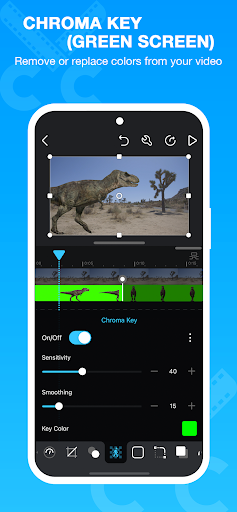
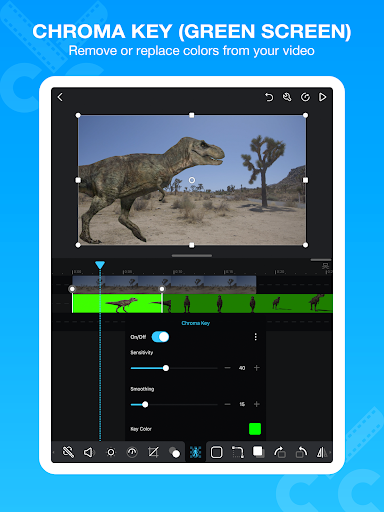
Besides providing the utilities of a common video editor, Cute CUT brings to the table exceptionally advanced, Hollywood-style editing functionality!
We’re continually working to enrich and strengthen Cute CUT’s top-tier functionality, and its refreshingly simple, unique presence in today’s digital market. Are you with us? Join more than one million others who’ve dared to discover the delightful difference that’s Cute CUT!
===================================================================
Key Features:
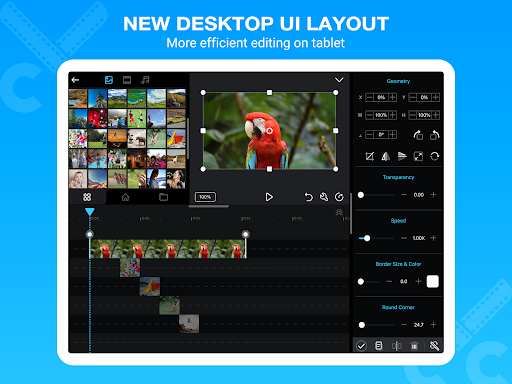
- User-Friendly UI.
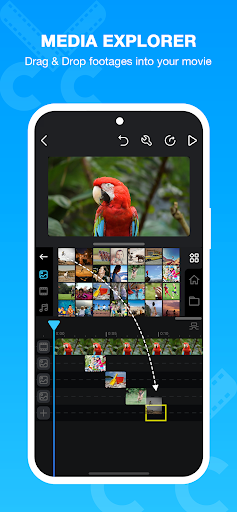
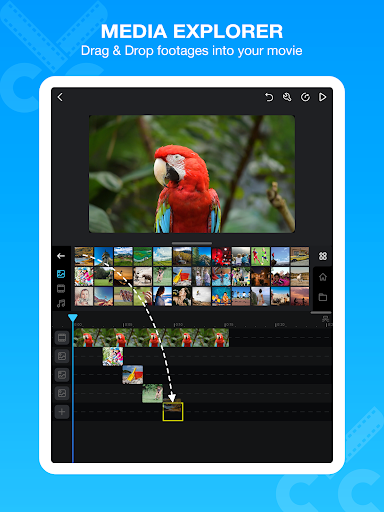
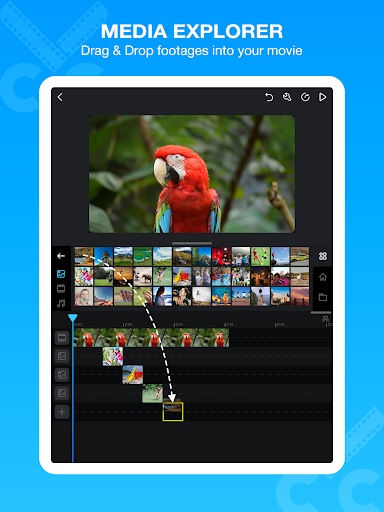
Just drag and drop; you can arrange your media segments easily.
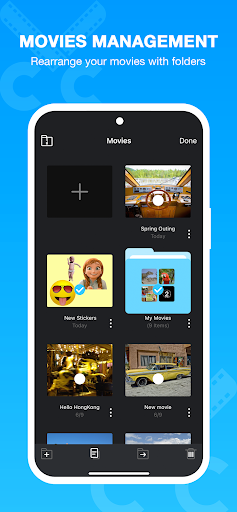
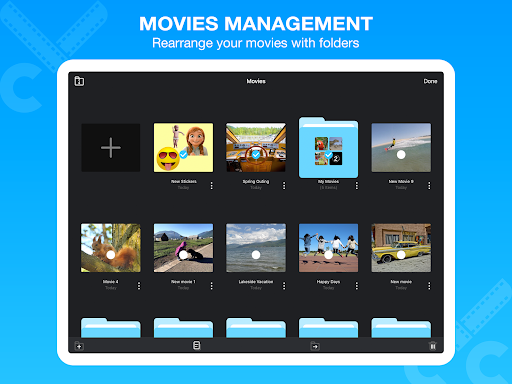
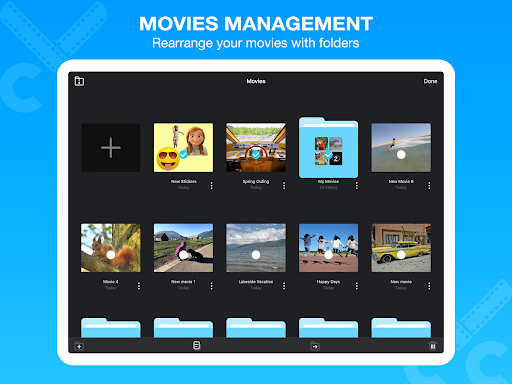
Sleek, bookshelf-style organizer showcases your movies.
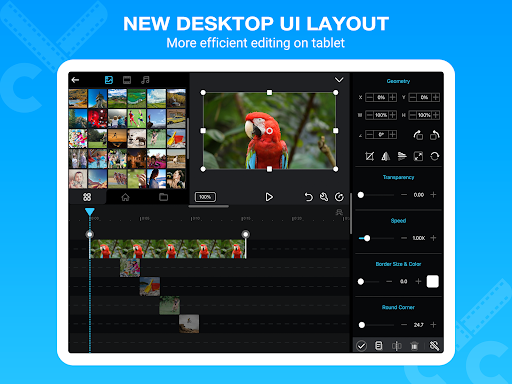
UI supports both portrait and landscape modes.
- Make DIFFERENT movies, make movies DIFFERENT!
Supports SIMULTANEOUS Adding of UP TO SIX different types of media into movie projects: Video, Photo (both from Album or Camera), as well as SELF-DRAW, Text, Music, and Voice.
- Supports various Resolutions and Aspect Ratios, including HD (16:9, 19.5:9 and 21:9), SD (4:3 and 5:4), SQUARE (1:1) and even Portrait Mode!
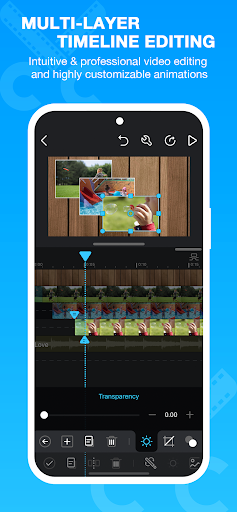
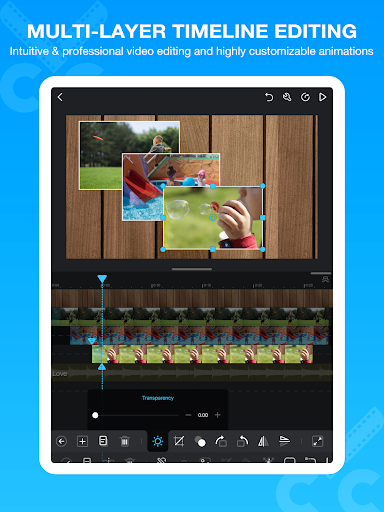
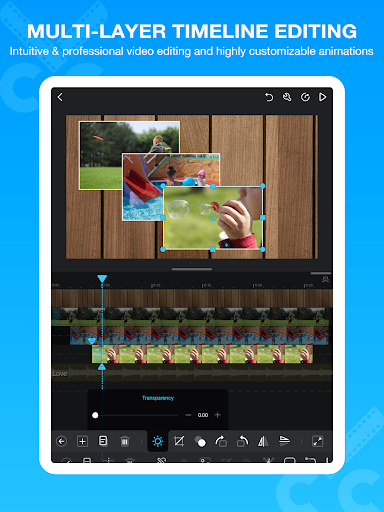
Creating a PIP (Picture-In-Picture) movie is EASY: Merely place one movie atop another; Cute CUT even supports independent Resizing of each and every video segment!
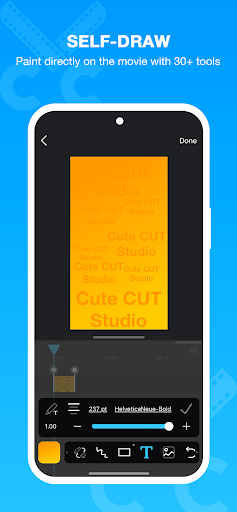
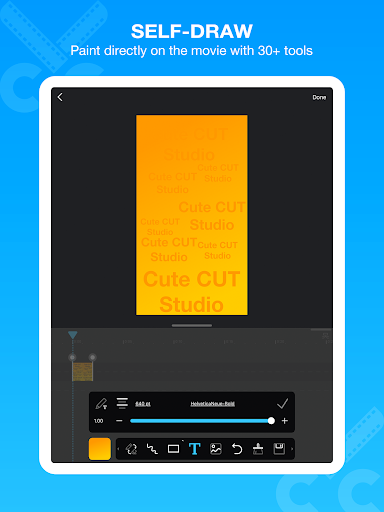
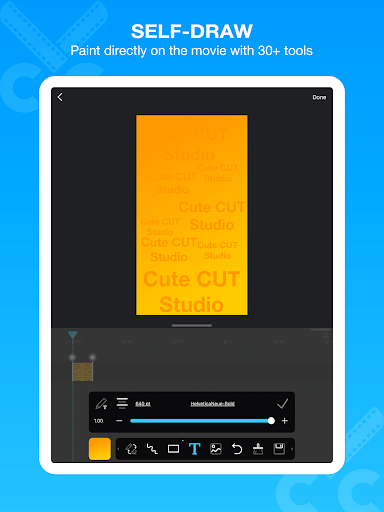
- Draw directly on movie.
30+ drawing tools.
- 3 Advanced Brushes for pro effects: Texture, Linear Gradient, Radial Gradient, gradients editable.
- Highly customizable transitions.
- 20+ Pre-Defined Transitions.
- Transparency, Border, Corner, Shadow, Transform, and Sound Volume ... ALL Customizable!
- Multiple Tutorials, and even Full Video Walkthroughs available, easily accessible.
===================================================================
You can upgrade to Pro to obtain the following features.
1. Watermark-free movies.
2. Unlimited movie length.
3. No Ad.
4. 4K ultra HD movie exporting.
5. More music tracks.
6. More stickers.
Homepage: https://cutecut2.mobivio.com
Feedback and Support: [email protected]
Do you want to create your own unique movie? Cute CUT’s robust and intuitive feature set will have you doing so in no time, drawing gorgeous, one-of-a-kind movies and so much more!
Besides providing the utilities of a common video editor, Cute CUT brings to the table exceptionally advanced, Hollywood-style editing functionality!
We’re continually working to enrich and strengthen Cute CUT’s top-tier functionality, and its refreshingly simple, unique presence in today’s digital market. Are you with us? Join more than one million others who’ve dared to discover the delightful difference that’s Cute CUT!
===================================================================
Key Features:
- User-Friendly UI.
Just drag and drop; you can arrange your media segments easily.
Sleek, bookshelf-style organizer showcases your movies.
UI supports both portrait and landscape modes.
- Make DIFFERENT movies, make movies DIFFERENT!
Supports SIMULTANEOUS Adding of UP TO SIX different types of media into movie projects: Video, Photo (both from Album or Camera), as well as SELF-DRAW, Text, Music, and Voice.
- Supports various Resolutions and Aspect Ratios, including HD (16:9, 19.5:9 and 21:9), SD (4:3 and 5:4), SQUARE (1:1) and even Portrait Mode!
Creating a PIP (Picture-In-Picture) movie is EASY: Merely place one movie atop another; Cute CUT even supports independent Resizing of each and every video segment!
- Draw directly on movie.
30+ drawing tools.
- 3 Advanced Brushes for pro effects: Texture, Linear Gradient, Radial Gradient, gradients editable.
- Highly customizable transitions.
- 20+ Pre-Defined Transitions.
- Transparency, Border, Corner, Shadow, Transform, and Sound Volume ... ALL Customizable!
- Multiple Tutorials, and even Full Video Walkthroughs available, easily accessible.
===================================================================
You can upgrade to Pro to obtain the following features.
1. Watermark-free movies.
2. Unlimited movie length.
3. No Ad.
4. 4K ultra HD movie exporting.
5. More music tracks.
6. More stickers.
Homepage: https://cutecut2.mobivio.com
Feedback and Support: [email protected]
What's New
• Some bug fixes.
App Information
Version Name
1.8.8
Version Code
1882
File Size
32.8 MB
Minimum OS
Android 8.0+
Target SDK
Android 26
Developer
MobiVio Solutions
Contact
Website
Content Rating
Everyone
Package Name
com.mobivio.android.cutecutPermissions Required
This app may request the following permissions:
Recent Reviews

A Google user
4.0★
i mean, its a great app! but.. i don't think it is necessary for the free version to only have "30 seconds exported". It isn't fair for the people who can't buy it, so your technicaly forcing people to buy the pro version. please don't do the "30 seconds exported" for free version because some people work really hard on these long edits and in the end can only post it 30 seconds. Tell me why and fix it if you can. I'll be happy to change my rating :) Please be able to respond or im uninstalling..
A Google user
2.0★
I was liking it so far, until I tried to save my video I was making, which happened to be almost 30 minutes long. It told me it could only save the first 30 seconds of my video, and now I very much dislike this app. Aspiring YouTubers stumble across this app and think, 'Oh! I could use this app to help my career! And it's free!!' Then when they make their video, which would most likely be over 30 seconds, their hopes and dreams get crushed. An amazing app only allowing 30 seconds of video to be saved.

Nicole
3.0★
Okay so, It was cool from the start. I used it like normal, yadda yadda, all the features are easy to use and easy to figure out. The main problem im having with it, is now. I imported a 15 minute movie, and split it up into 149 total little clips. When I go to delete the unwanted clips, it doesn't delete and just turns off the bottom menu of the selected clip. Don't know if this is because of my phone, or it's the app. I'm trying to load the movie I spent so much time on, but it crashes.
A Google user
4.0★
I've always used Cute Cut to edit, and it usually works out quite well for me, but recently it glitches a lot. The settings for my self-draw option don't show up, so I can't do anything with it except for a rectangular green shape. It'll randomly crash at times, too, as well as not having the preset transitions work correctly. Overall a nice app, but the glitches are getting to the point where it's frustrating to even open the app now.
A Google user
4.0★
I love this app. For starters, the clips can roll a gif on the background with transitions and it allows for transparent pngs to be added which makes it even better. The whole limited time unless you pay for premium thing is bad, but that doesnt limit anythin really, i mean, make another animation with it and pur them together in another app. What is kind of annoying, though, is that the only movement is for transitions. I would really like my image to be all over the place on the screen.
A Google user
3.0★
Good for making edits, gets the job done. However, I woulf totally give 5 stars if the playback wasn't so glitchy and laggy in app. I shouldn't have to constantly save a video just to make sure it's on beat because in app playback is inaccurate. Also, sometimes when I save the video, the video would have glitches or the music would be silent, so I would have to go back in and try to save it again. If these issues were resolved, I would most definitely give 5 stars.
Ad slot: In-Content