
Maxthon browser
com.mx.browser
by Maxthon Browser
Screenshots
Ad slot: Top Leaderboard
About this app
Do you want to save mobile data and save money on your monthly bill? Try Maxthon Cloud Browser! You can save all kinds of stuff and read them offline in your browser at any time. Smart image display could also help you control mobile data consumption effectively. This browser is made just for mobile.
As the the 6th generation web browser developed by Maxthon USA Inc., which was once awarded "Best Browser" on About.com For 3 Consecutive Years, Maxthon Cloud Browser is created for those who spend much time on the web every day, especially for iOS users because of its iDevice features like Touch ID, 3D Touch…
It’s time to switch to this faster and lighter browser to improve the efficiency and save data now!
FEATURES:
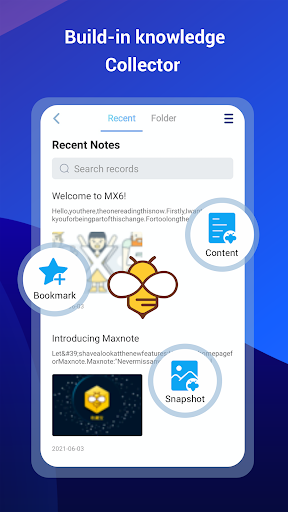
*BUILT-IN NOTE-TAKING TOOL- You can make notes easily while browsing the web. Collect and save any content you see on the web with one tap. Read, edit and organise your collection even offline.
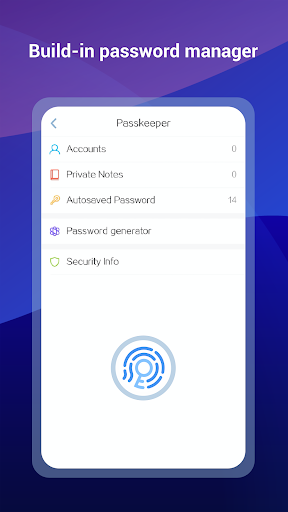
*BUILT-IN PASSWORD MANAGER- It handles passwords for your, securely saves them and automatically fills them in next time you visit the site. Employing multiple encryption technologies, your passwords will never be safer.
*NIGHT MODE- Are you a night owl? It’s time to say time to sore eyes. Read more comfortably in the dark with Maxthon now.
*INCOGNITO MODE- Turn on Incognito mode in Maxthon and browse the mobile web without a trace.
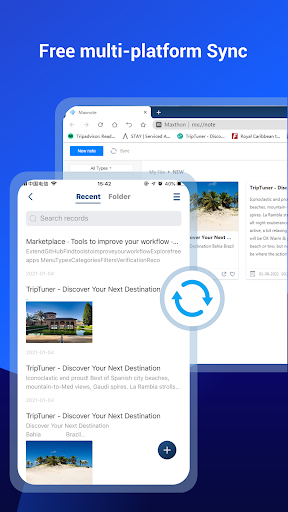
*SYNC ACROSS DEVICES- Access tabs, bookmarks & history from other devices, Pick up where you left off on your other devices and read offline.
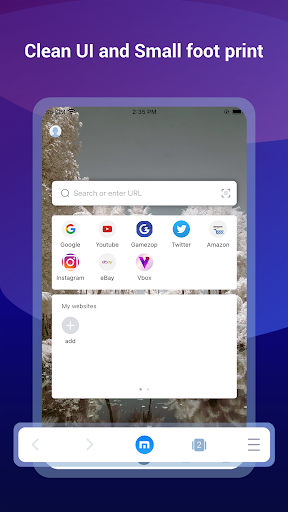
*CUSTOMISABLE SPEED DIAL- Add your favourite websites, apps or even search result to speed dial, to visit them on the go with one touch.
*SMART IMAGE DISPLAY- Help you control your mobile data usage and save money for you.
*EASY MULTI TABS MANAGEMENTS- You can open as many tabs as you like, and switch or close with only one touch.
Millions of people use Maxthon browsers to watch videos, connect with friends, search on the web, and sync data across platforms. We hope Maxthon Cloud Browser could help more and more people enjoy the Internet, while saving more data and money.
Download Maxthon Cloud Browser and save your mobile data from now on!
As the the 6th generation web browser developed by Maxthon USA Inc., which was once awarded "Best Browser" on About.com For 3 Consecutive Years, Maxthon Cloud Browser is created for those who spend much time on the web every day, especially for iOS users because of its iDevice features like Touch ID, 3D Touch…
It’s time to switch to this faster and lighter browser to improve the efficiency and save data now!
FEATURES:
*BUILT-IN NOTE-TAKING TOOL- You can make notes easily while browsing the web. Collect and save any content you see on the web with one tap. Read, edit and organise your collection even offline.
*BUILT-IN PASSWORD MANAGER- It handles passwords for your, securely saves them and automatically fills them in next time you visit the site. Employing multiple encryption technologies, your passwords will never be safer.
*NIGHT MODE- Are you a night owl? It’s time to say time to sore eyes. Read more comfortably in the dark with Maxthon now.
*INCOGNITO MODE- Turn on Incognito mode in Maxthon and browse the mobile web without a trace.
*SYNC ACROSS DEVICES- Access tabs, bookmarks & history from other devices, Pick up where you left off on your other devices and read offline.
*CUSTOMISABLE SPEED DIAL- Add your favourite websites, apps or even search result to speed dial, to visit them on the go with one touch.
*SMART IMAGE DISPLAY- Help you control your mobile data usage and save money for you.
*EASY MULTI TABS MANAGEMENTS- You can open as many tabs as you like, and switch or close with only one touch.
Millions of people use Maxthon browsers to watch videos, connect with friends, search on the web, and sync data across platforms. We hope Maxthon Cloud Browser could help more and more people enjoy the Internet, while saving more data and money.
Download Maxthon Cloud Browser and save your mobile data from now on!
What's New
1. Fixed an issue where downloads might fail
2. Added download notification prompts
3. Fixed the issue where the bottom notification bar could block content
4. Changed the default download path to the system’s Downloads folder
5. Fixed other potential issues (mainly those reported on Google Play, such as NPE, Service-related problems, etc.)
2. Added download notification prompts
3. Fixed the issue where the bottom notification bar could block content
4. Changed the default download path to the system’s Downloads folder
5. Fixed other potential issues (mainly those reported on Google Play, such as NPE, Service-related problems, etc.)
App Information
Version Name
7.0.5.1000
Version Code
21300
File Size
44.0 MB
Minimum OS
Android 7.0+
Target SDK
Android 33
Developer
Maxthon Browser
Contact
Website
Content Rating
Everyone
Package Name
com.mx.browserPermissions Required
This app may request the following permissions:
Recent Reviews

Lokaguru das
5.0★
Jai Nitai Gauranga. LG V60 running android 10.0. I've used this app since it was available. Doesn't appear to be any issues... (1) works well with Android 10; (2) faster than almost every other browser; (3) my only wish would be for maxthon remove all the extra layers it takes to get to my bookmarks and go a bit more minimalist on this version.

A Google user
1.0★
I am quite disappointed with the Android version and wish it was more similar to the Windows PC version. I have been using Maxthon for roughly 8 years and have always been satisfied. The android version crashes frequently, shows a bunch of bookmarked icons on the main page that I can't remove. I can add more but can't take the ones there by default away. Make the Android version more like the PC version and I will be happy.

W W
3.0★
To me, a browser is a browser for the most part. Maxthon mobile has the advantage that it can save your preference to "always view desktop site". I use several browsers on my phone & most allow you to switch from mobile to view the desktop version of websites but mostly can't permanently set to request desktop site by default. A huge disadvantage for me is Maxthon limits itself to ONLY 20 tabs (-2⭐).

Alexander
2.0★
Not very good sadly. Doesn't have content block, Chrome by default doesn't either and it already makes it better than Maxthon, so if you don't care about that by all means use Chrome. For me content blocking is very important so I use Brave on PC and Mobile. Maxthon honestly has no advantages over the most bare-bones browsers out there.

Renato Alessio
5.0★
I use Maxthon Browser in Windows because I like how it handles Bookmarks - it doesn't require heaps of scrolling like most other browsers do. In Android it brings all my bookmark folders across nicely, and I use it just like on my PC. I happily used it for years on my ZTE Blade A5 phone. But when I got a ZTE Blade A31 phone, Playstore said it was incompatible. When I downloaded it to my Samsung A36 phone, it worked fine for a few days, then crashed and became unusable- even after re-installing

Nigel Burge
2.0★
Maxthon 7 for Android has always been a bit flaky but the latest update is really bad. Very slow, crashes and constantly loses the Quickaccess shortcuts. I have replaced it with a much earlier version 7.2.3.320 and all is now working correctly and it is up to speed. The Android version has always seemed like the poor relation compared to the PC version (which is excellent), which is a shame because the syncing between the two is such a good feature.
Ad slot: In-Content