

Pink Pixels - Terminal Theme
com.natewren.piptecpink
by Nate Wren Design
Screenshots

Ad slot: Top Leaderboard
About this app
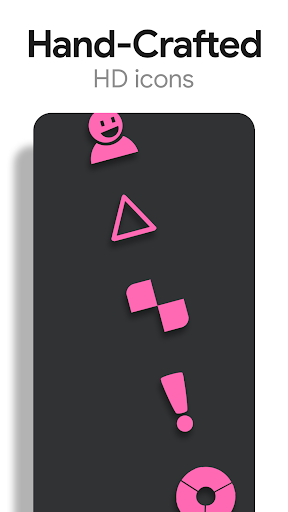
Pink Pixels is a theme that applies new icons to the most popular apps through a launcher of your choice. Each icon was hand crafted with simplicity in mind. The 4,500+ pink icons and wallpapers are inspired by old CRT monitors with scanlines and icons are xxxhdpi which means they're HD or high enough resolution to get cool looking lined icons on any device out there.
QUICK TIPS
You can manually edit icons in most launchers by long-pressing the icon you'd like to edit.
Widgets: If your widget stops updating, check your system or battery settings to make sure the app is exempt from battery optimization. More info at https://dontkillmyapp.com/
DISCLAIMER
You may need an alternate launcher to apply the icon pack. Please download a launcher that supports icon packs (Nova, Evie, Microsoft, etc.) before installing.
PRO VERSION
This is the Pro version of the app. Get the free version here: https://play.google.com/store/apps/details?id=com.natewren.piptec
HOW-TO GUIDE
http://natewren.com/apply
FEATURES
• 5,300+ hand-made pink icons
• Digital Clock Widget with date options
• Matching HD wallpapers included
• Icons updated regularly
• Icons are semi-transparent to show off your backgrounds
• Flat & simple themed icons with many variations of default lined icons such as phone, contacts, etc.
• Wallpaper picker included.
• Request more icons within the app.
HOW TO APPLY ICONS VIA ICON PACK
1. Open the app after installing
2. Navigate to "Apply" tab
3. Select your Launcher
HOW TO APPLY ICONS VIA LAUNCHER
1. Open Launcher settings by tapping + holding on an empty area of home screen
2. Select personalization options
3. Select icon pack
HEX CODE
Pink: fe57a8
FOLLOW ME
Twitter: https://twitter.com/natewren
QUESTIONS/COMMENTS
[email protected]
http://www.natewren.com
QUICK TIPS
You can manually edit icons in most launchers by long-pressing the icon you'd like to edit.
Widgets: If your widget stops updating, check your system or battery settings to make sure the app is exempt from battery optimization. More info at https://dontkillmyapp.com/
DISCLAIMER
You may need an alternate launcher to apply the icon pack. Please download a launcher that supports icon packs (Nova, Evie, Microsoft, etc.) before installing.
PRO VERSION
This is the Pro version of the app. Get the free version here: https://play.google.com/store/apps/details?id=com.natewren.piptec
HOW-TO GUIDE
http://natewren.com/apply
FEATURES
• 5,300+ hand-made pink icons
• Digital Clock Widget with date options
• Matching HD wallpapers included
• Icons updated regularly
• Icons are semi-transparent to show off your backgrounds
• Flat & simple themed icons with many variations of default lined icons such as phone, contacts, etc.
• Wallpaper picker included.
• Request more icons within the app.
HOW TO APPLY ICONS VIA ICON PACK
1. Open the app after installing
2. Navigate to "Apply" tab
3. Select your Launcher
HOW TO APPLY ICONS VIA LAUNCHER
1. Open Launcher settings by tapping + holding on an empty area of home screen
2. Select personalization options
3. Select icon pack
HEX CODE
Pink: fe57a8
FOLLOW ME
Twitter: https://twitter.com/natewren
QUESTIONS/COMMENTS
[email protected]
http://www.natewren.com
What's New
Added 80 Icons to Pro Version
Added 20 Icons to Free Version
Now Targeting SDK version 35
Updated Appfilter - fixes to un-themed icons
Current Pro Version Icon Count: 5,470
Current Pro Version Icon Count: 2,637
If you've purchased an Icon Pack, thanks for your support!
For Updates: @natewren on bluesky | @natewrendesign on insta
Added 20 Icons to Free Version
Now Targeting SDK version 35
Updated Appfilter - fixes to un-themed icons
Current Pro Version Icon Count: 5,470
Current Pro Version Icon Count: 2,637
If you've purchased an Icon Pack, thanks for your support!
For Updates: @natewren on bluesky | @natewrendesign on insta
App Information
Version Name
1.0.0
Version Code
1
File Size
30.1 MB
Minimum OS
Android 4.4+
Target SDK
Android 23
Developer
Nate Wren Design
Contact
Website
Content Rating
Everyone
Package Name
com.natewren.piptecpinkPermissions Required
This app may request the following permissions:
Recent Reviews

Private User
5.0★
I've purchased several designs from Nate over the past 5 years or so, and i've got only praise. I also like how you can customize from his additional icons that are included.

Rhonwyn Cissa
5.0★
I love this theme. Using it for years. But now with new phone my widgets doesn't work. :( When I add shortcut and click on it, it does nothing) Solved! Thank you very much for quick and efficient answer 😍😍😍

A Google user
5.0★
This theme is an absolute work of art if only I could get this in purple all would be well with the world!!!
A Google user
5.0★
It's nice, I like the design of it and everything.
A Google user
5.0★
Best icon pack I've seen.
A Google user
2.0★
Hey guys, why are only a few apps shown as options to request icons for? And they are all apps that already have icons... I'm asking because I wanted to request possible a different icon for the Duolingo app. The available one looks nothing like the app icon and is actually kinda creepy.. u wouldn't even need to do much since u have a normal looking one in the flight light theme. Maybe just turn it pink? And the weather widget.. do u think u can give the option for a white background instead of black? And maybe open a weather app of our choosing when tapped? The widgets are useless to me otherwise and I'm starting to regret having paid 4$ for this app :/
Ad slot: In-Content