

WiFi Mouse Pro
com.necta.wifimouse
by WiFi Mouse
Screenshots

Ad slot: Top Leaderboard
About this app
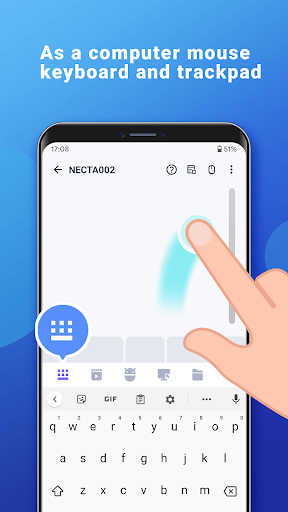
Transform your phone into a wireless mouse, keyboard and trackpad for your computer, it enables you to control your PC/Mac/Linux effortlessly through a local network connection. Remote media controller, file browser and remote desktop are included.
Now you can relax on the sofa and control playing movie or game in the comfort of your own home, replace real broken mouse and keyboard by this app.
Key features:
* Fully simulated mouse
* Built-in support for Android system and third-party input method, even emoji
* Simulate computer keyboard, support many language keypads
* Simulate Apple Magic Trackpad, support multi-touch gestures
* Shutdown/Sleep Computer Remotely
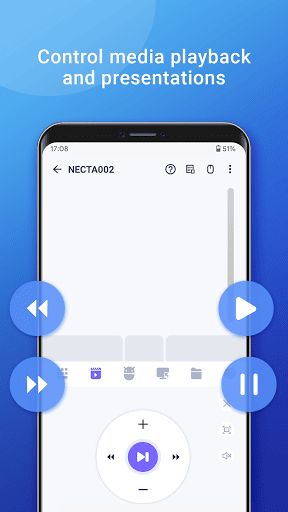
* Media Controller(unified controller for YouTube(web), VLC, Spotify, Windows media player, Netflix(web) and quicktime).
* Voice input remotely.
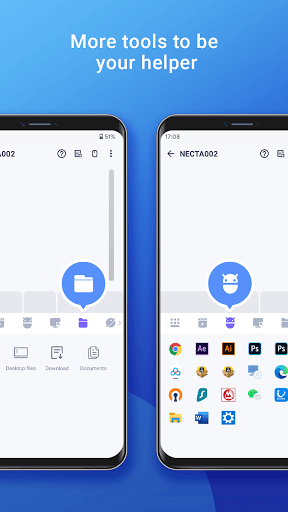
* Remote application launcher.
* Web Remote : Supports Safari, Chrome, Firefox
* Browse & open computer files.
* Games pad(remote play computer game), such as control Roblox games on PC.
* Gyro mouse (Gyro sensor).
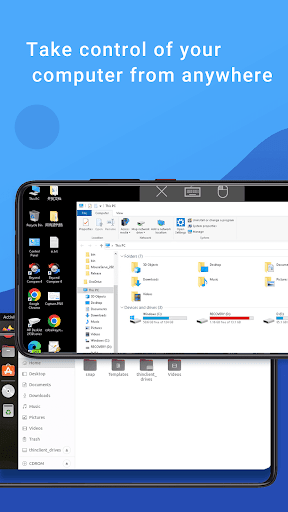
* Remote desktop(RDP), computer screen in your hands.
* Control PowerPoint / Keynote Presentation Remotely.
* Control Apple TV, Samsung TV, LG TV and TCL TV if your phone has infrared blaster.(beta)
* Compatible with Windows 7/8/10, Mac OS x/Linux(Ubuntu, Debian, Raspbian, Mint, Kali, Deepin, MX...).
Quick setup:
* Download & install mouse server from website http://wifimouse.necta.us
* Make sure your phone and computer at the same network
* Make sure your firewall allow mouse server on computer, especially allow TCP port 1978
* Start app to connect one computer
Permissions
* Full network access: for mouse server connection.
* Vibration: for press key feedback
* Transmit infrared: for IR remote control
Now you can relax on the sofa and control playing movie or game in the comfort of your own home, replace real broken mouse and keyboard by this app.
Key features:
* Fully simulated mouse
* Built-in support for Android system and third-party input method, even emoji
* Simulate computer keyboard, support many language keypads
* Simulate Apple Magic Trackpad, support multi-touch gestures
* Shutdown/Sleep Computer Remotely
* Media Controller(unified controller for YouTube(web), VLC, Spotify, Windows media player, Netflix(web) and quicktime).
* Voice input remotely.
* Remote application launcher.
* Web Remote : Supports Safari, Chrome, Firefox
* Browse & open computer files.
* Games pad(remote play computer game), such as control Roblox games on PC.
* Gyro mouse (Gyro sensor).
* Remote desktop(RDP), computer screen in your hands.
* Control PowerPoint / Keynote Presentation Remotely.
* Control Apple TV, Samsung TV, LG TV and TCL TV if your phone has infrared blaster.(beta)
* Compatible with Windows 7/8/10, Mac OS x/Linux(Ubuntu, Debian, Raspbian, Mint, Kali, Deepin, MX...).
Quick setup:
* Download & install mouse server from website http://wifimouse.necta.us
* Make sure your phone and computer at the same network
* Make sure your firewall allow mouse server on computer, especially allow TCP port 1978
* Start app to connect one computer
Permissions
* Full network access: for mouse server connection.
* Vibration: for press key feedback
* Transmit infrared: for IR remote control
What's New
Fix bugs
App Information
Version Name
1.7.2
Version Code
69
File Size
7.4 MB
Minimum OS
Android 8.1+
Target SDK
Android 21
Developer
WiFi Mouse
Contact
Website
Content Rating
Everyone
Package Name
com.necta.wifimousePermissions Required
This app may request the following permissions:
Recent Reviews

Dave F
3.0★
The app works well but on my Pixel 8a the bottom buttons (the part where we can change to game pad, PC keyboard etc) are unavailable because the navigation buttons are in the way. I do split screen on order to access the buttons but it would be nice to not have to do that. is there something I'm missing that would make the app go full screen?

A Google user
1.0★
A while back I noticed that, despite paying for the app, the server loaded adware on my computer called Luminati. Even though, before I had installed it, I declined their terms, it was still running in the background. A revamp of the server still pops up the notice but allows you to decline the terms and still run the program. Yet, even when the program isn't running, Luminati is still running in the background.

Nathan Joseph
1.0★
Please quit breaking this app with pointless updates. There's literally no reason to update unless you're adding new features. Edit 9/4/25: When I go to open to open the pro app I PAID for, it closes immediately. I try to open the free app and it works. That is stealing. This dev needs to be reported for it

edwin chau
3.0★
I have used this app for several years both free and paid. Has gone downhill with the latest upgrades. No longer compatible devices below android 5. Mouse now lags a lot more. I can't get the app to find the PC and have to type the IP address manually. Also disconnects whenever a UAC window pops up or ease of access tool like magnifier is opened.
A Google user
1.0★
I paid for this app as it allowed me to use a simulated keyboard layout. However with a new update it wouldn't connect. Even after uninstalling, reinstalling, and a host of computer restarts it still wouldn't connect so I contacted customer support. Couldn't have been a bigger mistake. It's clear the developer gives 0 f***s about the people paying for his app as every time I tried explaining my situation and the steps I'd taken to correct them, he would blow me off w/ generic excuses.
A Google user
1.0★
App shows the Wi-Fi network connected but there is no mouse movement on the desktop . first this used to happen with a free version so I bought paid version and now it is showing the same thing. Don't buy it is a waste of money and time every time I have to uninstall the server app and again install it don't go for it there are some other app like unified remote which are very good
Ad slot: In-Content