

AOA: Always on Display
com.newgen.alwayson
by newGen Mobile
Screenshots



Ad slot: Top Leaderboard
About this app
AOA is a ground breaking always on display which allows you to interact with notifications, view time/date, weather forecast, control your music, set app shortcuts, and much more right from your screen.
With AOA you are able to respond directly to any instant message such as SMS, Facebook messenger, WhatsApp, and many others. You can delete notifications or dismiss and save them for later. AOA is a must have for any device.
AOA is fully customizable but it comes pre-setup as soon as you install it on your device. All you have to do is just turn off your screen and watch AOA do its thing!
⭐ Awesome Features ⭐
• Beautifully crafted always on display (AOD)
• Password protected screen unlock and notification view
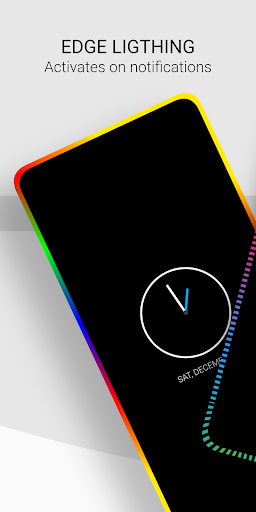
• Edge lighting with infinite colors
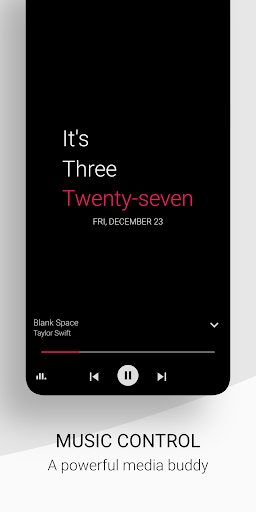
• Powerful music controls
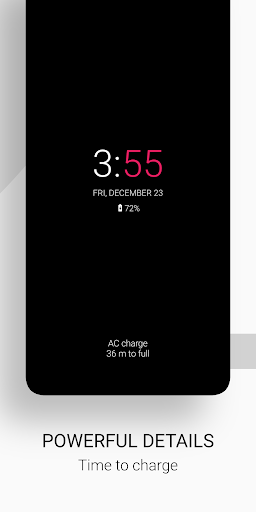
• Battery status display with time to charge
• Multiple screen orientations with notch support
• Calendar view with custom events
• Reply to instant messages directly from your AOA screen
• Sketch pad to take notes, or draw on the go
• Notifications with badge count
• Custom start/end times
• Interactive notifications with action buttons and gestures; Swipe left to dismiss, right to hide
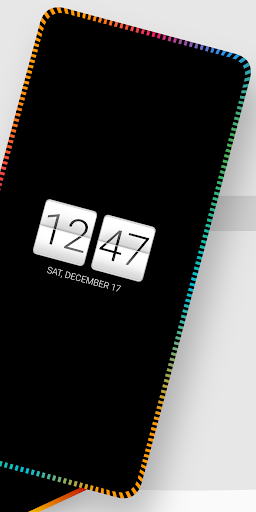
• Many clocks such as animated, analog, digital, or stickers
• Screen brightness control
• Preset HD backgrounds with the ability to upload your own
• Launcher shortcuts such as calendar, flashlight, camera, calculator
• Ability to set custom App shortcuts
• Full customization with many settings such as colors, icons, fonts, text size
• Automatic rules for better battery life
• Auto movement to prevent AMOLED/OLED burn-in
• Pocket mode for on the go
• Memo option with sticky notes
• Tasker plugin
"Jesus saith unto him, I am the way, the truth, and the life: no man cometh unto the Father, but by me" - John 14:6
With AOA you are able to respond directly to any instant message such as SMS, Facebook messenger, WhatsApp, and many others. You can delete notifications or dismiss and save them for later. AOA is a must have for any device.
AOA is fully customizable but it comes pre-setup as soon as you install it on your device. All you have to do is just turn off your screen and watch AOA do its thing!
⭐ Awesome Features ⭐
• Beautifully crafted always on display (AOD)
• Password protected screen unlock and notification view
• Edge lighting with infinite colors
• Powerful music controls
• Battery status display with time to charge
• Multiple screen orientations with notch support
• Calendar view with custom events
• Reply to instant messages directly from your AOA screen
• Sketch pad to take notes, or draw on the go
• Notifications with badge count
• Custom start/end times
• Interactive notifications with action buttons and gestures; Swipe left to dismiss, right to hide
• Many clocks such as animated, analog, digital, or stickers
• Screen brightness control
• Preset HD backgrounds with the ability to upload your own
• Launcher shortcuts such as calendar, flashlight, camera, calculator
• Ability to set custom App shortcuts
• Full customization with many settings such as colors, icons, fonts, text size
• Automatic rules for better battery life
• Auto movement to prevent AMOLED/OLED burn-in
• Pocket mode for on the go
• Memo option with sticky notes
• Tasker plugin
"Jesus saith unto him, I am the way, the truth, and the life: no man cometh unto the Father, but by me" - John 14:6
What's New
Thank you for choosing AOA!
V 7.2.7
- Bug fix's & improvements
V 7.2.7
- Bug fix's & improvements
App Information
Version Name
7.0.0
Version Code
700
File Size
20.7 MB
Minimum OS
Android 7.0+
Target SDK
Android 33
Developer
newGen Mobile
Contact
Website
Content Rating
Everyone
Package Name
com.newgen.alwaysonPermissions Required
This app may request the following permissions:
Recent Reviews

Mark Johns
4.0★
The app works well and better than the others that I've tried. There are ads but most are not intrusive (most). I've been using it for about a month now and really like it. I use the night clock every night. The time rules (Set schedule) works if the End Time doesnt go past midnight. If it goes past midnight, then it doesnt work at all. Oneplus 9 Pro. Android 14.

Terry Summers
5.0★
I absolutely love this app. Now I can see what time it is at night without picking up my phone. The numbers (of which you can change the colors and fonts) are big enough to see and my boyfriend had me put it on his phone as well. We are both 65 and older so the larger numbers help. Also, I love the colorful lights that circle around the edge of the phone when there is a notification and shows an icon without going into the phone. Battery usage is low on my phone. I give this 100 stars!

Miles Henderson
4.0★
Samsung Galaxy Note 10+. I get a small flashing blue dot on my screen near the camera cutout. The app works, it's just in concerned that using it will permanently damage my screen do to the constant flashing of this one pixel. (Edit: changing to 4 stars. The dot issue happens when the pocket detection is on. When it's off, the dot appears for a second and then it's gone. This means that the app is usable for me now, hence the change to 4 stars. Also, the app doesn't auto start for some reason).

Bunniedoll
4.0★
I really like it but it I wish I could long-press to at least my home screen like with the default AOD, default will also resume back to your app, but this seems to act as its own running app, so I'm not sure that's possible. Another thing I'm really glad I didn't learn the hard way- when I turn on the flashlight from the AOD, it will turn off when the screen rotates between portrait and landscape. Ok when I'm just too lazy to turn on the light, not ok if I actually needed it in a tough time.

A Google user
3.0★
Bought the pro version but had to uninstall. amazing app with lots of customization. I love the notification edge lighting!!! I had two reasons i uninstalled the app, one it drains my battery, no matter how much i like adding the functionality, if my phone is dead then it doesn't matter. second there are so many options a reset to default is needed if something isn't working the way you wanted.
Michael Esquivel
3.0★
Great app which compensates for the lack of AOD options on my Galaxy S22. I hope there are more animated backgrounds coming in the future! My only real complaint is there doesn't seem to be a way to hide the edge panel handle on Samsung phones when AOA is running. Unless the handle moves by itself, I'm worried it will cause screen burn. Update: After using the app for a few days, it just drained my battery too quickly to be viable. Too bad.
Ad slot: In-Content