
NAVER Map, Navigation
com.nhn.android.nmap
by NAVER Corp.
Screenshots
Ad slot: Top Leaderboard
About this app
South Korea's GPS navigation Get started right away
* Experience the completely new NAVER Map.
※ Are you traveling Korea?
Don't miss the smart tips to use NAVER Map: https://naver.me/GfCSj5Ut
[Key features]
- Map Home Menu Tab
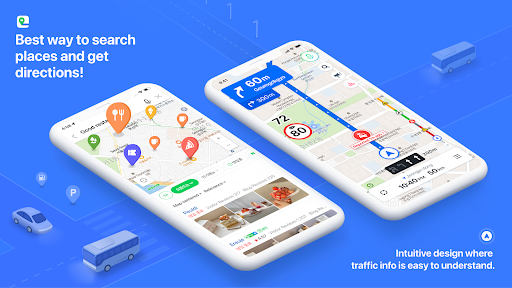
You can now conveniently use the Discover, Bookmark, Transit, Navigation, and MY tabs on the Home.
- Simplified search
Search locations, buses, subway, and more in a comprehensive search bar.
- Discover
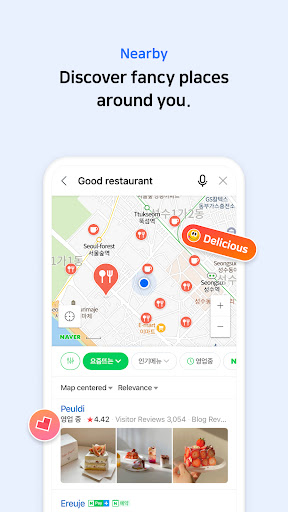
Helps you find new places nationwide and nearby. Enjoy real-time rankings, recommendation feeds, trending spots, bookmarked lists, and coupon offers.
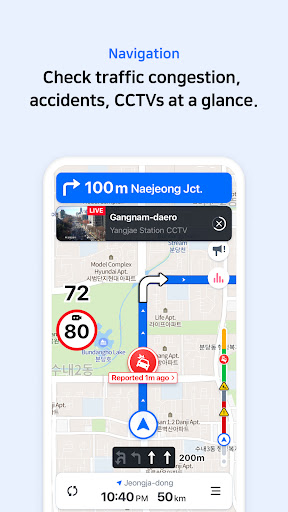
- Navigation
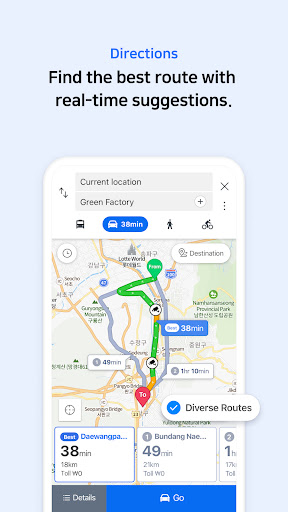
Fast and accurate navigation with real-time traffic info and optimized usability for any driving condition.
- Vector map
360 degrees rotation-enabled vector map with 3D view of key landmarks via tilting.
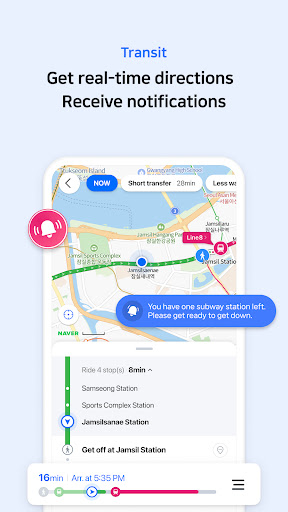
- Transit
You can easily reach your destination by using transit directions for various modes of transportation, real-time departure and arrival times, and notifications for when to get on/off.
- Street view
Seamless street and aerial views provided for location search and route planning.
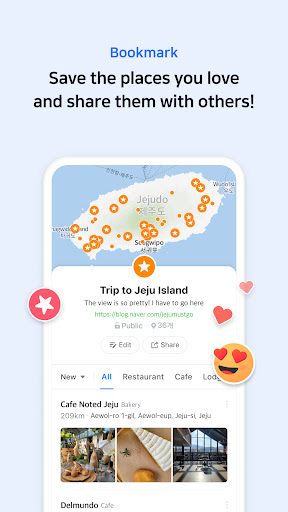
- Bookmark
Easily save your best restaurants and must-visit tourist spots on NAVER Map and share them with others.
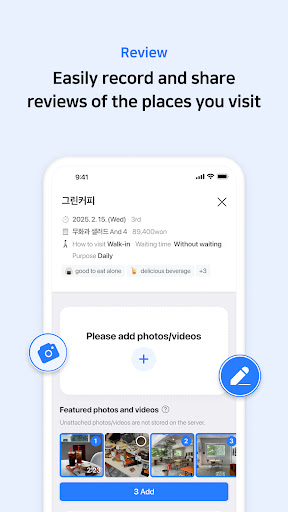
- MY
View all your maps, reviews, and bookings in one place and write reviews with ease.
- Instant search
View useful info about your query, such as opening/closing times for supermarkets while you search.
- Language
Korean/English/Japanese/Chinese maps and English navigation provided.
*Requires Android OS 8.0 or later
*Find out more tips on how to use NAVER Map
- NAVER Map customer service: http://naver.me/GYywEiT4
- NAVER Map blog: https://blog.naver.com/naver_map
----
*User confirmation for NAVER Map
Enabling the below privacy settings is recommended:
(Some features to make calls and send messages while navigating is supported only in Korea)
- Microphone: Used to provide voice search or voice comman.(KR only)
- Location: Used to find users' location when users find direction or use navigation.
- Phone: Used to make calls while navigating.(KR only)
- Call history: Used to access receipts of phone calls/messages while navigating.(KR only)
- SMS: Used to send messages while navigating.(KR only)
- File and Media (Photos and Videos, Music and Audios): Used to provide service including navigation smoothly and store required content on a device and view it.(Note that photos and videos are not accessible in NAVER Map app 5.35.2 or later on devices running OS 13.0 or later.)
- Contacts: Used to make calls and send messages while navigating.(KR only)
- Camera: Used in Feedback and NAVER’s MY - Receipt Confirmation to take photos of receipts.
- Notifications: Used to receive important notices, events, and promotional notifications (supported on devices running Android 13.0 or later).
----
*Contact: 1588-3820
*Address: 95, Jeongjail-ro, Bundang-gu, Seongnam-si, Gyeonggi-do, Republic of Korea
* Experience the completely new NAVER Map.
※ Are you traveling Korea?
Don't miss the smart tips to use NAVER Map: https://naver.me/GfCSj5Ut
[Key features]
- Map Home Menu Tab
You can now conveniently use the Discover, Bookmark, Transit, Navigation, and MY tabs on the Home.
- Simplified search
Search locations, buses, subway, and more in a comprehensive search bar.
- Discover
Helps you find new places nationwide and nearby. Enjoy real-time rankings, recommendation feeds, trending spots, bookmarked lists, and coupon offers.
- Navigation
Fast and accurate navigation with real-time traffic info and optimized usability for any driving condition.
- Vector map
360 degrees rotation-enabled vector map with 3D view of key landmarks via tilting.
- Transit
You can easily reach your destination by using transit directions for various modes of transportation, real-time departure and arrival times, and notifications for when to get on/off.
- Street view
Seamless street and aerial views provided for location search and route planning.
- Bookmark
Easily save your best restaurants and must-visit tourist spots on NAVER Map and share them with others.
- MY
View all your maps, reviews, and bookings in one place and write reviews with ease.
- Instant search
View useful info about your query, such as opening/closing times for supermarkets while you search.
- Language
Korean/English/Japanese/Chinese maps and English navigation provided.
*Requires Android OS 8.0 or later
*Find out more tips on how to use NAVER Map
- NAVER Map customer service: http://naver.me/GYywEiT4
- NAVER Map blog: https://blog.naver.com/naver_map
----
*User confirmation for NAVER Map
Enabling the below privacy settings is recommended:
(Some features to make calls and send messages while navigating is supported only in Korea)
- Microphone: Used to provide voice search or voice comman.(KR only)
- Location: Used to find users' location when users find direction or use navigation.
- Phone: Used to make calls while navigating.(KR only)
- Call history: Used to access receipts of phone calls/messages while navigating.(KR only)
- SMS: Used to send messages while navigating.(KR only)
- File and Media (Photos and Videos, Music and Audios): Used to provide service including navigation smoothly and store required content on a device and view it.(Note that photos and videos are not accessible in NAVER Map app 5.35.2 or later on devices running OS 13.0 or later.)
- Contacts: Used to make calls and send messages while navigating.(KR only)
- Camera: Used in Feedback and NAVER’s MY - Receipt Confirmation to take photos of receipts.
- Notifications: Used to receive important notices, events, and promotional notifications (supported on devices running Android 13.0 or later).
----
*Contact: 1588-3820
*Address: 95, Jeongjail-ro, Bundang-gu, Seongnam-si, Gyeonggi-do, Republic of Korea
What's New
- App stabilization and bug fixes
App Information
Version Name
5.26.4.2
Version Code
52604001
File Size
303.3 MB
Minimum OS
Android 8.0+
Target SDK
Android 33
Developer
NAVER Corp.
Contact
Website
Content Rating
Everyone
Package Name
com.nhn.android.nmapPermissions Required
This app may request the following permissions:
Recent Reviews

Isaac Santana
3.0★
Ok, after using it for a few days, the app is great for providing direction using public transportation.. very accuratem However not everything appears in English, even though tou change the language to English. Also, I'm assuming bc it lacks the capability to look for things in English, it doesn't do a good job finding things so I look for them on Google maps and then enter the address. Also, when you enter the address, add name, number without the district and/or country. Naver won't find it.

Tamar Harrington
5.0★
Pretty essential for living in Seoul. The English version isn't very good, imo. I use the Korean version. I appreciate the detailed info about public transport arrival times and which train door to use to shorten your next transfer time. (Arrival times aren't always 100% accurate, but would it be reasonable to expect that?) I have sometimes had a little trouble with looking up addresses on the app, but I suspect that is because of poor choices in the way the addresses are written.

Ben Nevis
2.0★
If you put spaces between words, it doesn't give you results. -Businesses who have English signage/names are often not found if you type the name in English. -If you type "restaurants" it will give you everything that is closed. It doesn't understand when you say something like "restaurants in Gangnam." Often it will give you a result of a place named Gangnam restaurant...on Jeju. Basically, it doesn't really speak English, but Google maps is blocked from useful info so...you're stuck.

Jim Kim
3.0★
Pretty much what others said already, the app doesn't translate the names of certain places, so I had to guess where my train/bus stop was. My main issue is the photo section of places. I wanted to see the photo of places to see what they offer, but there are so many pictures that have NOTHING to with places. Why am I seeing picture or videos someone walking their pets when I wanted to check out restaurants? The teams at Naver need to clean that up or organize better.

Marvin Powell
2.0★
This app is so horrible. Despite claiming it has an English version, it can ONLY give you results when you type in Korean. It can also ONLY give you results when you put in the exact (Korean) word with absolutely no mistakes. If you put in "Mcdonalds" without the apostrophe, it won't give you any results. When you DO get results on something, it only gives you results by "relevance" instead of distance from you, meaning everything is far away, instead of the closest options to you. Horrible!

Daniel Martinez
2.0★
Only good option for Korea and it sucks. Sure it will help you get to your destination and works well in when the trains and sometimes buses will arrive. Calculating the cost for each public transportation works good also. But if you navigate out of your starting point and will not update the route. A lot of times it throws you way outside where you are located. Searching for specific things completely sucks.
Ad slot: In-Content