

Nine - Email & Calendar
com.ninefolders.hd3
by NextIntelligence.ai
Screenshots




Ad slot: Top Leaderboard
About this app
The 100 Best Android Apps for 2019 - https://bit.ly/2PWe259
16 Android Apps Actually Worth Paying For - https://bit.ly/2G7vkJX
********************
Nine is not a free app.
After enough time using the free trial for 2 weeks and you are satisfied, please purchase Nine licenses.
The price for a license is US $14.99.
********************
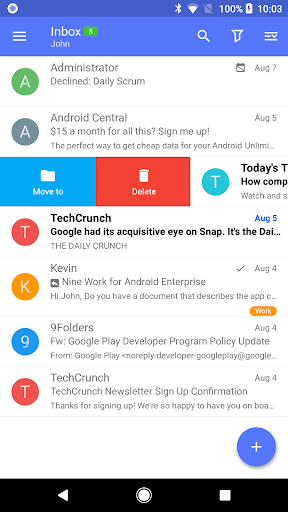
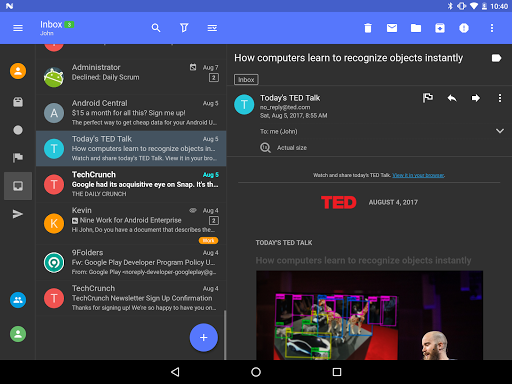
As of today email communication became a critical thing as interpersonal communication skill within an organization or in your daily life. There might be nothing more important than efficient communication in the work of a company. Nine is a full-fledged email application for Android based on Direct Push technology to synchronize with Microsoft Exchange Server using Microsoft Exchange ActiveSync, and also designed for entrepreneurs or ordinary people who want to have efficient communication with their colleagues, friends, and family members at anytime, anywhere. You may already have good experience with other E-Mail apps for Android. Regardless of your existing experience, we will give you a superb experience more than anything else. Leveraging E-Mail, Contacts, Calendar, Tasks and Notes on your mobile devices through wireless networks enhances your user experience and dramatically reduces your time.
Key features
- Direct Push Synchronization with Exchange ActiveSync. Nine does not have any server to store user's Nine data. Nine app connects to user server directly. All Nine data is stored in user device only.
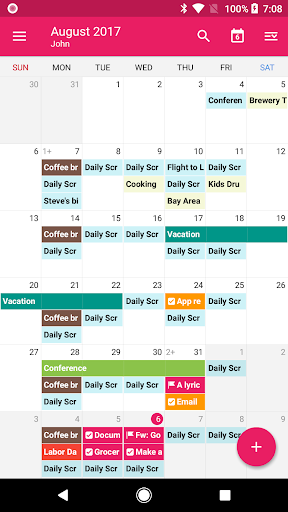
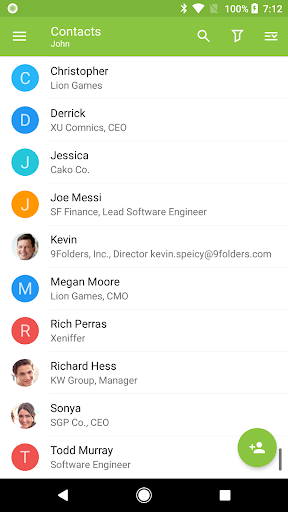
- Calendar and Contacts (Integrated into stock Calendar and Contacts application along with Nine account)
- Rich-Text Editor
- Client Cert
- S/MIME
- IRM
- Global Address List (GAL)
- Select folders to push (Email notification per each folder)
- Full HTML (inbound, outbound)
- Secure Sockets Layer (SSL)
- Hybrid Email Search (Integrate with fast local search and online search)
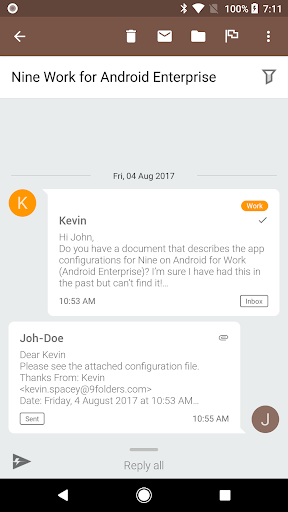
- Conversation Mode
- Unread Badge (Nova Launcher, Apex Launcher, DashClock and Samsung, Sony, Huawei & LG devices)
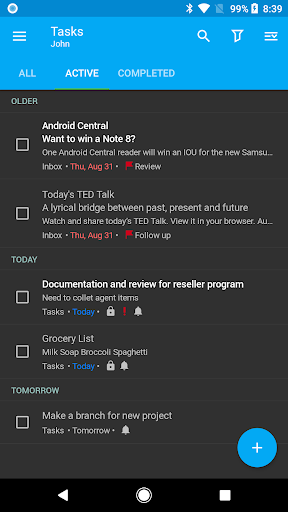
- Widgets (Unread badge, Shortcuts, Email list, Tasks list and Calendar Agenda)
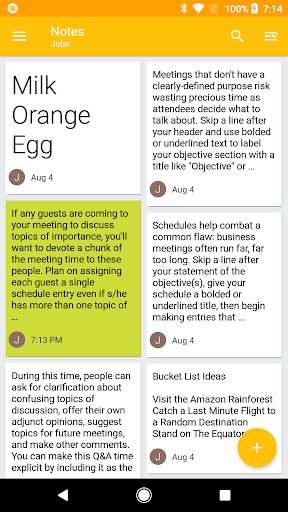
- Notes Sync (Exchange 2010 and higher)
- Tasks & Calendar Sync
- Modern Authentication for Office 365
Supported Servers
- Exchange Server 2003 SP2, 2007, 2010, 2013, 2016, 2019
- Office 365, Exchange Online
- Hotmail
- Outlook.com
- Gmail, G Suite (Google Apps)
- iCloud
- Other servers(IBM Notes Traveler, Groupwise, Kerio, Zimbra, Horde, IceWarp, MDaemon, Kopano etc) supported Exchange ActiveSync
- Other servers(Yahoo, GMX, Mail.ru, etc) supported IMAP
Permission Details
* WRITE_EXTERNAL_STORAGE
- To copy the attachment to an external storage and to export Nine settings.
* READ_EXTERNAL_STORAGE
- To import attachments from an external storage and to import Nine settings.
* CALL_PHONE
- To call a contact in Nine Contacts
* READ_PHONE_STATE
- To deliver the Device information to server (ActiveSync function)
* GET_ACCOUNTS
- To use the account for purchasing a license and to manage accounts information registered in system.
* WRITE_CONTACTS, READ_CONTACTS
- To use when syncing the user's contacts to server
* WRITE_CALENDAR, READ_CALENDAR
- To use when syncing the user's calendar to server
* CAMERA:
- To scan QR code for Entrust Smart Credentials
** Available Android
- Android 4.1 (Jelly Bean) and above
** Note
- Nine is not cloud based. It stores your accounts’ passwords only on the actual device. It connects only to the actual mail servers. It stores your messages only on the device.
- Nine uses the Device Administrator permission.
** Support
- If you have a question or a special request, just send an email to [email protected] and we will get back to you as soon as we can.
16 Android Apps Actually Worth Paying For - https://bit.ly/2G7vkJX
********************
Nine is not a free app.
After enough time using the free trial for 2 weeks and you are satisfied, please purchase Nine licenses.
The price for a license is US $14.99.
********************
As of today email communication became a critical thing as interpersonal communication skill within an organization or in your daily life. There might be nothing more important than efficient communication in the work of a company. Nine is a full-fledged email application for Android based on Direct Push technology to synchronize with Microsoft Exchange Server using Microsoft Exchange ActiveSync, and also designed for entrepreneurs or ordinary people who want to have efficient communication with their colleagues, friends, and family members at anytime, anywhere. You may already have good experience with other E-Mail apps for Android. Regardless of your existing experience, we will give you a superb experience more than anything else. Leveraging E-Mail, Contacts, Calendar, Tasks and Notes on your mobile devices through wireless networks enhances your user experience and dramatically reduces your time.
Key features
- Direct Push Synchronization with Exchange ActiveSync. Nine does not have any server to store user's Nine data. Nine app connects to user server directly. All Nine data is stored in user device only.
- Calendar and Contacts (Integrated into stock Calendar and Contacts application along with Nine account)
- Rich-Text Editor
- Client Cert
- S/MIME
- IRM
- Global Address List (GAL)
- Select folders to push (Email notification per each folder)
- Full HTML (inbound, outbound)
- Secure Sockets Layer (SSL)
- Hybrid Email Search (Integrate with fast local search and online search)
- Conversation Mode
- Unread Badge (Nova Launcher, Apex Launcher, DashClock and Samsung, Sony, Huawei & LG devices)
- Widgets (Unread badge, Shortcuts, Email list, Tasks list and Calendar Agenda)
- Notes Sync (Exchange 2010 and higher)
- Tasks & Calendar Sync
- Modern Authentication for Office 365
Supported Servers
- Exchange Server 2003 SP2, 2007, 2010, 2013, 2016, 2019
- Office 365, Exchange Online
- Hotmail
- Outlook.com
- Gmail, G Suite (Google Apps)
- iCloud
- Other servers(IBM Notes Traveler, Groupwise, Kerio, Zimbra, Horde, IceWarp, MDaemon, Kopano etc) supported Exchange ActiveSync
- Other servers(Yahoo, GMX, Mail.ru, etc) supported IMAP
Permission Details
* WRITE_EXTERNAL_STORAGE
- To copy the attachment to an external storage and to export Nine settings.
* READ_EXTERNAL_STORAGE
- To import attachments from an external storage and to import Nine settings.
* CALL_PHONE
- To call a contact in Nine Contacts
* READ_PHONE_STATE
- To deliver the Device information to server (ActiveSync function)
* GET_ACCOUNTS
- To use the account for purchasing a license and to manage accounts information registered in system.
* WRITE_CONTACTS, READ_CONTACTS
- To use when syncing the user's contacts to server
* WRITE_CALENDAR, READ_CALENDAR
- To use when syncing the user's calendar to server
* CAMERA:
- To scan QR code for Entrust Smart Credentials
** Available Android
- Android 4.1 (Jelly Bean) and above
** Note
- Nine is not cloud based. It stores your accounts’ passwords only on the actual device. It connects only to the actual mail servers. It stores your messages only on the device.
- Nine uses the Device Administrator permission.
** Support
- If you have a question or a special request, just send an email to [email protected] and we will get back to you as soon as we can.
What's New
* Fixed the account verification issue with the base64 encoding format for the URI query value used in Outlook accounts.
App Information
Version Name
4.9.5f
Version Code
1409560
File Size
45.3 MB
Minimum OS
Android 5.0+
Target SDK
Android 33
Developer
NextIntelligence.ai
Contact
Website
Content Rating
Everyone
Package Name
com.ninefolders.hd3Permissions Required
This app may request the following permissions:
Recent Reviews

Amy Hughes
3.0★
Used for years and I stick with it because of the feature set, especially the ability to see new email buried in a folder. I use Outlook rules to move incoming email and this app lets me see those messages. I don't want to move to their new app due to the way it managed data in the cloud. Issues: calendar reminders are not on time (sometimes the next day), calendar labels are wrong (I have many calendars)

A Google user
4.0★
Very cool. The mail client away every other email client out there (I've tried them all). The ability to pin favorite folders on the main screen is a big plus. The calendar view could use some work in usability/ease of use. Other apps are better here. One big pain point is address book - it is nearly impossible to view corporate data (building, office #, picture, etc) associated with people in the address book. The behavior is random.

AB C
5.0★
I'm a long time user of Nine. It's always the 1st app I've downloaded on new devices. The feature set has been incredible, support was responsive, and the app just worked. Not anymore. I'll never understand why the developer abandoned it for re-works (or whatever it's called). I and many others would have happily paid an annual subscription to keep Nine supported and working the way it did. Made no sense to abandon a loyal user base for a new app. Should have just kept it and charged annually.
A Google user
3.0★
Edit Mar 24: App development has appeared to stop. I don't recommend anyone purchase anymore assuming this is true...hope I'm wrong. With S24 and new versions of Android, I'm starting to have some issues...likely due to OS changes. Previous: Best email client on Android. While it is expensive, email is one of the common apps I use which makes this app easily worth it. Edit: Plus it's outstanding customer service.

Abo-El-Majd Macramala
1.0★
Using it for years now, best ever, all options available. Update 2/11/2024. I am updating my review. I have been using the nine android app on my phone and tablet for many years and suddenly it stopped syncing on both devices. I tried everything, removing and adding my accounts, deleting the app and reinstalling it and adding my accounts back. I went through all trouble shooting. Support couldn't solve the problem. I tried the new subscription version and had the same issues.

Todd Hess
1.0★
Downloaded and installed for the trial. I liked the interface and was about to pay for the license when I discovered that they are silently replacing it with a subscription based program under another name, but yet still accepting payments for this app, which is no longer being supported. This is what I call deceptive and a scam. Uninstalling and buying a competitor's program.
Ad slot: In-Content