
MyNISSAN®
com.nissan.mynissan
by Nissan North America, Inc.
Screenshots


Ad slot: Top Leaderboard
About this app
The MyNISSAN App is designed to help you get the most out of your vehicle and overall ownership experience. It brings remote access, security, personalization, vehicle information, maintenance, and convenience features from your Nissan to your compatible Android phone or Wear OS.
The MyNISSAN App is available for use by all Nissan owners, though the experience has been optimized for vehicles 2014 and later. The complete MyNISSAN experience is available for owners with an active NissanConnect® Services Premium package, on select models 2018 and newer.* For a complete list of available features for your specific vehicle, visit owners.nissanusa.com
The following MyNISSAN features are available to all Nissan owners and vehicles:
• Manage your Nissan account and preferences
• Make a service appointment with your preferred dealer****
• Receive notifications for applicable vehicle recalls or service campaigns
• View your vehicle’s service history and maintenance schedule
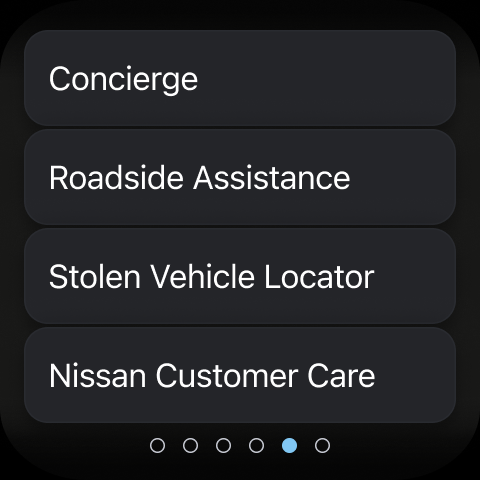
• Connect to Roadside Assistance
With a compatible vehicle, you can:
• Remotely start and stop your vehicle**, lock and unlock vehicle doors, and activate horn and lights
• Search for, save and send points of interest to your vehicle
• Check vehicle status (doors, engine, mileage, remaining fuel range, tire pressure, oil pressure, airbags, brakes)
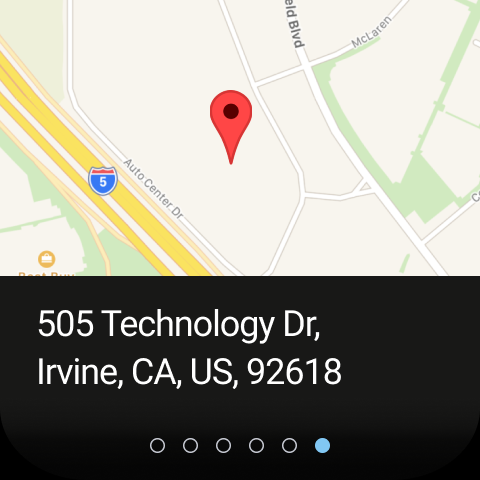
• Locate your vehicle
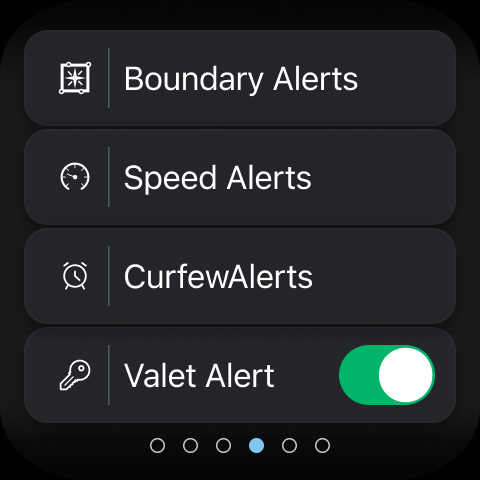
• Keep tabs on your vehicle with customizable boundary, speed and curfew alerts***
Vehicle trims with Google built-in** have additional accessibility, including:
• Remote vehicle climate adjustment
• Remote engine start
• Receive notifications if you’ve left your vehicle with doors unlocked, windows cracked, and more
• Connect with your automotive repair shop to receive real-time updates
• Simplify your trip with data-based route planning
• Receive alerts ahead of time if vehicle maintenance is coming due
• Add up to four additional drivers on one Nissan ID account
For important safety information, system limitations, and additional operating and feature information, see dealer, owner’s manual, or www.nissanusa.com/connect/privacy.
*The NissanConnect Services telematics program was affected by AT&T’s decision to discontinue its 3G cellular network. As of February 22, 2022, all Nissan vehicles equipped with telematics hardware compatible for use with the 3G cellular network will be unable to connect to the 3G network and unable to access the NissanConnect Services features. Customers having purchased a Nissan vehicle with this type of hardware must have enrolled in NissanConnect Services prior to June 1, 2021, to activate the service to have received access through February 22, 2022 (access is subject to cellular network availability and coverage limitations). For more information, please visit http://www.nissanusa.com/connect/support-faqs.
**Feature availability varies by vehicle model year, model, trim level, packaging and options. Consumer activation of NissanConnect Services SELECT package ("Package") required. Package trial period included with eligible new vehicle purchase or lease. Trial period may be subject to change or termination at any time and without notice. After trial period ends, monthly subscription fee required. Driving is serious business and requires your full attention. Only use features when safe and legal to do so. Never program while driving. GPS mapping may not be detailed in all areas or reflect current road status. Connectivity service required. App subscriptions may be required. Data rates may apply. Subject to third party service availability. Should such service providers terminate or restrict service or features, service or features may be suspended or terminated without notice or with no liability to NISSAN or its partners or agents. Google, Google Play and Google Maps are trademarks of Google LLC. For more information, see www.nissanusa.com/connect/legal.
The MyNISSAN App is available for use by all Nissan owners, though the experience has been optimized for vehicles 2014 and later. The complete MyNISSAN experience is available for owners with an active NissanConnect® Services Premium package, on select models 2018 and newer.* For a complete list of available features for your specific vehicle, visit owners.nissanusa.com
The following MyNISSAN features are available to all Nissan owners and vehicles:
• Manage your Nissan account and preferences
• Make a service appointment with your preferred dealer****
• Receive notifications for applicable vehicle recalls or service campaigns
• View your vehicle’s service history and maintenance schedule
• Connect to Roadside Assistance
With a compatible vehicle, you can:
• Remotely start and stop your vehicle**, lock and unlock vehicle doors, and activate horn and lights
• Search for, save and send points of interest to your vehicle
• Check vehicle status (doors, engine, mileage, remaining fuel range, tire pressure, oil pressure, airbags, brakes)
• Locate your vehicle
• Keep tabs on your vehicle with customizable boundary, speed and curfew alerts***
Vehicle trims with Google built-in** have additional accessibility, including:
• Remote vehicle climate adjustment
• Remote engine start
• Receive notifications if you’ve left your vehicle with doors unlocked, windows cracked, and more
• Connect with your automotive repair shop to receive real-time updates
• Simplify your trip with data-based route planning
• Receive alerts ahead of time if vehicle maintenance is coming due
• Add up to four additional drivers on one Nissan ID account
For important safety information, system limitations, and additional operating and feature information, see dealer, owner’s manual, or www.nissanusa.com/connect/privacy.
*The NissanConnect Services telematics program was affected by AT&T’s decision to discontinue its 3G cellular network. As of February 22, 2022, all Nissan vehicles equipped with telematics hardware compatible for use with the 3G cellular network will be unable to connect to the 3G network and unable to access the NissanConnect Services features. Customers having purchased a Nissan vehicle with this type of hardware must have enrolled in NissanConnect Services prior to June 1, 2021, to activate the service to have received access through February 22, 2022 (access is subject to cellular network availability and coverage limitations). For more information, please visit http://www.nissanusa.com/connect/support-faqs.
**Feature availability varies by vehicle model year, model, trim level, packaging and options. Consumer activation of NissanConnect Services SELECT package ("Package") required. Package trial period included with eligible new vehicle purchase or lease. Trial period may be subject to change or termination at any time and without notice. After trial period ends, monthly subscription fee required. Driving is serious business and requires your full attention. Only use features when safe and legal to do so. Never program while driving. GPS mapping may not be detailed in all areas or reflect current road status. Connectivity service required. App subscriptions may be required. Data rates may apply. Subject to third party service availability. Should such service providers terminate or restrict service or features, service or features may be suspended or terminated without notice or with no liability to NISSAN or its partners or agents. Google, Google Play and Google Maps are trademarks of Google LLC. For more information, see www.nissanusa.com/connect/legal.
What's New
• We’ve made a few behind-the-scenes updates to improve your overall experience.
• Expect smoother performance, faster load times, and a more seamless feel throughout the app.
• Expect smoother performance, faster load times, and a more seamless feel throughout the app.
App Information
Version Name
5.4.27
Version Code
595
File Size
81.0 MB
Minimum OS
Android 8.1+
Target SDK
Android 34
Developer
Nissan North America, Inc.
Contact
Website
Content Rating
Everyone
Package Name
com.nissan.mynissanPermissions Required
This app may request the following permissions:
Recent Reviews

Amanda Philpot
1.0★
It flat out doesn't work. Never locks remotely, never unlocks remotely. Never starts remotely. Fails every action, every time. Never connects to my phone when I start the car, the Bluetooth is always off. I have to turn it on, then tell it to connect. The features in this car work more poorly than my last 2015 Murano. Very disappointing.

Phil G
1.0★
This app is totally useless... unless you give them money! You can't even do simple things like lock, unlock, vent your car, turn lights, on or even beep horn like my 2018 BMW and many other apps! It's only good for scheduling service and keeping track of maintenance, so they can get more money out of you! It's bad enough we have to pay for navigation updates, but the simple things should be free at least. Shame on Nissan for misleading, it only controls if you pay... uninstalling!

Stephanie Raye
1.0★
I cannot get the app to work. It won't start my car, update my car info, lock or unlock. Everytime I try to use the controls it says failed. I have uninstalled and re-installed the app twice. I have reset Nissan Connect in my car. Im so frustrated. Ive looked online for trouble shooting and everything. I really need the app to work but it just doesn't. Help. Please.

Maya Powell
3.0★
It worked great for a bit but when I tried to look at it to see how much my car had charged, how much it charged and the mileage it go was not the same as on the car. It was like it froze and uninstalling and installing, and logging out and back in didn't do anything either. Update: the percentage and the miles are still not accurate. I believe the miles it can go are not accurate but the percentage is a bit closer to the actual percentage on the car.

Bean Sprout
1.0★
the app is useless. Cannot lock or unlock my vehicle, it always fails. Remote start has been disabled for like a year because it drains the battery. Sometimes it takes forever to update my car location. and it also sometimes gives a false status, like it alerts that the doors are unlocked a few minutes after I leave my vehicle, when in fact, it is locked. I complained and they offered Sirius music for free for 3 months as compensation LOL. um no, how about you extend my subscription instead.

Catrina Minus
3.0★
Update: The app malfunctions. At times, it shows that a door is open. I've gone outside in pouring rain only to find the door wasn't open more than once. I've tried turning the car on remotely only for it to tell me that I couldn't because the car door was unlocked. I still like the app, but I hope the glitches are resolved soon. 1st review: Very easy to use. I love the functionality of being able to remotely turn the engine on and lock/ unlock the doors.
Ad slot: In-Content